| Product | Wave Designer |
| Developer | DNR Collaborative |
| Price (MSRP) | $79.00 |
| Type / Tags |
| Instrument(s) |
| Operating System |
Latest Version |
Download | Released |
| 0.3.10 | - | ![]() |
|
| System Requirements Windows XP/Windows 7 | |||
| Copy Protection | None |
| Avg. User Rating |
The concept of Wave Designer was created originally for sound designers who are tired of having very few tools to create single-cycle waveforms, and even more tired of not having a quick and painless method of exporting those waveforms in standard formats without having to fiddle around with 5 separate applications just to get a single waveforms created properly. Since then, though, we have accrued quite a list of possible features that would make the tool into a set of tools, and would give it a broad market appeal to just about anyone who makes music. Currently available features of Wave Designer include:
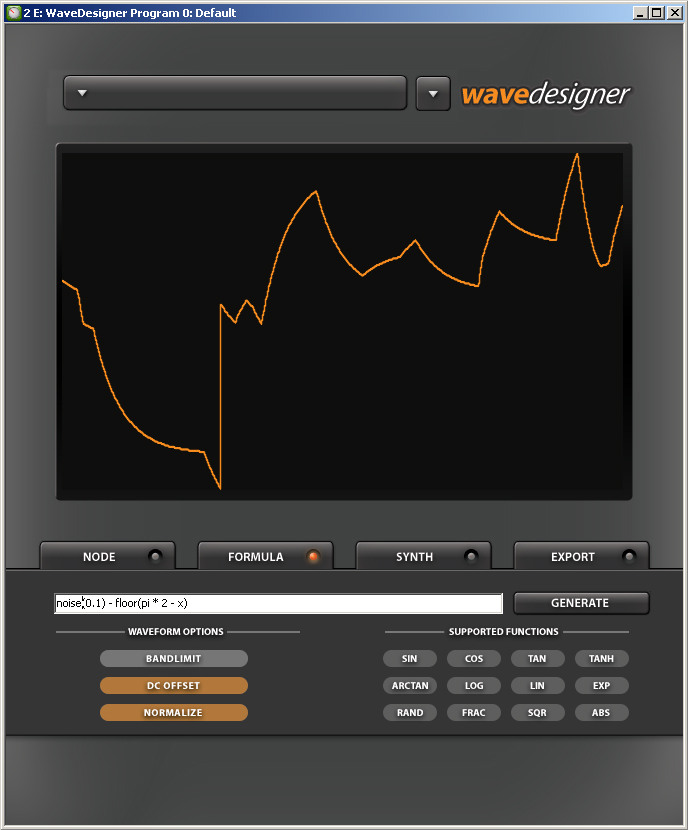
- Math Formula Editing: You can design waveforms with the included formula editor to build complex waveforms. Supported math functions currently include:
- TAN, TANH, ARCTAN, ARCTANH.
- COS, COSH, ARCCOS, ARCCOSH.
- SIN, SINH, ARCSIN, ARCSINH.
- EXP, FACTORIAL, SQR, SQRT, POWER.
- ROUND – Rounds to nearest integer.
- FLOOR – Rounds down to nearest integer.
- CEIL – Rounds up to nearest integer.
- SIGN – Returns 1 if positive, -1 if negative, 0 otherwise.
- FRAC – Returns the fractional part of a real number.
- ABS – Returns the absolute value of a real number.
- MIN – Returns the smaller of two numbers.
- MAX – Returns the larger of two numbers.
- RAND – Generates random, stepped waveforms.
- NOISE – Generates random, smoother waveforms.
- Basic synthesizer controls: While designing your waveforms in a VSTi enabled host, you can also control the output with the following controls:
- ADSR Envelope.
- Filter Envelope.
- Lowpass Filter.
- Master Volume.
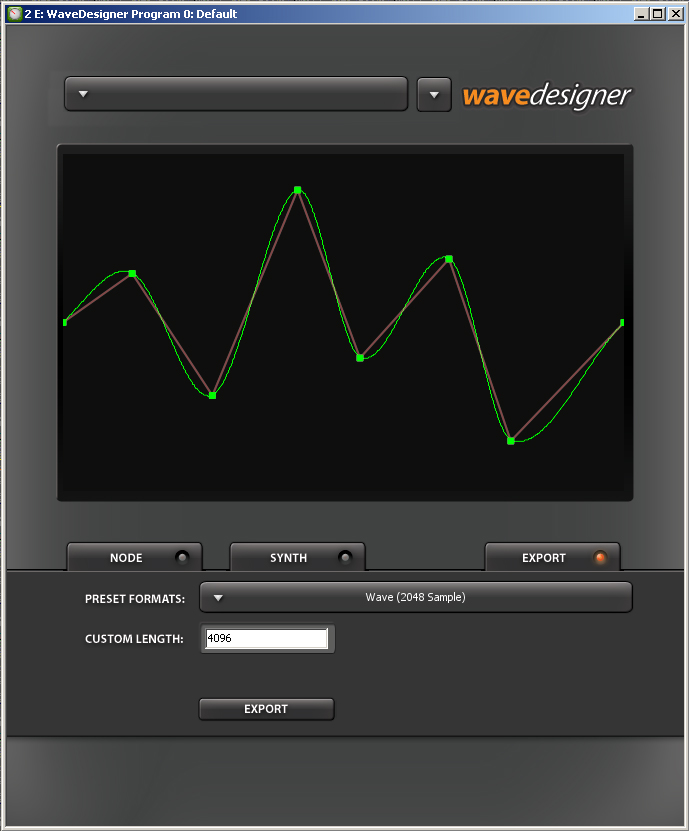
- .WAV Export: After creating your waveforms, you can then export them to either a standard 2048 sample single-cycle waveform for importing into many types of synthesizers, or you can choose to utility the custom sample length ability for synthesizers which support larger or smaller size waveforms.
- Node Editing: You can now design waveforms visually with the node editing features included in Wave Designer. The node editing screen allows 128 individual nodes to move, as well as a secondary approximation graph to show the curve of the waveform.

Discussion
Please log in to join the discussion


