Where is Cubase 12.5 or 13? [Update: It's here C13 is released!]

Audio Plugin Hosts and other audio software applications discussion
Post Reply New Topic
RELATED
PRODUCTS

Post

xbitz wrote: Fri Nov 03, 2023 8:24 pm ^^^Képernyőfotó 2023-11-03 - 21.23.55.png


https://www.steinberg.net/cubase/new-features/ at the bottom
Do you know what this means in practice? I can't workout what that means...

I'd love for Cubase to have nested group channels, which a lot of other DAWs have these days.

Post

I noticed that there is a new dialog on exit that the mixer (or something like that) is unloaded. It almost looks like the problem with crashes etc. on exit has been addressed?

Post

had the same thought

Post

zvenx wrote: Mon Sep 18, 2023 10:30 pm But yeah I do think we are discussing two different things... I am talking about folders I create, you are about folders it creates.
Yes. And they've resolved this bug in C13!! Now it deletes the folders it creates if you don't save the project. No more errant empty folders! :hyper:

Post

4damind wrote: Fri Nov 03, 2023 11:49 pm I noticed that there is a new dialog on exit that the mixer (or something like that) is unloaded. It almost looks like the problem with crashes etc. on exit has been addressed?
It's also possible they just added a dialogue for whatever it was already doing :D

Post

xbitz wrote: Fri Nov 03, 2023 10:23 pm I can see this on macbookpro m1
Image
yepp the white is problematic, but fortunately mac has a built-in night mode that shifts the colors to warmer tones; otherwise, I would consider installing such an app. The Channel/Inspector is nicely separated, dunno what else I would change between them(added only the missing direct routing to the Channel), but the mixer looks very much like S1—it's ugly.

ps. I would also add that you should never switch directly to Logic, either after or before using Cubase, although it still can't route MIDI to plugins, nor does it have a chord track. However, it does have the look.
Everything else aside, this screenshot tells me that even your 16” MacBook Pro M2 is awfully small for Cubase. I guess a 24” screen should be the very minimum. My absolute sweet-spot screen size is 32”.

Post

^^^ yepp,

Image

probably this is laptop laptop-friendly order, from right to left, Ableton Live is the most usable, but only because there is no mixer, Logic is a borderline case

Image
S1 is roughly somewhere between Logic and Cubase.

let's say this is why I only have licenses for AL and Bitwig
"Where we're workarounding, we don't NEED features." - powermat

Post

Had a chance to properly look at the Steinberg promo vids last night. Originally I was uninterested, but it surprised me that I think I'll get it. I particularly like the new mixing channel thingy and new routing is more useful then I thought, which I didn't think would be great but it looks very useful. Lots of small things that seem to add up to a decent upgrade that I didn't think applied to me. And 1 click stereo to mono is almost worth it it alone - previously so unnecessarily fiddly to create mono channels, which I use a lot. I'm not a fan of the overall GUI changes (not improvements) but not as offensive as they could be.

Surprises me how much it appeals to me. Will get it in a couple of weeks when I get home.

Post

Glyn Darby wrote: Fri Nov 03, 2023 8:47 pm
xbitz wrote: Fri Nov 03, 2023 8:24 pm ^^^Képernyőfotó 2023-11-03 - 21.23.55.png


https://www.steinberg.net/cubase/new-features/ at the bottom
Hi xbitz, thanks for confirming my initial thoughts mate but when I create a new Audio track the only inputs available are from my audio interface. Cheers Glyn.
Hi all, this video shows what I am on about, it’s in the section that starts at 6.05 minutes. Cheers Glyn.

Post

xbitz wrote: Sat Nov 04, 2023 8:03 am ^^^ yepp,

Image

probably this is laptop laptop-friendly order, from right to left, Ableton Live is the most usable, but only because there is no mixer, Logic is a borderline case

Image
S1 is roughly somewhere between Logic and Cubase.

let's say this is why I only have licenses for AL and Bitwig
Yo mate why do your DAWs look so beautiful? What version of Logic is that? Is that just a skin or you beta test the next version lol? Why does your Ableton Live look better than mine? 😁

Post

Last edited by xbitz on Sat Nov 04, 2023 9:14 am, edited 2 times in total.
"Where we're workarounding, we don't NEED features." - powermat

Post

Grumbleweed wrote: Thu Nov 02, 2023 8:40 pm Well I'm happy - it closes without being a dick about it and the *project I was working on no longer silently crashes on exit so no grey screen when opening Cubase again. Yay.

(*It used ImpOSCar 2 that I downloaded for nowt from Computer Music Magazine, but I think it was that causing the crash).

Grum.
Apologies to ImpOSCar - it wasn't you (the crashing came back even when I swapped out that synth for another). I removed a couple of FX plugins and that sorted the problem.
(ImpOSCar has a terribly small GUI so it isn't fun to use anyway, so it's staying out of the project).

I'm liking the new transport options and the key editor left window thing is useful.
Overall I like the update - nothing stunning but no harm done for me.

Grum.

Post

kenny saunders wrote: Fri Nov 03, 2023 10:01 am I like the update overall, the mixer was already excellent but is now even more configurable. A bit disappointed that the DAW control/remote stuff hasn't been fully deprecated/transitioned yet.
I think the mixer updates also look good, but...

A lot of the mixer improvements are geared around using the Cubase plugins in an integrated way. I use predominantly third tools, and find the lack of ability to integrate these into the mixer a bit frustrating. A lot of mixer is taken up with the Cubase tool slots, being empty except sometimes and EQ. I seem to recall ordering these and third party plug ins a bit limited as well.

I also think configurability isn't really required if the DAW is well structured. I also use Bitwig and find the Bitwig mixer to work really well as it lists all the plug ins in the mixer, both bitwig and third parties. Then additionally the fx channel panel, which is horizontal, has mini guis for the Bitwig tool, and also some accessible parameters for third party.

If the Cubase mixer had better integration for third party plugs for the in mixer controls, and had nested channels (folders) for groups/routing I think it would improve it a lot.

I really like mixing in Cubase, but my mixing process is not just levels and per channel eq, it also involves adding plug ins, changing and updating routings, level and FX automation. So the in mixer stuff is great to an extent, but it's not that much of the mixing process and the routing in particular can be slow/clunky compared to Bitwig to e.g. group two channels, add an FX channel for the two channels inside the new group.

If I was starting out though, this might be different and perhaps using make stock Cubase plugins would be really great workflow wise. But wanting to use so many third party fx, I think the Bitwig/ableton way is faster to work with.

Post

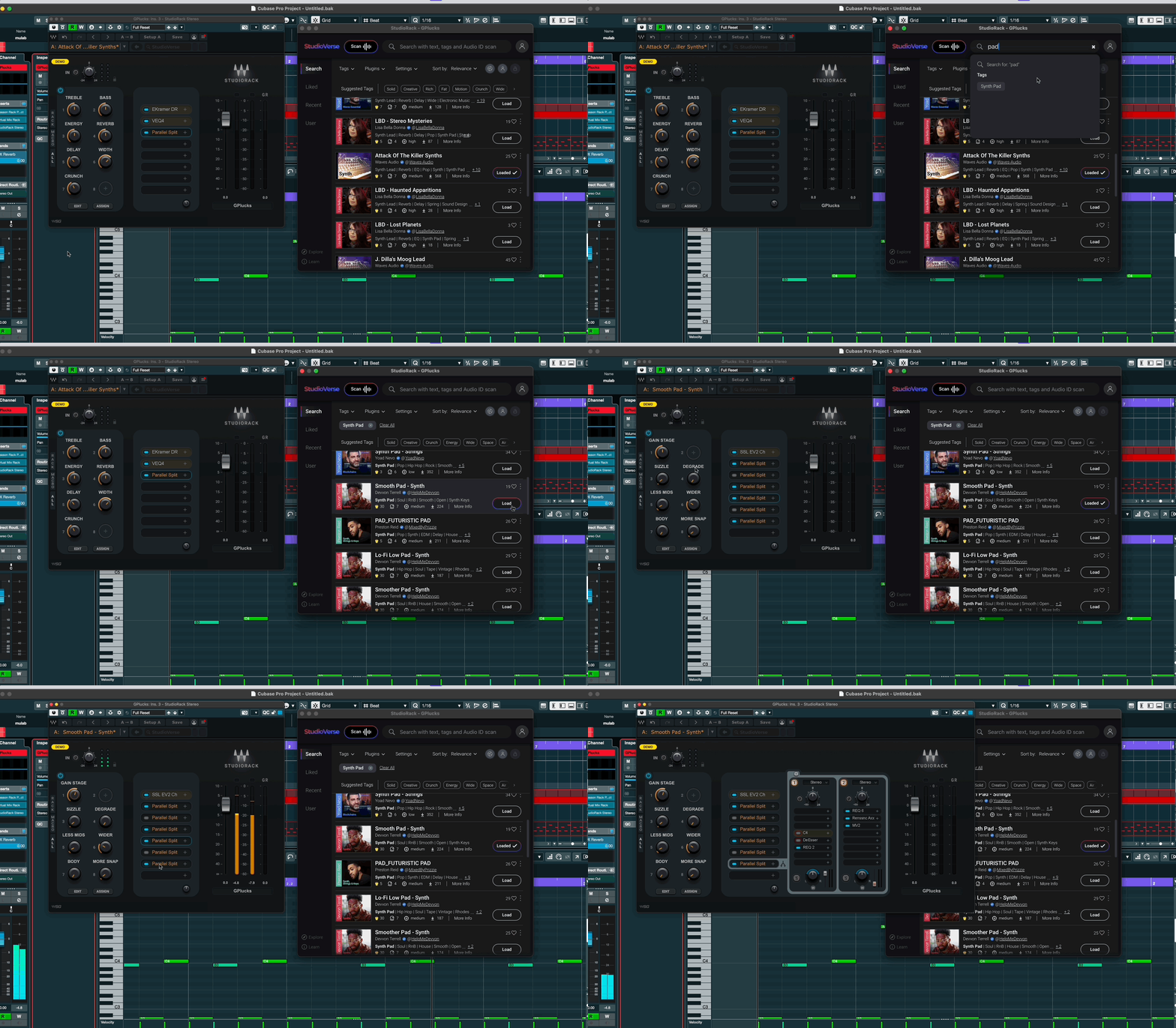
^^^ But aren't you using the Waves self-promotional plugin wrapper, which since it started supporting VST3s isn't as self-promotional anymore? It can handle macros, split by frequency, etc., reopens plugins and whatever else, and at least the community preset sharing is pretty cool.
Image
at least can used in any DAW
"Where we're workarounding, we don't NEED features." - powermat

Post

_leras wrote: Fri Nov 03, 2023 11:45 pm
xbitz wrote: Fri Nov 03, 2023 8:24 pm ^^^Képernyőfotó 2023-11-03 - 21.23.55.png


https://www.steinberg.net/cubase/new-features/ at the bottom
Do you know what this means in practice? I can't workout what that means...

You can select instrument or sample track as an input source for the audio tracks, so you can record directly. Before, you had to route them to a bus and select that bus as the input source for the audio track.

Post Reply

Return to “Hosts & Applications (Sequencers, DAWs, Audio Editors, etc.)”