www.kvraudio.com/news/bitwig-announces-bitwig-studio-4---beta-available-51883
Bitwig announces Bitwig Studio 4 - Beta Available
27th May 2021

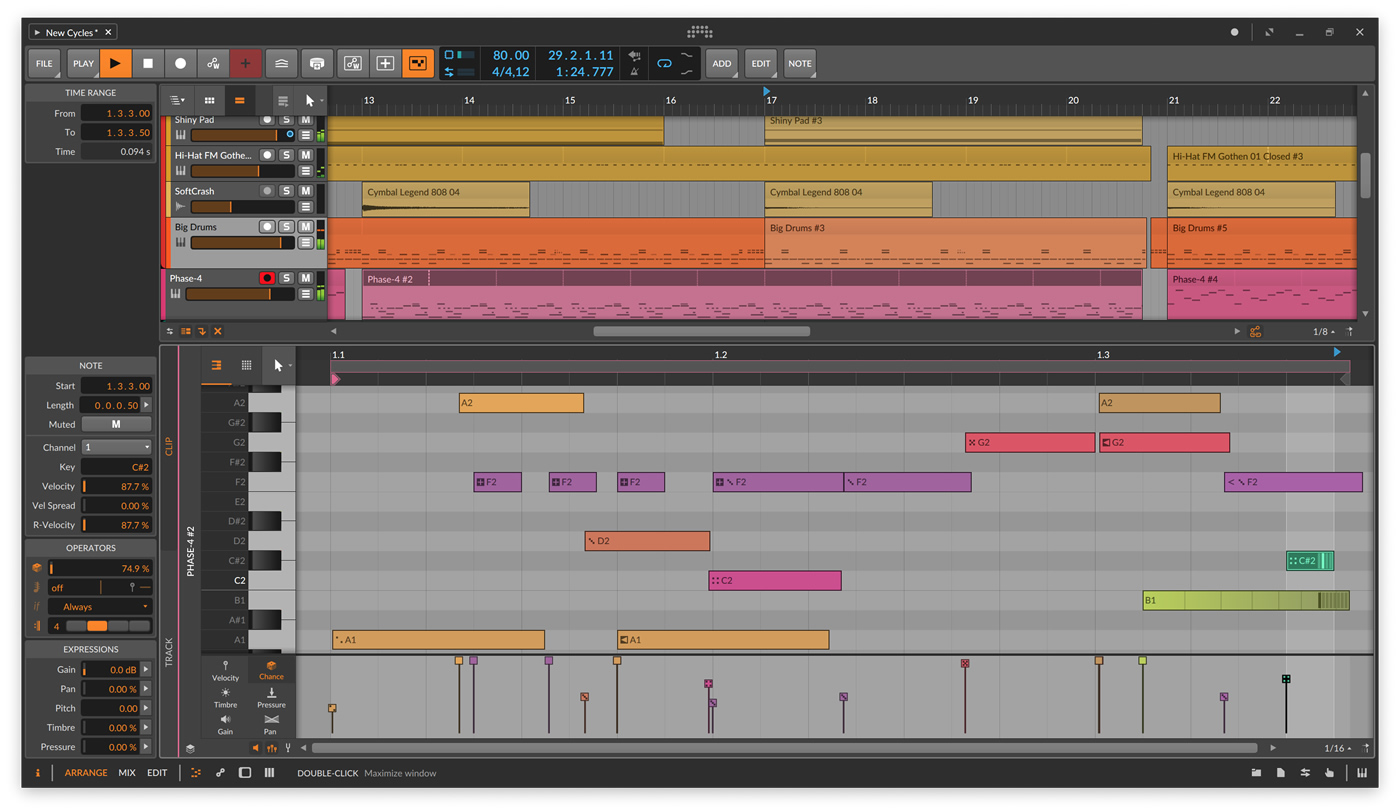
Bitwig has announced Bitwig Studio 4 and that the Beta is available for download as of today. Everyone with an active Bitwig Studio upgrade plan has access and is invited to download the installer from their account.
The official Bitwig Studio 4 release is planned for the end of Q2/early Q3.
Here's what they say:
Bitwig Studio 1 was hello, world. Version 2 brought program-wide modulators and CV integration. Version 3 saw the birth of The Grid, our modular sound-design environment. And for version 4, new musical timelines have arrived.
This means comping for audio clips, both in the Clip Launcher and the Arranger. A new set of Operators, for changing the chance, recurrence, and more of any note or audio event. Random Spread for any expression point (like per-note pitch, or audio panning) with perfect control. And Native Apple Silicon support on Mac, even allowing Intel and ARM plug-ins to work side-by-side.
Key Features
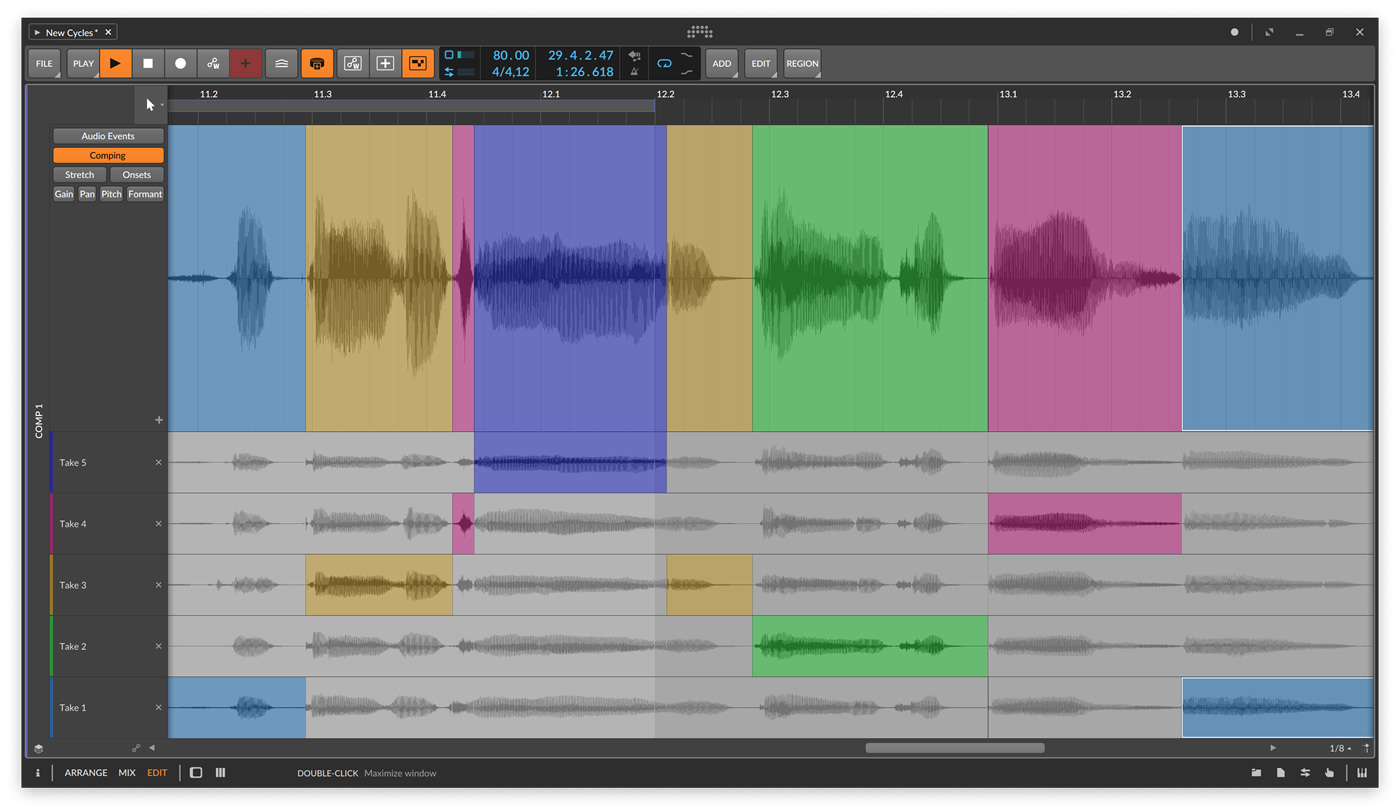
Audio Comping
Since the invention of studio recording, our task has been to create the perfect performance. Comping allows you to combine the best parts of many takes, and Bitwig Studio provides this and more.
Each take is given its own color so from the first swipe of a take lane, the sources are clear. To swap in a different take, just tap it. Then press the up or down arrow to cycle thru the other takes. From the composite lane, move a boundary by clicking, adjust gain by dragging, or fix timing by sliding.
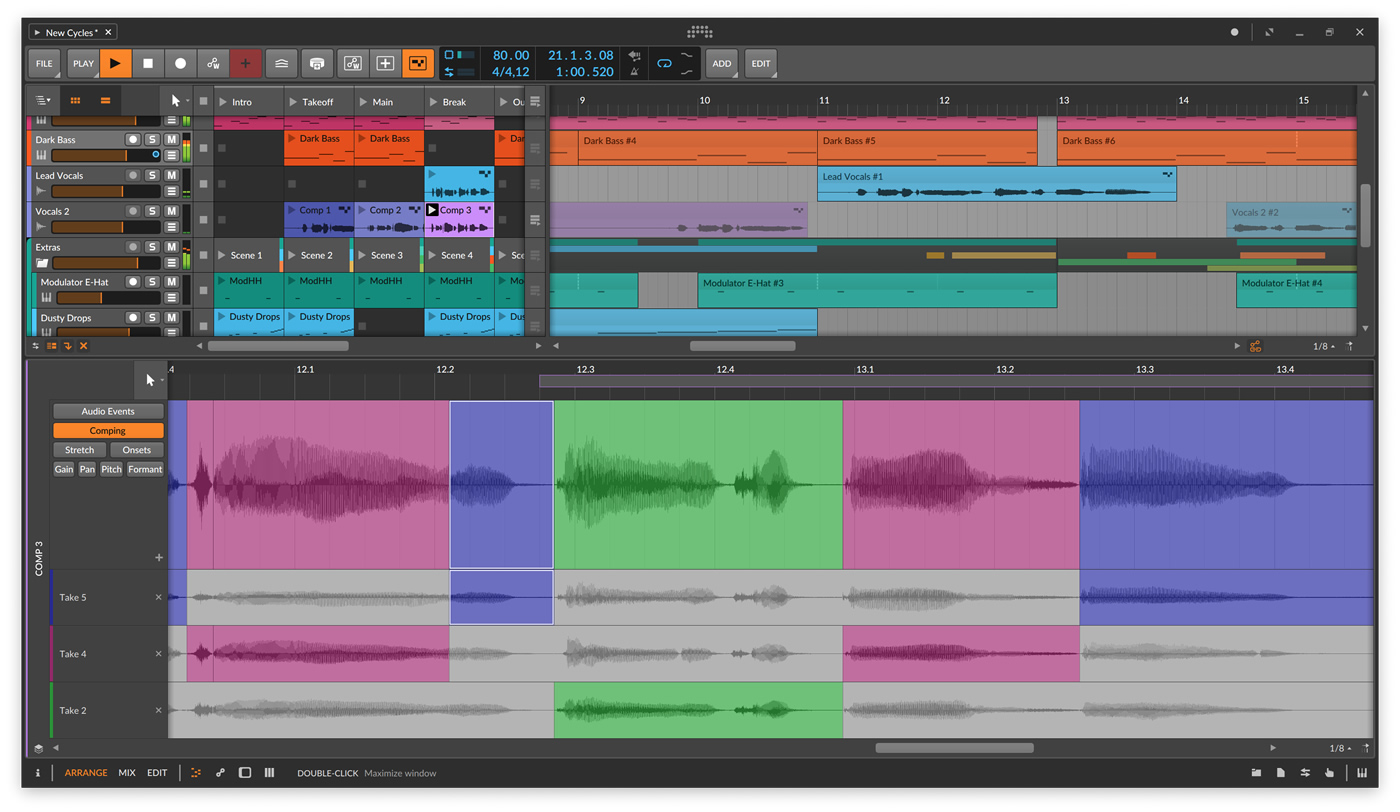
Since we have a Launcher and an Arranger, comping lives inside the audio clip. So if you are composing in the Launcher, just click to enable comp recording right there. Or just drag clips in either direction with your takes safely inside. Even open the layered editor when multiple comps belong together. Comping works wherever you are, now and later.
And since all good techniques deserve a new trick, right-click any audio clip to Fold To Takes. If you ask for an eight-bar comp, the entire clip will be spooled into take lanes, and the comping can begin. Or just drag audio in to add a new take lane. The stranger the sources, the newer the result.
Operators
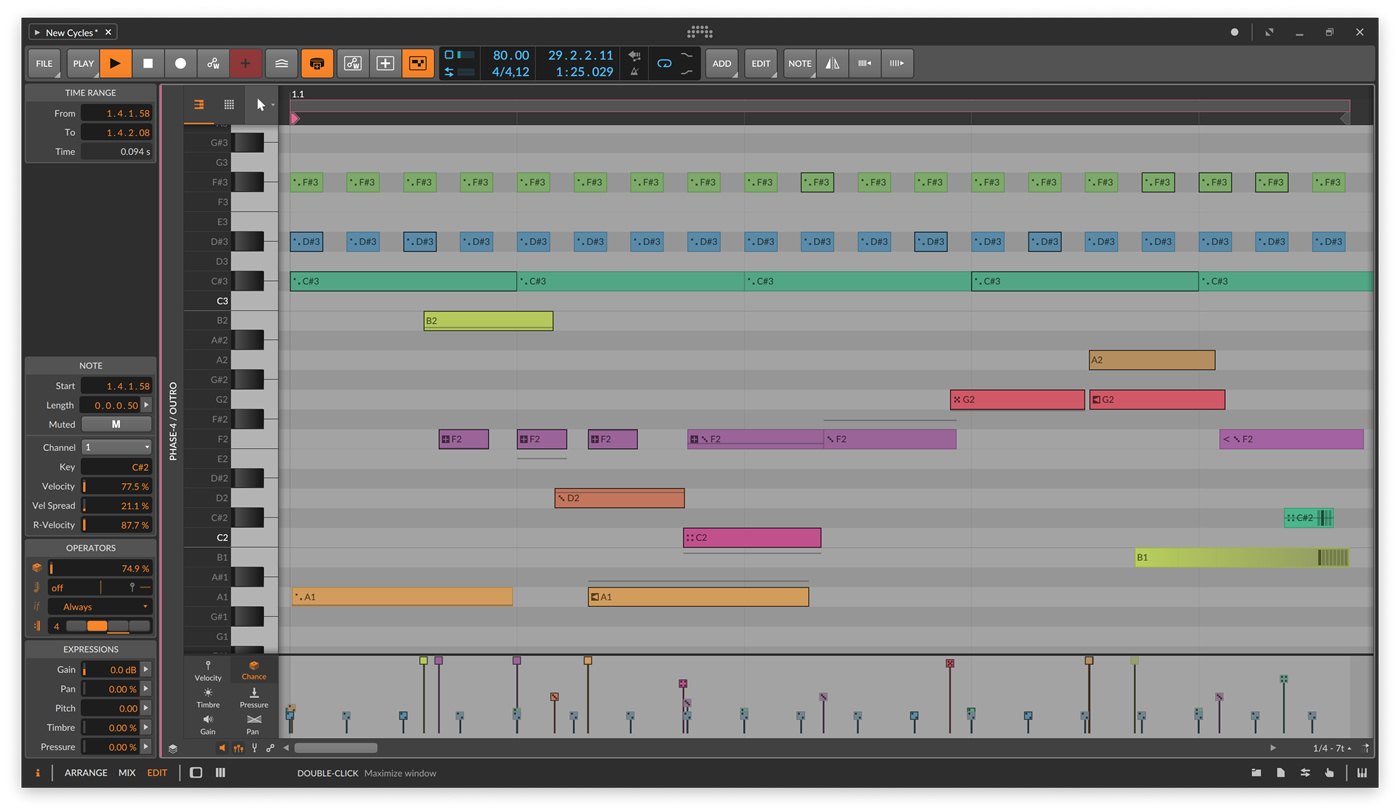
Modulation has always been a centerpiece of Bitwig Studio. Modulators have been there all along, putting device parameters into motion. And now with Operators, sequenced note and audio events can become electric too. This leads to clips that go to different possibilities and timelines, either by programming, by performance control, or by destiny.
Operators include four modes, which can be used individually or in any combination:
- Chance makes each event more or less likely.
- Repeats allow each event to retrigger at a set rate, or just divide the note length into any number of pieces. Yes, you can ramp the timing of these (and the velocities for note repeats). And a Slice at Repeats option is available to print out the individual events.
- Occurrence sets conditions for each event, like: Is this the first loop of the clip or not? Is the performance-control Fill button turned on? Or did the previous event play, or was it silent?
- Recurrence thinks of each event as its own looping timeline. So pick a cycle length (say, every four loops of the clip), and then check-off whether the event plays on each of those four passes.
Add it all up and what do you get? How about a steady stream of 16th notes each with a 50% chance, producing a consistently different rhythm each time. Or a cymbal on beat 1 that plays every fourth clip repeat and never on the first trigger. Maybe connecting two notes so that either the first one plays or the second, but never both. Or maybe you use repeats to create audio polyrhythms, or to simply "ratchet" a single note into dozens of retriggered events with a timing ramp.
And when you need to take your chances on something certain, you can Expand a clip, printing out two, twenty, or however many cycles of the original as a new clip. This lets you see all the nested patterns and relationships that Operators can bring to a "simple" loop, or even start a precise edit without the randomness. Putting down the dice is an equally valid choice.
Expression Spread
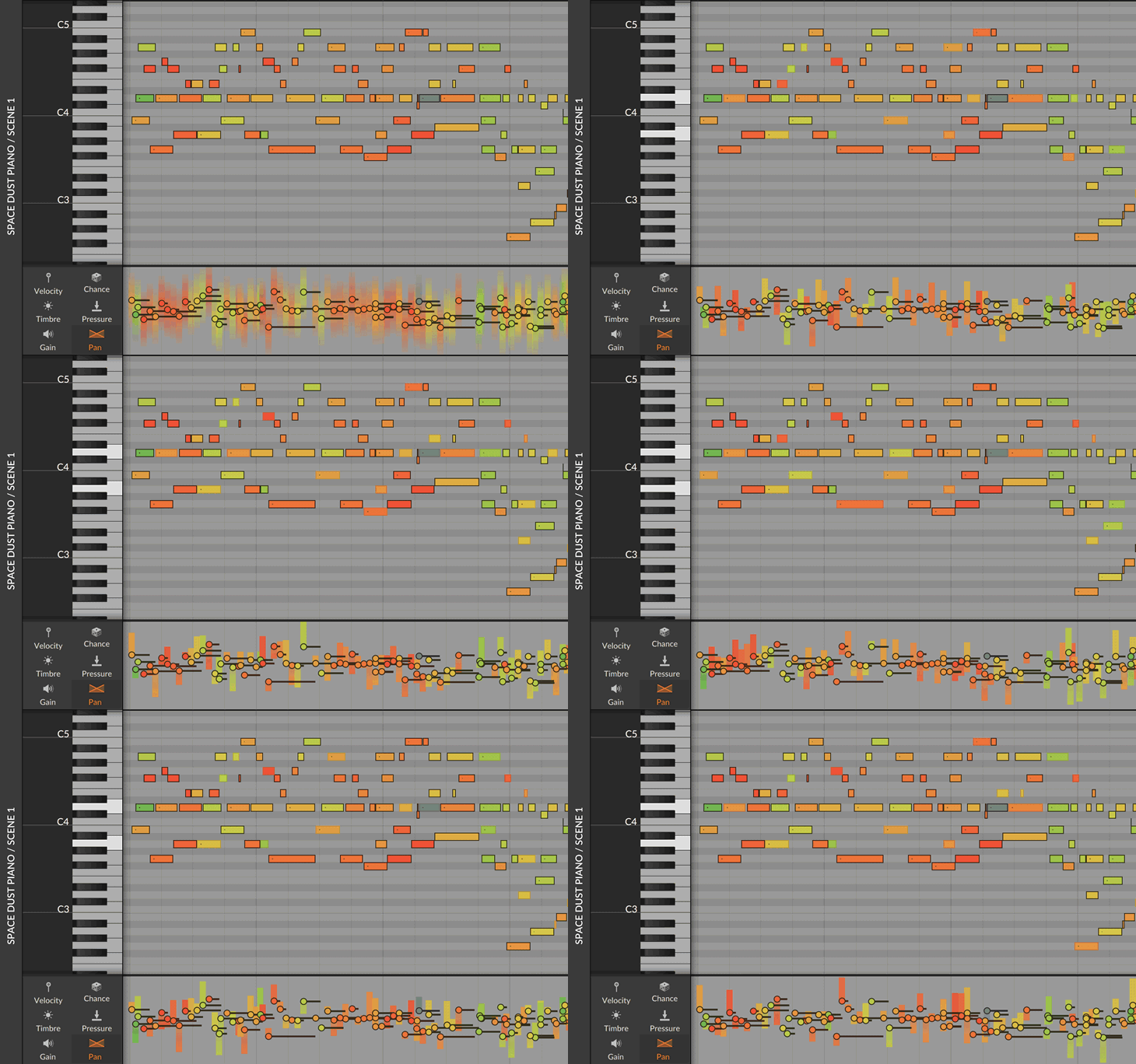
Bitwig's engine uniquely allows expression automation for notes and audio. And since randomness was in the air, we brought a visualized Spread range to any expression point. Yes, you can give note velocities randomization, but you could also give each piece of a chord its own panning. Or create a note that starts in tune and then drifts to a random pitch. Or give each slice of an audio clip a slightly randomized gain.
With the editor open, all destined random values are visualized when the clip starts. And then again, the new values appear when the next loop cycle begins. When the interface and sound is this tightly connected, you've harnessed the chaos and can just make music.
You can even cast the dice yourself by clicking the Seed field of any clip. If you like what you hear, that same "random" pattern is now locked in for all Spread parameters — and any events with a Chance Operator.
Native on Apple Silicon
Bitwig Studio runs natively on Apple Silicon (M1 processors).
Some more good news is that your Intel and ARM VSTs can live alongside each other. Bitwig Studio has always handled plug-ins differently, hosting them separately from the DAW. Because if a plug-in has to crash, it is better that Bitwig Studio keeps playing. And now this means mixing VST architectures as well, and just as safely.
Each platform is different, and Bitwig supports three of them. So whether it is Apple Silicon, a full multitouch interface for Windows and Linux, or native CV and MPE support for everyone, Bitwig Studio is the DAW that connects all these technologies.
More:
- Bitwig Studio is now localized in Chinese, Japanese, and German. The interface remains the same, but functions, labels, and in-app documentation — including the Interactive Help for our 300+ devices and modules — can be displayed in any of these languages.
- Improved export options. No matter which editing tools and devices you use, it all becomes audio in the end. With version 4, our export options have improved, allowing you to select from lossless formats (WAV & FLAC), familiar lossy options (OGG & MP3), and a new contender (OPUS). So select part of your arrangement and bounce it to one or more formats. Or pick your top-level group tracks to export stems in a flash. No reason to complicate it.
- Chances are you have more than one music program on your computer. So on the import side, you can now import data from your FL Studio (FLP) and Ableton Live (ALS) files into Bitwig. Your clips and arrangements should make it over pretty cleanly, as well as VST plug-ins. And if you are coming from Auxy, you can now export your work directly as a Bitwig Studio project. Because maybe the best demo song is one you already made.
- And some other improvements have come along too. Content sliding (and gain handles for audio) is available directly at the clip and event level with visual handles that appear while you work. To make audio easier to read, waveforms are now shown in a Perceptual scale (or switch back to Linear in the Dashboard). And most of our Grid and Polymer filters have a smoother response now for extreme resonance and modulation cases.
The changelog and release notes are available at downloads-eu.bitwig.com
Availability
The Bitwig Studio 4 Beta is available for download as of today. Everyone with an active Bitwig Studio upgrade plan has access and is invited to download the installer from their account.
The official Bitwig Studio 4 release is planned for the end of Q2/early Q3. It is a free upgrade to everyone with an active Upgrade Plan for Bitwig Studio. All new features except comping are also part of Bitwig Studio 16-Track and 8-Track.
KVR Audio, Inc.
www.kvraudio.com