www.kvraudio.com/news/fmj-software-updates-awave-studio-to-v12-8-63011
FMJ-Software updates Awave Studio to v12.8
12th February 2025
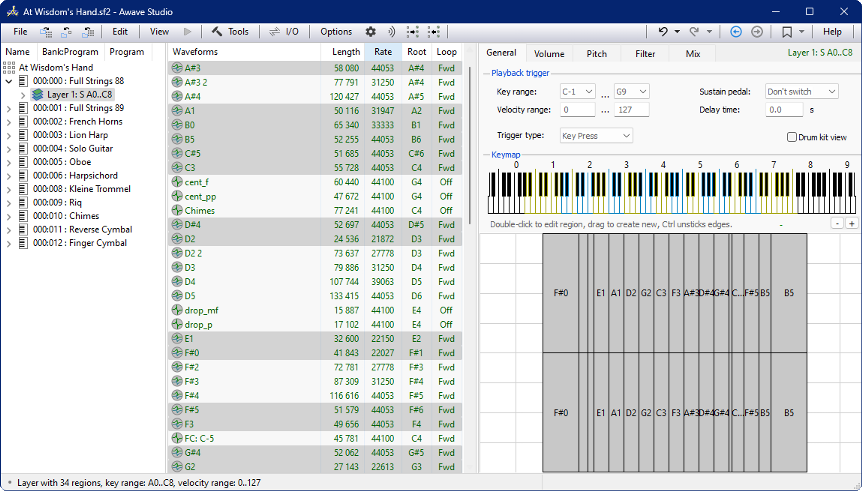 FMJ-Software has updated Awave Studio, their multi-purpose audio editor, instrument editor, and file format converter, to v12.8.
New features include usability improvements and a new way of working with loops and play sections using markers.
Changes:
- Waveform markers serve new purposes:
- They now have a type:
Position,Section, orLoop points. The latter can have decimal positions, as well as aLoop typeand aPlay count. - Waveforms now have a default loop marker, replacing the earlier loop parameters. Additional, alternative loop markers, can also be added (use the
+button in theLoopeditor). - Regions now have
Play sectionandLoop sectionselections, replacing the earlier waveform start/end offsets and loop override parameters. The play section can be set to eitherPlay entire waveform, or to any marker defined in the linked waveform (for position markers, it will start playing at the position and continue until the end). The loop section can be set toDefault loop,No looping, or any loop marker defined in the waveform. There is also a new preview of the linked waveform, with the current loop and play sections illustrated. - The
Markereditor has become a separate tab in the waveform properties, with expanded functionality. You can select multiple markers to delete in one go. There'sDelete all markersandPlay markerbuttons. TheSpacekey will also play a marker in the list, theInsertkey adds a new, while theDeletekey removes.View in editorswitches to the waveform editor and zooms in on the selected marker, whileView regionsselects regions referencing it. There is also a new waveform overview that you can left-click on to select a marker, right-click toAdd new position marker here, or right-drag toAdd new section marker here. - Added
Split sections/slices into separate wavesandCombine waveforms into a sliced waveto theAudio processing wizard. The former can also remap regions to the use the new split waves, while the latter can undo the process of the former.
- They now have a type:
- Usability improvements:
- In envelope graphs, segments that neither have any value set on the current level, nor are selected for editing, are now drawn in gray (red if selected, or blue if a value is set).
- The region visualizations in the layer and instrument properties now have faint lines that indicate the region root key.
- Added
Fade in/Fade outcommands to the waveform editor context menu when you have selected the beginning or the end of a waveform (keyboard shortcut:F). - The layer
Drum kiteditor now allows selecting multiple keys to doClear keys(theDeletekey also works). And there is a new|>button for playing the currently selected waveform (theSpacekey does the same if the keys list or the vel-splits list is in focus). - The
Renumber instrumentsfunction in theInstrument processing wizardnow has two options — to renumber all instruments in a collection sequentially, or to add an adjustment to the selected list of instruments (e.g. -1 to decrease by one). - The
Normalizefunction now has an option toNormalize l/r stereo channels separately, useful if the stereo balance is off. - Added a
Producttext meta data field to the collection (currently supported only by .SF2/.SF3). - The
Aboutdialog is now displayed in the property pane.
- File format improvements:
- Added support for reading and writing newer Reason NN-XT files using Unicode strings (.SXT).
- Added support for reading .EXS files referencing waves in .CAFF files. For "consolidated" .EXS files, where all waves are merged into in a big wave, it will now add marker sections for each slice and set up region play sections.
- For Renoise .XRNI instruments using slices, it will no longer automatically unslice it, but use region play sections instead.
- When reading Kontakt .NKI files using slices (v4 or earlier), the slices are now added as marker sections.
- When saving alternate groups to .SFZ, it will now use the lorand/hirand opcodes rather than seq_position/seq_length. It will also try to convert these opcodes into alternate groups when reading.
- Many minor bug-fixes.
KVR Audio, Inc.
www.kvraudio.com