
2 KVR members have added SoundPaste to 2 MyKVR groups 3 times.
Download KVR Studio Manager (FREE)
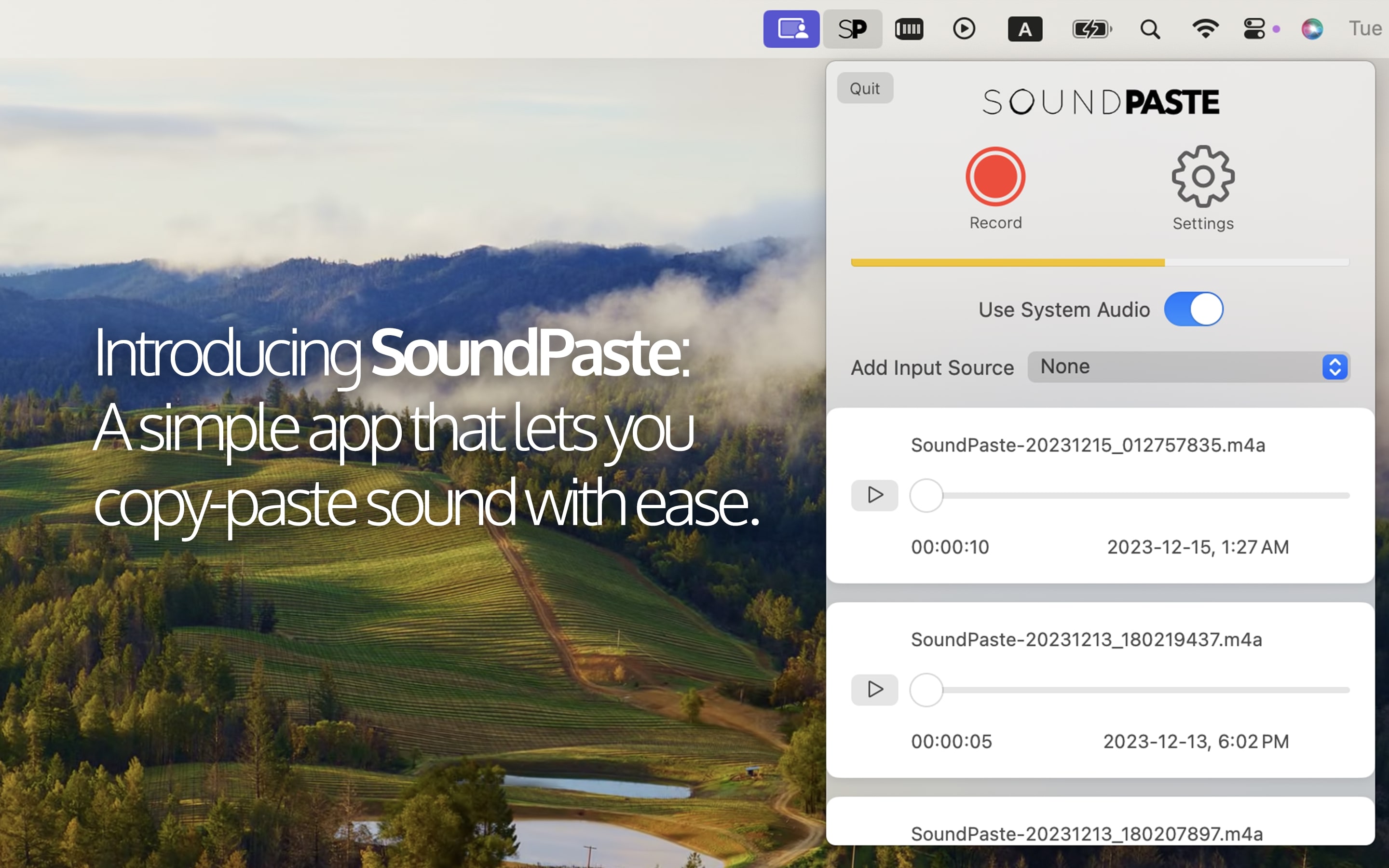
Introducing SoundPaste, the simple yet revolutionary app that can copy-paste sound.
Say goodbye to the tedious process of dealing with saving and opening sound files -- with SoundPaste, simply record then copy-paste sound directly to your preferred audio/video editing software. A must-have for avid samplers and content creators, SoundPaste streamlines your workflow, letting you focus more on creating and less on logistics. Experience the magic of hassle-free sound manipulation with SoundPaste! Once you try it, you won't go back.
Imagine this:
1. Play audio from the source that you want to record
2. Press hotkey, for example "Command-Option-R" to begin recording
3. Press "Command-Option-R" once again to stop recording
4. Scroll over to Final Cut/Logic/your AV editing program of choice and hit "Command-V"
5. That's it! The recorded audio magically appears.
———— Features ————.
* Record, copy and paste sound
* Record system sound, any audio/microphone input, or both
* Record sound with the app minimized; monitor recording status through color changes in the menu bar icon
* Play, navigate and drag-and-drop your recordings from the track view
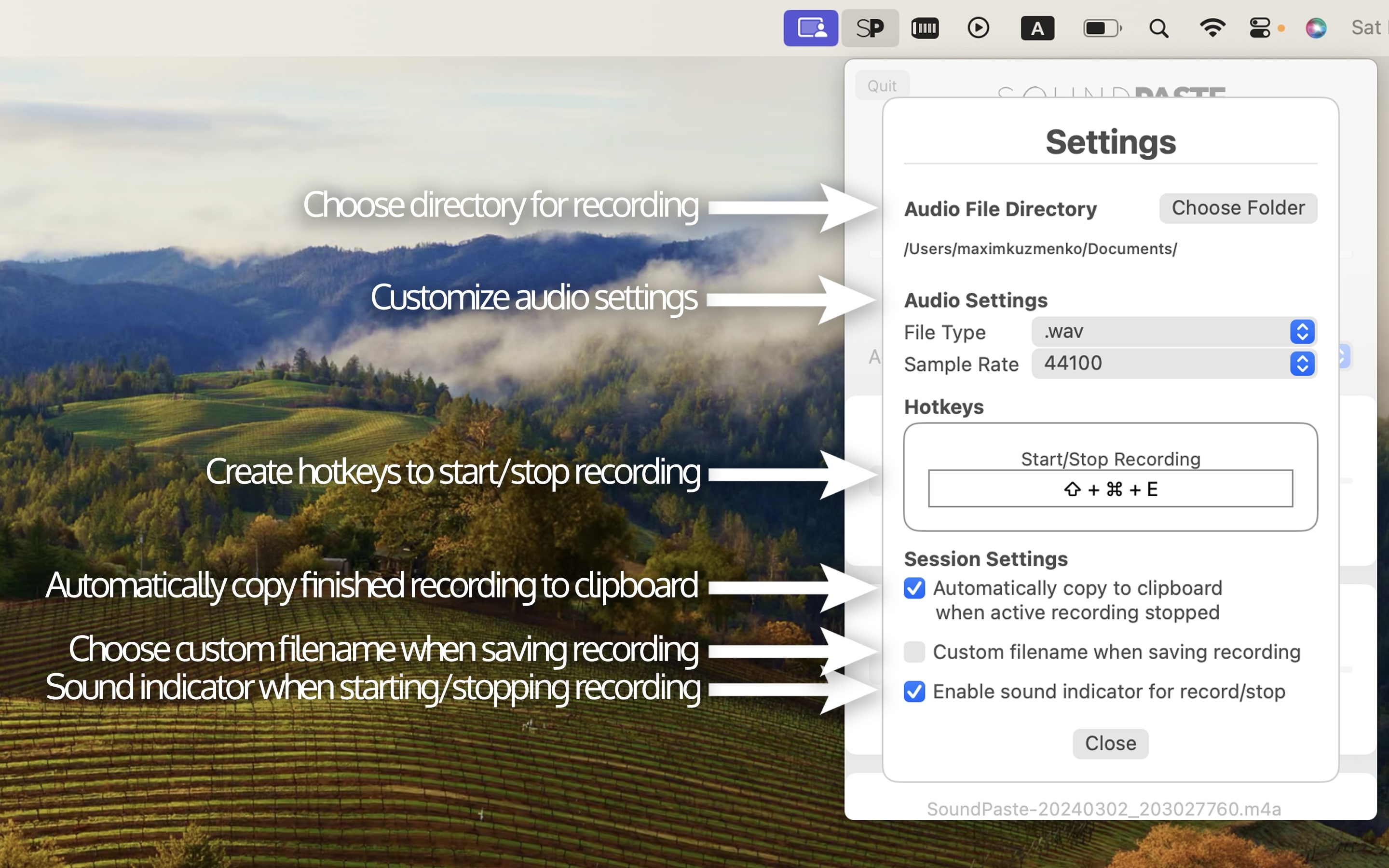
* Save as .m4a or .wav format with 44.1kHz or 48kHz sample rates
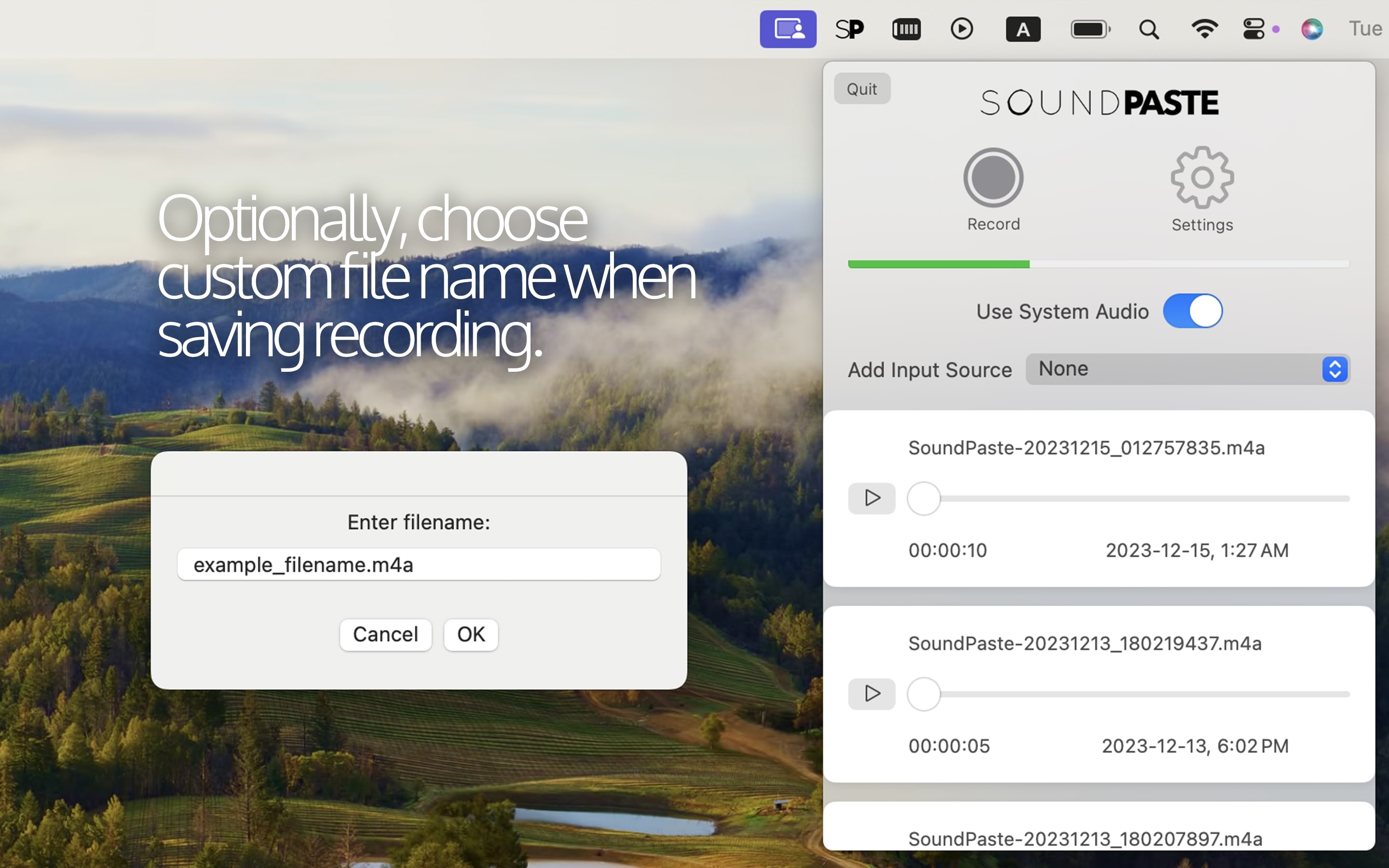
* Custom filename when saving recording
* Create custom hotkeys to start/stop recording
* Enable sound indicator when starting/stopping recording
* Choose custom directories for recording.

Please log in to join the discussion
Submit: News, Plugins, Hosts & Apps | Advertise @ KVR | Developer Account | About KVR / Contact Us | Privacy Statement | Sell @ KVR | KVR Marketplace Terms & Conditions
© KVR Audio, Inc. 2000-2026

