
Products @ KVR
Blue Cat's ChorusBlue Cat's Digital Peak MeterBlue Cat's Digital Peak Meter ProBlue Cat's DynamicsBlue Cat's FlangerBlue Cat's FreqAnalystBlue Cat's FreqAnalyst MultiBlue Cat's FreqAnalyst ProBlue Cat's Gain SuiteBlue Cat's Liny EQ SeriesBlue Cat's MB-5 DynamixBlue Cat's MB-7 MixerBlue Cat's Oscilloscope MultiBlue Cat's Parametr'EQ seriesBlue Cat's PhaserBlue Cat's ProtectorBlue Cat's Remote ControlBlue Cat's Stereo Triple EQBlue Cat's StereoScope SeriesBlue Cat's Triple EQBlue Cat's Widening Meter ProBlue Cat's Widening Triple EQ
|
|||
Blue Cat's FreqAnalyst Multi and Blue Cat's StereoScope Multi have been updated: this new version mainly brings the ability to save difference curves in order to perform comparisons between response curves. This new tutorial demonstrates this capability and explains you how to imitate the sound of a guitar amp cabinet with a simple EQ.
The upgrade is free for existing customers, and if you are not yet among them, check out the demo!
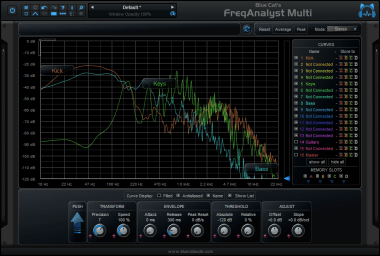
What's new in v1.9: - Difference curves can now be saved for easier comparisons and stereo spread matching tasks. - Windows uninstaller now proposes to remove preferences as an option. - Misc minor user interface and windows installer changes. |
|||
| ^ | Joined: 07 Sep 2004 Member: #39981 Location: Paris (France) |
| KVR Forum Index » Blue Cat Audio | All times are GMT - 8 Hours |
|
Printable version |
Disclaimer: All communications made available as part of this forum and any opinions, advice, statements, views or other information expressed in this forum are solely provided by, and the responsibility of, the person posting such communication and not of kvraudio.com (unless kvraudio.com is specifically identified as the author of the communication).
Powered by phpBB © phpBB Group


