
936 KVR members have added Z-Noise to 985 MyKVR groups 1022 times.
Download KVR Studio Manager (FREE)
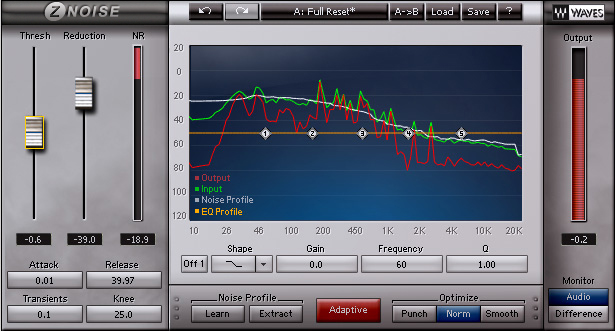
Z-Noise is ideal for background noise such as tape hiss, ground hum, and computer noise, Z-Noise is a true broadband processor which can eliminate high-frequency hiss and low-frequency rumble simultaneously, while preserving the sonic integrity of your source.
Other noise reduction methods need you to provide a section of pure noise in order to deliver optimal results. Z-Noise features an "Extract" mode which can create a noise profile from sources that contain signal, as well as a flexible "Adaptive" mode. This dynamic noise profiling delivers results when reducing noise that changes over time.
Z-Noise gives you the power to shape your noise profile with pinpoint accuracy, using a familiar 5-band EQ interface. Real-time operation means you can fine-tune parameters and hear your changes as you make them. You can monitor the entire Audio output or just hear the Noise being removed. Z-Noise even lets you choose between increased frequency resolution or improved time resolution, or a combination of the two.
Features/Controls:
 $399.00RX 12 Standard
Please log in to join the discussion
Submit: News, Plugins, Hosts & Apps | Advertise @ KVR | Developer Account | About KVR / Contact Us | Privacy Statement | Sell @ KVR | KVR Marketplace Terms & Conditions
© KVR Audio, Inc. 2000-2026

