



250 KVR members have added Pianoteq Studio Bundle to 29 MyKVR groups 332 times.
Download KVR Studio Manager (FREE)
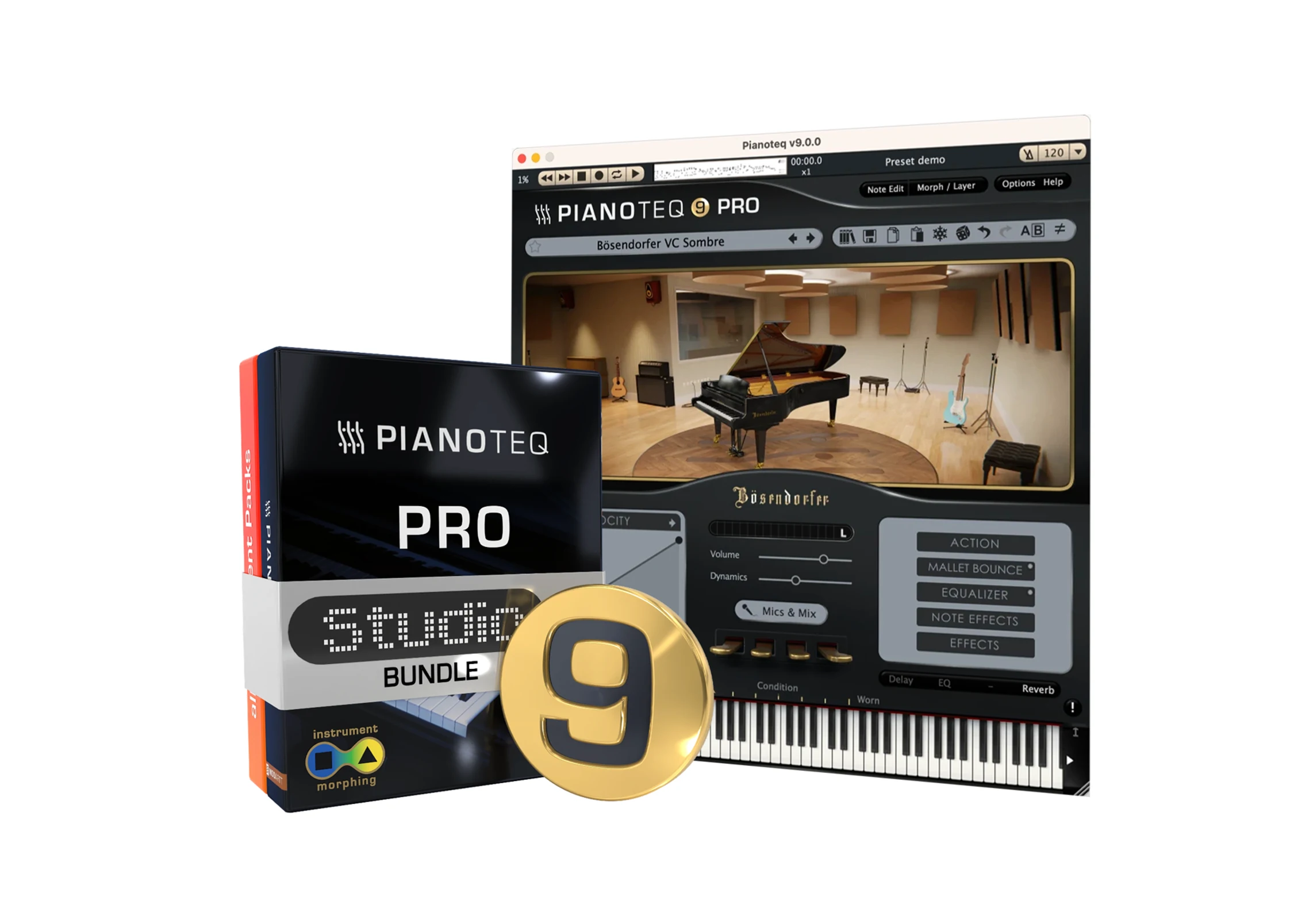
The Pianoteq Studio Bundle includes Pianoteq Pro 8 and all current instrument packs, including:
In addition to the above, forthcoming instrument packs and upgrades to be released within a year from the date of purchase will be available for free.
Reviewed By Krakatau [all]
August 26th, 2014
Version reviewed: 5 on Mac
In short : This instrument has become something wonderful both to play and to tweak, .
Updates after updates both acoustic behavior and sound quality has become more and more closer to the real instruments, almost accurate in many aspects and on that respect I' for one, am very impressed by gain in quality and accuracy of some of the add ons (Marimba/Xylophone and Steel-bands ones in particular) in this last major update.
If you're not necessarily looking for accurately modeled instrument, the colour palette (how can it described in such a subtle instrument !) offered by all the parameters can give totally uncharted result with still a very sensitive touch under the keys and a vast nuances of expressivity in almost any circonstances (you may try the free patches i've uploaded here to judge it by yourself...)
Among the last implemented parameters, the "conditions" will give you with extreme ease a variety of detuned instrument, and this one isn't bounded to the pianistic-like ones...all are affected in each of their peculiar ways and this is extraordinary (try it with bells, xylophone steel-bands or rhodes emulations)
"Mallet Bounces" is an exciting addition to add ons like cimbalom or steel bands to easily increase their accuracy in performance, but nothing oblige you to restrain yourself to these primarily targeted instruments.
And though i didn't yet dig into the brand new mic choices and placements, it is obvious that it offers an exhaustive palette of emulated recording situation, similarly to the big drum emulation (BFD, Superior Drummer, etc...) in their own area.
I'm persuaded that this plugin just proves that, slowly but inexorably acoustic modeling will definitely surpass sound libraries in a near future.
Allow me this little joke to conclude, folks (kvr insiders will certainly appreciate !) .
This plugin is (really) amazing !
Reviewed By lsc9x [all]
August 16th, 2013
Version reviewed: 10.8 on Mac
Before I say anything about Pianoteq 4.51 Stage, I should talk a bit about why I was looking for a dedicated piano plugin. I have Ableton Live 9 Suite with their grand piano plugin, which really does sound pretty good, but I noticed that while the piano sounds good on it's own, it didn't really "work" for the music I am doing. There was something just not right about the sound in my mix, and when I compared it to some pianos found in the music I like - house and dubstep - it just wasn't the same. So, I went in search of a piano plugin that would offer me more options when it comes to piano sounds.
After reading through the forums, and looking into several mainly sample based plugins, I came across Pianoteq and was intrigued by it. The idea of a physically modeled piano seemed good to me. Being able to change or tweak the piano sound in real time sounded like what I needed to be able to match a good piano sound to my mix. Also, I heard really good things about the sound, and that the program was tiny, a mere 20MB compared to some other piano plugins out there that take up to 77GB of hard disk space.
Pianoteq offers up 3 varieties of software: Stage, Standard and Pro. Since I am on a budget, I went with the cheaper of the 3 - "Stage" and added 2 add on pianos, another grand piano (yamaha based) and the upright piano. I figured this would give me a lot to work with.
Now, after having spent several hours playing Pianoteq, I am 100% satisfied with my purchase. This program really does live up to the name. So here is a short list of why I like the program and why you should consider it if you are looking for more piano sounds:
1) INTERFACE: The Pianoteq interface is clean, easy to use, scalable, and offers easy ways to both audition piano sounds as well as to tweak them. While "Stage" doesn't offer ALL of the customization options that Standard or Pro offer, there is still quite a lot of parameters that you can tweak to get almost exactly the piano sound that you are looking for.
2) SOUND: This is where Pianoteq shines. Piano tech sounds clean, and sounds GREAT. Because Pianoteq models a real piano, but synthesizes the sound in real time (as opposed to using samples), this allows Pianoteq to be very flexible, nuanced, and tweakable, and able to reproduce a wide variety of different types of pianos, and even "Stage" offered up at least 6 pianos with many preset options for each, to cover a wide range of uses, and ALL of these pianos are adjustable to get exactly the kind of sound you are going for. Also, the guys who made Pianoteq obviously went to great lengths to capture even the subtle nuances of sound, such as the sound of each key resetting after being released, which further adds to the realism, and the adjustable velocity curve, as well as the many other tweakable parameters and on-board effects allows for a huge range of possible sounds in many different acoustic environments. I found that playing Pianoteq really captures a lot of subtle cues that make it FEEL like you are playing a real piano.
3) PRESETS: In addition to several pianos, Pianoteq Stage also includes some older instruments from the 1600s and 1700s that were precursors to the piano itself. While I wouldn't make much use of these sounds, other people might, and they all sound great as well.
3) MEMORY, DISC AND PROCESSOR: While I found Pianoteq to be a bit more processor intensive than some of my other synths, the quality versus processor usage is a solid tradeoff. The plugin is stable, fast, and as long as you don't go too crazy with your other tracks, there should be plenty of room to run this plugin. The best part about Pianoteq, in terms of memory usage is that there are no samples, so it hardly takes up any space on the hard drive, which is a big plus for me working on a laptop. Also, since no samples are being loaded in real time, hard drive speed is not an issue with Pianoteq.
4) UPGRADES / EXPANSION: I am plenty happy with "Stage", which is Pianoteq's lowest price package, and was very surprised to find out that while you can't adjust things like string length or sound board parameters (to "build" your own virtual piano sound from scratch) you can still tweak many parameters such as acoustic environment, 3 slots for on board effects, including gain, as well as parameters such as action, mallet bounce, EQ and type of sound output: mono, stereo or biaural. When you add all this to the dozens of presets, you get a wide variety of possible piano sound, as well as some sound that you just can't get from a real piano. But if you want to go a step further, you can upgrade to Standard or Pro which will allow you to literally "build" your own virtual piano from scratch, as well as to set up multiple mic positions and room acoustics to get exactly the sound you want. However, this costs more money! If that still isn't enough, there are many add ons to Pianoteq, including even more pianos, and many sounds that aren't even pianos. (Stage comes with church bells and tubes which sound fantastic and which I will be using for something!).
I suppose that there are many piano aficionados out there who might not like the idea of a "virtual" piano, and would be willing to pay a lot more money for a lot larger sample plugin, but I think for my usage, which is having a really good sounding piano that will work in a mix, I'll take this plugin over some others.
The bottom line is that Pianoteq precisely fit my needs: It was relatively inexpensive, it is small, fast, gives me a huge range of piano sounds to work with, is highly customizable, and easy to use, and of course sounds great.
I have no hesitation recommending this plugin, and since I can't find anything wrong with it, it gets a 10.
Hope this helps.
Reviewed By arpman [all]
May 30th, 2012
Version reviewed: 4.03 on Windows
Pianoteq 4 'Stage'.
Modartt has, at last, made me a convert! The last time I tried Pianoteq it was the late editions of Rev 1 to early Rev 2 offerings. After spending some time even with those early demo versions, it was obvious that they were on the right track, because, most of the elements that give an acoustic piano its overall character were there. But, the actual tone was lacking (a bit thin) and sterile sounding, especially noticeable when playing single notes. But, in my opinion, this new Rev 4 has made Pianoteq a serious and viable contender adding a richer resonance to its tone. If you owned an acoustic grand piano and could place it in the hands of the skilled technician who performs the final stage piano regulation at Steinway and Sons, or any of the great hand produced piano manufacturers, you would end up with an instrument that has an absolute uniformity of feel, a truly responsive action and an evenness of tone and overall response from one end of the keyboard to the other. It would have a warm, rich sound with true sympathetic resonance. Simply put, it would be an expressive joy to play.
By removing samples from the equation, Modartt has eliminated the inherent problems and, most importantly, the apparent inconsistencies across the entire range of the keyboard. So from tonal and responsiveness perspectives they have virtually created a perfectly regulated piano, sans warts. It has the potential for an enormous dynamic range which can be fine tuned by the end user. Samples are always the problem and limiting factor of a natural sounding acoustic piano recreation. To do the job correctly, using samples, it could take up the entire space on a hard drive, be far too CPU intensive and face it, just too impractical to be truly useful, certainly if you were to consider it for a live performance situation. And you could still end up with a few of those warts, in the mix.
I never even consider those enormous giga piano libraries. My favorite truly usable pianos, to this point, have mainly used a marriage of sampling, morphing and modeling techniques. By combining these elements the user ends up with a fairly expressive, decent sounding piano that doesn't eat up half of your hard drive and consume most of your CPUs processing power. But, even the best of those types of pianos end up with some slight inconsistencies. Being a totally modeled instrument, Pianoteq has eliminated those often annoying anomalies in the sound, touch and responsiveness. The sound and playability of an acoustic piano, more than almost any other digitally recreated instrument, is such a subjective thing. If the software has all the key elements required to reproduce the instrument's full and varied spectrum and enough flexibility in its controls to shape the sound to your liking, you should end up with a truly satisfying acoustic piano playing experience. I have been auditioning Pianoteq 4 'Stage' for the past several hours, comparing it side by side with all the other pianos in my arsenal. This newest piano from Modartt has convinced me that my initial impressions of Pianoteq's potential can now be realized. If you're not a hardcore tweaker, download the Pianoteq 4 'Stage' demo, not the 'Standard' or 'Pro' version. Take the time to familiarize yourself with the various parameters and really listen to how they affect the sound. As someone else in this forum pointed out, the equalizer in Pianoteq is not a typical tone control type. It is a truly powerful sound shaper. Spend a little time with this tool and you will be amazed with the results. There aren't an overwhelming number of parameters to adjust in the 'Stage' version, just enough to allow you to tune in the perfect piano or pianos to your liking. Pianoteq is a product of vision that has shown definite improvement in its revisions. And, I believe it will only get better.
Day Two testing Pianoteq 4 'Stage'.
The more time I spend with this instrument the more floored I am with its overwhelming sound potential. I have owned and used synthesizers for decades. In fact, I owned one of the first ARP Odysseys when they were new to the market. That's how far back I go with them. My current synth of choice is the new Kurzweil PC3. So, that should give you an indication of how seriously I take my commitment to quality sound. The greatest compliments I received from other musicians were when they would tell me how much they loved the quality of sounds I added to the band. Because, back in the days before sophisticated sampling and modelling, most synths had less than a half dozen very basic, raw waveforms from which to create all your sounds. It took me many hours of listening to how all the different orchestral instruments played, all the nuances that were different from instrument to instrument. Then spending countless hours programming various synths to emulate those sounds as closely as possible. I am certainly not suggesting that I am 'THE GOD OF HELL FIRE' when it comes to sound. But, I know that I have a good sense for it. The funny thing is that I have not had the desire to go back to any of my favorite pianos since I started playing around with Pianoteq Stage. I admit I am currently smitten with this new toy. But, it truly has the complete package of all the elements that interact with each other inside a real acoustic piano. One of the finest examples of modelling is Genuine Soundware's VB3(the virtual Hammond B3 and Leslie speaker combo). Even though Youtube does not provide the greatest quality audio, go there and listen to as many examples of Pianoteq and VB3 and Roland's V-Piano as you can. None of these impressive sounding instruments use any samples at all. Their sound is created in real time, just like a real acoustic instrument. You will see that modelling technology may very well be the future for all acoustic instrument emulations. This is pretty exciting stuff.
Conclusion:
After back to back comparisions to my favorite pianos, Pianoteq excels in all aspects. It has captured and delivered all the elements of the acoustic grand piano experience. The file size of this piano is approximately 20MB. So it loads instantly. You can adjust the aspects of it to create the piano or pianos of your dreams. This is something you really cannot do with samples. Since I play only in a band situation, I need a more up front, in your face, piano experience. My piano has to be able to cut through the mix. So having the ability to place virtual mikes at various distances from the piano for ambient affects, as Pianoteq Standard and Pro has, is really of no benefit to me. All of the piano models are exactly the same, no matter which version of Pianoteq you purchase. Pianoteq 'Stage' is a must have for me. I don't see the need to use disk hogging, CPU demanding, limiting, sample based pianos ever again.
Reviewed By johnrule [all]
May 18th, 2009
Version reviewed: 2, 3 on Windows
Reviewed By Jake Jackson [all]
August 15th, 2007
Version reviewed: 2.1 on Windows


Copy Protection of this software is Online Challenge and Response. Not Key File.
THIS POST HAS BEEN REMOVED
Latest version is 4.2 which includes a (organic sounding) demo of the Blüthner Model ONE, a physically modelled grand piano developed by Modartt and authorized by Blüthner.
IMO the quality of sound and playability is unrivaled.
A good training resource for new users:
http://www.musicalnotes.org.uk/Shop/MusicalNotesShopProducts.html
Please log in to join the discussion
Submit: News, Plugins, Hosts & Apps | Advertise @ KVR | Developer Account | About KVR / Contact Us | Privacy Statement | Sell @ KVR | KVR Marketplace Terms & Conditions
© KVR Audio, Inc. 2000-2026

