|
|||
I've become concerned that I'm spamming the KnobMan thread too much and that perhaps bug reports and suggestions are getting lost in the mix. So I thought I'd start a new thread where we can post KnobMan and SkinMan examples seperate from the KnobMan thread. That way g200kg can have an ongoing dialog with users without the noise of me posting my latest knob or screw... erm. Anyway, so to kick things off, I've been trying to render a switch based on one I found at Radio Shack's website: Radio Shack Switch Here's what I've come up with:

(I'm ignoring the round base in the Radio Shack version) Radio Shack Switch The problem is that I don't know if I've captured the look of the switch going back and forth. I'm moving the upper layer circle, but I don't know if that's the right approach. P.S For some reason the links aren't loading right now. My server must be having a slow day. The links are legit, though, so maybe try back later. Last edited by Leslie Sanford on Sat Feb 21, 2009 5:46 pm; edited 1 time in total |
|||
| ^ | Joined: 03 Dec 2006 Member: #131095 | ||
|
|||
good idea, nice to have all ppls ideas/work in one place |
|||
| ^ | Joined: 01 Oct 2001 Member: #1189 Location: England | ||
|
|||
my logic inspired knobs are here
http://www.scuzzphut.com/scuzzphut-logic-knobs.zip
and an Ableton style one is here http://www.scuzzphut.com/scuzzphut-abletonish.knob |
|||
| ^ | Joined: 16 Apr 2002 Member: #2508 Location: Scotland | ||
|
|||
fascinating how good you coders are at design when you get a PROPER IDE seriously, when you consider the way knobman works, it's perfect for coders. you think about it analytically, disect the controls into their component layers, and bam. instant coolness. i'm still stuck using photoshop and knob renderer but i've half a mind to try using knobman soon. you guys have done some pretty incredible and amazing things with it for sure, and the accuracy is dead on. one of the hardest bits of photoshoping knobs is the finnicky workflow and the goofy rotation boundary hacks. what does skinman do that knobman doesn't btw? |
|||
| ^ | Joined: 06 Apr 2003 Member: #6631 Location: South Lyon, MI USA | ||
|
|||
grymmjack wrote: what does skinman do that knobman doesn't btw?
SkinMan is more for creating the UI background. Check this out: SkinMan Demo 1 SkinMan Demo 2 |
|||
| ^ | Joined: 03 Dec 2006 Member: #131095 | ||
|
|||
I made a button.
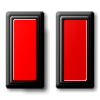
Red Button I've been trying to nail down the look of a button being pressed. I think I've found the answer. It has to do with using the edge highlight. Also, I use the frame mask for switching back and forth between the non-pressed/pressed look. Only the red part of the button can be pressed. I think it helps to have a border around the pressable part of the button to give it context. EDIT: A couple more buttons. Maybe the trick is to not use very much of the edge highlight for the pressed look.
Blue Button
Gray Button
Up Button EDIT: Added an LED button. It has four images: 1) On/Not pressed (Left Mouse Button Up) 2) On/Pressed (Left Mouse Button Down) 3) Off/Not pressed (Left Mouse Button Up) 4) Off/Pressed (Left Mouse Button Down
LED Button Last edited by Leslie Sanford on Sun Nov 09, 2008 1:33 pm; edited 4 times in total |
|||
| ^ | Joined: 03 Dec 2006 Member: #131095 | ||
|
|||
some old stuff i made, just knobs, cant remember how many, quite a few tho.
noob stuff really. EDIT: the link http://www.box.net/shared/rikzamiljm Last edited by Kriminal on Sun Nov 09, 2008 8:34 am; edited 1 time in total |
|||
| ^ | Joined: 01 Oct 2001 Member: #1189 Location: England | ||
|
|||
ive only got a vague idea of what knobman and skinman do, so correct m if i'm wrong, but wouldn't Knobhead and Skinhead have been better names? |
|||
| ^ | Joined: 01 Jun 2008 Member: #181952 | ||
|
|||
Kriminal wrote: some old stuff i made, just knobs, cant remember how many, quite a few tho.
You forgot the link, dude! Quote: noob stuff really.
I've seen your stuff. Not noob at all, IMO. There's quite a few knobs in there that had me going, "I would have never thought of that!" |
|||
| ^ | Joined: 03 Dec 2006 Member: #131095 | ||
|
|||
sorry, link up now |
|||
| ^ | Joined: 01 Oct 2001 Member: #1189 Location: England | ||
|
|||
Leslie - the buttons are nice.
I think the two gray ones work better than the red and blue. The red and blue just don't have enough difference between off and on. A user wouldn't be able to tell their state at a glance. I understand that that's how real life buttons are sometimes PS - Good idea to start another thread. Hopefully everyone will pitch in |
|||
| ^ | Joined: 16 Apr 2002 Member: #2508 Location: Scotland | ||
|
|||
Leslie, red and blue have same link |
|||
| ^ | Joined: 01 Oct 2001 Member: #1189 Location: England | ||
|
|||
Kriminal wrote: Leslie, red and blue have same link
Thanks! |
|||
| ^ | Joined: 03 Dec 2006 Member: #131095 | ||
|
|||
scuzzphut wrote: Leslie - the buttons are nice.
I think the two gray ones work better than the red and blue. The red and blue just don't have enough difference between off and on. A user wouldn't be able to tell their state at a glance. For buttons that have two states, I'd probably go with an LED button with the LED lit up for "On" and darkened for "Off." Here with these buttons I'm just trying to capture the look of a button being clicked. In other words, the pressed look is only glimpsed briefly when you click on the button. Load up the knob files in KnobMan and switch to Test view. Then click on the slider repeatedly to get a sense of what I'm mean. It's kinda like standard Window buttons. They give you that slightly pressed view very briefly when you click on them. That's what I'm aiming for. |
|||
| ^ | Joined: 03 Dec 2006 Member: #131095 | ||
|
|||
Hi, Leslie
You're doing good, congratulations ! |
|||
| ^ | Joined: 28 Apr 2004 Member: #22903 Location: france |
| KVR Forum Index » DSP and Plug-in Development | All times are GMT - 8 Hours |
|
Printable version |
Disclaimer: All communications made available as part of this forum and any opinions, advice, statements, views or other information expressed in this forum are solely provided by, and the responsibility of, the person posting such communication and not of kvraudio.com (unless kvraudio.com is specifically identified as the author of the communication).
Powered by phpBB © phpBB Group