
159 KVR members have added DP Meter Pro to 130 MyKVR groups 187 times.
Download KVR Studio Manager (FREE)
Blue Cat's DP Meter Pro (DPMP) is a unique audio analysis tool: it combines very flexible and customizable audio meters with advanced side chaining control capabilities thanks to its MIDI and automation outputs.
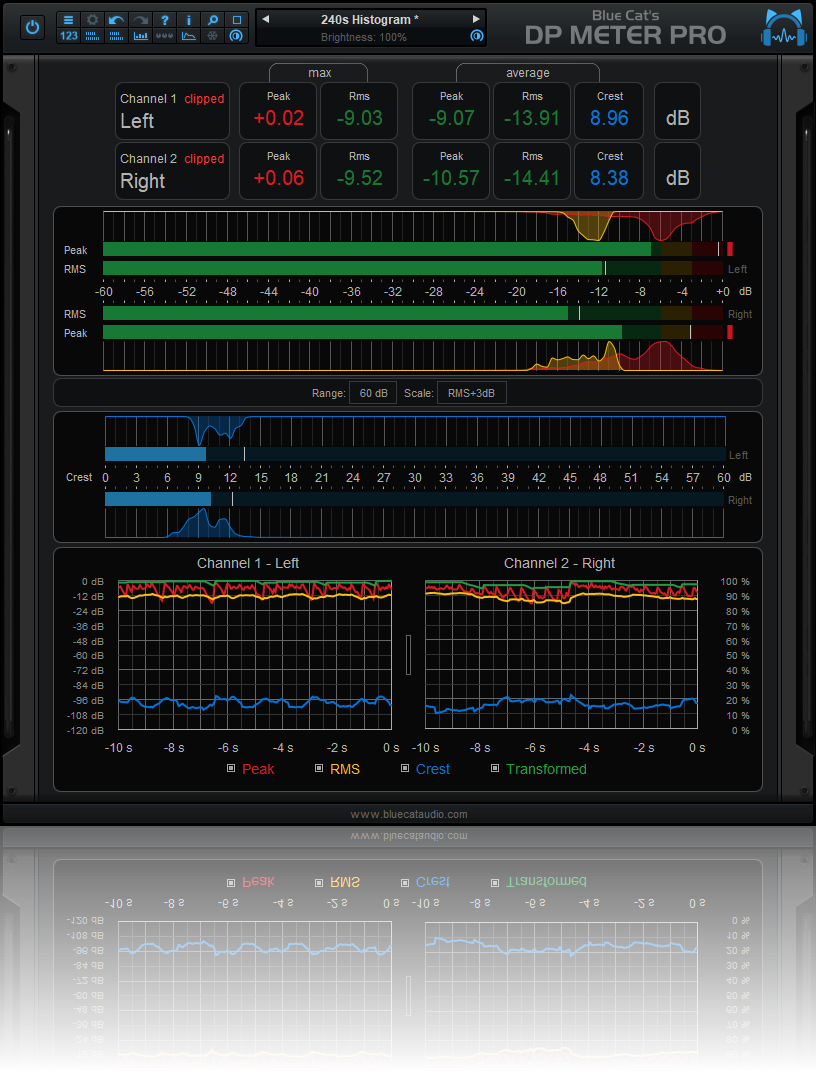
The metering capabilities of the DPMP plug-in let you control and monitor audio signals exactly the way you want: almost every aspect of the peak, RMS and crest factor meters can be customized. It proposes five different scales by default, including Bob Katz's popular K-System scales (K-12, K-14, K-20), and you can create your own.
Large colored statistics displays following your own scales are included for an overview of a track, while histograms give you a precise measurement of the dynamic range of the track. The graphs show the evolution of the audio envelopes over time, and the mid-side switch lets you verify mono compatibility problems and check the "stereoness" of your audio sources very easily. Whether you are working with mono, stereo or surround tracks, this plug-in will fit into your workflow.
All envelopes (peak, RMS, crest factor...) can be reused for additional monitoring or side chaining purposes: combined together, reversed, modified and recorded as automation curves or sent as MIDI CC messages, they can control other effects in real time.
Main features:
Reviewed By kuzami [all]
April 25th, 2015
Version reviewed: 8.1 on Windows
GUI: This is the worst part of the plugin for me. The GUI is severely dated, and while functional, it still looks horrendous. I wish they could revamp it. Biggest letdown for me. It is custimizable though, so that pulls makes it a bit better.
Features: First of all, the monitoring on this things is great. It's very useful. It uses five different scales, and you can create more if you wish. It has RMS, multipeak, crest factor and more. Also measures dynamic range. And everything is bright colors! It also has another trick up it's sleeve: advanced side chain control. You can control this with all parameters, as well as MIDI CC input. Very useful! It does "stereoness", as they call it, and can measure phase cancellation. Again, very useful.
Stability: I've had no problems with this ever crashing. Super stable, like all other Blue Cat plugins.
Price: 59 euros for the metering alone would be a bit much for me, but when consider add the advanced side-chaining controls and phase cancellation measurement, it's definetely worth the price.
Conclusion: Even though the GUI is a bit of a drag, all the useful features and the low price makes this a must-have for anyone who wants something extra in terms of monitoring, side-chain control and phase cancellation measurement.
Reviewed By frog_jr [all]
March 7th, 2007
Version reviewed: 2000SP4 on Windows

Please log in to join the discussion
Submit: News, Plugins, Hosts & Apps | Advertise @ KVR | Developer Account | About KVR / Contact Us | Privacy Statement | Sell @ KVR | KVR Marketplace Terms & Conditions
© KVR Audio, Inc. 2000-2026

