
What's Snapper?
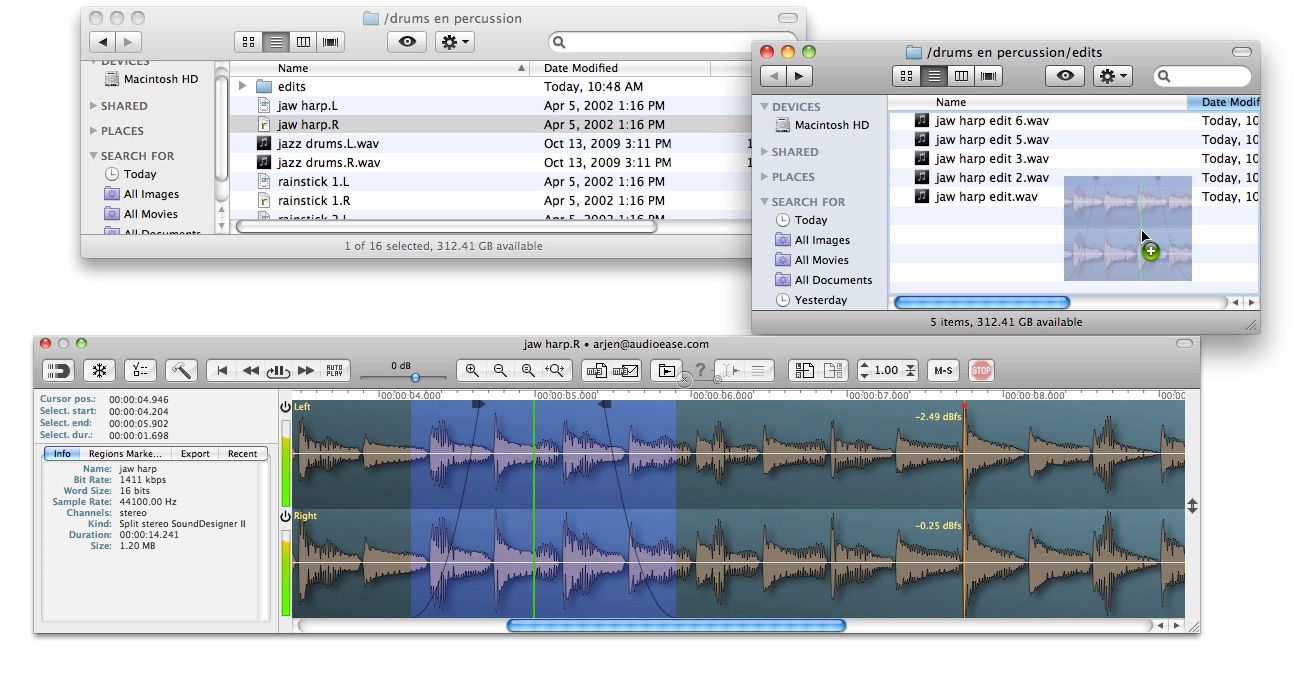
When you select an audio file in the Mac Finder, Snapper immediately appears right beneath the current window, showing you the wave form.
Play
Hit the space bar or double-click in the wave form to play. Or use auto-play to start playing the moment you select the file. Vari-speed is available too.
Drag, Drop and Convert
In the Snapper wave form you can select a part of the sound file and:
Which formats can it handle? All of them.
Snapper opens over 50 sound file formats. That includes compressed files, split stereo, 192 kHz, 5.1 surround files, red book audio, CDs and movies containing audio. It shows loops, markers, timestamps, regions, BWF annotations, even album covers. You name it, Snapper can handle it. For some formats you need to install external components, here's more on that.
Finder & iTunes
Snapper follows your Finder selection, and it also shows up when you select a song in your iTunes library.
Pro Tools, Nuendo Logic, Cubase
You can spot (selections from) files directly to the cursor of your sequencer or audio editor.
Copy Protection
After purchase you receive a personal activation code to unlock the Snapper demo.
What does the demo do ?
Everything, for one hundred (100) days. After that it simply stops working.
You can download the demo here.


One of my daily indispensable little helper tools. The only thing I'd like to have: 2 authorizations with one license. I had to buy two licenses for two computers, that are only used by me.
Please log in to join the discussion
Submit: News, Plugins, Hosts & Apps | Advertise @ KVR | Developer Account | About KVR / Contact Us | Privacy Statement
© KVR Audio, Inc. 2000-2024

