


save error
-
- KVRist
- 238 posts since 22 Feb, 2005
So, when you want to save your project and you get "can not save project" error and then " disk is full" error, despite loads of room on harddisk and then you LOOSE the project, because theres just no way to save it.... What is the reason for that? I just lost a load of work, so i'm not happy. (i would post in the energyxt support site, but the exact same topic is already there, with no solution.)
__________________________________________
THIS IS MY SIGNATURE!
THIS IS MY SIGNATURE!
-
- KVRAF
- 4584 posts since 21 Sep, 2005
I don't think there is an easy answer to that question. Otherwise it would have been answered. You need to send your project files and details (hard drive setup - do you have two hard disks?) to Jorgen. Or someone that is doing Energy XT support. I should imagine you would get your problem dealt with in a couple of days at least, if not, then that would be pretty poor show.GaryOpenH wrote:So, when you want to save your project and you get "can not save project" error and then " disk is full" error, despite loads of room on harddisk and then you LOOSE the project, because theres just no way to save it.... What is the reason for that? I just lost a load of work, so i'm not happy. (i would post in the energyxt support site, but the exact same topic is already there, with no solution.)
Give it a try. Let us know how you get on by posting on the forum.

-
- KVRist
- Topic Starter
- 238 posts since 22 Feb, 2005
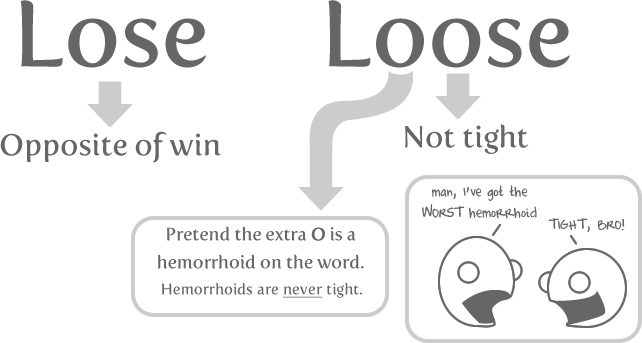
Thank you, part of the problem is that there was no project file saved...the reason why i shut down xt and LOST (one o) the project was because after these two error messages, it behaved as if the project file was saved - it removed the tempfile....and when i closed the "shut down" button i was not asked if i wanted to save the project file.codec_spurt wrote:
You need to send your project files and details (hard drive setup - do you have two hard disks?) to Jorgen.
This is the worst things that could happen in a software like this lol! I wasnt very happy.
AS for contacting energy xt, the site only gives the support site as a option, and this very problem is already posted there, and jorgen has answered it but with no solution. I guess this isnt a very common problem then.
No, only one harddrive, using the same setup that ive used for many many projcets before, never seen this problem before
__________________________________________
THIS IS MY SIGNATURE!
THIS IS MY SIGNATURE!
-
- KVRian
- 644 posts since 6 Nov, 2006
You can email support@energy-xt.com too.GaryOpenH wrote: AS for contacting energy xt, the site only gives the support site as a option,
-
- KVRist
- Topic Starter
- 238 posts since 22 Feb, 2005
thanks, done!hudson_m4000 wrote:You can email support@energy-xt.com too.GaryOpenH wrote: AS for contacting energy xt, the site only gives the support site as a option,
__________________________________________
THIS IS MY SIGNATURE!
THIS IS MY SIGNATURE!
-
- KVRAF
- 4584 posts since 21 Sep, 2005
Sorry to hear that, at least you hadn't loost to much. Glad to hear the grooves you were working on were pretty lose, even if you did loose them.GaryOpenH wrote:Thank you, part of the problem is that there was no project file saved...the reason why i shut down xt and LOST (one o) the project was because after these two error messages, it behaved as if the project file was saved - it removed the tempfile....and when i closed the "shut down" button i was not asked if i wanted to save the project file.codec_spurt wrote:
You need to send your project files and details (hard drive setup - do you have two hard disks?) to Jorgen.
This is the worst things that could happen in a software like this lol! I wasnt very happy.

All is not lossed!