KVR Audio is the Internet's number one news and information resource for open standard audio plugins. We report new releases, product announcements and product updates (major and minor) for all VST Plugins, DirectX Plugins and Audio Units Plugins. We manage a fully searchable audio plugin database (updated daily), and offer many free member services including user reviews, product update notifications and a very active discussion forum. We also host official support forums for many plugin developers plus the official Receptor support forum.
Plug-in Database: Virtual
Instruments, Effects & Hosts
Banks & Patches
Download & Upload
Plug-in Ratings
by KVR Members
Wiki: Tutorials,
Audio Lexicon, ...
Listen to Music
by KVR Members
Search
KVR
Quick
Links

(open in a new window)

Voxengo - Soniformer

6 members are watching Soniformer for news
Soniformer

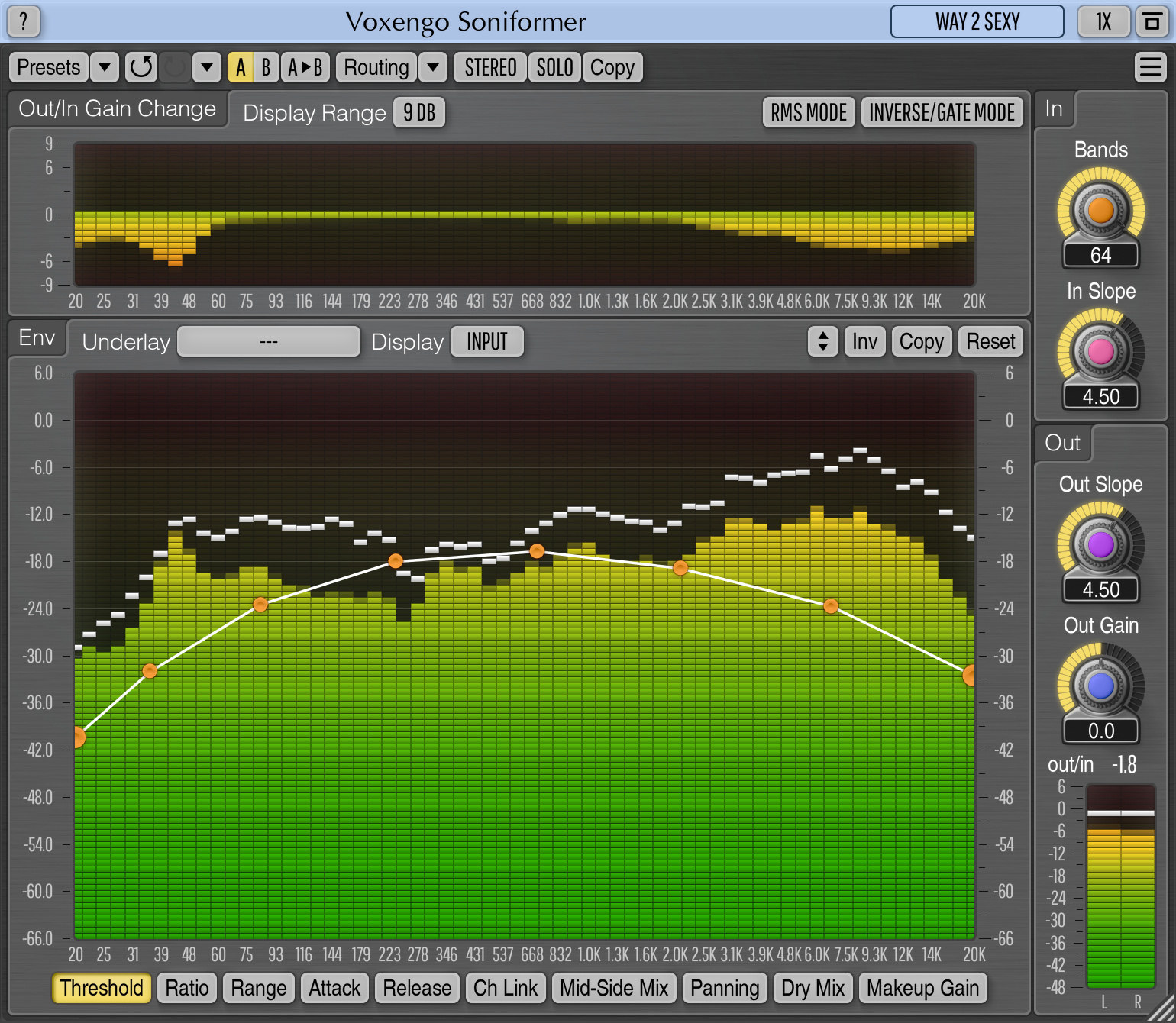
The main idea behind Soniformer is a spectral balance. A perfectly balanced mix can be seen on a spectrum analyzer as a smooth spectral curve with minimal number of peaks and notches. There can be some deviations from this rule, but generally it always applies. Soniformer uses compression to adjust the spectral balance of any sound material being processed in a way that its spectral curve fulfills the aforementioned rule. Thus, Soniformer could also be called a spectral compressor.

Features:

  • Spectral compression technology
  • Envelope-driven parameters
  • 32-band spectrum analyzer
  • Gain change meters
  • Stereo linking envelope
  • Stereo width envelope
  • Two level detector types
  • "A-to-B" comparisons
  • Factory presets
  • Mono-to-Stereo, Stereo-to-Stereo processing
  • Sample rates up to 192 kHz supported
  • Native assembler DSP code
  • 64-bit internal precision

User Reviews for Soniformer

Click here to add a review


By PeterL
On 20th January 2006
Version: 2.4.1

Read all reviews by
PeterL


4 of 5 people found
this review helpful.

Was this review
helpful to you?
Yes | No
  GUI
Sound
Features
Docs
Presets
Support
VFM
Stability
My Voxengo Soniformer review (tested version 2.4.1):
If you are looking for the holy grail in mastering compression maybe this is it (although it doesn't color the sound = no valve compressor)!
It's a 32-Band Spectral-Compressor (think of it as a kind of Multiband-Compressor) with additional features described later. It could be a little bit confusing when you use it the first time, but once you get familiar with the interface you will notice that the GUI couldn't be any better.
You can adjust Threshold/Attack/Release/Ratio/WetMix/OutGain/St.Link/Width/Pan for each of the 32 bands individually in a graphical way by envelopes. You have several monitoring options as help to adjust each band (especially Threshold/OutGain) in an easy way. It is possible to perform Mid/Side processing for adjusting only the Mid(Mono)- or Side(Stereo)-part of the signal. Further you can switch compression mode to "Normal" (all above the Threshold will be processed) or "Inverted" (all below the Threshold will be processed). Detector mode can be switched between "Peak" or "Envelope". Input slope of the analyzer can be adjusted if you want to concentrate more or less on a certain frequency range. Since version 2.4 you can change the processing order for Comp/OutGain/Width/Pan.
Hint: You can use Soniformer not only as compressor but also as a superb Stereo Widener (Width/Pan envelopes) and/or as a kind of 32-Band equalizer (OutGain envelope).
As alternative to envelope editing (and if the 32 bands are too much for your brain) you can switch Soniformer to a 3-Band compressor in knob mode.
My tipps for beginners:
- Start with the presets and adjust the Threshold curve to your needs. Just right-click in the Threshold envelope to select all points, then move the curve up/down.
- If you want a non-pumping single-band compressor just set all envelopes to a straight horizontally line (by clicking on "Reset"), then right-click to select this line in each tab and move it up/down to your needs.
- Use the analyzer in Monitoring mode "In+Out" to set the threshold visually and switch sometimes to Monitoring mode "Gains" to see the reduction/enhancement for each band.
- Read the manual for detailed description

Be aware: Soniformer uses 45% CPU on my P4 2.8GHz, but this is normal for the heavy precise processing in this plugin.
What I miss (I don't know if it can ever be implemented):
A "Solo" listening mode for each band.

All in all it's a great value for money: $59 (sometimes I can't believe it). Further the customer support for all Voxengo products is perfect.
 
Last edited by PeterL on 29th January 2006    Report
Latest 1 review from a total of 1

Musician's Friend Stupid Deal of the Day Musician's Friend Product of the Day
