

Lots of really good advice in there. Thanks a lot for taking the time to post so many excellent suggestions.boark wrote: Wed Aug 24, 2022 4:21 pm Go for it! I use both Cubase and Live, and find myself using Cubase more often.
On all the UIs, click the "gear" icons shown on-screen and turn on/off any buttons you'd like to see. This will make the UI much less daunting in the case of buttons you hide. Keep the "Info Line" on. Functions for clips are set using it (ARA extension, stretching algorithm, etc.).
Create key commands for any functions you like. Cubase is very powerful in this regard, especially in comparison to Live. The Key Commands setup window is also a great place to search and find stock key commands.
The Tap Tempo function is called Beat Calculator in Cubase. That may save you some time searching for it.
In Audio Connections, use the Control Room instead of Outputs. Among other things, it adds a global volume control in Cubase that will change the monitor volume level without impacting the actual master track volume level.
Create a template and use it to start your projects. Better yet, create multiple templates - one for each type of project you typically create, pre-loaded with tracks and instruments. In your template, add these tracks (Arranger, Markers, Chord Track, Tempo, Signature) and hide them by default. Then when actually using the template while making a song go into Visibility in the upper-left area to show them as needed. They will already be there in your template.
Go into Preferences->Record->MIDI and enable ASIO Latency Compensation Active by Default. Having that disabled caused latency issues for me until I found it. Disable Editing->Tools->Show Toolbox on Right-Click. Coming from Ableton, you'll probably find that to be annoying and will prefer having a context menu show for right-clicks. Look at the Editors setting and set it how you like. I have Key Editor as the default editor, and have "Double-click opens Editor in a Window". But you may prefer the editor to be inside the main window rather than in a separate window. Save your Preferences setting as a preset, and then select your preset and save your project templates with it so that it is always used for new projects.
Consider getting a 1 month subscription to Groove3 if you don't have it and watch one of the Cubase Explained video sets. Those will get you up to speed quickly.
Jumping ship from Live to Cubase
-

- KVRAF
- Topic Starter
- 4072 posts since 24 Oct, 2000 from A Swede Living in Budapest
J60 Heatwave for Omnisphere 3 - Juno-60 Inspired soundbank
HARDWARE SAMPLER FANATIC - Akai S1100/S950/Z8 - Casio FZ20m - Emu Emax I - Ensoniq ASR10/EPS
HARDWARE SAMPLER FANATIC - Akai S1100/S950/Z8 - Casio FZ20m - Emu Emax I - Ensoniq ASR10/EPS
-
- KVRist
- 436 posts since 7 Apr, 2010
Cubase does lack the intrument racks, flexible midi arps and midi instruments and the deep integration with the Max for Live world that Ableton has. As a cubase user I still find the way you can control VST's by external midi controllers really limiting. You only have access to 8 knobs for example via the quick controls and each one can only control one parameter on one track at a time. There is no way to scale their behaviour, or link multiple things like filter and release to 1 knob. They are also depreciating VST 2 soon so if you have VST 2 stuff you love be aware its probably going to stop working eventually after an update. Cubase has no drum racks of intrument racks if that is important to you.
The macro system is a great idea in principle, but its not as elegant as S1. You have to type out all the macro's line by line like some coding monkey and there isn't a nice way to share them in an exchange like S1. If you dig into macros they are a killer feature though. But a bit fiddly in Cubase imo.
The new midi remote GUI and setup they have created for C12 is great, but not fully finished. It lacks all the functions their old generic remote has and once they get that up and running it'll be great. It is easy to use and set-up and one of the best improvements to workflow I have had in years. There are a number of midi controllers supported natively so check that out.
Cubase 12 has also been extremely buggy for me. Definitely try the demo before you buy. They are moving to a new licence system so if you don't have a USB Elicensor then perhaps you won't have issues like I have.
As mentioned by dellboy earlier in the thread S1 is also a great alternative, although not quite as deep and customisable as Cubase imo.
The macro system is a great idea in principle, but its not as elegant as S1. You have to type out all the macro's line by line like some coding monkey and there isn't a nice way to share them in an exchange like S1. If you dig into macros they are a killer feature though. But a bit fiddly in Cubase imo.
The new midi remote GUI and setup they have created for C12 is great, but not fully finished. It lacks all the functions their old generic remote has and once they get that up and running it'll be great. It is easy to use and set-up and one of the best improvements to workflow I have had in years. There are a number of midi controllers supported natively so check that out.
Cubase 12 has also been extremely buggy for me. Definitely try the demo before you buy. They are moving to a new licence system so if you don't have a USB Elicensor then perhaps you won't have issues like I have.
As mentioned by dellboy earlier in the thread S1 is also a great alternative, although not quite as deep and customisable as Cubase imo.
-
- KVRAF
- Topic Starter
- 4072 posts since 24 Oct, 2000 from A Swede Living in Budapest
I think it basically boils down to that different DAWs are having different focus. The king of Live is the session view, which is amazing. And the M4L integration is extremely powerful, and is not an instant crash-fest as it was in the beginning.kev2525 wrote: Wed Aug 24, 2022 10:49 pm Cubase does lack the intrument racks, flexible midi arps and midi instruments and the deep integration with the Max for Live world that Ableton has. As a cubase user I still find the way you can control VST's by external midi controllers really limiting.
But just after exploring and doing some simple experiments last night, I felt like going from a Fiat Punto to a Ford Mustang. For my own purposes of course.
I am sure there are lots of things that I take for granted in Live that will cause me irritation in C12, like the axing of older plugin standards. But I don't think those things will appear until I started to work in C12 for real.
I'm not rage-quitting Live or selling my licence. I have a handful of things on my wishlist for my sound design workflow that Live can't do. And C12 does with bravado. Apart from those things, which may change in the future, my biggest "dislike" about Live is and has always been the arranger which is just ... so effing clunky. I hope that going from Live to something with a solid linear workbench I will get out of the "clip" mentality.
Probably the biggest hurdle I've found with C12 so far is that I have a feel I might have to get a full size keyboard with a numpad. I remember back in the old days when I was a Cubase user, I basically flew like a rocket using the numpad.
J60 Heatwave for Omnisphere 3 - Juno-60 Inspired soundbank
HARDWARE SAMPLER FANATIC - Akai S1100/S950/Z8 - Casio FZ20m - Emu Emax I - Ensoniq ASR10/EPS
HARDWARE SAMPLER FANATIC - Akai S1100/S950/Z8 - Casio FZ20m - Emu Emax I - Ensoniq ASR10/EPS
-

- KVRian
- 853 posts since 12 May, 2004
DrGonzo wrote:
https://www.amazon.com/Numeric-Keypads/ ... 2998471011
Just a thought…Probably the biggest hurdle I've found with C12 so far is that I have a feel I might have to get a full size keyboard with a numpad. I remember back in the old days when I was a Cubase user, I basically flew like a rocket using the numpad.
https://www.amazon.com/Numeric-Keypads/ ... 2998471011
On a number of Macs
-
- KVRAF
- Topic Starter
- 4072 posts since 24 Oct, 2000 from A Swede Living in Budapest
Thanks! Haha... seriously, must be the damn summer heat as this didn't even occur to me. Very good solution. Thanks again /CWeasel-Boy wrote: Thu Aug 25, 2022 9:06 am DrGonzo wrote:Just a thought…Probably the biggest hurdle I've found with C12 so far is that I have a feel I might have to get a full size keyboard with a numpad. I remember back in the old days when I was a Cubase user, I basically flew like a rocket using the numpad.
https://www.amazon.com/Numeric-Keypads/ ... 2998471011
J60 Heatwave for Omnisphere 3 - Juno-60 Inspired soundbank
HARDWARE SAMPLER FANATIC - Akai S1100/S950/Z8 - Casio FZ20m - Emu Emax I - Ensoniq ASR10/EPS
HARDWARE SAMPLER FANATIC - Akai S1100/S950/Z8 - Casio FZ20m - Emu Emax I - Ensoniq ASR10/EPS
-
- KVRer
- 21 posts since 25 Jul, 2021
is a nice trade, you can keep Live too, which I like a lot but too demanding on the CPU to finish the projects without hassle.
I don´t know if rewire is still available but it should came in handy.
I don´t know if rewire is still available but it should came in handy.
-
- KVRer
- 21 posts since 25 Jul, 2021
those settings should be the default, I think Cubase only makes sense to a noob after setting it that way.DrGonzo wrote: Wed Aug 24, 2022 4:49 pmLots of really good advice in there. Thanks a lot for taking the time to post so many excellent suggestions.boark wrote: Wed Aug 24, 2022 4:21 pm Go for it! I use both Cubase and Live, and find myself using Cubase more often.
On all the UIs, click the "gear" icons shown on-screen and turn on/off any buttons you'd like to see. This will make the UI much less daunting in the case of buttons you hide. Keep the "Info Line" on. Functions for clips are set using it (ARA extension, stretching algorithm, etc.).
Create key commands for any functions you like. Cubase is very powerful in this regard, especially in comparison to Live. The Key Commands setup window is also a great place to search and find stock key commands.
The Tap Tempo function is called Beat Calculator in Cubase. That may save you some time searching for it.
In Audio Connections, use the Control Room instead of Outputs. Among other things, it adds a global volume control in Cubase that will change the monitor volume level without impacting the actual master track volume level.
Create a template and use it to start your projects. Better yet, create multiple templates - one for each type of project you typically create, pre-loaded with tracks and instruments. In your template, add these tracks (Arranger, Markers, Chord Track, Tempo, Signature) and hide them by default. Then when actually using the template while making a song go into Visibility in the upper-left area to show them as needed. They will already be there in your template.
Go into Preferences->Record->MIDI and enable ASIO Latency Compensation Active by Default. Having that disabled caused latency issues for me until I found it. Disable Editing->Tools->Show Toolbox on Right-Click. Coming from Ableton, you'll probably find that to be annoying and will prefer having a context menu show for right-clicks. Look at the Editors setting and set it how you like. I have Key Editor as the default editor, and have "Double-click opens Editor in a Window". But you may prefer the editor to be inside the main window rather than in a separate window. Save your Preferences setting as a preset, and then select your preset and save your project templates with it so that it is always used for new projects.
Consider getting a 1 month subscription to Groove3 if you don't have it and watch one of the Cubase Explained video sets. Those will get you up to speed quickly.
-
- KVRAF
- 3496 posts since 30 Dec, 2014
No, choose Studio One instead. 
KVR S1-Thread | The Intrancersonic-Design Source > Program Resource | Studio One Resource | Music Gallery | 2D / 3D Sci-fi Art | GUI Projects | Animations | Photography | Film Docs | 80's Cartoons | Games | Music Hardware |
-
- KVRAF
- 5144 posts since 3 Oct, 2013
I would choose Logic and UAD Spark/Kilohearts subscription with a couple of synths if would like to start a new life
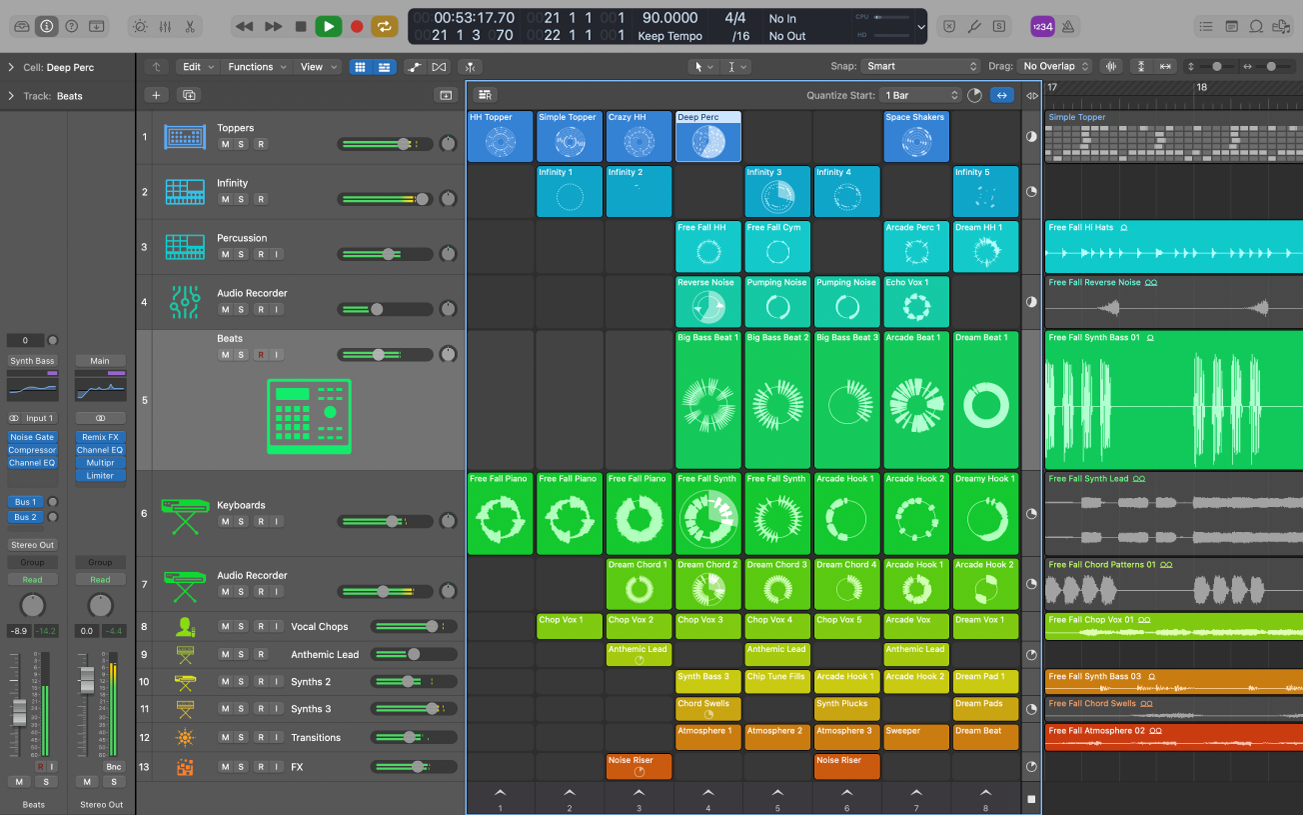
Cubase is too rigid (routing, modulation etc.) S1 isn't as fun as Logic, Bitwig has almost the same workflow as AL has so wouldn't feel the paradigm shift, new platform with new plugin format that would be the spirit
Cubase is too rigid (routing, modulation etc.) S1 isn't as fun as Logic, Bitwig has almost the same workflow as AL has so wouldn't feel the paradigm shift, new platform with new plugin format that would be the spirit
"Where we're workarounding, we don't NEED features." - powermat
-
- KVRAF
- 35676 posts since 11 Apr, 2010 from Germany
Logic's GUI really emits the "ease of use" vibe. I know, it can get as tedious as anything that complex, but, they somehow manage to make it look easy. Wished others would have such GUI's as well. It's not even that beautiful. Just clear and functional. How it should be.xbitz wrote: Thu Aug 25, 2022 5:45 pm I would choose Logic and UAD Spark/Kilohearts subscription with a couple of synths if would like to start a new life
-

- KVRian
- 744 posts since 15 May, 2003 from R'lyeh
I use both but honestly haven't opened up Live since I updated to Cubase 12. I went from Cubase VST32 to Logic Platinum way back in the day and just switched back last November to Cubase 11. I don't like the clip workflow so I work with Ableton linearly the same way I would in Logic or Cubase. It has some pretty damn handy tools for sample manipulators like me in it. Cubase and Logic both get to the same place just with different methods. Cubase's sampler tracks are about as easy as Simpler and I do a lot of my work with those. Groove Agent is pretty damn close to a drum rack, and if you need a Sampler substitute, there's Halion. Nowadays I'm pretty much only working on jungle/dnb stuff and Live's features make some of that really quick and easy, but I come from the hardware sampler era too, so learning how to do it in Cubase was nothing too. It just does the same things its own way.
-
- KVRAF
- 9146 posts since 7 Oct, 2005
Well, if you are with a Mac, then Logic is really the king  It has the best balanced GUI and very thought of functions. But the learning curve is not light. It is almost the same as Cubase as a whole. The tricky thing about Logic is it seems easy at first but it has so many options under the hood. It is like the 'right' Reaper
Anyway, for a second DAW, I would choose S1 instead of Cubase. S1 has very easy workflow and great help (info bar) that display all the shortcuts for the functions whenever you are highlighting. It also used much less CPU than Cubase.
Cubase is mean with CPU and GPU! It needs a lot of optimisation and in the end it might work or not! It never runs smoothly like S1 or Logic. Ableton Live is little bit better than Cubase in CPU usage!
Oh, well, get that keypad! You will need it a lot in transport and navigation shortcuts (Cubase, S1 and Logic)
It has the best balanced GUI and very thought of functions. But the learning curve is not light. It is almost the same as Cubase as a whole. The tricky thing about Logic is it seems easy at first but it has so many options under the hood. It is like the 'right' Reaper Anyway, for a second DAW, I would choose S1 instead of Cubase. S1 has very easy workflow and great help (info bar) that display all the shortcuts for the functions whenever you are highlighting. It also used much less CPU than Cubase.
Cubase is mean with CPU and GPU! It needs a lot of optimisation and in the end it might work or not! It never runs smoothly like S1 or Logic. Ableton Live is little bit better than Cubase in CPU usage!
Oh, well, get that keypad! You will need it a lot in transport and navigation shortcuts (Cubase, S1 and Logic)
Using: Cubase Pro 15, Reason 13, Tascam US-4x4HR, MODX6, DM12D, LaunchKey 49, Yamaha guitar(Pacifica 612v) and bass (BB234) and some virtual instruments and synths.
-

- KVRAF
- 8237 posts since 22 Sep, 2008 from Windsor. UK
Could never get on with Logic. It seems similar to Cubase, but in reality it's not. I want to like it, but meh.
Soundcloud | Facebook |
-
- KVRAF
- Topic Starter
- 4072 posts since 24 Oct, 2000 from A Swede Living in Budapest
Why do you think that is? I'm in the same boat, never been able to gel with Logic despite several attempts. But with Cubase, even after a ten+ year absence being on Live, I pick up things very quickly.tehlord wrote: Fri Aug 26, 2022 2:14 pm Could never get on with Logic. It seems similar to Cubase, but in reality it's not. I want to like it, but meh.
J60 Heatwave for Omnisphere 3 - Juno-60 Inspired soundbank
HARDWARE SAMPLER FANATIC - Akai S1100/S950/Z8 - Casio FZ20m - Emu Emax I - Ensoniq ASR10/EPS
HARDWARE SAMPLER FANATIC - Akai S1100/S950/Z8 - Casio FZ20m - Emu Emax I - Ensoniq ASR10/EPS
-

- KVRAF
- 2337 posts since 23 Sep, 2004 from Kocmoc
I used Cubase for a long time, but never liked/gelled with Logic (especially how laggy it was to start playing and all the automation bugs etc.). Now residing on Live 11 - I could see using Cubase still too.
Soft Knees - Live 12, Diva, Omnisphere, Slate Digital VSX, TDR, Kush Audio, U-He, PA, Valhalla, Fuse, Pulsar AUDIO, NI, OekSound etc. on Win11Pro R7950X & RME AiO Pro
https://www.youtube.com/@softknees/videos Music & Demoscene
https://www.youtube.com/@softknees/videos Music & Demoscene