I watched a video, truth? Win11 Switchin to mac, nightmare?

Configure and optimize you computer for Audio.
RELATED
PRODUCTS

Post

lunardigs wrote: Sat Apr 11, 2026 2:38 pm his selection of plugins and software must have been pretty limited.
In the vid he mentioned replacing some external plugins by Reaper stock fx to get more done with the limited cpu power.
But it wasn't about what can be done with a sub $100 raspberry pi, it was about the OS, which with Reaper being cross-platform is rather irrelevant.
We are the KVR collective. Resistance is futile. You will be assimilated. Image
My MusicCalc is served over https!!

Post

BertKoor wrote: Sat Apr 11, 2026 10:30 pm
lunardigs wrote: Sat Apr 11, 2026 2:38 pm his selection of plugins and software must have been pretty limited.
In the vid he mentioned replacing some external plugins by Reaper stock fx to get more done with the limited cpu power.
But it wasn't about what can be done with a sub $100 raspberry pi, it was about the OS, which with Reaper being cross-platform is rather irrelevant.
And cross-architecture apparently.

Post

All Apple Silicon MacBook Pros have an HDMI port.

As said, one of the strengths of Reaper is that you can take your settings with you. Some individual setting might be Windows-specific of course.

Post

DCrown wrote: Thu Apr 09, 2026 5:21 am I didn't know Win 11 is such a mess,
I am really thinking about switching to Mac
How could you use Windows 11 and not know this?

Microsoft has been slowly but surely turning Windows into an OS as a service. Your Windows Start menu doesn’t even feel like it’s yours anymore. You are a guest on your own computer.

M1 laptop is enough to produce music?,
I didn't even see a USB connection or hdmi to connect to a bigger sreen.
An M1 laptop is definitely enough. It’s all I have anymore. I run more plugins at lower latency than I ever did on my Wintel machine. And with ZERO noise!

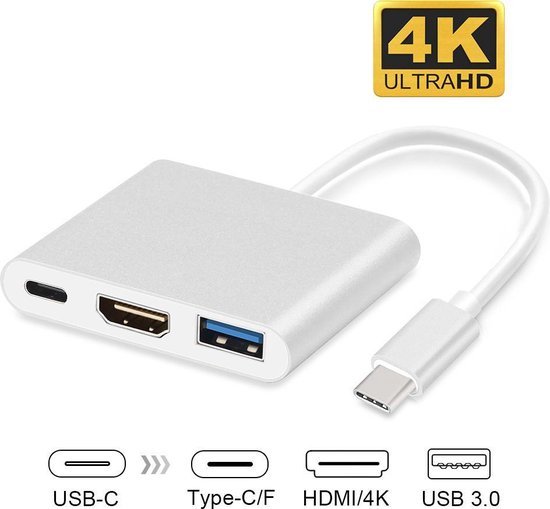
A MacBook Pro will have hdmi and Thunderbolt/USB-C. You actually just need a single USB-C port. Then you can plug in a USB3 hub with AC power relay and enough USB ports for all of your devices, plus an hdmi video out. One cable to turn your laptop into a desktop when you’re in the studio, then just disconnect it and grab your MacBook when you’re on the go. I couldn’t imagine working any other way at this point.

DCrown wrote: Thu Apr 09, 2026 5:50 am I am scared of switching to a different os, though.
I took me many years to optimize and customize Reaper, it is perfect for me now
Sunk cost fallacy. Don’t let it stop you. On Mac, you can use a DAW that just works right out of the box. :wink:
THIS MUSIC HAS BEEN MIXED TO BE PLAYED LOUD SO TURN IT UP

Post

DCrown wrote: Thu Apr 09, 2026 5:21 am I didn't even see a USB connection or hdmi to connect to a bigger sreen.
You'll need a simple USB-C -> USB-A & HDMI adapter.
Image
[/quote]

of course I watched, he wouldn't recommend the Mac he used for large sample libraries, so I am in doubt
[/quote]

Uh? My Apple laptop has a HDMI port and SD Card port as well as 3 USB3 type C TB connections. I have about 20 TB of sample libraries many are iLoked and only occasionally find I have to juggle SSDs (thank god I bought an 8Tb one before the prices went crazy). USB C to USB A adapters are cheap enough to buy one for each USB A device you have and just stick it on permanently.

I too didn't waste 20 minutes listening and watching some joker when 1 minute at the Apple Store would give me the spec's and 4 minutes googling would give me numerous sites of real world examples of usage.

Post

DCrown wrote: Thu Apr 09, 2026 5:21 am ...
I didn't even see a USB connection or hdmi to connect to a bigger sreen.
Sorry I missed this before my previous reply.

DO NOT SWITCH - YOU ARE NOT COMPETENT ENOUGH TO USE MACOS. PS DO NOT UPGRADE EITHER AS YOU ARE NOT GOING COPE THERE EITHER.

Post Reply

Return to “Computer Setup and System Configuration”