



New dynamics processor - released! (v1.3)
-
 Blue Cat Audio Blue Cat Audio https://www.kvraudio.com/forum/memberlist.php?mode=viewprofile&u=39981
 - KVRAF
- Topic Starter
- 6349 posts since 8 Sep, 2004 from Paris (France)
We love our loyal customers!kylen wrote:Just picked it up - thanks Blue Cat - love those loyal customer discounts!

-
Blue Cat Audio Blue Cat Audio https://www.kvraudio.com/forum/memberlist.php?mode=viewprofile&u=39981
- KVRAF
- Topic Starter
- 6349 posts since 8 Sep, 2004 from Paris (France)
Blue Cat's Dynamics has been updated to v1.1. The new version fixes a GUI display issue in FxPansion VST to RTAS adapter.
The special offer for Blue Cat Audio customers (-40%) and the -25% discount for new customers are still valid for two more weeks.
The special offer for Blue Cat Audio customers (-40%) and the -25% discount for new customers are still valid for two more weeks.
-
Blue Cat Audio Blue Cat Audio https://www.kvraudio.com/forum/memberlist.php?mode=viewprofile&u=39981
- KVRAF
- Topic Starter
- 6349 posts since 8 Sep, 2004 from Paris (France)
Blue Cat's Dynamics has been updated to v1.2. The new version fixes a bug that caused the MIDI output settings for the current preset not to restore properly. The updated version can be downloaded from the same location as the original.
The special offer for Blue Cat Audio customers (-40%) and the -25% discount for new customers are still valid until next wednesday (December 13th), hurry up!
The special offer for Blue Cat Audio customers (-40%) and the -25% discount for new customers are still valid until next wednesday (December 13th), hurry up!
-
- KVRAF
- 1614 posts since 26 Jun, 2005
Hey Blue Cats!
I just use your free stuff so far but will try out other demos as well. Just wanted to say how nice your customer support seems to me!
Really nice to read your posts. Keep going! Quality and support will survive!!
I just use your free stuff so far but will try out other demos as well. Just wanted to say how nice your customer support seems to me!
Really nice to read your posts. Keep going! Quality and support will survive!!
-
Blue Cat Audio Blue Cat Audio https://www.kvraudio.com/forum/memberlist.php?mode=viewprofile&u=39981
- KVRAF
- Topic Starter
- 6349 posts since 8 Sep, 2004 from Paris (France)
Thanks!Hey Blue Cats!
I just use your free stuff so far but will try out other demos as well. Just wanted to say how nice your customer support seems to me!
Really nice to read your posts. Keep going! Quality and support will survive!!

-
- KVRer
- 19 posts since 8 Nov, 2006
I know that somebodyelse was asking for Samplitude tutorial (maybe it was me  ) …so any progress In that direction?
Thanks
) …so any progress In that direction? Thanks
-
Blue Cat Audio Blue Cat Audio https://www.kvraudio.com/forum/memberlist.php?mode=viewprofile&u=39981
- KVRAF
- Topic Starter
- 6349 posts since 8 Sep, 2004 from Paris (France)
You have not been forgotten... From my first inquiry it seems that it's not possible to use the real time MIDI output feature in samplitude (see this post in the samplitude forum), but we are currently studying a way to use the automation features for non real time side chaining. BTW it seems there is no demo available, so we are stuck with S8 SE today.I know that somebodyelse was asking for Samplitude tutorial (maybe it was me ) …so any progress In that direction?
It's been quite busy here lately, which explains why it's a bit long...
-
Blue Cat Audio Blue Cat Audio https://www.kvraudio.com/forum/memberlist.php?mode=viewprofile&u=39981
- KVRAF
- Topic Starter
- 6349 posts since 8 Sep, 2004 from Paris (France)
The samplitude tutorial is finally here!
It's a simple tutorial with the Digital Peak Meter Pro Product (DPMP), but it's applicable to the Dynamics product and Widening Meter Pro as well. It explains how how to use the generated envelopes to control another effect on another track.
Tutorial : DPMP in MAGIX Samplitude
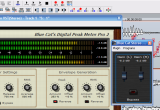
It's a simple tutorial with the Digital Peak Meter Pro Product (DPMP), but it's applicable to the Dynamics product and Widening Meter Pro as well. It explains how how to use the generated envelopes to control another effect on another track.
Tutorial : DPMP in MAGIX Samplitude
-
- KVRAF
- 2049 posts since 18 Sep, 2003 from Seattle USA
Hi Blue Cat - I'm digging the Lower Curve for expansion below the threshold (I believe that's what it's doing with a .10 ratio). It may be comparable or better to Ozone3 negative ratio expander for bring up softer sounds from the bottom. I think it will be really natural sounding once I get it dialed-in.
There's just a little nit though, using a ratio of .20, threshold of -40db and knee of 30db in a Tracktion2 rack there's a single impulse created as soon as the audio begins - I guess the processor is trying to satisfy the dynamics level I dialed in. It sounds like a loud tick the greater the ratio is, for example 0 is the loudest - it's not ear or equipment damaging but is a moderately loud tick. I suppose I can automate the ratio so the processor can ramp up. Any ideas about this? Thanks, Kyle
There's just a little nit though, using a ratio of .20, threshold of -40db and knee of 30db in a Tracktion2 rack there's a single impulse created as soon as the audio begins - I guess the processor is trying to satisfy the dynamics level I dialed in. It sounds like a loud tick the greater the ratio is, for example 0 is the loudest - it's not ear or equipment damaging but is a moderately loud tick. I suppose I can automate the ratio so the processor can ramp up. Any ideas about this? Thanks, Kyle
-
Blue Cat Audio Blue Cat Audio https://www.kvraudio.com/forum/memberlist.php?mode=viewprofile&u=39981
- KVRAF
- Topic Starter
- 6349 posts since 8 Sep, 2004 from Paris (France)
Yes that's one of the possible usages of the lower curve. Beware though that the neutral value here is 1, so .1 is quite high for expansion (look at the curve to check wether you are far away from the neutral value).Hi Blue Cat - I'm digging the Lower Curve for expansion below the threshold (I believe that's what it's doing with a .10 ratio). It may be comparable or better to Ozone3 negative ratio expander for bring up softer sounds from the bottom. I think it will be really natural sounding once I get it dialed-in.
The issue might be that your audio clip starts with an inaudible impulse (it may happen when you record), and with .2 ratio this impulse is amplified a lot so you can hear it.There's just a little nit though, using a ratio of .20, threshold of -40db and knee of 30db in a Tracktion2 rack there's a single impulse created as soon as the audio begins - I guess the processor is trying to satisfy the dynamics level I dialed in. It sounds like a loud tick the greater the ratio is, for example 0 is the loudest - it's not ear or equipment damaging but is a moderately loud tick. I suppose I can automate the ratio so the processor can ramp up. Any ideas about this? Thanks, Kyle
The options you have in this case are the following:
- try to clean your audio clip manually (with a subtle fade in for example)
- use another instance of the Dynamics plug-in before and set it up as a soft gate. It's a common practice, expecially if your track contains background noise that you don't want to be amplified by the expander.
- adjust the attack time and set it to a larger value so that expansion is softer (it will be similar to your automated ratio idea).
I have tried here to check wether it was an issue of the plug-in (just in case...!), and in Sonar a similar scenario with a clean audio clip does not produces such noise (with VST or DX version).
-
- KVRAF
- 2049 posts since 18 Sep, 2003 from Seattle USA
Hi Blue Cat, thanks for the response I've checked out the options you mentioned.
Here's some more info - I've narrowed the problem down to the single instance of the stereo Dynamics plugin inserted in stereo audio track in Tracktion2 (got rid of the rack and all the surrounding plugs). I don't have Sonar over here so I can't say what happens there.
Here's my simplified test case:
1. Insert a clean audio track (I have pure pink noise, peak=-12db,rms=-22db).
2. Insert an instance of stereo Dynamics processor with these settings:
Envelope Detection: Att=20.9ms, Rel 203.1ms, RMS avg=204ms
Stereo=flip
Lower Curve: Thresh=-40db, Ratio=0.20, Knee=30db
Auto gain=off
Everything else is set to default I think.
3. Tracktion audio setup:
Direct Sound, 48KHz sampling rate, 6912 sample/144.0 ms latency
4. Hit play in Tracktion, a split-second BEFORE the audio begins I hear a pop, then the audio plays normally. If I set the detector attack to 0ms then I don't get the pop. The fact that the impulse hits just befor the audio starts has me thinking about audio buffers and things of that nature so I'm trying some things there.
NOTE: The impulse hits at +13dbm so I think I'm wrong about this being a moderate tick - it's a pretty fast impuls and I can't perceive it as being loud. Turn your audio down first...beware. I'm gonna post this over at the Raw Materials (Tracktion) forum and see if anyone else has seen this.
Here's some more info - I've narrowed the problem down to the single instance of the stereo Dynamics plugin inserted in stereo audio track in Tracktion2 (got rid of the rack and all the surrounding plugs). I don't have Sonar over here so I can't say what happens there.
Here's my simplified test case:
1. Insert a clean audio track (I have pure pink noise, peak=-12db,rms=-22db).
2. Insert an instance of stereo Dynamics processor with these settings:
Envelope Detection: Att=20.9ms, Rel 203.1ms, RMS avg=204ms
Stereo=flip
Lower Curve: Thresh=-40db, Ratio=0.20, Knee=30db
Auto gain=off
Everything else is set to default I think.
3. Tracktion audio setup:
Direct Sound, 48KHz sampling rate, 6912 sample/144.0 ms latency
4. Hit play in Tracktion, a split-second BEFORE the audio begins I hear a pop, then the audio plays normally. If I set the detector attack to 0ms then I don't get the pop. The fact that the impulse hits just befor the audio starts has me thinking about audio buffers and things of that nature so I'm trying some things there.
NOTE: The impulse hits at +13dbm so I think I'm wrong about this being a moderate tick - it's a pretty fast impuls and I can't perceive it as being loud. Turn your audio down first...beware. I'm gonna post this over at the Raw Materials (Tracktion) forum and see if anyone else has seen this.
-
Blue Cat Audio Blue Cat Audio https://www.kvraudio.com/forum/memberlist.php?mode=viewprofile&u=39981
- KVRAF
- Topic Starter
- 6349 posts since 8 Sep, 2004 from Paris (France)
Thanks for the details. I'll check this asap.
-
Blue Cat Audio Blue Cat Audio https://www.kvraudio.com/forum/memberlist.php?mode=viewprofile&u=39981
- KVRAF
- Topic Starter
- 6349 posts since 8 Sep, 2004 from Paris (France)
Got it! I did not check your settings in detail at first. It's not a Tracktion issue, it's just a matter of settings.
I have answered in our official forum so that other customers can have the answer:
http://www.kvraudio.com/forum/viewtopic.php?t=161772
I have answered in our official forum so that other customers can have the answer:
http://www.kvraudio.com/forum/viewtopic.php?t=161772