

Best no frills, straightforward, unencumbered DAW for tracking/composing in 2020/21
-
Danilo Villanova Danilo Villanova https://www.kvraudio.com/forum/memberlist.php?mode=viewprofile&u=418331
- KVRian
- 1197 posts since 30 Apr, 2018
Mixcraft ans Studio One are the most straightforward and easy tu use DAWs. I have Mixcraft 9 Recording Studio and Studio One 5 Artist, so both "limited" versions, but I find that they do everything I need them to do.
-

- KVRAF
- 4891 posts since 3 Jan, 2003 from Vancouver
The mixer is an optional alternate view. The plugins still show in line with the tracks. You're not obliged to view things left-to-right in the track lanes but top-to-bottom for mixing.ReleaseCandidate wrote: Thu Dec 10, 2020 9:31 am It does also have the mixer 'on the bottom', or what are you talking about?
Surely there must be consensus by now...
-

- KVRAF
- 25036 posts since 12 Jul, 2003 from West Caprazumia
Reason is currently my main host and I barely ever use the virtual cables. You don't have to...yul wrote: Wed Dec 09, 2020 6:43 pm and he does pumps a lot of stuff (crap too sometimes). Thanks for reminding me of it! It did seem very stable and seq panel was clean. The wires though...
-
- KVRer
- 23 posts since 26 Nov, 2017
Ableton Live wins the no-frills criteria for me. It opens straight into a project window and has a very simple UI. Bitwig is a similar contender, but for whatever reason its UI appears mildly more busy to me. Can't beat Ableton's drab-grey and almost buttonless UI for minimal distraction.
On the opposite end of the spectrum, I've found I'm "faster" in Cubase. The more I learn it, the more I realize it has what I'm looking for at hand. I like that the toolbars can be configured to show as many or as few buttons as I need, and key commands can be assigned for many functions. Cubase with toolbars stripped down to the buttons I actually use, and with a dozen extra key commands assigned, is very fast and straightforward. I didn't feel that way in the past before setting it up this way though.
Ultimately the one that works for you and your way of working will be best.
On the opposite end of the spectrum, I've found I'm "faster" in Cubase. The more I learn it, the more I realize it has what I'm looking for at hand. I like that the toolbars can be configured to show as many or as few buttons as I need, and key commands can be assigned for many functions. Cubase with toolbars stripped down to the buttons I actually use, and with a dozen extra key commands assigned, is very fast and straightforward. I didn't feel that way in the past before setting it up this way though.
Ultimately the one that works for you and your way of working will be best.
-
- KVRer
- 13 posts since 23 Oct, 2020
This may not be a popular answer, but if youre using Mac, Garageband (or Logic without the advanced features enabled) I find reasonably unencumbered. I’ve used Studio One and Ableton Live in the past.
-
- KVRist
- 30 posts since 28 Oct, 2019
Bitwig is nice and fun. But if you're wanting to do traditional tracking and comping it ain't quit there yet. There are workarounds.... but as for it staying out of your way and doing what you want easily, Bitwig aint it. Fun as hell to tinker with though.
Off hand I think Mulab sounds like what you need.
Oh wait! You already have it. Sorry but I can't really think of any Daw that is easy to use and stays out of your way.
James
Off hand I think Mulab sounds like what you need.
Oh wait! You already have it. Sorry but I can't really think of any Daw that is easy to use and stays out of your way.
James
-
- KVRian
- Topic Starter
- 1354 posts since 26 Sep, 2002 from Montreal, CANADA
Thanks a lot guys for your responses this is quite interesting. Yes Mulab is still the main tool for now. I did learn and tried a lot of stuff and that was great. Cheers
-
- KVRAF
- 3496 posts since 30 Dec, 2014
I for one... 1000% disagree with that. The rescaling of the Reason is number one priority over everything else regarding Reason atm and having VST's inside Reasons rack just isn't possible nor practical in both a technical and visual sense. That's like trying to fit a round peg into a square hole in what you're suggesting. Presonus devised a simplified way in which to inter link instruments, and effects vie a node system and, it's something like that Reason Studio's would need to do as well in a similar way to have any sort of inter-connectivity like that to work in a practical sense. With Presonus Studio One Pro, it's actually possible to run Reason's Rack VST as a Multi-Instrument & Effect device, which opens up the door of inter-connectivity with other VST instruments this way as well.Psuper wrote: Thu Dec 10, 2020 10:19 pm
Once they update it so you can run VSTs inside the Rack inside the DAW (which is 1000% more important than hi-res gui), it'll really open up the options.
It should be noted that there are RE's (rack extensions) which have been ported over from VST versions and modified to work as rack devices. But that's different from what you're requesting I think.
KVR S1-Thread | The Intrancersonic-Design Source > Program Resource | Studio One Resource | Music Gallery | 2D / 3D Sci-fi Art | GUI Projects | Animations | Photography | Film Docs | 80's Cartoons | Games | Music Hardware |
-
- KVRAF
- 5144 posts since 3 Oct, 2013
The wiring is one of the most enjoyable parts +1Psuper wrote: Thu Dec 10, 2020 10:19 pmThe wiring is one of the most enjoyable parts -- once you have the basics down (which takes maybe 30 minutes of tutorialing), you have freedom to route in ways that most DAWS can't (or can't easily). Which is why I love the rack in your DAW of choice -- can still route cables as you see fit, but outside Reasons limited-functionality DAW ecosystem.yul wrote: Wed Dec 09, 2020 6:43 pm Reason : this is my friends main and he does pumps a lot of stuff (crap too sometimes). Thanks for reminding me of it! It did seem very stable and seq panel was clean. The wires though...
Once they update it so you can run VSTs inside the Rack inside the DAW (which is 1000% more important than hi-res gui), it'll really open up the options.
 Voltage has the same workflow, it's mainly a Combinator from Reason with its own ecosystem
if it's used mainly as a modular VST plugin-chainer as I did in the video the initial cost of it around 150euro, main plugin + PSP Nitro modules https://www.pluginboutique.com/product/ ... Collection (there is a huge sale on it) are the must-haves (especially the ADSR envelope one, it was used in the video above) if you need a comfy playground + also needs some mixer/CV shaper modules (I've bought mainly these ones https://andrewmacaulaymusic.uk/modules/products/ )
ps. MIDI CC out not working in VST3 versions (MIDI output module can't send CC signals out) just in the VST2 ones f* a couple of hours with it>> https://forums.cherryaudio.com/viewtopi ... 86b7#p3297
 that was my only issue (after 3 weeks ...)
"Where we're workarounding, we don't NEED features." - powermat
-
- Banned
- 1779 posts since 26 Aug, 2012
I knew it was a matter of time. Someone couldn't help themselves, recommending bitwig, one of the most cluttered, messy daws when the op specifically asked for the opposite.Passing Bye wrote: Thu Dec 10, 2020 4:35 pm Bitwig! Workflow is quick and straightforward, pop up browser is one of the, if not the best and for composing clip launching panel is ultimate thing, there’s no sub menus, most things are there, PDC is great, automation too, give it a whirl!
Yes, I appreciate Bitwig works great for you and you're happy with it but it's not simple, it's not straightforward and that's the very reason many prefer Ableton. Im not however endorsing ableton Im just saying bitwig is a mess in comparison.
-
- KVRAF
- 2989 posts since 5 Nov, 2014
It's just your own taste and opinion too, I find Bitwig as simple as MuLab, even simpler with less menu diving and more thought out features.Kinh wrote: Sun Dec 20, 2020 9:39 amI knew it was a matter of time. Someone couldn't help themselves, recommending bitwig, one of the most cluttered, messy daws when the op specifically asked for the opposite.Passing Bye wrote: Thu Dec 10, 2020 4:35 pm Bitwig! Workflow is quick and straightforward, pop up browser is one of the, if not the best and for composing clip launching panel is ultimate thing, there’s no sub menus, most things are there, PDC is great, automation too, give it a whirl!
Yes, I appreciate Bitwig works great for you and you're happy with it but it's not simple, it's not straightforward and that's the very reason many prefer Ableton. Im not however endorsing ableton Im just saying bitwig is a mess in comparison.
-
- KVRist
- 136 posts since 10 Sep, 2015
Well - I have the opposite opinion. As an old user of Sonar and Project 5 I tried to wrap my head around Ableton Live. I had that DAW for several years, but every time I wanted to "get into it", I dropped down the program after several tries. In the mean time I gave up on Sonar X series and "jumped" to Cubase, but that's a whole other story. I gave Bitwig one try, and it immediately "clicked" with me. I think having used Project 5 in the past is one of the contributing factors. Long story short - I sold my Ableton Live licence, and bought a Bitwig licence in stead. That will tell you enough...Kinh wrote: Sun Dec 20, 2020 9:39 amI knew it was a matter of time. Someone couldn't help themselves, recommending bitwig, one of the most cluttered, messy daws when the op specifically asked for the opposite.Passing Bye wrote: Thu Dec 10, 2020 4:35 pm Bitwig! Workflow is quick and straightforward, pop up browser is one of the, if not the best and for composing clip launching panel is ultimate thing, there’s no sub menus, most things are there, PDC is great, automation too, give it a whirl!
Yes, I appreciate Bitwig works great for you and you're happy with it but it's not simple, it's not straightforward and that's the very reason many prefer Ableton. Im not however endorsing ableton Im just saying bitwig is a mess in comparison.
Anyway - Back to the subject. I think there will always be some learning involved, whatever DAW you use. I think there are no really bad DAW's, but I advise to start with a basic version first. In the case of Cubase that's Cubase Elements (or the LE version you get for free with some audio interfaces). For Bitwig that is Bitwig Studio 16-Track (or the free 8-Track version that comes with keyboards like the Nektar Impact). There are also basic or even free versions of other DAW's you can try out. You can also use a not-so-basic free version of Sonar, but that's not a very uncluttered and no frills DAW, because you get a full mature version.
-
- KVRian
- 804 posts since 18 Apr, 2011
If you’re ok to spend a month tweaking and setting up everything: Reaper. (Lol) Seriously though, I’ve used just about every daw out there in the last ten years, and after using Reaper, I finally feel like I’m content to settle. I tweaked it to behave like a mashup of different daws. The way it’s configured out of the box would have never worked for me.
If you don’t want to go through that process, I’d probably suggest studio one. They really cut through a lot of the obtuse aspects that others daws that have been tacking on features since the 90’s have. For me, the piano roll was what lead me to quit it. It’s 80% of the way there, but there are a few ways in which I needed it to be more configurable.
If you don’t want to go through that process, I’d probably suggest studio one. They really cut through a lot of the obtuse aspects that others daws that have been tacking on features since the 90’s have. For me, the piano roll was what lead me to quit it. It’s 80% of the way there, but there are a few ways in which I needed it to be more configurable.
-
- KVRAF
- 5144 posts since 3 Oct, 2013
Ableton Live better using alone with its own devices + m4l ones but with third-party VST plugins BWS is comfier, the modulation system of BWS doesn't lock the position of the assigned controls to the linked host ones they can be modified later in the plugin (AL uses absolute, BWS relative modulation if the source of the modulation is a macro/device)Kinh wrote: Sun Dec 20, 2020 9:39 amI knew it was a matter of time. Someone couldn't help themselves, recommending bitwig, one of the most cluttered, messy daws when the op specifically asked for the opposite.Passing Bye wrote: Thu Dec 10, 2020 4:35 pm Bitwig! Workflow is quick and straightforward, pop up browser is one of the, if not the best and for composing clip launching panel is ultimate thing, there’s no sub menus, most things are there, PDC is great, automation too, give it a whirl!
Yes, I appreciate Bitwig works great for you and you're happy with it but it's not simple, it's not straightforward and that's the very reason many prefer Ableton. Im not however endorsing ableton Im just saying bitwig is a mess in comparison.
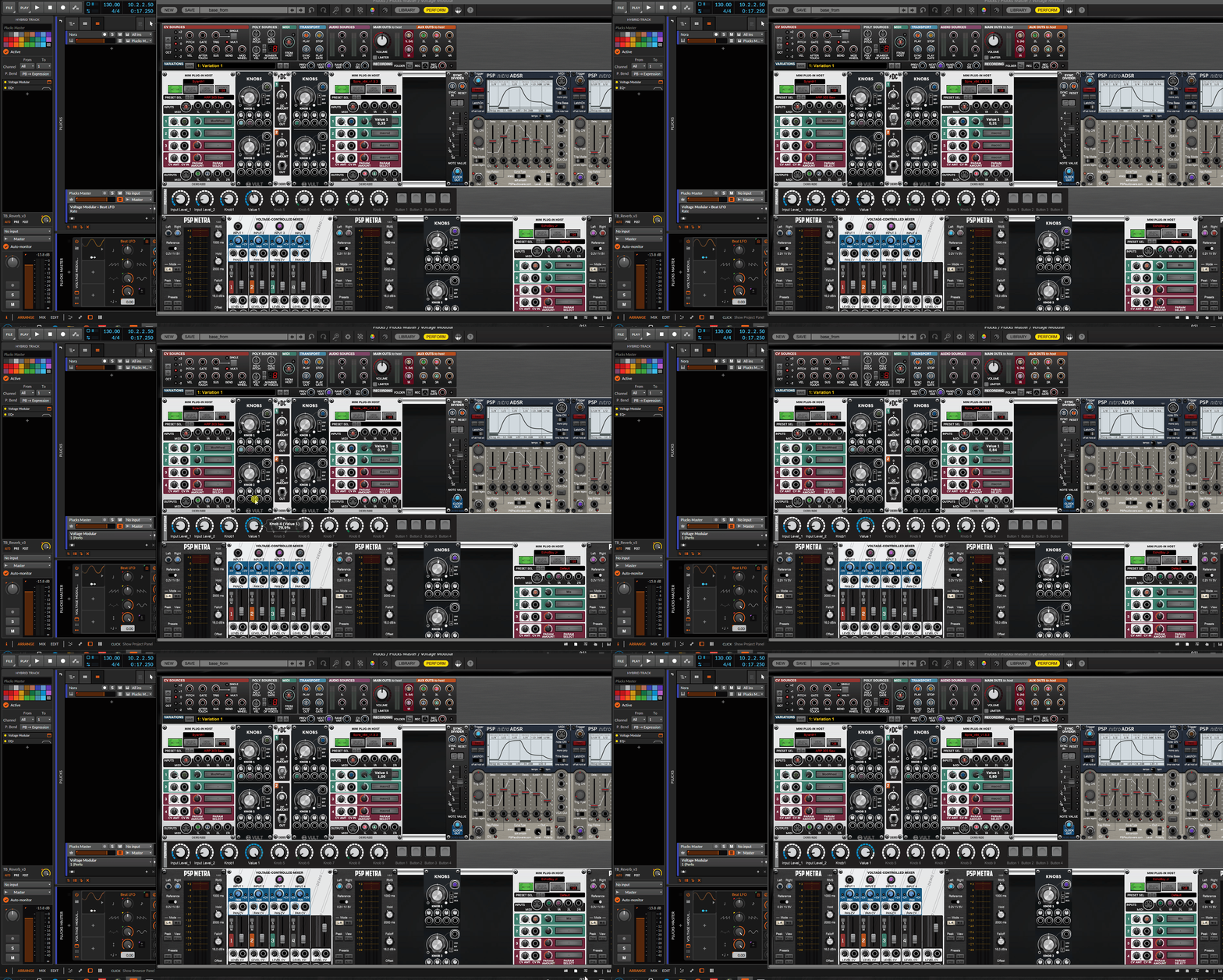
MIDI generators can be mixed with instruments on the same track, knows not just MIDI channel 1 in its inner routings
ps. just get newsletter from edmprod, https://www.edmprod.com/daw/ if s needs more DAWs
"DAWs: The Complete Guide for Beginners (2020)"it's so typical
A (Personal) Bad Example:
Download a cracked copy of FL Studio without trying any others
Start learning it without any guidance
Give up after a few months
Blame your DAW
Wait a year
Tell people you’re going to use another certain DAW without even trying it (Cubase) because ‘x’ producer uses it
Try another DAW instead because ‘x’ producer uses it (Reason)
Try learning it from YouTube tutorials
Give up because you don’t like the workflow
Try Ableton Live
Give up because you didn’t take time to realize there is an arrangement view as well as a session view
Go back to watching FL Studio tutorials because you started on it – actually good
Learn FL Studio and start making good music on it by improving
Get good at FL Studio
Try Ableton Live again properly on new computer
Realize it’s perfect for my workflow
Get good at Ableton Live over years
Buy it finally
Decide on it as my DAW
This long-winded journey took me more than 6 years to complete.
"Where we're workarounding, we don't NEED features." - powermat