


Note: Once I find a better product name and the outstanding Input Adaptive Gain system is complete, I will open a dedicated product thread for this.
We're excited to introduce Absolute Zero — a modular limiter designed for both research and real-world production. It's available now in beta, and included FREE with ARIA Studio v1.0 purchases.
───────────────────────────────────────
WHAT MAKES IT DIFFERENT
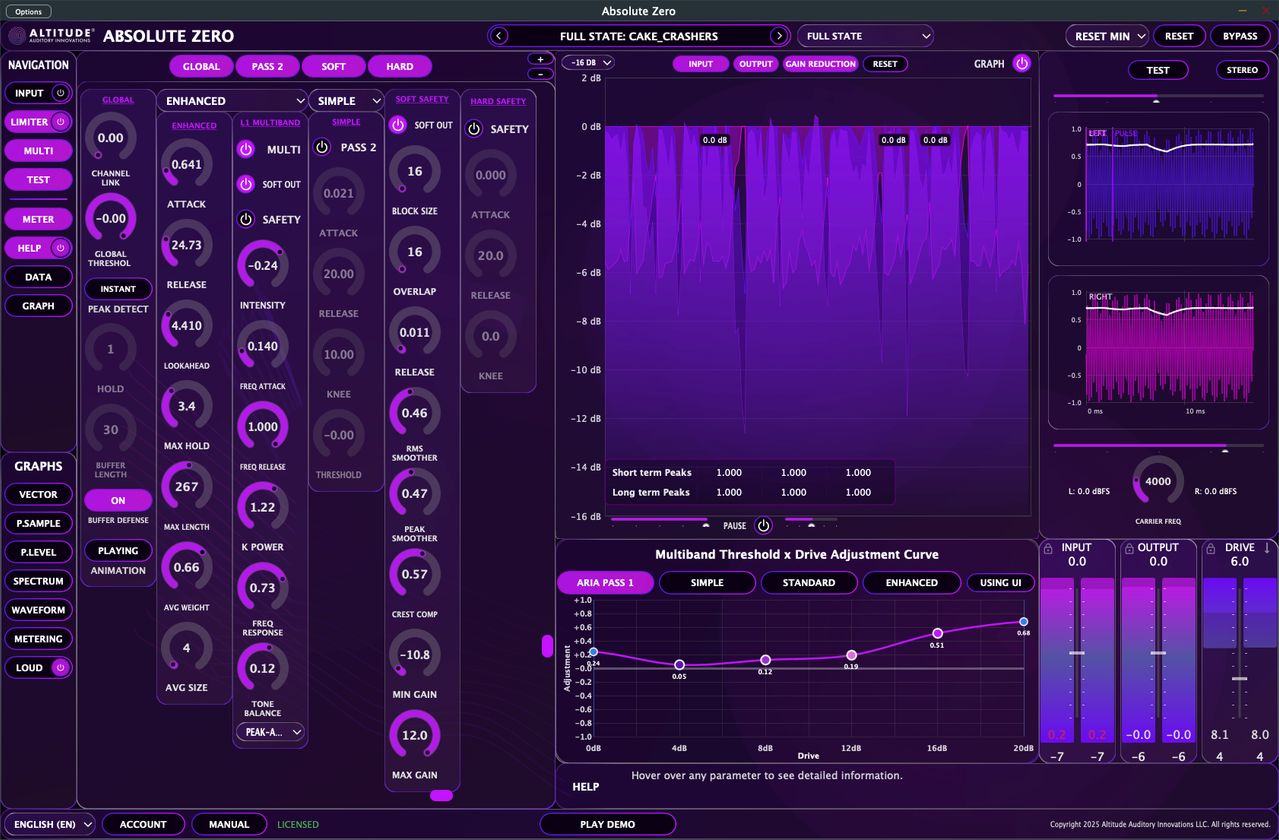
Absolute Zero is built around a modular architecture that scales from simple to advanced. You can configure anything from a minimal 2-column setup for quick limiting to a full 6-column chain with dual-stage processing, adaptive gain, and safety limiting.
The key innovation is its dual-sidechain architecture: two independent sidechains analyze the signal in parallel, and both gain reductions are combined and applied in a single stage. You get the analytical benefits of cascaded limiting without the cumulative artifacts and phase shifts of literally chaining two processors.
───────────────────────────────────────
FOUR SIDECHAIN ALGORITHMS
Each limiter slot supports four algorithms, tuned for different use cases:
ARIA PASS1
- Ultra-transparent with minimal coloration
- Strong stereo image retention
- Optional envelope low-pass filtering (cutoff + slope)
- Best for: Mastering, clean program material, invisible control
- Soft-knee, efficient, musical response
- Configurable knee for softer/harder onset
- Independent threshold in limiter slot 2, which gives wholly new textures.
- Best for: Mix bus work, gentle shaping, vintage-style limiting
- Program-adaptive with auto envelope detection
- Crest-factor awareness and smoothing
- Auto Attack/Release modes (PRE or POST analysis)
- Best for: Complex material, broadcast applications
- Maximum configurability
- Running averages with extended max filtering
- Avg Size, Avg Weight, Max Length, Max Hold controls
- Focused stereo imaging, more so than ARIA PASS1. Try combining both.
- Best for: Demanding masters, surgical control, extreme scenarios
MULTIBAND MODE
Frequency-dependent limiting with:
- Four bands with independent thresholds
- Tone balance and frequency response controls
- Multiple reconstruction methods: Minimum, Weighted, RMS, Peak-Aware, Energy Conservation
- Configurable crossover reconstruction (K Power)
- Frequency Attack/Release scaling across bands
───────────────────────────────────────
DUAL-PASS PROCESSING
LIMITER SLOT 1 (Primary)
Computes the main gain reduction based on input signal.
LIMITER SLOT 2 (Secondary)
Analyzes how the signal would look after Pass 1 and computes a second gain reduction. Enable when a single pass doesn't fully tame transients or when you want a distinct second character.
Both sidechains can use different algorithms—pair a transparent Slot 1 with an adaptive Slot 2 (e.g., ARIA PASS1 → STANDARD) for musical yet consistent results.
───────────────────────────────────────
ADAPTIVE GAIN SYSTEMS
INPUT ADAPTIVE GAIN
Pre-conditioning that optimizes drive into the limiter:
- Automatic level detection
- Intelligent gain staging
- "Perfect drive" estimation (coming soon)
- Content-aware analysis
AUTO OUTPUT (Soft Safety)
Post-processing that stabilizes level without flattening dynamics:
- Block size and overlap for analysis window tuning
- Peak and RMS smoothers
- Crest compensation
- Max/Min gain bounds
───────────────────────────────────────
SAFETY LIMITERS
SOFT SAFETY
Gentler output behavior with configurable limiter release.
HARD SAFETY
Final brick-wall protection at 0 dBFS. Attack, release, and knee controls for transparent peak control. Should normally be inaudible—if you hear it working often, reduce upstream output.
───────────────────────────────────────
PEAK DETECTION MODES
INSTANT
Zero-latency peak detection for the snappiest response.
WINDOWED (Lookahead)
Smoother, predictive behavior with configurable:
- Buffer Length (window size)
- Hold Samples (stabilization)
VISUALIZATION & MONITORING
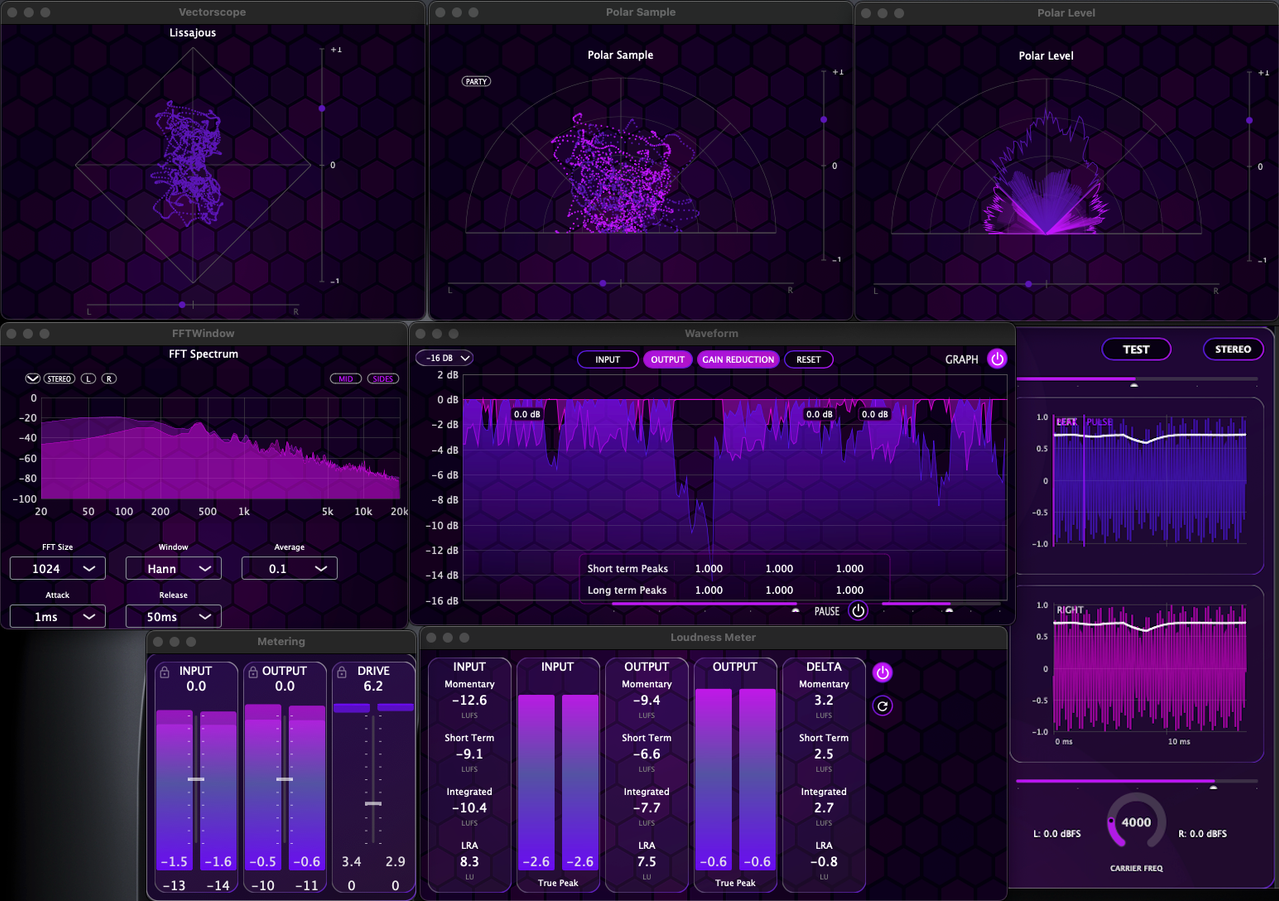
GRAPHS Panel — Independent visualization windows:
- Vectorscope
- Polar Sample / Polar Level
- Five FFT windows
- Waveform with input/output/GR traces
- Two ITU-compliant loudness meters + dedicated DELTA meter
DATA Panel — Real-time performance:
- CPU Load (current, peak, average)
- Block time and buffer usage
- Dropout/spike/overrun detection
- 20 selectable backgrounds (hidden feature—poke around)
- Test signal generation with configurable carrier frequency
- Waveform analysis with peak and pulse markers
- RMS envelope overlay
- Zoom and pan for sample-level inspection
- Input/Output/Drive meters with peak and RMS
- Gain reduction display (fills top-down)
- Layout toggle (vertical/horizontal)
MODULAR INTERFACE
The LIMITER panel uses dynamic columns that arrange themselves as you enable modules:
MINIMAL (2 columns)
Limiter Slot 1 + Output/Tone
→ Quick limiting, low CPU, clean workflow
STANDARD (3 columns)
Global + Limiter Slot 1 + Output/Tone
→ Professional mastering, enhanced peak detection
ADVANCED (4-5 columns)
Global + Slot 1 + Output + Slot 2 + Safety
→ Complex material, broadcast, demanding masters
MAXIMUM (6 columns)
All columns with Auto Output
→ Automated, template-driven sessions
───────────────────────────────────────
INTERACTIVE ONBOARDING
Rather than pointing you to a static tutorial video, Absolute Zero includes a built-in interactive walkthrough coded directly into the plugin.
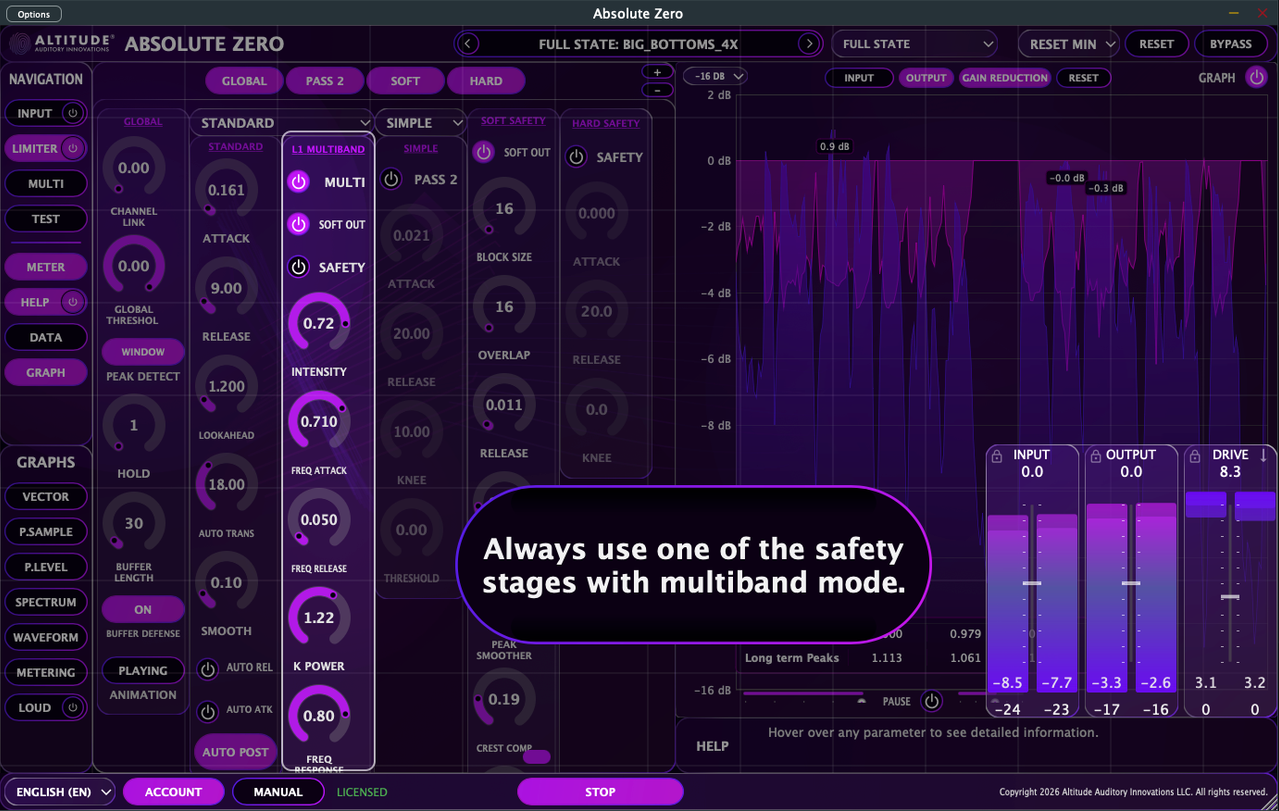
- Step-by-step guided tour through the interface
- Real-time highlighting of controls as you learn
- No external resources needed—everything runs inside the plugin
───────────────────────────────────────
PRESET SYSTEM
Modular preset architecture:
- Full State — Complete plugin configuration
- Layout — Panel visibility/navigation state
- Algorithm subpresets — Per-algorithm settings for each slot
- Column subpresets — GLOBAL, MULTIBAND, SOFT, SAFETY
- Component subpresets — Meter, Drive Reduction curve
───────────────────────────────────────
AVAILABILITY & PRICING
- FREE with ARIA Studio v1.0 purchase
- Also available separately (In near future)
- Currently in beta — free beta access available
- Machine-bound license activation (up to 5 machines per license)
- Offline validation after initial activation
Platforms: macOS (Apple Silicon native) & (Universal Binary), Windows 10/11
───────────────────────────────────────
KNOWN ISSUES (STANDALONE)
Audio Dropout
I'm tracking a bug in Standalone mode where audio will randomly drop, glitch, then eventually recover. This does not appear to affect VST3 or CLAP operation within a DAW.
I'm fairly confident this is a framework-level issue. The DATA panel was built specifically to help diagnose this—if you experience the dropout, please note any red error indicators (dropout/spike/overrun) and let me know. Any details about your system, audio interface, or buffer settings would also help narrow it down.
Reset to Default State Crash
The "reset to default state" function in Standalone mode can crash the app at times. If you're on macOS and encounter this, please grab the crash report from the error dialog and send it my way.
───────────────────────────────────────
Website: https://altitude.audio/absolute-zero
Manual: https://altitude.audio/absolute-zero/manual
Discord: https://discord.gg/9yb7hcEsmG
Beta Feedback: beta@altitude.audio