


There is no way to activate fullduplex mode?
Unfortunately, such a good sound card dies.

If you uninstall everything E-MU related and do a clean install of the driver and the fix it should all work again.lestra wrote: Mon Oct 02, 2023 12:36 pm After Windows 10 build 19045 update my EMU 1820M stopped working and I am not able to uninstall or install drivers and patchmix. Anyone have solution, please?
E-MU ASIO is still working. So if you use E-MU ASIO with VB-AUDIO's Matrix or other virtual cables wiring E-MU ASIO and virtual Windows Audio , you can play/record audio using Direct Sound / Windows Audio.tobra wrote: Thu Sep 21, 2023 5:10 pm There is still no solution for E-MU 1616M PCI-e card.
There is no way to activate fullduplex mode?
Unfortunately, such a good sound card dies.
Problem solved by clean Windows 10 install (latest). Thanks.yuk wrote: Wed Oct 11, 2023 7:56 amE-MU ASIO is still working. So if you use E-MU ASIO with VB-AUDIO's Matrix or other virtual cables wiring E-MU ASIO and virtual Windows Audio , you can play/record audio using Direct Sound / Windows Audio.tobra wrote: Thu Sep 21, 2023 5:10 pm There is still no solution for E-MU 1616M PCI-e card.
There is no way to activate fullduplex mode?
Unfortunately, such a good sound card dies.
https://vb-audio.com/Matrix/index.htm
Same here my 1212m was bought from Turnkey. I have not used my desktop PC/DAW, for a while, due to life issues, but I hope to get back to doing this soon.eivind wrote: Tue Aug 30, 2022 5:58 pm Hello!
I have a question about the PCI vs PCI-E versions. I have been using 1616M since something like.. Day1 (bought it at TurnKey(!) - which is no longer.. ). Yesterday I got my hands on a spare unit that included the PCI-e card (and an extra CardBus-card, and an extra PCI-card... funny but now I have a complete boxed system in the shelf here as a spare - the guy didn't have the box.. but I had an empty one.. )
.My system is currently Win7-64 (corporate.. I still get security updates..) I installed the PCI-e after removing the old one.. using the betadrivers from Creative - now... I cannot notice any difference between the PCI and the PCI-e in terms of speed... (yeah, I forgot to run some tests I had planned with the old card - to take some notes.. bummer!)..
So - does anybody experience better speed using pci-e vs pci??
I mean - looking at RME - it's the drivers man - the drivers!! They get better latency with USB2 than many does with newer HW..
Eventually - on my next PC-build I will deffo go for Win10 and use the excellent method described at the start of this thread. Well done!! Thanks!
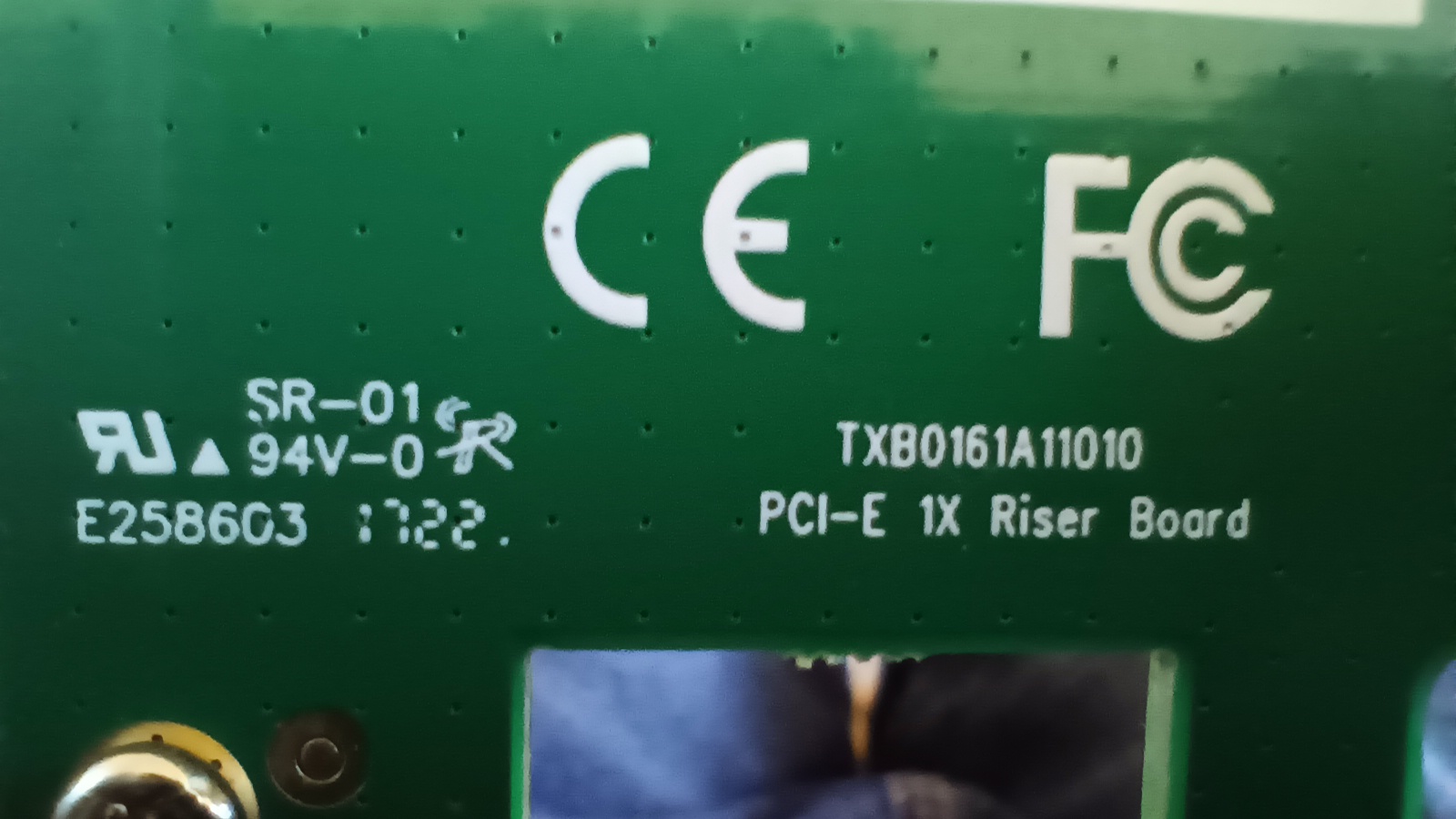
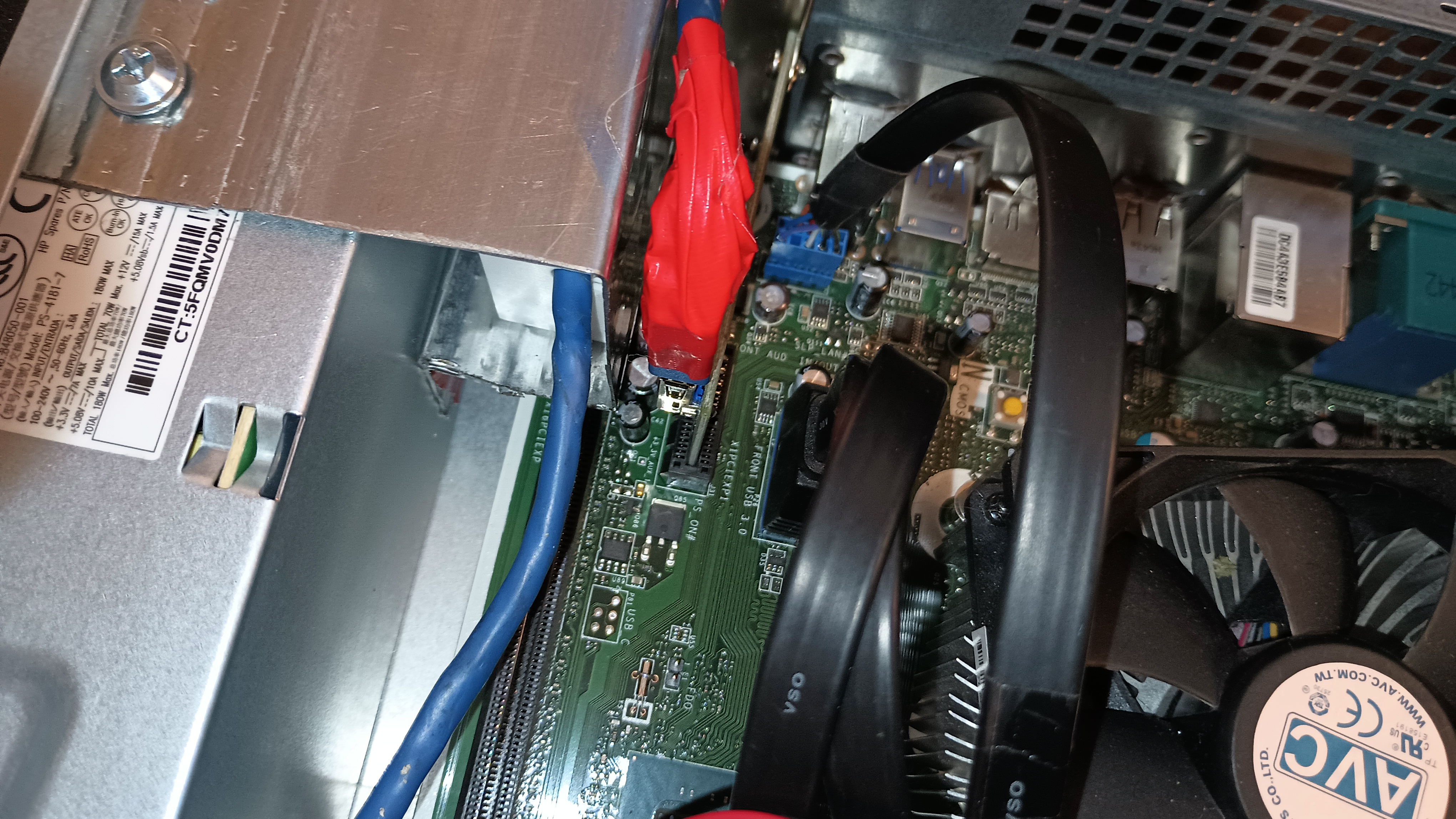
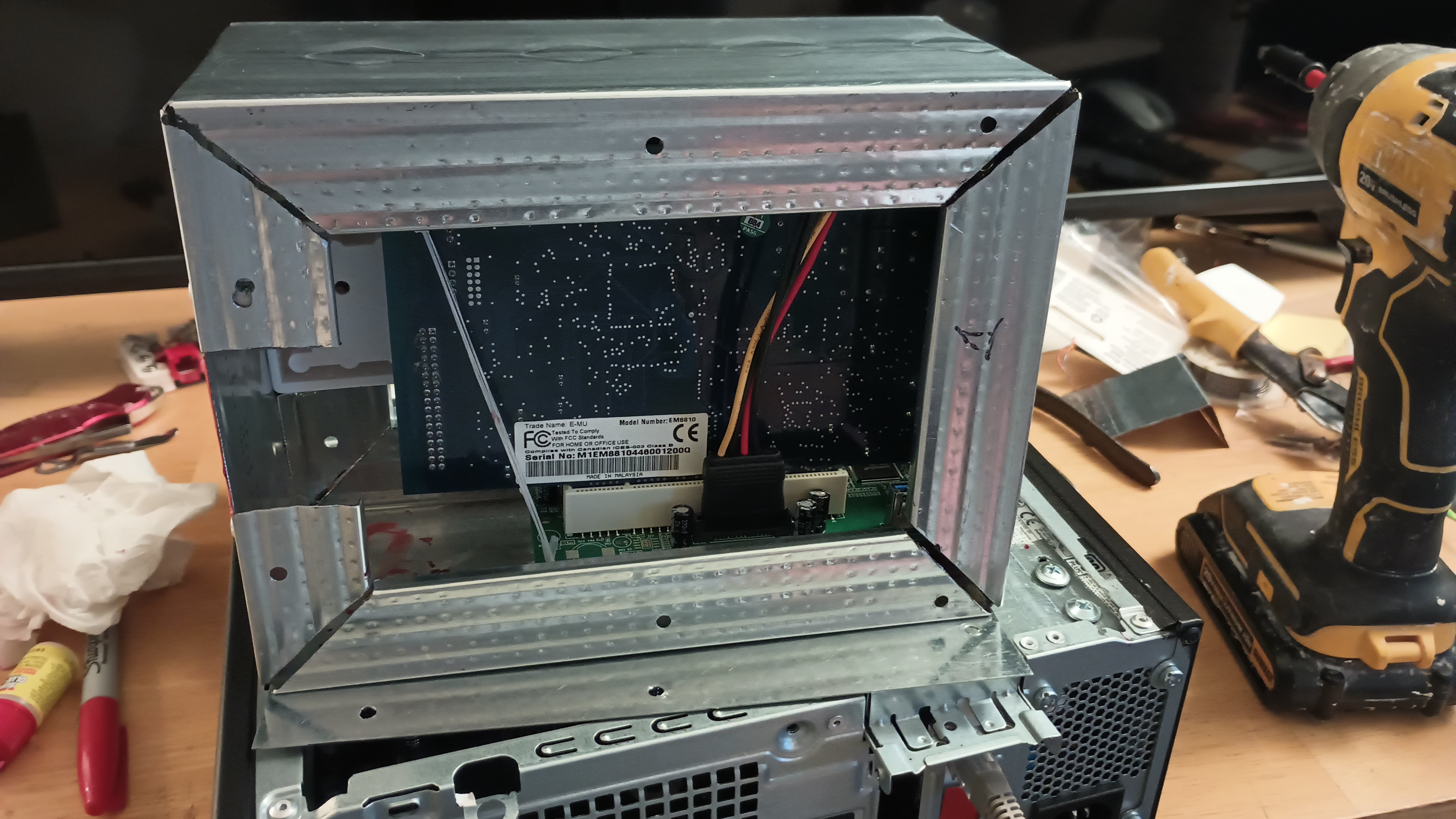
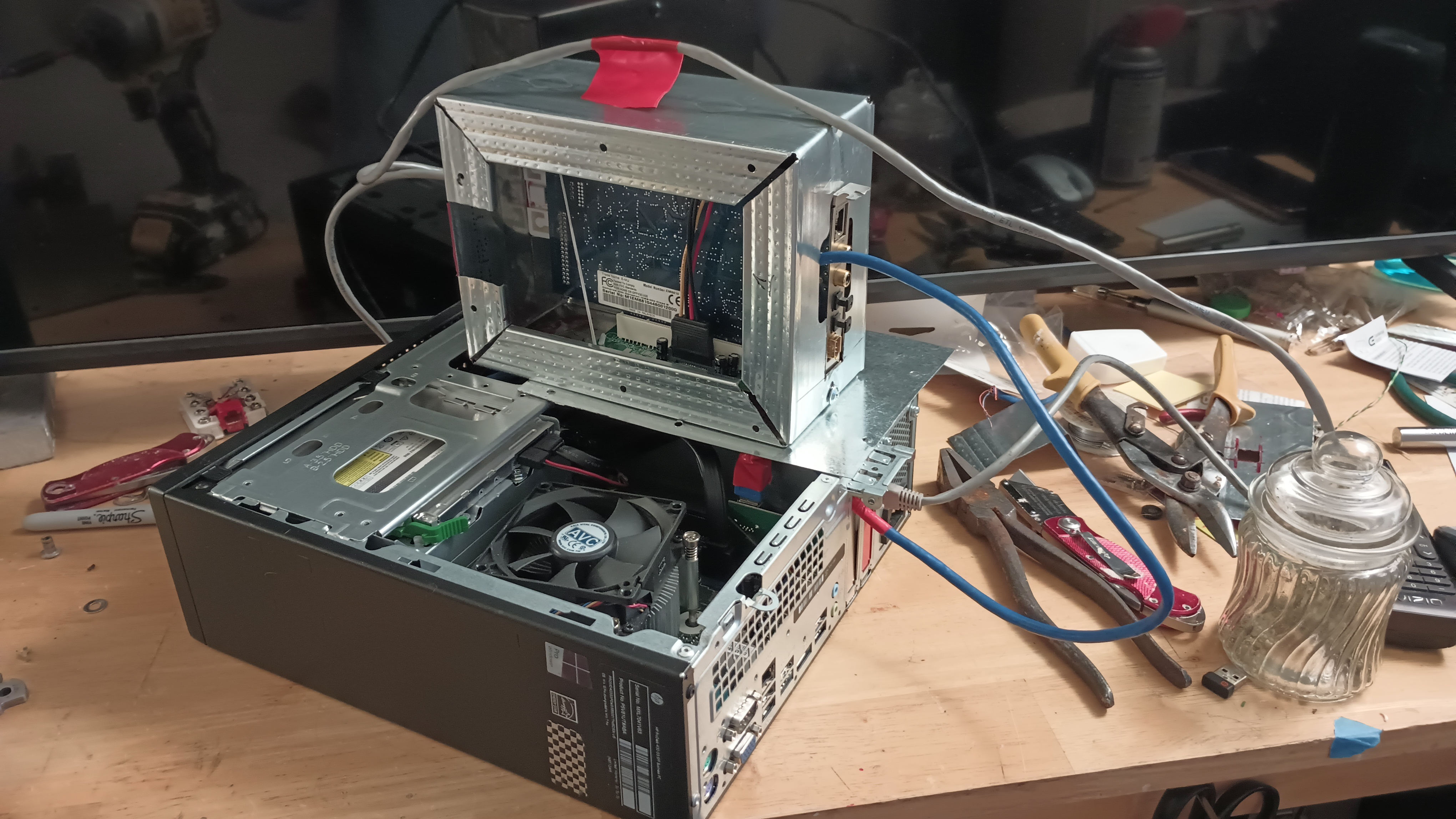
(1) Connect only the USB cable without supplying power to the PCI Bridge card via SATADynafunk wrote: Thu Nov 16, 2023 11:06 pm Greetings,
I adore my 1820m. Have a dedicated machine dell dimension 4600 x86 Intell p4 3.6ghz 3GB ram. Win xp pro 32 bit. Sonar 8. Chomps it out like a MOFO. So to all you people trying to do win10 go out buy yourself an old machine they are dirt cheap! Stop messing around and run the hardware on equipment it was designed for.
HOWEVER ... ahem .. I too have a more modern machine. I also have 2 other 1820's docks with pci 1010 cards. So I want to run both machines maybe even all 3 docks.
Machine: HP ProDesk 400 G3 Small Form Factor PC
Quad core i5-6500 16gb ram
PCIe x1 & x16 NO PCI!
Win 8.1 Pro 64bit
Bought a PCIe to PCI adapter. Would not fit in my machie so I made a breakout box complete with power. The adapter has a usb 3.0 male to male. On this adapter card it has the newer sata power plug so I rigged a cat5 cable to run power.
Checked it all with a multi meter. Checked the votage on both the Dell 4600 (working machine) and HP all voltage is within range.
Th HP will not recognize the breakout box with the 1010 pci card installed in it.
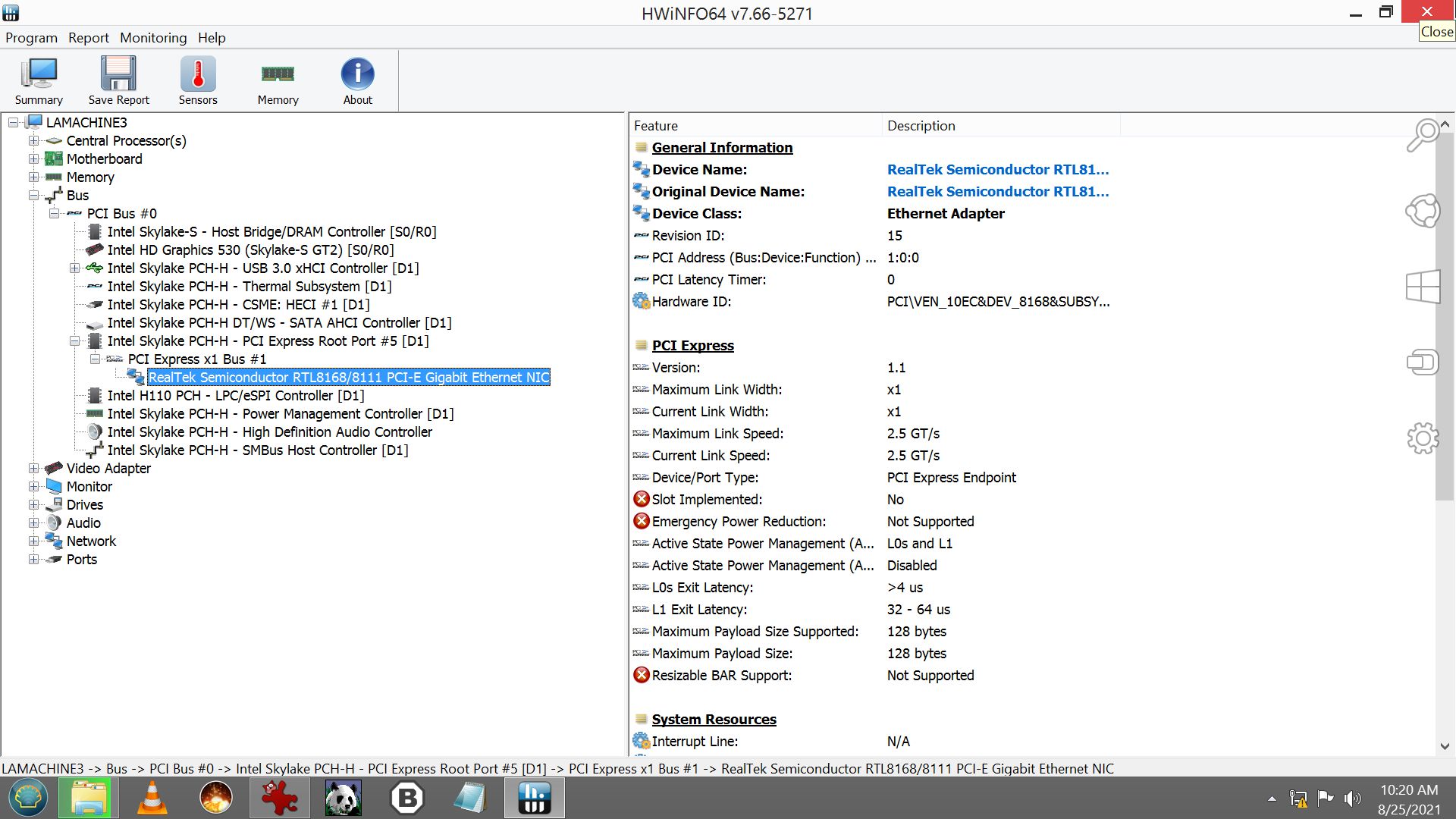
Ran a great tool (Might help some of you folks) HWiNFO64.exe) which pretty much tells me everything that is going on. And while I am tech savy? Much is rocket science.
It seems to recognize the PCIe 1x but it says it's for Ethernet. I checked the Device ID's in both Device Manager against HWiNFO64 and the Id's match up. ???
General Information
Device Name: RealTek Semiconductor RTL8168/8111 PCI-E Gigabit Ethernet NIC
Original Device Name: RealTek Semiconductor RTL8168/8111 PCI-E Gigabit Ethernet NIC
Device Class: Ethernet Adapter
Revision ID: 15
PCI Address (Bus:Device:Function) Number: 1:0:0
PCI Latency Timer: 0
Hardware ID: PCI\VEN_10EC&DEV_8168&SUBSYS_8062103C&REV_15
PCI Express
Version: 1.1
Maximum Link Width: x1
Current Link Width: x1
Maximum Link Speed: 2.5 GT/s
Current Link Speed: 2.5 GT/s
Device/Port Type: PCI Express Endpoint
Slot Implemented: No
Emergency Power Reduction: Not Supported
Active State Power Management (ASPM) Support: L0s and L1
Active State Power Management (ASPM) Status: Disabled
L0s Exit Latency: >4 us
L1 Exit Latency: 32 - 64 us
Maximum Payload Size Supported: 128 bytes
Maximum Payload Size: 128 bytes
Resizable BAR Support: Not Supported
System Resources
Interrupt Line: N/A
Interrupt Pin: INTA#
I/O Base Address 0 3000
Memory Base Address 2 E1004000
Memory Base Address 4 E1000000
Features
Bus Mastering: Enabled
Running At 66 MHz: Not Capable
Fast Back-to-Back Transactions: Not Capable
Driver Information
Driver Manufacturer: Realtek
Driver Description: Realtek PCIe GBE Family Controller
Driver Provider: Realtek
Driver Version: 8.60.1003.2017
Driver Date: 02-Oct-2017
DeviceInstanceId PCI\VEN_10EC&DEV_8168&SUBSYS_8062103C&REV_15\01000000684CE00000
Location Paths PCIROOT(0)#PCI(1C00)#PCI(0000)
"How can I get this machine to recognize the hardware?"
Tried to install the E-mu drivers and I mean all of them. Even the beta ones. It says either no hardware is found or the operating system is not compatible even with wow64.
Any advice is welcome.
My next attempt is wipe win8 and install 7. The machine was built for win7 originally. Hoping this will solve the issue but I doubt it. I would run xp but there would be driver issues. Especially the pcie.
Submit: News, Plugins, Hosts & Apps | Advertise @ KVR | Developer Account | About KVR / Contact Us | Privacy Statement
© KVR Audio, Inc. 2000-2026