


Plug-Ins do not need to be signed in order to work.
I do not like Apple's decision to disallow 3rd party plug-ins on their App Store but that's the way it is.
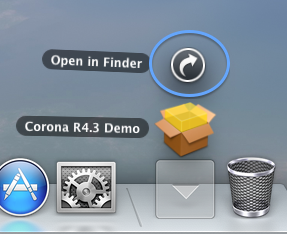
Once the file has been downloaded.
Click Dock Downloads folder.
Click Open in Finder.
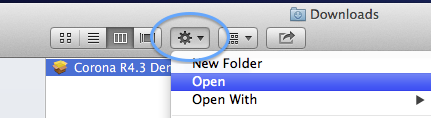
Select the PKG installer by clicking it once.
Click the tasks button.
Click Open.
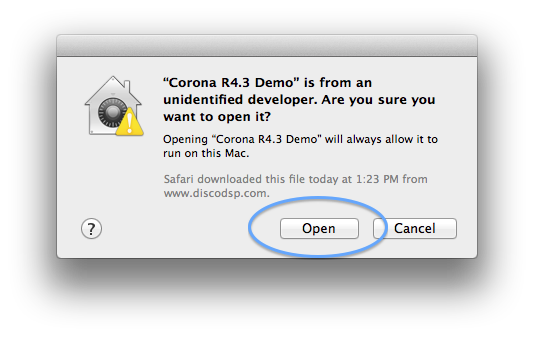
Once the dialog box appear, click Open.
The installed needs to copy files to your System folders like
/Library/Audio/Plug-Ins/ and will ask for admin password for that.
Follow installer steps.


 )
) 