FL 6 demo on Computer Music 95 disc

Audio Plugin Hosts and other audio software applications discussion
Post Reply New Topic
RELATED
PRODUCTS

Post

verstaerker wrote:
christianmusicmaker wrote:I Still have not worked out what the tiny walking man with the hat icon is for! :hihi: (I kid you not) 8)
where's that?
Right click on a mixer channel. In the context menu, select "Set icon".

There's a "Jet Set Willy" in there. :lol:

For those of us old farts who were ZX Spectrum owners. :hihi:
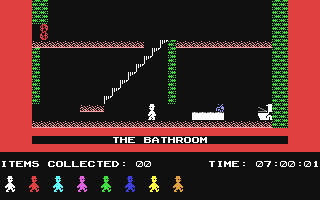
Image
Dan wrote: I was able to completely remove my crackling etc issues (during window movements and other stuff etc etc.) and still keep my latency low by setting the ASIO priority to highest .... everything is working as before now for me so far.
Worked great! Thankyou! :)

Post

ahhhhh speccy....the one and only......
fl finally did something good..an icon... eheheeee...sorry ... i was just tired of those posts .. "f is out !!! i was kidding" ..what the hell was that...

Post

Also check out the the revamped image mask file at Artwork/FL Studio Producer Edition (Title_Mask.PNG)

Regards

Post

Shane Sanders wrote:
rbet wrote:I am using ASIO4ALL v2.6 (11ms, High priority), and the sample previews crackle horrendously. I also had to move my latency up a bit (on a 3.2Ghz PC). The sample previews don't crackle when I'm playing a song though.

On the demo song (excellent, btw), I get crackles on pattern 23 (drop it like it's hot), which is a simple one-note bass slide. :|

These crackles go away when I use primary sound driver. Also, increasing latency to max (2048 samples) does not eliminiate the crackles.
I think the problem is with ASIO4ALL (but I don't have FL6 yet). It happens to me occasionally in FL5 and sometimes the solution is to open the ASIO4ALL panel and check the "Always Resample..." and "Force WDM Driver..." boxes then immediately uncheck them and close the panel. It seems to reset the driver or whatever flaky that is going on. I run at 11ms of latency most of the time and unless I'm pushing the edge of insanity on a 3.4 machine, it seems pretty solid and definitely solid than any other driver I have (at that latency setting). Hope this helps.

Of course, sometimes I just have to reboot. My Echo card may be fairly anemic and dated at this point. But who knows?
OK, now this is weird. :?

Image
Check out the screenshot. I am playing a drum pattern. Observe the low CPU usage and the 0 buffer underruns shown in the audio settings window.

The audio was actually crackling (and horribly, like a (very good :hihi:) bitcrusher/sample rate reducer) when I was playing this. I increased the ASIO buffer slider to max (2048 samples) and it helped only a little.

I then added a Sytrus generator (default preset) and just played a note while the drumloop was playing. And the crackling went away for the time I held down the note. :shock: When I let go of the note, the crackling started again. :|

When there is no song playing and we do some sample previews, it crackles horribly. Then, when I start a song and do the sample preview, it doesn't crackle.

Also, the audio stutters (not crackles) badly when I get a notation of a contact signing in on Windows Live Messenger (it happems with MSN too). This stuttering also happens when I minimize/maximize/move windows.


Edit: All this shit goes away if I choose 48000hz as sample rate in the Audio Settings window in FL6.


My working settings are:

ASIO4ALL v2.6 on Soundmax Digital Audio
Buffer: 512 samples (10ms), Highest priority

FL Studio Mixer sampling frequency: 48000hz

All system (Windows, messenger, etc.) sounds disabled
Image
:: FL Studio v9.0.3 :: u-he Zebra2 v2.5 :: u-he MFM v2.0.2b5 :: u-he Uhbik v1.1 :: EnergyXT v1.4.1/v2.0.2 ::

Post

Played a bit. Does seem to require upping the latency here. Love automating DirectWave loop start/stop points in the piano roll. Nice.

Post

OKay, so the magazine is in the UK shops early. Although not due officially until Monday, I picked it up in WHSmiths today.

Installed the FL6 demo (I'm not a registered FL user... yet) and like it a lot. Always have liked FL, but never got the credit card out yet.

The demo song played just fine using my normal ASIO settings. I did not need to up the latency, although it is already fairly high... Using Live 5 as my main host I was fine using 256 samples buffer setting, but when I recently got Sonar 5 as a second host I found that I needed to up the buffer size to 512 samples for Sonar. FL6 is fine on 512 samples. (pity that Sonar does not perform as well as Ableton though :? - the Live audio engine clearly performs better).

FL6 looks like a nice job :D - perhaps it's time to get that credit card out at last :?:

Post Reply

Return to “Hosts & Applications (Sequencers, DAWs, Audio Editors, etc.)”