

Hi,
I'm posting this on several forums for help, so excuse me if I state things too clearly/difficultly...
My set up is as follows:
Guitar -> Line 6 Toneport UX2 (uses USB2) -> Traktion 2
Also, I use jamstix for drums. Traktion sound driver I use as i/p is that from the toneport.
Now here's the problem! I need end-to-end enabled (in traktion) in order for jamstix's audiom8 plug-in to hear the sound of my guitar. This allows the drum program to jam with me in real time.
However, when I enable end-to-end, I get this HIDEOUS sort of delay/reverb... I'm hearing both the output from the toneport (latency is practically 0ms from the tonport) AND the o/p from traktion fed back through to my headphones. I've set the latency on all other drivers to 1ms and it makes no difference. I've got a brand new 3GHz, 1MB RAM dual-core Pentium 4 with the creative soundblaster X-Fi soundcard (the latest one). Why am I hearing this!?
I tried muting the track that I was recording to, but I still heard the echo.
I tried activating the mute buttons in Line 6's gearbox software which produces my sounds (the buttons are above 'monitor' in both send 1-2 & send 3-4). What this does is let me hear the output from traktion 2 only. But as this has the aforementioned latency, it's REALLY offputting and there is NO WAY I can record like that.
As a matter of interest... the recorded audio in traktion. Say I played a chord at exactly 5 secs in. Due to the latency, would the recorded audio appear at 5secs + latency or would it just be 5secs? Am I right in saying it would be at 5secs?
Now that I think about it, jamstix will be jamming to the signal from traktion (correct?) so do I WANT to be able only to hear the output from traktion, or just the output from the toneport? I'm still dumbfounded as to why I'm hearing this echo...
I've spent a lot of money on all this hardware & software....please help out before I despair!
Thomas
Traktion 2 end-to-end latency issue...
-
- KVRist
- 70 posts since 21 Feb, 2006
-
- Banned
- 1842 posts since 4 Aug, 2004 from just right here
thomasross20 wrote
But, I do think the USB port as a connection for audio devices is a bit slower. I was thinking about the Tascam one - 10ms?.
Tracktion is realy good for being able to utalize all your inputs and ouputs of your sound card easily, as well with other settings. Jamxtix might be that one plugin that Tracktion doesn't like. They were selling the retail box version of Tracktion whitch included quite a few of the free plugins - and I assume just to make sure of compatability.
I use the Audigy card and its break-out box and I don't seem to have any problems, but some say there are a lot better out there than audigy.
Im little unfamiliar whith your set-up and I don't have jamstix. Are you using a Mac or a notebook? Is the Toneport a surface controller or just a hardware guitar emulator interface?My set up is as follows:
Guitar -> Line 6 Toneport UX2 (uses USB2) -> Traktion 2
Also, I use jamstix for drums. Traktion sound driver I use as i/p is that from the toneport.
But, I do think the USB port as a connection for audio devices is a bit slower. I was thinking about the Tascam one - 10ms?.
Tracktion is realy good for being able to utalize all your inputs and ouputs of your sound card easily, as well with other settings. Jamxtix might be that one plugin that Tracktion doesn't like. They were selling the retail box version of Tracktion whitch included quite a few of the free plugins - and I assume just to make sure of compatability.
I use the Audigy card and its break-out box and I don't seem to have any problems, but some say there are a lot better out there than audigy.
-
- KVRist
- Topic Starter
- 70 posts since 21 Feb, 2006
I'm using a Pentium 4 pc, 320GB hard drive, 1MB RAM, 3GHz processor, Soundblaster X-Fi soundcard.
The toneport is like one of these firewire boxes...external hardware that the guitar goes into. The signal out from toneport is sent a) to traktion and b) straight to the headphones with no latency.
The toneport is like one of these firewire boxes...external hardware that the guitar goes into. The signal out from toneport is sent a) to traktion and b) straight to the headphones with no latency.
-
- Banned
- 1842 posts since 4 Aug, 2004 from just right here
Can you bypass the tone-port and plug in into soundblaster(Iv got the audigy platinum one) and just check if the jamstix will work whith you guitar in Tracktion?. Its a matter of trial and error, and elimination. Have you got other software you could try it whith?
-
- KVRist
- Topic Starter
- 70 posts since 21 Feb, 2006
Jamstix works all right....the problem is that while I hear the toneport output..it's perfect...next to no latency. But it seems to take a while in order for the signal to get transferred to the actuall computer. I wont see a change in the volume for about .33 secs after I've heard it through the toneport..
Other software? Actually... I do have another sequencer or two I could try!!! But if I can't use traktion I'll be heavily dissapointed.
My biggest fear is that the USB slot is too slow...but it's USB2.0! I've spent so much money on a new computer and toneport...
Other software? Actually... I do have another sequencer or two I could try!!! But if I can't use traktion I'll be heavily dissapointed.
My biggest fear is that the USB slot is too slow...but it's USB2.0! I've spent so much money on a new computer and toneport...
-
- Banned
- 1842 posts since 4 Aug, 2004 from just right here
interesting - just thinking

Recording & modeling interface with Line 6 tone for guitar, bass, vocals, and more. Features 2 Mic input, 2 Guitar/Bass input, Stereo line inputs, and much more.
.....and it connects to the USB port and your using its wave device in Traction's settings, but you have Soundblaster X-Fi? soundcard installed?
....what about midi-keyboard sockets?
Recording & modeling interface with Line 6 tone for guitar, bass, vocals, and more. Features 2 Mic input, 2 Guitar/Bass input, Stereo line inputs, and much more.
.....and it connects to the USB port and your using its wave device in Traction's settings, but you have Soundblaster X-Fi? soundcard installed?
....what about midi-keyboard sockets?
-
- KVRist
- Topic Starter
- 70 posts since 21 Feb, 2006
Hold the line:
Recent update:
The driver I'm selecting in traktion is the toneport driver... somebody has mentioned that I should be selecting my ASIO4all driver and selecting toneport driver in the ASIO4all setup so that it will get routed to traktion with next to no delayv(toneport feeding through the ASIO driver where I can set the delay)...is this OK?
So I should make ASIO4all aware of toneport and then toneport->ASIO4all->traktion?
So I don't even have to select toneport as the default device in the settings tab?
Recent update:
The driver I'm selecting in traktion is the toneport driver... somebody has mentioned that I should be selecting my ASIO4all driver and selecting toneport driver in the ASIO4all setup so that it will get routed to traktion with next to no delayv(toneport feeding through the ASIO driver where I can set the delay)...is this OK?
So I should make ASIO4all aware of toneport and then toneport->ASIO4all->traktion?
So I don't even have to select toneport as the default device in the settings tab?
-
- Banned
- 1842 posts since 4 Aug, 2004 from just right here
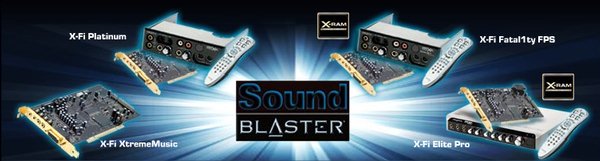
http://www.digit-life.com/articles2/mul ... -x-fi.html
Have you just got the soundblaster card, because a little bit more would have got you the breakout box as well(and some extra software too?). If you have not maybe one of the small beringer? mixers might do. Then also you need adaptor for midi in- don't know- read it somewhere?)
The older plattinum one Iv got has 3 stereo input(and outputs on the card), optical in/out, midi in/out and mono preamp(vocal/instuiment)in. Its mike/instruiment preamp-in is not that good and for me a small mixer might be a little bit better, especialy for those balanced mike inputs.
You have a good system. I just thought you might be getting confused about connecting things to your machine. You might need to look on the Jamstix site too.
...............that's my 2cents worth...........
-
- KVRist
- Topic Starter
- 70 posts since 21 Feb, 2006
No problems, friend! Thanks for your help!  I've got a lot of stuff to try out over the weekend...hopefully I'll ba able to cure my woes!
I've got a lot of stuff to try out over the weekend...hopefully I'll ba able to cure my woes!-
- Banned
- 1842 posts since 4 Aug, 2004 from just right here

http://www.behringer.com/MX602A/index.cfm?lang=ENG
Our MX602A takes compact mixing a step further, offering audio quality and flexibility you'd never expect in such a miniscule package. With two mono mic/line and two stereo channels, all with great-sounding 3-band EQ's, a 2-track input and output, phantom power, phones output, balanced inputs and true main mix and control room outputs, it's equipped to handle the most demanding of situations where few inputs are required. And thanks to its ULN circuitry, INVISIBLE MIC PREAMPs and impeccable construction, it'll deliver professional results every time.
Or maybe something bigger?

Then again the more players then you might need a multiple-out headphone box?
-
- Banned
- 1842 posts since 4 Aug, 2004 from just right here
oh, KVR s not responding too well today.
-
- KVRist
- Topic Starter
- 70 posts since 21 Feb, 2006
I noticed 
I don't think I'd have enough money to buy anything else right now...if I can get this issue sorted, I'll have the set-up I need anyway
But thanks!
I don't think I'd have enough money to buy anything else right now...if I can get this issue sorted, I'll have the set-up I need anyway
But thanks!
-
- KVRAF
- 13445 posts since 14 Nov, 2000 from Hannover / Germany
Usually, the ASIO4All driver will introduce quite some recording offset when recording audio (i.e. the audio is late).
Has been like that on quite a number of systems I tried with.
As the Toneport comes with dedicated ASIO drivers, I'd stick with them (at least for now).
There's a lot of reasons why latency could be raised and some other issues to be aware of:
- Bad drivers. But then, your Toneport driver setup (and probably Tracktions driver menu in addition) should tell you about the actual latency.
- Converter latency. Yes, some A/D D/A converters introduce *quite* some latency, sometimes this might even be higher than driver latency.
- When monitoring audio through software, latency comes twice, one time at the input, one time at the output. So, if your driver says 6ms (256 samples at 44.1kHz), you'll actually experience 12ms of latency (which would already be quite too much for me).
- Plugin latency. Some plugins (very often those with a lookahead functionality, such as limiters and compressors, but also convolution reverbs) add their own latency. This, in some cases, can be quite high (like over 1000 samples). Of course this can't be dealt with in realtime (but will only be compensated for during playback).
If I were you, I'd start with the straightest of all possible routings. Toneport direct monitoring off, no amp models used, Tracktion software monitoring enabled, no single plugin loaded.
Will latency still be that huge?
Has been like that on quite a number of systems I tried with.
As the Toneport comes with dedicated ASIO drivers, I'd stick with them (at least for now).
There's a lot of reasons why latency could be raised and some other issues to be aware of:
- Bad drivers. But then, your Toneport driver setup (and probably Tracktions driver menu in addition) should tell you about the actual latency.
- Converter latency. Yes, some A/D D/A converters introduce *quite* some latency, sometimes this might even be higher than driver latency.
- When monitoring audio through software, latency comes twice, one time at the input, one time at the output. So, if your driver says 6ms (256 samples at 44.1kHz), you'll actually experience 12ms of latency (which would already be quite too much for me).
- Plugin latency. Some plugins (very often those with a lookahead functionality, such as limiters and compressors, but also convolution reverbs) add their own latency. This, in some cases, can be quite high (like over 1000 samples). Of course this can't be dealt with in realtime (but will only be compensated for during playback).
If I were you, I'd start with the straightest of all possible routings. Toneport direct monitoring off, no amp models used, Tracktion software monitoring enabled, no single plugin loaded.
Will latency still be that huge?
There are 3 kinds of people:
Those who can do maths and those who can't.
Those who can do maths and those who can't.
-
- KVRist
- Topic Starter
- 70 posts since 21 Feb, 2006
Latency is still huge...
Here's something:
When I select the 'USB Device' (toneport) as the driver, there is no option for latency in traktion! Is that correct?
And SHOULD I be able to use ASIO4all and route toneport drivers through that?
Here's something:
When I select the 'USB Device' (toneport) as the driver, there is no option for latency in traktion! Is that correct?
And SHOULD I be able to use ASIO4all and route toneport drivers through that?
-
- KVRAF
- 13445 posts since 14 Nov, 2000 from Hannover / Germany
You should have some latency/buffer setting menu somewhere for the Toneport.
Sorry, I don't own either that or Tracktion.
But it must be somewhere.
Sorry, I don't own either that or Tracktion.
But it must be somewhere.
There are 3 kinds of people:
Those who can do maths and those who can't.
Those who can do maths and those who can't.