(freeware)Blue Cat's Flanger and Stereo Flanger 2.0+Skins

VST, AU, AAX, CLAP, etc. Plugin Virtual Effects Discussion
RELATED
PRODUCTS

Post

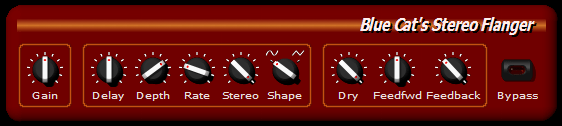
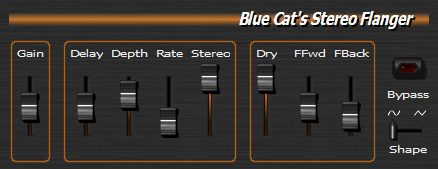
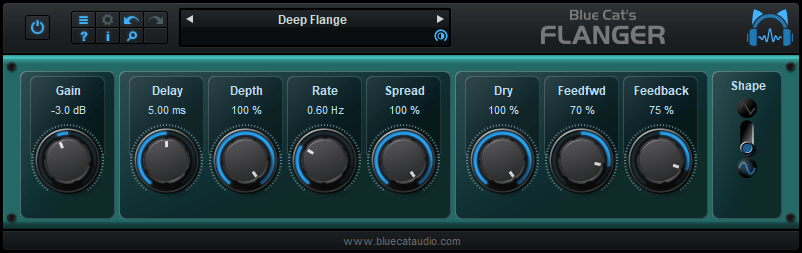
We have just released a new version of our Flanger and Stereo Flanger directX and VST plug-ins.

Main changes:
- Brand new skinnable graphic user interface using Blue Cat's skinning language v1.2.2.
- Advanced MIDI control with customizable parameters curve response and MIDI learn.
- All parameters can now be fine tuned thanks to a text-edit popup window that appears when double clicking on user interface widgets.
- Feedback and feed forward parameters can now be negative for phase inversion.
- Precision of the gain control enhanced.
- User manual accessible from the plug-in UI.
- DX version: the factory presets are now available from the host standard presets view (for hosts that support static presets)

And all these features are free! You can download the plug-ins on http://www.bluecataudio.com .

A step by step tutorial is available to learn how to use the new advanced MIDI control features:
http://www.bluecataudio.com/Tutorials/
Image

Image

Image

Products links:
http://www.bluecataudio.com/Products/Pr ... eoFlanger/
http://www.bluecataudio.com/Products/Product_Flanger/

Have fun!
Last edited by Blue Cat Audio on Wed Sep 13, 2006 12:49 pm, edited 1 time in total.

Post

VERY sweet indeed. Looks like identical revamping done to the choruses. Thank you kindly!

Post

I'm confused here. You show two different skins for this plugin, yet when you go to your site, there are no different skins for it. I prefer the red one, but I fear the program only comes with the black one. (This seems to be a problem with several of your products. You are showing some things we can't have.)

Maybe I'm just missing something...

Post

I just installed these plugs and was able to choose between default and fire skins...egarrard, both skins were included...

Post

egarrard wrote:I'm confused here. You show two different skins for this plugin, yet when you go to your site, there are no different skins for it. I prefer the red one, but I fear the program only comes with the black one. (This seems to be a problem with several of your products. You are showing some things we can't have.)

Maybe I'm just missing something...
All skins that are shown in the "screenshots" section of an effect page are available as soon as you install the plug-in, you do not need to download them separately. If you right click on the background of the plug-in, the following menu will appear:
Image

If you choose "Set Preset Skin..." or if you go to the global or Preset settings, you will see that three skins are available for this plug-in.

There will be of course more skins to come, and you can make your own if you wish...!
Looks like identical revamping done to the choruses.
Yes it's the same style! But this time the algorithm has been enhanced too since you can invert the phase for the feedback and feed forward loops (use negative values for these parameters).

Post

Thanks for this flanger, it is really excellent :)

I think I found a bug: when the feedback is set to 100%, after 1-2 seconds the sound disappears, first from the left and then from the right channel. When it's set to -100% everything runs fine.

edit: I hope the stereo phaser is next :D

Post

Why two versions (stereo and mono)..?

Is the stereo version two independent channels?

And is the mono version mono-in-mono-out..?

Can I use the stereo version on mono tracks..?

Just curious.

:?:

Post

I think I found a bug: when the feedback is set to 100%, after 1-2 seconds the sound disappears, first from the left and then from the right channel. When it's set to -100% everything runs fine.
This is normal, since with 100% feedback if you have a continous sound the value will increase until the signal clips or reaches a very high value. The 100% and -100% values are extreme and should be used only temporarly (for example when using automation) or if the input audio is not continuous. It's in the user manual:
If you set this value to +/-100% the signal
might increase until it clicks.
Why two versions (stereo and mono)..?
Are you talking about "Stereo Flanger" versus "Flanger" or about "Flanger (Mono)" versus "Flanger (Stereo)"?
The Stereo Flanger has a "Stereo" parameter that lets you hear a stereo effect (different processing for left and right). The "Flanger" does not have this parameter, and it includes two plug-ins: the mono version has 1 input/1 output; the stereo version 2 inputs/2 outputs but it's still a "mono" effect since it processes the signal the same way for left and right channels (I hope it's clear...).
About the (Mono) and (stereo) versions, it's all in the FAQ:
Why are there two plug-ins called xxxx(Mono) and xxxx(Stereo) installed ?
"Mono effects" (which are effects that do not make any difference between left and right channels) are bundled this way for performance reasons. Some developpers just deliver a stereo Version which also processes (twice) mono streams. The "(Mono)" plug-in is to be used with mono streams, and the (Stereo) one with stereo streams. The effect itself is the same in both cases but the number of processed channels is different: this may drastically improve performance for CPU intensive plug-ins.
Of course the Flanger is not a "CPU intensive" plug-in, but when you use many instances of these plug-ins in a session, you might be happy to save 50% cpu on mono tracks.
So, to sum up:
- for a stereo effect, use the stereo flanger, on stereo and mono tracks.
- for a mono effect (same effect applied on left and right), use the flanger, on stereo or mono tracks (use the "Blue cat's Flanger (Mono)" on mono tracks and the "Blue cat's Flanger (Stereo)" on stereo tracks)
That's it! :bang:

Post

edit: I hope the stereo phaser is next
There are other surprises in work, but for sure the Phaser is in the list of plug-ins to be updated :)

Post

Blue Cat Audio wrote:
I think I found a bug: when the feedback is set to 100%, after 1-2 seconds the sound disappears, first from the left and then from the right channel. When it's set to -100% everything runs fine.
This is normal, since with 100% feedback if you have a continous sound the value will increase until the signal clips or reaches a very high value. The 100% and -100% values are extreme and should be used only temporarly (for example when using automation) or if the input audio is not continuous. It's in the user manual:
If you set this value to +/-100% the signal
might increase until it clicks.
I see, but as I said it runs fine at -100% :?

Post

I see, but as I said it runs fine at -100%
It really depends on your audio signal: in most cases, with -100% you won't clip instantly because of the phase inversion...

Post

I didn't mention that I tested Stereo Flanger in the main window of energyXT.
Well, I just tested it inside the sequencer and there was no problem, I mean it sounds just as you described it should. Listen to this to hear what's happening in the main window of eXT when feedback and depth are set to 100%. Sounds like a denormal problem, right?
I'm on winXP, AMD Athlon2500+.

Post

Very nice. Been looking for a decent flanger.
Do not lick the fablanky

Post

Thank you Bluecat!

Seen you in the news a lot lately...pretty busy guy! :)

Post

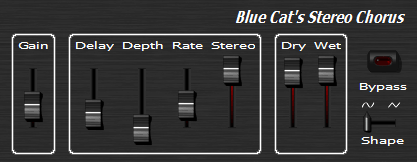
i like the new design
Image
though you could have kept the stereo chorus gui
it would be really nice if all the line of product keep the same visual identity
so now waiting too for the pasher GUI to be updated but it would be cool it have the same colour scheme as the cat stero chorus :D
Image
Image
Organising a protest march this Friday Schlesische Strasse 28 ,10997 Berlin, Germany

Post Reply

Return to “Effects”