
Virtual Control Surface updated

VST, AU, AAX, CLAP, etc. Plugin Virtual Effects Discussion
Post Reply New Topic
RELATED
PRODUCTS

Post

Dear KVR members,

We are happy to announce the release of Blue Cat's Remote Control 2.0, a new version of our virtual control surface. It is a set of VST and DirectX plugins for Windows which let you control and monitor in real time several MIDI controllable plug-ins or hardware devices from a single customizable user interface. The new version introduces many user interface changes and new features such as window opacity control and undo/redo.
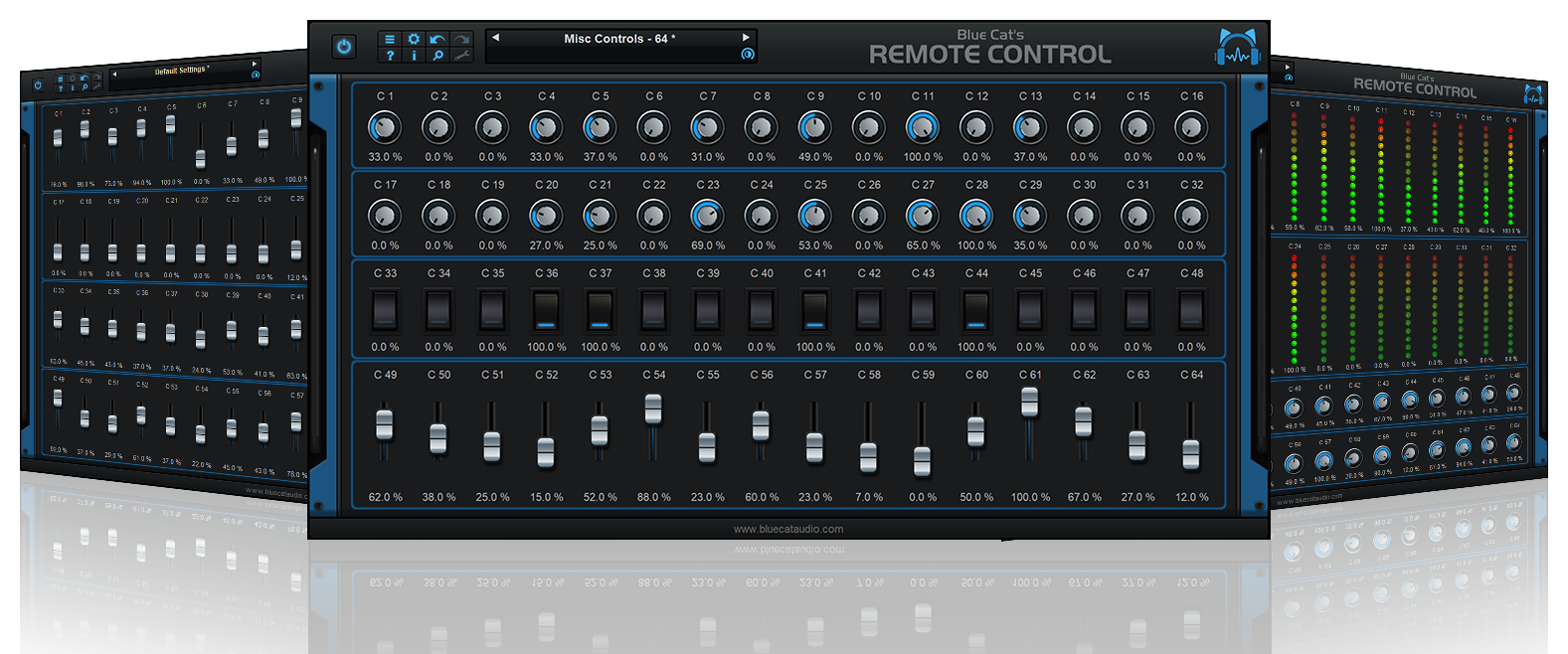
Image

New in Blue Cat's Remote Control 2.0:
- New user interface design.
- New joystick skin with XY controls.
- Undo/Redo support.
- Window Opacity Management: make the plugin window transparent and see behind.
- Load/Save presets in a host-independent format: you can now share presets between the directX and VST versions.
- New toolbar to access main functionalities.
- MIDI settings are now available from the plugin user interface.
- Improved Skins loading performance.
- Curves are now anti-aliased.
- Improved the display of parameters values in the MIDI settings panel and the host application.
- Improved graphs refresh rate.
- Reduced memory consumption when using several instances.
- Default values for MIDI controllers have been changed to be more convenient.
- Blue Cat's Skinning Language 1.4.1 support.

A limited time offer is available for this product (-15%). Free tutorials are available on our website.

Pricing:
- Blue Cat's Remote Control: 41.65 EUR (instead of 49 EUR) or $58.31 (instead of $68.60) [-15%]

Regards,
Last edited by Blue Cat Audio on Fri Feb 08, 2008 8:57 am, edited 1 time in total.

Post

Holy shit! That is absolutly astonishing (in a good way).. I'm wondering how hard it would be to make a custom skin for the 64 version..

L
Image

Post

It depends on what you need. If you want to customize the graphics/colors it's quite fast. If you want to totally change the layout/design/function it's a bit longer. But if you have a precise idea of what you want we or one of the skinning experts here could do it for you (check the free plugin skins download section for examples).

Post

hmm If I was to create a skin and metering graphics for say 16 I could apply this to 64?

L
Image

Post

If it's just graphics changes then it's straightforward (overwrite the images). If it's a complete new layout then you'd have to adapt it to the 64 version (just to let our skin engine know where you put the extra knobs), but it would be very easy to adapt.
If you are a programmer then you can decide to use a scripting language such a php to generate the skin for whatever number of knobs/meters/curves you want (we will probably add a tutorial soon about this).

Post

Does this suite give the option of defining CC ranges?
Image
Jens, "B.t.w.: it appears I was wrong"

Post

Do you mean changing the range of each control? If I understood your question, the answer is yes: you can control the response curve and the range for each MIDI CC input and output in the settings panel:

Image

You can also read more about the more advanced options in the Blue Cat's Remote Control user manual or our virtual control surface plugin tutorials.

Post

You mention joysticks, does this mean I can use my gamepad/joystick to control midi-parameters? If so, and if it does this in a better, more comprehensive way than the plugins I currently have, this could be just what I'm looking for!

edit: you're just using the word 'joystick' to describe an X/Y-pad, aren't you?
Image

Post

Mighty Pea wrote:You mention joysticks, does this mean I can use my gamepad/joystick to control midi-parameters? If so, and if it does this in a better, more comprehensive way than the plugins I currently have, this could be just what I'm looking for!

edit: you're just using the word 'joystick' to describe an X/Y-pad, aren't you?
Yes, exactly, it's an X-Y pad that you can use with the mouse, it's not a hardware joystick support:

Image

Sorry if our wording is confusing.

Post Reply

Return to “Effects”