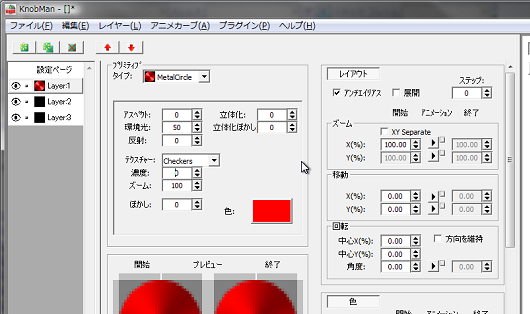
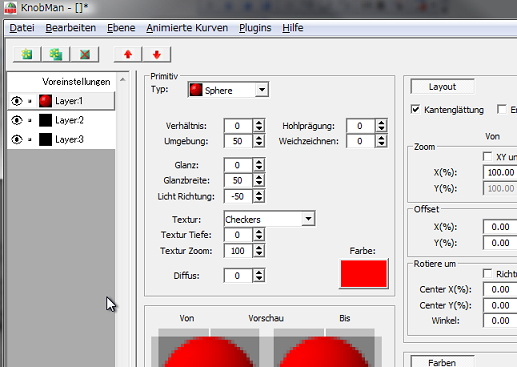
KnobMan, the VSTGUI AnimationKnob bitmap generator

DSP, Plugin and Host development discussion.
Post Reply New Topic
RELATED
PRODUCTS

Post

max wrote:I just got and installed the msi for ver. 1.39, but the application 'version' still shows 1.38...

Is this a mistake or ???
hello,
just a mistake of version display :oops:
that is certainly ver.1.39

AND

your next 2 posts seems similar problems about the pixel accuracy.
i know the KnobMan is still less-accurate than PS.
also i know that need to be improved :wink:

FYI:
some people seems use KnobMan in bigger size(2x2 or 4x4) and
shrink the rendered strips by PS or some other graphic tools.

Post

ah I see... thank you for that reply... perhaps I will have to think about shrinking them in PS

I do hope you keep working on Knobman and improving it... it really is a wonderful program.

It is a bit confusing to me sometimes... :( :wink:

One thing that gets really strange is the how the two areas that show the primative work... when the preferences for a knob are other than just square, for example, 32 by 120, then the object can vanish in those windows when moving the x or y axis values... I can still see it in the Test mode or preview mode... but wish I could see it in those two areas correctly...

I also wish for some way to control things like Hue in steps... for example, to only have the Hue change in the last 10 steps [frames] of a 51 step knob. You see? rather than by just the amounts from frame 1 to the last frame... of course I don't know anything about programming so don't know if this is even possible!

I thanks you again for giving us Knobman! :)

Post

hi, max :)
max wrote:One thing that gets really strange is the how the two areas that show the primative work... when the preferences for a knob are other than just square, for example, 32 by 120, then the object can vanish in those windows when moving the x or y axis values... I can still see it in the Test mode or preview mode... but wish I could see it in those two areas correctly...
fmm...,ok. it seems a bit different than my intention.
i will investigate.
max wrote:I also wish for some way to control things like Hue in steps... for example, to only have the Hue change in the last 10 steps [frames] of a 51 step knob. You see? rather than by just the amounts from frame 1 to the last frame... of course I don't know anything about programming so don't know if this is even possible!
does this helps you?
1. change the Animcurve from default (by the small square button right-side of the animation button)
2. setup the curve by Menu-AnimCurve
Image

Post

KnobMan 1.40 is released.

http://www.g200kg.com/en/software/knobman.html

What's new in Ver.1.40
* ImageSize 'Oversampling' option is added.
* Multi-language support.
* 'Zoom' parameter is separated to 'ZoomX' and 'ZoomY'.
* Improved Layer preview for non-square output size.
* Font preview is added for the Text primitive.
* OpenType(PostScript based) font support for the Text primitive.
* BugFix: Image primitive is offseted if AutoFit off.
* BugFix: Image primitive Intelligent Alpha didnt work.
* BugFix: Crash in some case of changing 'Preference'.

Image

If you want to make your localized version, please refer to following page:
http://www.g200kg.com/en/docs/knobman/language.html

Post

g200kg wrote:KnobMan 1.40 is released.

http://www.g200kg.com/en/software/knobman.html

What's new in Ver.1.40
* ImageSize 'Oversampling' option is added.
* Multi-language support.
* 'Zoom' parameter is separated to 'ZoomX' and 'ZoomY'.
* Improved Layer preview for non-square output size.
* Font preview is added for the Text primitive.
* OpenType(PostScript based) font support for the Text primitive.
* BugFix: Image primitive is offseted if AutoFit off.
* BugFix: Image primitive Intelligent Alpha didnt work.
* BugFix: Crash in some case of changing 'Preference'.

Image

If you want to make your localized version, please refer to following page:
http://www.g200kg.com/en/docs/knobman/language.html
Thank you :)
I downloaded KnobMan yesterday and it is really usefull :)

Cheers
Dennis

Post

maybe I am just stupid and missing something really obious...
but... is it possible to create a 240x120 rectangular pixel?

I set the width and heigth in the "preferences" panel, but everything is then exported at 120x120 pixels...
:help:

Post

autodafe wrote:maybe I am just stupid and missing something really obious...
but... is it possible to create a 240x120 rectangular pixel?

I set the width and heigth in the "preferences" panel, but everything is then exported at 120x120 pixels...
:help:
uncheck the "x" inbetween.
Image

Post

sonicfire wrote: uncheck the "x" inbetween.
I have done it, I set width and heigth to 240x120, then when i export the image everything is 120x120....

Post

Have you clicked 'Set'? Changes don't take effect until you click that button.

Post

GaryG wrote:Have you clicked 'Set'? Changes don't take effect until you click that button.
OMG I knew it was soething really obvious...!!

thanks a lot, I t was getting me mad and I never saw the "set" button!!! :oops:

Post

KnobMan 1.41 is released.

http://www.g200kg.com/en/software/knobman.html

Only one thing:
* The Language 'German' is supported.

Thank Christian Budde @aixcoustic for translation.
Texts layout are a bit modified for fitting long words.

Image
autodafe wrote:
GaryG wrote:Have you clicked 'Set'? Changes don't take effect until you click that button.
OMG I knew it was soething really obvious...!!

thanks a lot, I t was getting me mad and I never saw the "set" button!!! :oops:
hi, that is one of confusing UI of KnobMan I think.
In this version, a little improvement is done that the 'SET' button is moved to 'Output Image' group.
Image

Post

FEATURE REQUEST

Hi Gaito - first-off : huge thanks for knobman - it utterly rocks - I'm gonna update (*again*) today :)

so ... I'm wondering if you'd consider the following ...
Image

I'd love to see this : an output "cropping" option that allows the definition of an additional bounding for the actual file output. The working area stays the same, with the same definitions for size and number of frames ... just when it comes to making the rendered png output, some cropping is applied - measured as pixels ...

this mock-up gives an X and Y offset for the top-left corner of the bounding, with additional controls for width and height ... the work-area remains 32x32, but the output file is 25x25 tiles stitched together ...

this is hard to do manually - basically, a real pita !

the other advantage of this would be the possibility to make not-square outputs that contain perfect circles that are not streched to the file's aspect ratio ...

thoughts ?
whiteLABEL - now set free : whiteLABEL ||

Post

daz.diamond wrote:FEATURE REQUEST

Hi Gaito - first-off : huge thanks for knobman - it utterly rocks - I'm gonna update (*again*) today :)

so ... I'm wondering if you'd consider the following ...
Image

I'd love to see this : an output "cropping" option that allows the definition of an additional bounding for the actual file output. The working area stays the same, with the same definitions for size and number of frames ... just when it comes to making the rendered png output, some cropping is applied - measured as pixels ...

this mock-up gives an X and Y offset for the top-left corner of the bounding, with additional controls for width and height ... the work-area remains 32x32, but the output file is 25x25 tiles stitched together ...

this is hard to do manually - basically, a real pita !

the other advantage of this would be the possibility to make not-square outputs that contain perfect circles that are not streched to the file's aspect ratio ...

thoughts ?
Hi, daz

Ok, I see your request, but i still not figure out how do you want to use this cropping function.
Why dont you make 25x25 pix from start?

Post

here (hopefully) is a better example, that more reflects what I'd like to be able to do, and why this would be the easiest way to do it ...

take this knob from my bolsterisers :

Image

this has 24 layers, and the numbers all rotate - like a guitar-knob ...

I'd like to make a similar control based on this same knobman file, but with some form of window overlay so the only bit visible is the masked rectangle :

Image

oh, and I'd like the full knob and the masked-out knob to be pixel-identical so I can use both the full knob and the masked-out knob on the same gui and have them look the same ... :)

to do this I either have to unstitch and crop each of the 100+ frames of the png, then restitch ...

... or start a fresh knobman project, 95x42 and then figure-out the correct aspect for the circle, before working on the rotation centre and offset for all other layers (as percentages), around a centre which is out-of-bounds, and therefore invisible ... the chances of me getting all of this right are pretty-slim ... and then due to percentages, the text would be a different size between regular knob and cropped-knob ... and the circle edge wouldn't be identical ... in short : it's a brain-ache at present, so I'm just not going there, much as I'd love to :love:

If knobman could crop the outputs, doing these kinds of more-exotic controls would be way easier - for sure, the design time rendering would be a little less efficient as the whole knob is rendered, when I'm only interested in about 1/5th of the actual pixels ... but to be able to output this without resorting to x and y percentages relative to the frame rather than the knob (i.e. both then the same) would make life just that little bit easier ...

Of course, I could just mask-over the control in the plugin's gui using another graphic "above" this one, but that would be very wasteful as I'd be making an animation where 4/5 of it is invisible and using yet more pixels for the overlay ... so the animated file would be 5x the size it needs to be, and require even more pixels for the masking ...

does that make any better sense ?

daz
whiteLABEL - now set free : whiteLABEL ||

Post

daz.diamond wrote:does that make any better sense ?
Thanks the detail explanation. I have understood your intention well :)
That may need some modification of internal structer. Let me think about it.

Post Reply

Return to “DSP and Plugin Development”