

When I buy a video game, I can configure the video settings, choosing what kind of screen resolution I want to use.
Why can't I do the same with VST instruments?
For example, just bought Phonec and the interface is painfully small on my 13.3 laptop, it's difficult to read the text in the menus.
The same goes for SampleTank.
Wouldn't it be possible to offer instruments in at least two settings, one for high resolution use and another for older screens (lo-res)?

Why can't instruments be offered as both hi- and lo-res?

-

- KVRAF
- 5223 posts since 20 Jul, 2010
This, along with double-clicking for resetting and support for scala/.tun tuning files should very soon become standardized features of professional VSTs in my opinion.
http://sendy.bandcamp.com/releases < My new album at Bandcamp! Now pay what you like!
-

- KVRAF
- 14303 posts since 20 Nov, 2003 from Lost and Spaced
-
- KVRAF
- 14303 posts since 20 Nov, 2003 from Lost and Spaced
Why don't you go into your Display settings and 'downsize' it, then things would look bigger on the screen?
Or do the opposite and up your resolution to make things fit?
Or do the opposite and up your resolution to make things fit?
-
- KVRian
- 1256 posts since 15 Mar, 2007 from Yorkshire, England
The way VSTs are implemented makes it tricky to support resizing. I know as I am working on my DC entry at the moment and struggling with this very issue.
-
- KVRAF
- 5223 posts since 20 Jul, 2010
[quote="osiris"]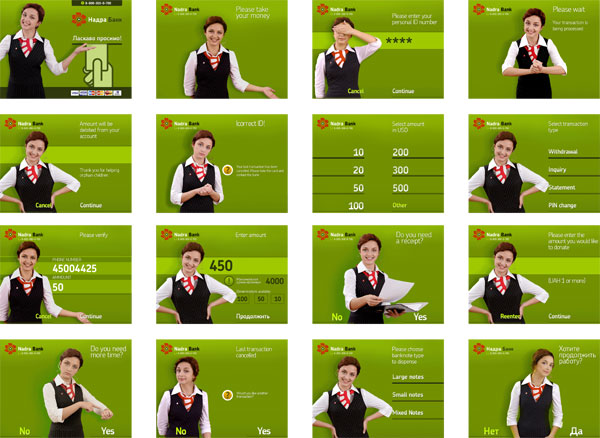
She's all like "look, I'm covering my eyes, I can't see your password!"
She's all like "look, I'm covering my eyes, I can't see your password!"
http://sendy.bandcamp.com/releases < My new album at Bandcamp! Now pay what you like!
-

- KVRAF
- Topic Starter
- 25849 posts since 20 Jan, 2008 from a star near where you are
Yes, but then that would affect all the other things on the screen, meaning DAW and other synths would be blown out of proportionosiris wrote:Why don't you go into your Display settings and 'downsize' it, then things would look bigger on the screen?
Or do the opposite and up your resolution to make things fit?

-
- KVRAF
- 14303 posts since 20 Nov, 2003 from Lost and Spaced
I like the one where she's pointing at her watch. Like, are you going to make a decision or what.
I think that's what Siri looks like....
I know in FL if you click on the Wrapper and select 'Detached', it helps a good deal.
I think that's what Siri looks like....
I know in FL if you click on the Wrapper and select 'Detached', it helps a good deal.
-
- KVRian
- 631 posts since 19 Sep, 2012
osiris wrote:I like the one where she's pointing at her watch. Like, are you going to make a decision or what.
I think that's what Siri looks like....
I know in FL if you click on the Wrapper and select 'Detached', it helps a good deal.
Siri was in an episode of Big Bang theory, and didn't look like. That at all hehehehe
Instant human just add coffee

