

So I can't use it to simply process left and right independently

That's all I wanted it for



You can actually do this by chaining several instances of the MB-7 Mixer plug-in in series, one after another.Compyfox wrote:But I'm thinking more like "overlapping" bands parallel to the "dry" one, or other processed ones.
Since the plug-in was not initially designed for that, there is trick to get this working (it will be fixed soon so that you can use VSTis seamlessly): since it's an effect that shuts down automatically when fed with silence (to save CPU), you currently need to feed the plug-in with sound to force it process audio and produce sound with inserted synths. You can simply add a waveform generator right before the plug-in and it will work.bmanic wrote:Well I can't get any VSTi plugins working within MB7. They load up just fine but I can't play them.
If you really need different crossover freqs, since there is a dual channels version that processes l/r channels (or m/s) independently, you could just chain two instances of the plug-in: the first one would process the left channel and let the right one untouched, and the second one would do the opposite.Mushy Mushy wrote:Oh wait. This doesn't allow for overlapping bands?
So I can't use it to simply process left and right independently

It's great for loading VSTi's into Pro Tools, so it makes a very nice little subhost. Of course, you want to set it to one band, rather than multiple bands.maxxxter wrote:Can someone explain to me why on Earth would anyone even want to load an instrument (VSTi) into a multiband audio host-plugin such as this?

VST shells (VSTs that contain multiple plug-ins) are currently not supported, that's why.alexfalcao wrote:I can not figure out how to load any Waves plugin, or it's not possible due to the Waves shell?
 . Anyway, stability may depend on hosts and plug-ins used. We have tried to do our best to test as many plug-ins/hosts combinations, but some issues indeed remain.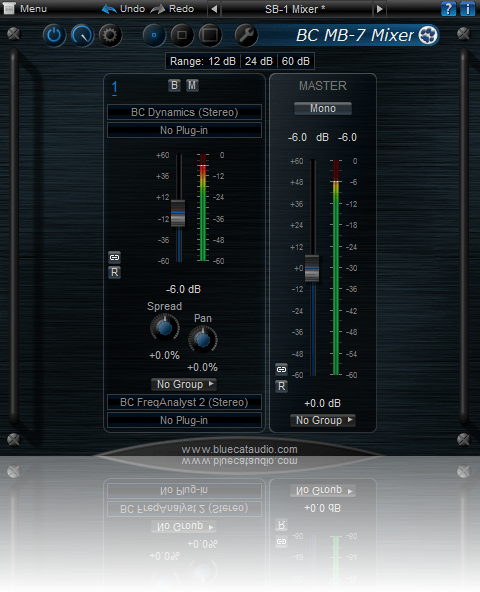
Oh wow, well now i'm sold. Absolutely comprehensively sold. So sold I want twoBlue Cat Audio wrote:Blue Cat's MB-7 Mixer 2[/url] has been updated to v2.01, and a new "single band" skin for it has been released!

We can think about it, but for most plug-ins it does not make much sense, as they modify the phase, so dry/wet will just create holes in the spectrum...Michael1985 wrote:I really miss a dry/wet control.
It's all saved inside the plug-in's state or presets. You don't need to do anything to hosted plug-ins to get them saved. Have you tried the demo?Michael1985 wrote:And are the adjustment of the inserted vsts saved with the mb7 automatically without the must of saving a preset of every single plugin?
Submit: News, Plugins, Hosts & Apps | Advertise @ KVR | Developer Account | About KVR / Contact Us | Privacy Statement
© KVR Audio, Inc. 2000-2026