

Does anyone know how to change the background color of the main window in Cubase 6.5? Right now it's light grey/white and I would like it to be dark gray.
Like this:
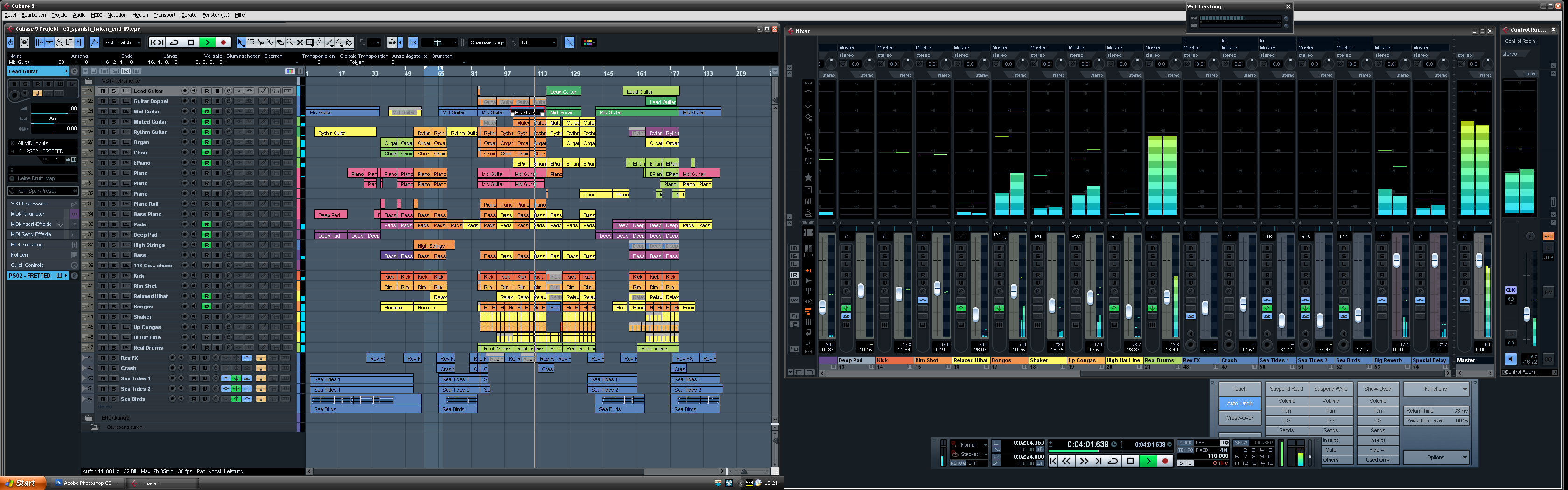
How can I do that?
Thanks in advance!
Go to File / Preferences and tweak the sliders under Appearance / Work Arearamo_and wrote:Hi,
Does anyone know how to change the background color of the main window in Cubase 6.5? Right now it's light grey/white and I would like it to be dark gray.
Like this:
How can I do that?
Thanks in advance!
 I believe this screenshot has also made tweaks to the Appearance / General settings too so be sure to check those out as well.
Except when it comes to Chord Tracks. Been playing with them today and still none the wiser after browsing through the Operation Manual.lotus2035 wrote:RTFM

Submit: News, Plugins, Hosts & Apps | Advertise @ KVR | Developer Account | About KVR / Contact Us | Privacy Statement
© KVR Audio, Inc. 2000-2026

