PULL - Touchscreen Plugin/VST controller for Ableton

For iOS (iPhone, iPad & iPod), Android, Windows Phone, etc. App and Hardware talk
Post Reply New Topic
RELATED
PRODUCTS

Post

We've just launched v2 of PULL - The Touchscreen Plugin/Device Controller for Ableton (Requires Lemur)

PULL v2.0 can be found here - http://www.xmonsta.com/product/pull-ipa ... ce-editor/

PULL enables control of every Ableton native device (over 60 templates included). Now in PULL V2, you can control any VSTi, VST, AU plugin, or Max For Live Device.

PULL follows the currently selected device/vst in Ableton and displays a large touchscreen template on the iPad for editing. It uses the Lemur iPad app and connects to Ableton using Max For Live.

Some highlights:
- Includes over 60 Lemur templates for all native Ableton devices
- A powerful Max/Python app (requires Lemur iPad app)
- Control VSTi, VST, AU plugins and also Max for Live devices
- Create your own custom templates (no Max programming needed, create all your templates using only Lemur!)


Here's a demo video of PULL in action:


And a review of PULL here:


Here is an example of the Operator template:
Image

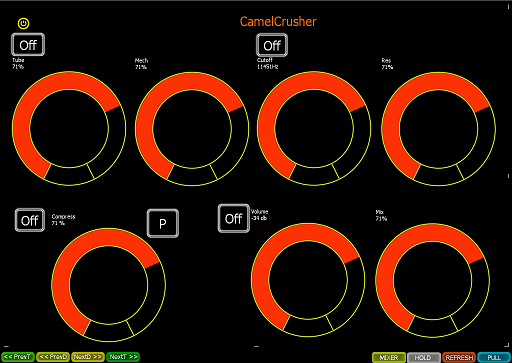
And the free VST CamelCrusher template
Image

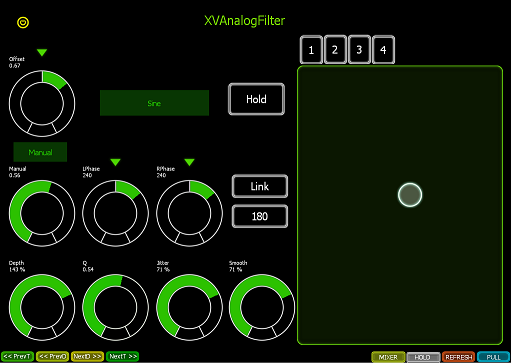
XVAnalogFilter.amxd (included inside download folder) - This is one of our own free Max For Live devices, to demonstrate how templating works for Max for Live devices.
Image

Hope you enjoy it!

X
Last edited by xmonsta on Sun Jan 18, 2015 11:27 pm, edited 1 time in total.

Post

We're about to launch a new collection of devices called XPlugin, which improve controlling VST's in Ableton. XPlugin can be used with PULL, PUSH or any controller (Midi/OSC etc).

XPlugin makes the following possible:

1) Unlimited VST parameters - Removes Abletons limit of 128 parameters for a VST.
2) Easy preset saving - No more saving VST presets inside of racks, save/recall a simple adv preset for the VST itself.
3) Maps parameters automatically - No more pressing the "configure" button
4) Control open/close of plugin window - possible to open the plugin window from any controller, or midi.
5) Shows PDC (Plugin delay compensation) - Its possible to calculate the delay a certain plugin causes and compensate for it manually in Ableton.
6) Renaming of Parameters - solves a problem where some VSTs, name parameters as duplicates causing problems for OSC/Touchscreen controllers
7) Program change control - For VST's that use program change to change presets.

We will launch XPlugin for as many VST's as possible (Initially the big VSTs such as Diva, Serum, Massive, Reaktor etc, but hopefully 1000s of VSTs in time, depending upon uptake).

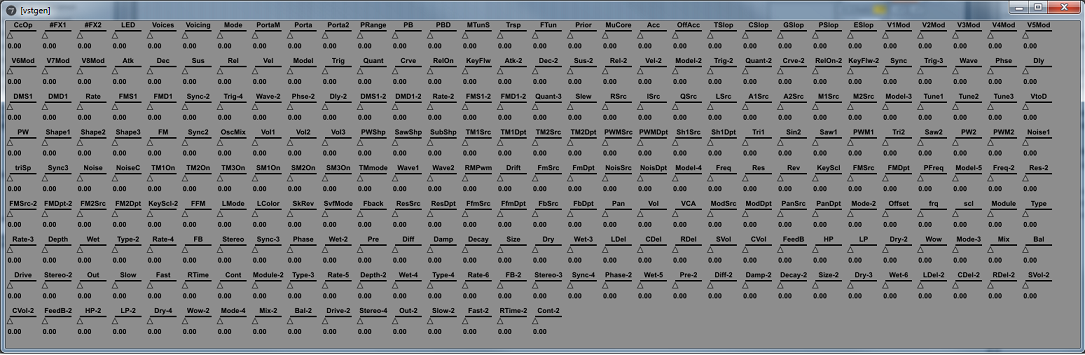
Here is an image of what you can expect to see inside Diva VST (all 259 parameters mapped and ready to use). We've pre-mapped all the parameters for you, and solved a bunch of problems with parameter management inside Diva. Parameters are mapped just like they are in Ableton, but automatically. You can do whatever you like with them. Automate them, record them, map Midi to them etc.

Image

Cheers

XMonsta

Post

This looks very good indeed.
I bet a lot of time went into the development.

Seems a shame its buried away in the Mobile appz and hardware section, I very nearly missed it.
Being an Ableton based product does put it into a niche but even so there's a lot of Live users out there.
I really wish you good luck with this.

Well done :)

Post

When is xPlugin coming out??

Post

Yep, xPlugin is released - our first VST is DIVA which you can control on your touchscreen.

Check out the DIVA plugin for PULL here - http://www.xmonsta.com/product/diva-vst ... e-xplugin/

Image

Post

MonoSequencer for PULL has just been launched - control this amazing Max Device with your touchscreen

http://www.xmonsta.com/new-releases/mon ... -for-pull/

Image

Post

We've just launched v2.2 and updated Monosequencer. This makes PULL extremely fast, so much that you wont really notice it when using Ableton.

Read more here - http://www.xmonsta.com/new-releases/pul ... d-to-v2-2/

We're also due to launch Sylenth sometime in the next few days - so stay tuned for this!

Post Reply

Return to “Mobile Apps and Hardware”