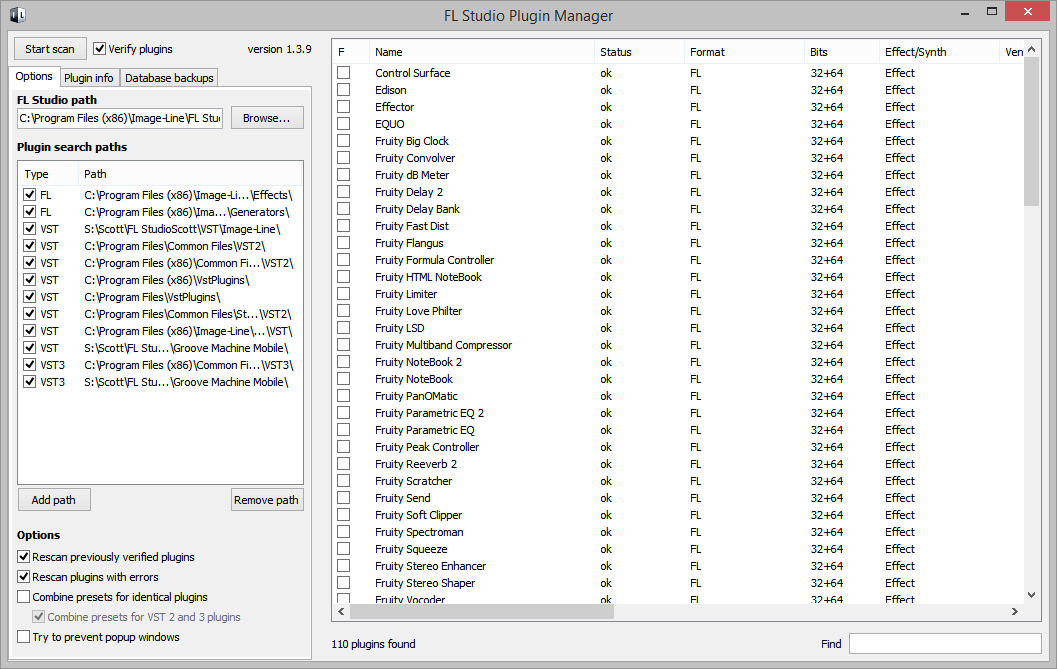
I watched the vid. The process is still a bit clumsy feeling as opposed to the old method of adding plugins.Image-Line wrote:Re plugins, did you watch this video?ParticleRay wrote:I really like FL studio 12 but my 2 biggest gripes are the plugin database (talked about ad infinitum here)
Does this help? From the manual...ParticleRay wrote:...and the fact i can't set a midi controller to one specific channel in the step sequencer. I noticed I can linked the midi output and in put to a specific controller channel but as as soon as i go to edit another channel within the step sequencer the controller (arturia beatstep) plays the pattern i made on both the specified channel and the one i am editing.
http://www.image-line.com/support/FLHel ... l_channels
NOTE: When Options > General settings > Auto select linked modules is:
OFF: Channel buttons open plugins for editing and the Channel selector LEDs select Channels for live MIDI control. This allows you to play one instrument Channel live and edit another.
The link to fix the midi issue helped a little. As soon as I add an new sound to the step sequencer it deselects all channels. This still doesn't solve leaving a second midi controller for general use free too use on any other step sequencer channel with out having to remove the Beastep's association with a specific channel.