UVI Falcon - v4 = 2026 released - rumors, ads, praise, kindergarden, auto-sampling and off-topic inside!

VST, AU, AAX, CLAP, etc. Plugin Virtual Instruments Discussion
Post Reply New Topic
RELATED
PRODUCTS
Falcon

Post

Ehhh, tried update, unfortunately in v1.0.7 this IRCAM Stretch crash behavior are still live. :(
BUT
Good news that i already cant reproduced now this crash via earlier mention config:
Just turn to minimum 3 handles: Speed, Tempo Factor, and Tempo Fine, and tried play notes - the system is freezed
. this gives hope, perhaps there is a movement in the right direction.

So, now I also found the action which stable causes this crash: need to do all the same "turn to minimum 3 handles: Speed, Tempo Factor, and Tempo Fine", but now else need change "Window" parameter to minimum (or any small value) - then crash occurs again (during play notes).

And the behavior when he appeared exactly the same as last time, helped only reboot via the reset button.

(For just in case - issue with nonworked sample sound with long samples while samplestart change really fixed now, thank for this)

Post

Came back to check in this thread, to see if there has been a change to allow me to see all the targets for external modulation source mod CC 1 (modwheel) and disappointed to see it still is not here (I verified also within the VSTi itself.)
Every time I open Falcon to mess with some presets, this is one of the first things I want to see for existing presets - WHAT is assigned to the modwheel.
and like several other folks mentioned, it is endlessly frustrating since this information is scattered throughout every patch and there is still no place to check all the modulation the modwheel is doing.
I know you can check this for internal sources, but not for modwheel, which is used in the majority of these presets; the GUI becomes labyrinthine when trying to find the modwheel targets every time (same would happen if I create my own patch and come back later to modify it... not sure how preset designers handle this.)

Post

c_voltage wrote:Ehhh, tried update, unfortunately in v1.0.7 this IRCAM Stretch crash behavior are still live. :(
BUT
Good news that i already cant reproduced now this crash via earlier mention config:
Just turn to minimum 3 handles: Speed, Tempo Factor, and Tempo Fine, and tried play notes - the system is freezed
. this gives hope, perhaps there is a movement in the right direction.

So, now I also found the action which stable causes this crash: need to do all the same "turn to minimum 3 handles: Speed, Tempo Factor, and Tempo Fine", but now else need change "Window" parameter to minimum (or any small value) - then crash occurs again (during play notes).

And the behavior when he appeared exactly the same as last time, helped only reboot via the reset button.

(For just in case - issue with nonworked sample sound with long samples while samplestart change really fixed now, thank for this)
Oh found something else -
OR just set Speed and Window to minimum (zero and 40,0ms respectively), and click to UI keyboard notes.
- most stable and the easiest way for reproduction this crash, in current version.
(Now I keep on hand microsoft Process Explorer for this experiment (for quick kill the process), this is salvage from reboot :lol: )

Post

Will check with the IRCAM guys on this one.

Thanks for the report.
Olivier Tristan
Developer - UVI Team
http://www.uvi.net

Post

@synzh It's in the tree view. Just enable modulation node display (3rd icon from the left in the treeview header)
Olivier Tristan
Developer - UVI Team
http://www.uvi.net

Post

To test the UVIscript I programmed a very simple test version of "accent-aware" arpeggiator. When switched to "NCT" it replaces the chord pitch (from given chord buffer) to closest non-harmonic pitch in predefined scale (in example c-minor) WHEN current time is on non-accented position (here, when it is not on the beat).

Switch HARM:
accent: 1,0 ,1,0
pitches: C,Es,G,G

Switch NCT:
accent: 1,0,1,0
pitches: C,D,G,F

Future additions to this script I am planning include scale-change on the fly and finding the closest NCT to previous note.

I hope following snippet is useful for someone trying to learn UVIscript and Falcon eventscripting.
Just copy and paste it as nct.lua in your Script Processor folder:

Code: Select all

 
chordbuffer = {60,60,60}
chordbufferposit = 1
arpposition=1
scaleproto = {0,2,3,5,7,8,10 }
scale = {}
octacounter = 1
octave = 12
scalecounter = 1
nonaccented = 0.5
noterate = 0.5

modeselect = MultiStateButton("SELECTOR", {"HARM", "NCT"})
modeselect:setValue(1)

for octacounter = 2,8 do
	for k,v in ipairs(scaleproto) do
		--print(v)
		scale[scalecounter] = v + (octave * octacounter)
		scalecounter = scalecounter + 1
		end
	end
		
function findNearestNeighbour(pitch) 
	local diff = 0
	local maxdiff = 9999
	local closestitem
	for k,scalevalue in ipairs(scale) do
		if math.abs(scalevalue - pitch ) < maxdiff then
			maxdiff = math.abs(scalevalue - pitch )
			closestitem = scalevalue
			if maxdiff == 0 then 
				--Next if's use arpposition to select alternatively upper or lower neighbour notes
				--User may find some other selection method more suitable 
				if arpposition % 2 == 0 then
					closestitem = scale[ k - 1]
				end
				if arpposition % 2 == 1 then
					closestitem = scale[ k + 1]
				end					
			end		
		end
	end
	--print(closestitem)
	return closestitem
end
	
--Helper function
function round(num, idp)
  local mult = 10^(idp or 0)
  return math.floor(num * mult + 0.5) / mult
end

--Main function, plays notes from chordbuffer (accented position) or neighbour notes (nonaccented position)
function play(period, channel)
local beatposition = 0
local tempo = 1
local integerpart = 0
local accentpos = 0 
tempo = getTempo()
while isNoteHeld() do	
	beatposition  = round(getBeatTime(),2)
	integerpart,accentpos = math.modf(beatposition)
	local note = chordbuffer[arpposition]
	local vel = 64
	local nonaccentedPitch = 0
	if accentpos ~= nonaccented then
		playNote(note , vel, beat2ms(period/4), 0, channel)
		end	
	if accentpos == nonaccented then
		if modeselect.value == 2 then
			nonaccentedPitch = findNearestNeighbour(note)
			end
		if modeselect.value == 1 then
			nonaccentedPitch = note
			end			
		playNote(nonaccentedPitch  , vel, beat2ms(period/4), 0, channel)
		end
	waitBeat(period)
	arpposition = 1 + arpposition %#chordbuffer
	end
	arpposition = 1
end

function onNote(e)	 
	if e.note < 48 then
		chordbuffer[chordbufferposit] = e.note + 12
		chordbufferposit = 1+chordbufferposit %#chordbuffer
		end
	if e.note >= 60 then
		play(noterate,1)
	end
end


Attached is pic of MIDI file (high octave control the rhythm, lower octaves fill the chordbuffer with pitches)
You do not have the required permissions to view the files attached to this post.

Post

I can confirm c-voltage's bug:

Set Window to minimum and Speed to zero and click a note from the Falcon keyboard. A sound is produces but Falcon is frozen. The Ircam Stretch osc. cannot be removed anymore as Falcon hangs. Force-closing it works but the produced sound keeps going on and on and on and can only be stopped when the computer is rebooted.

Windows 7 Pro 64bit.

I can send the apphang data to UVI by e-mail in case you're interested
Windows 7, Cubase 9.5 and some extra plug-ins | Takamine EN-10C and PRS Mira

Post

otristan wrote:Will check with the IRCAM guys on this one.

Thanks for the report.
Ok, thanks. (If necessary i can make video as some help for study the behavior).
ErikH wrote:I can confirm c-voltage's bug:Set Window to minimum and Speed to zero and click a note from the Falcon keyboard. A sound is produces but Falcon is frozen. The Ircam Stretch osc. cannot be removed anymore as Falcon hangs. Force-closing it works but the produced sound keeps going on and on and on and can only be stopped when the computer is rebooted.Windows 7 Pro 64bit.I can send the apphang data to UVI by e-mail in case you're interested
Oh Erik thank for sharing info, very good. (my system the same Win7 64bit)

Post

OK, I sent the data png via the website and added (for Olivier Tristan).

Let's hope this can be solved soon.

@DartElectronicMusic: sorry to go on about this but I guess you understand it is important. I am not yet into scripting myself, but I will certainly try your UVIScript. Thanks.
Windows 7, Cubase 9.5 and some extra plug-ins | Takamine EN-10C and PRS Mira

Post

In case some Falconists are in need of some fresh soundscapes/drones/pads and sequences, I just released Falcon Singles - Falcon Scapes Vol.1, check it out here.

Post

I wanted to ask about images which peoples shared here earlier - all images only black\white, so, falcon WT oscilator does not distinguish colors ?
(Sampleconstruct, nice soundscapes.)

Post

c_voltage wrote:I wanted to ask about images which peoples shared here earlier - all images only black\white, so, falcon WT oscilator does not distinguish colors ?
(Sampleconstruct, nice soundscapes.)

Thank you - colors are ignored by the WT engine, you can use colored images but the colors won't have any sonic effect.

Post

Sampleconstruct wrote:
c_voltage wrote:I wanted to ask about images which peoples shared here earlier - all images only black\white, so, falcon WT oscilator does not distinguish colors ?
(Sampleconstruct, nice soundscapes.)

Thank you - colors are ignored by the WT engine, you can use colored images but the colors won't have any sonic effect.
Thanks, understood.

Post

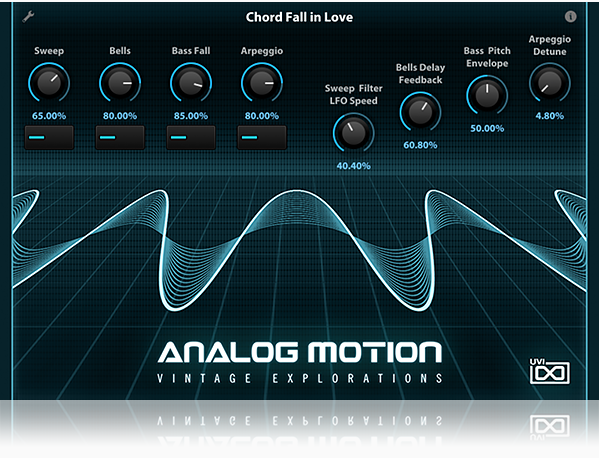
So the first addon lib for Falcon is out

http://www.uvi.net/en/falcon-expansions ... otion.html

Image

Post

The demos sound good!

Finally I hear some sounds from Falcon which I really like.
You may think you can fly ... but you better not try

Post Reply

Return to “Instruments”