


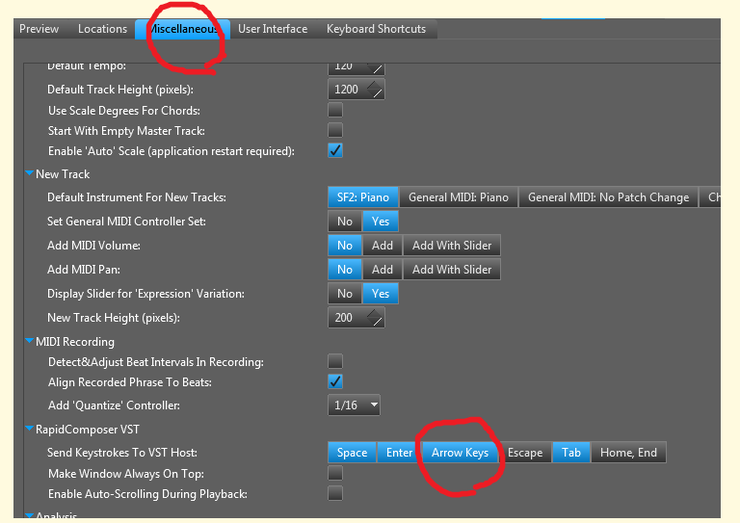
1.Miscellaneous -> Rapidcomposer VST -> Send Keystrokes To VST Host -> Arrows -> Left key
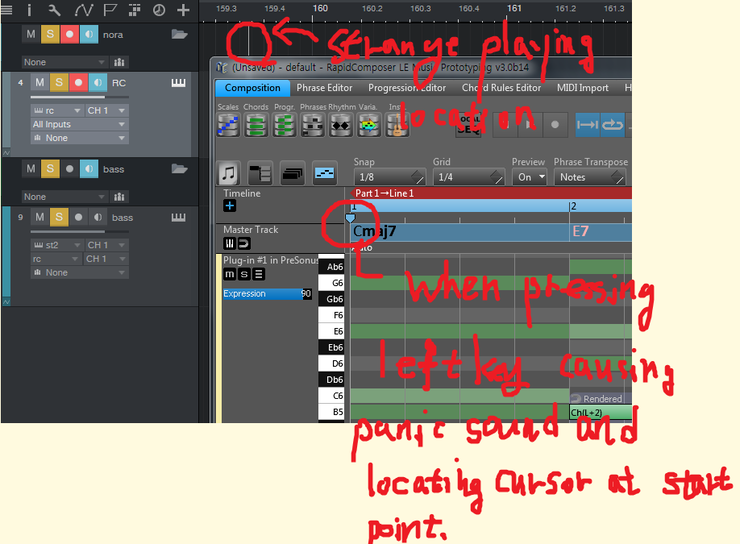
Pressing Left key arouses panic sound error in studo one 3
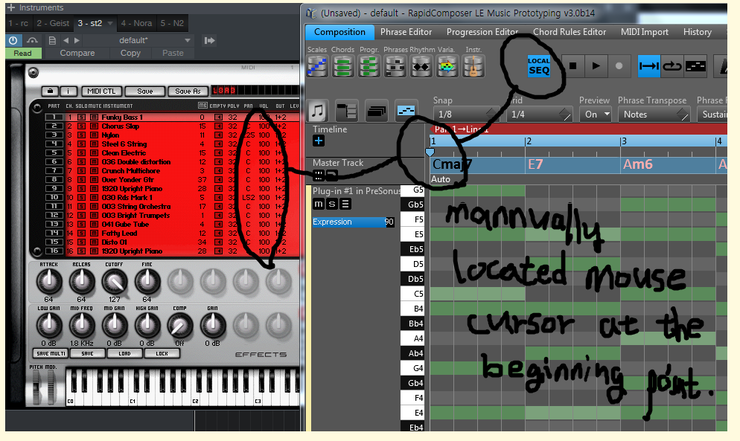
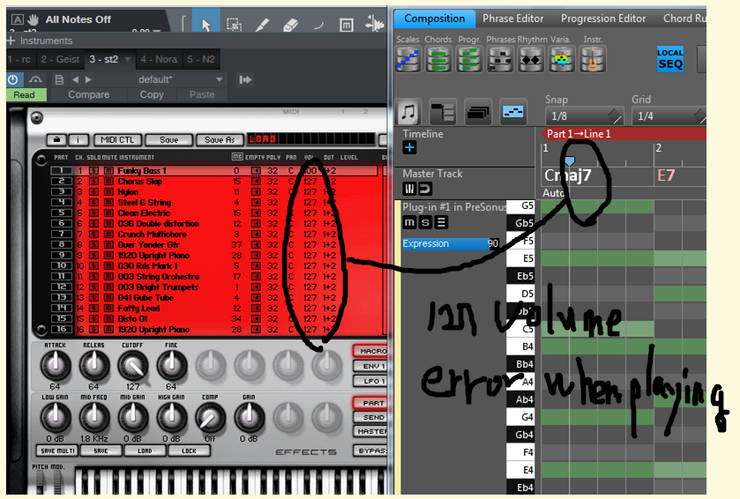
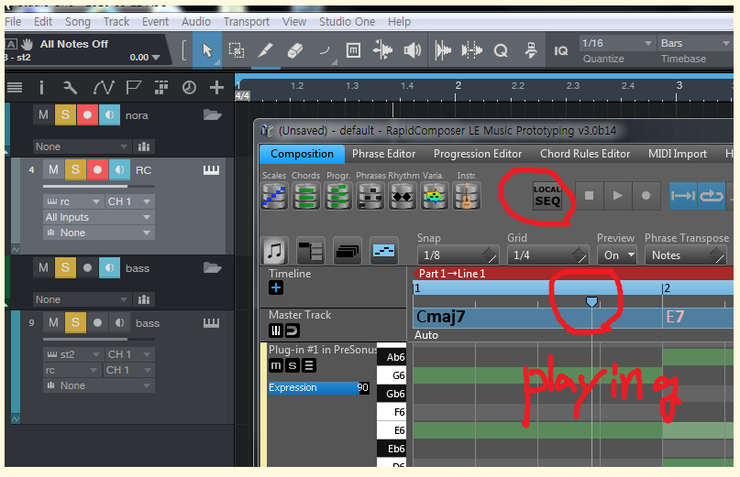
2.In Local SEQ mode, Mouse cursor, manually located in the start point of the first bar arouses '127 volume level' sound error when playing vst instrument.
have a good day!
ERROR REPORT
-
 musicdevelopments musicdevelopments https://www.kvraudio.com/forum/memberlist.php?mode=viewprofile&u=223336
 - KVRAF
- 6014 posts since 9 Jan, 2010
Thank you for reporting these problems!
I'll check them shortly. I do not have StudioOne 3 (only 2.6) at the moment.
It would help if you could send me screenshots for these error messages to the info@... address.
Forwarding keystrokes from RapidComposer to the VST host is tricky and is not guaranteed to work with every DAW.
Best regards,
Attila
I'll check them shortly. I do not have StudioOne 3 (only 2.6) at the moment.
It would help if you could send me screenshots for these error messages to the info@... address.
Forwarding keystrokes from RapidComposer to the VST host is tricky and is not guaranteed to work with every DAW.
Best regards,
Attila
-

- KVRAF
- 1782 posts since 10 Mar, 2004
just in case i re up pictures to snag image
because i was able to see pictures via copy image address and paste to new tab only...not as forum image.
sequencial screenshot
1

2

keystroke screenshot
bug1

bug2

bug3

because i was able to see pictures via copy image address and paste to new tab only...not as forum image.
sequencial screenshot
1
2
keystroke screenshot
bug1
bug2
bug3
-
musicdevelopments musicdevelopments https://www.kvraudio.com/forum/memberlist.php?mode=viewprofile&u=223336
- KVRAF
- 6014 posts since 9 Jan, 2010
Thanks for the screenshots, kro1002, and fixing the links, yellukhan!
Will you check if 'Send MIDI Reset Volume' is turned off?:

The program will not modify the MIDI Volume if that is turned off.
About the left key, it is used to move the playback position in RapidComposer, when the timeline is in keyboard focus, as on your screenshot. If you want to use the left key exclusively in Studio One, you have to modify the keyboard shortcuts in RapidComposer to remove left key usage for all functions.
Thanks,
Attila
Will you check if 'Send MIDI Reset Volume' is turned off?:
The program will not modify the MIDI Volume if that is turned off.
About the left key, it is used to move the playback position in RapidComposer, when the timeline is in keyboard focus, as on your screenshot. If you want to use the left key exclusively in Studio One, you have to modify the keyboard shortcuts in RapidComposer to remove left key usage for all functions.
Thanks,
Attila
-
- KVRer
- Topic Starter
- 28 posts since 5 Feb, 2013
thank you! 127volume problem was solved!
but the second one wasn't solved when I did as you say (but the panic sound doesn't appear.)
and additionally, I found that the home and end key doesn't work in keystrokes.
but the second one wasn't solved when I did as you say (but the panic sound doesn't appear.)
and additionally, I found that the home and end key doesn't work in keystrokes.