v3 Beta Feedback And Discussion (Bugs, Features, Suggestions)2015-11-07T10:25:10+00:00Dear Friends,
I am very excited to release the first v3 beta version of RapidComposer. 5 months of work went into the application to improve its usage, workflow, reliability, flexibility and aesthetics.
The program is fully functional and should be usable for your everyday composition tasks. There are no parts that do not work, partly implemented or should crash. However you can expect to meet smaller issues which will be fixed in the shortest possible time. Not all v3 planned features have been implemented until today.
Please review the color scheme and send feedback if there is something you do not find aesthetic. The default colors should be suitable for most people, so feel free to complain if you find something ugly or not readable.
Please check the new keyboard shortcuts, which work together with the new 'keyboard focus' areas. The local shortcuts work when the given area is in focus. Delete/Cut/Copy/Paste/Select All/Deselect/Arrow keys work everywhere, and they will work on tracks, phrases, notes, timeline region, chord boxes, depending on which area has the keyboard focus. Global shortcuts work everywhere regardless which area is in focus
Download
All registered users are able (and encouraged ;)) to download the v3.0 beta versions. This is not public beta testing. The download URL cannot be displayed here, but you can change the normal download URL (sent in e-mail and in announcements) this way:
old URL: http://www.musicdevelopments.com/############.php
new URL: http://www.musicdevelopments.com/############betav3.php
I will gladly send you the download URL in e-mail if needed.
Installation
Windows
You can use v2 and v3 side by side.
EDIT: please choose an install directory that is different from the v2 install location (e.g. "RapidComposer V3"), because using the same directory as for v2 will overwrite the v2 executable.
A separate directory ( C:\Users\(user)\AppData\Roaming\RapidComposerV3 ) is created, and v2 settings are imported. Only the settings file is copied from the v2 directory, your custom scales, progressions, rules, etc should be copied manually to the new directory. Files are not shared with the v2 versions, so feel free to experiment, you won't be able to damage your existing working v2 setup. The only exception is the custom phrases directory, which is the same as it was in v2 (because v2 settings are imported first).
Compositions saved in v3 will not load in v2!
OS X
EDIT: since v3.0b2 the beta version is available for OS X, being compatible with OS X 10.7 and newer versions.
Note: the application name did not change (RapidComposer.app), so please make sure you won't overwrite the old v2 application with the same name.
A new folder( /Users/(user)/Documents/RapidComposerV3 ) is created, and v2 settings are imported. Only the settings file is copied from the v2 folder, your custom scales, progressions, rules, etc should be copied manually to the new v3 folder. Files are not shared with the v2 versions, so feel free to experiment, you won't be able to damage your existing working v2 setup. The only exception is the custom phrases directory, which is the same as it was in v2 (because v2 settings are imported first).
Compositions saved in v3 will not load in v2!
Deadlines
Unfortunately the fully tested, finished v3.0 will not arrive before December and it is possible the release could slip to January.
Main changes since v2.9
Timeline reworked and extended. Selection does not require pressing the Shift key anymore, it is a simple dragging on the numbers lane. Smooth scrolling added (Alt-horizontal drag), Zoom is still Ctrl-horizontal drag, dragging the play head at the edges will smoothly scroll the composition
Master track is vertically resizable, the track header can be made wider if needed (drag at the right edge of Timeline or Master Track box)
Mixer page removed, sound levels can be set on the respective Settings tab (Audio and Soundfonts)
Settings / User Interface for customizing all colors and creating themes. Old theme files do not work.
Settings / Keyboard Shortcuts for customizing keyboard shortcuts, possibility to export shortcut list as html
Settings / Miscellaneous reworked
It is possible to display track variation parameters and MIDI controller sliders in the track header below the track name. Click on the 'eye' (view) icon next to a slider.
4 keyboard focus areas on the composition page: track list, composition workspace, timeline, master track. The phrase editor is a focus area as well. Check keyboard shortcuts available on these areas under Settings / Keyboard Shortcuts.
History has an option to use a simple list instead of a version tree. Simple list became the default.
Phrase editor improvements: cut/copy/paste/delete/etc works here too, vertical bar displayed for pasting notes, overlapped notes correctly handled, several note transformations are available through shortcuts
Lots of minor UI changes
User interface rendering became quicker due to optimizations
Full and light editions use the same installer and executable
Source code clean-up, building with C++14
Tasks remained
Idea tool rewrite. The idea tool tab will be removed shortly and will be integrated in the main composition page
Macros in keyboard shortcuts
Apply Rhythm variation
Rests in phrase generators
Updates
You can subscribe to this RSS feed to get notified about beta updates: http://www.musicdevelopments.com/beta.xml
I wish you lots of fun!
Greetings,
Attila (author of RapidComposer)musicdevelopmentshttps://www.kvraudio.com/forum/memberlist.php?mode=viewprofile&u=223336
The new beta version implements 'count in' (preroll) and other features requested on this forum recently.
The annoying jumping behaviour of vertical phrase dragging is fixed. Now there are 3 options to choose from.
I had very good results with the "Random Melody Generator" despite of the simple algorithm. It is best if you leave the 4-beat rhythm repetition as set by default, but of course you can experiment with shorter or longer patterns.
3.2Beta1 changes:
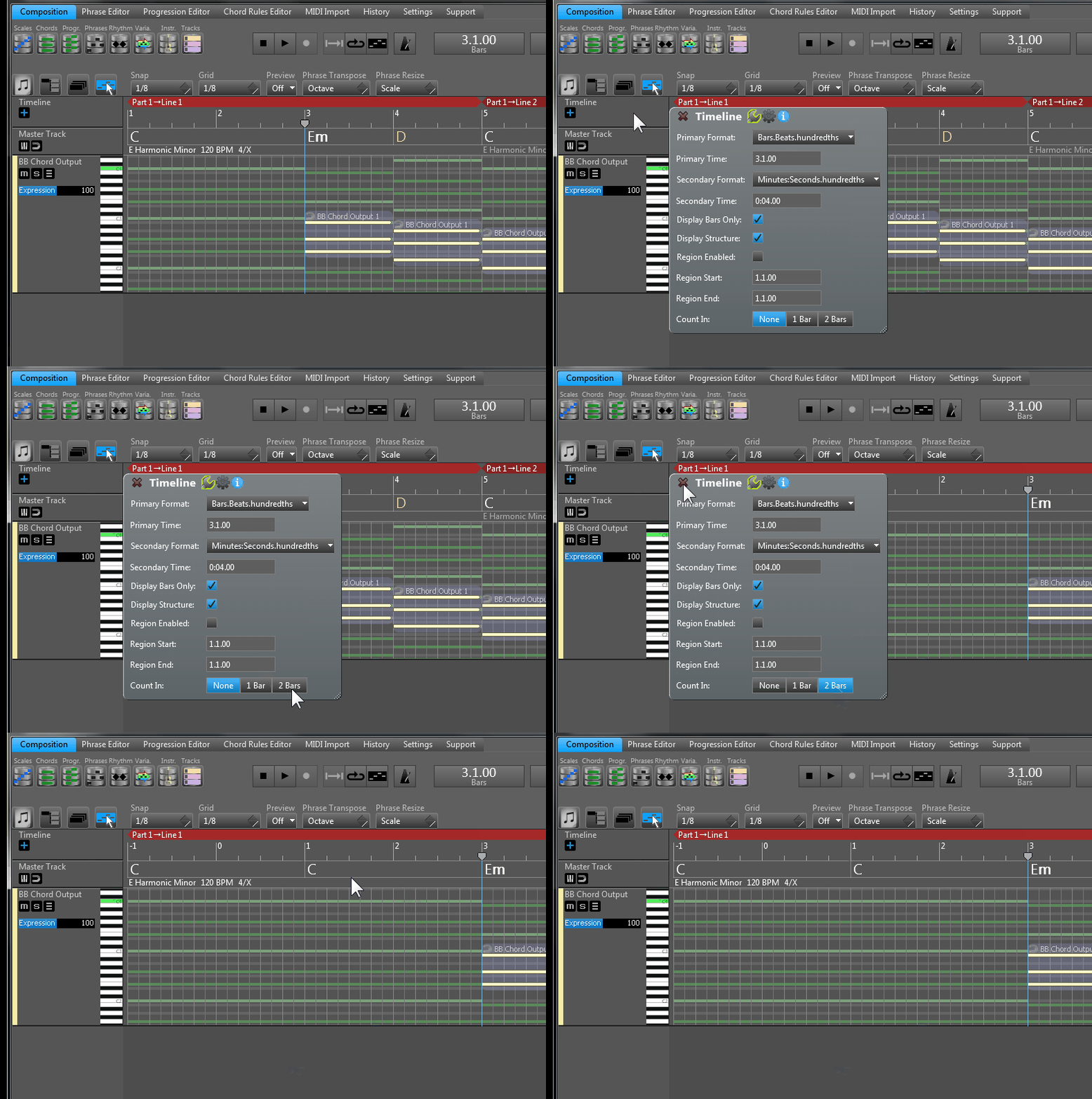
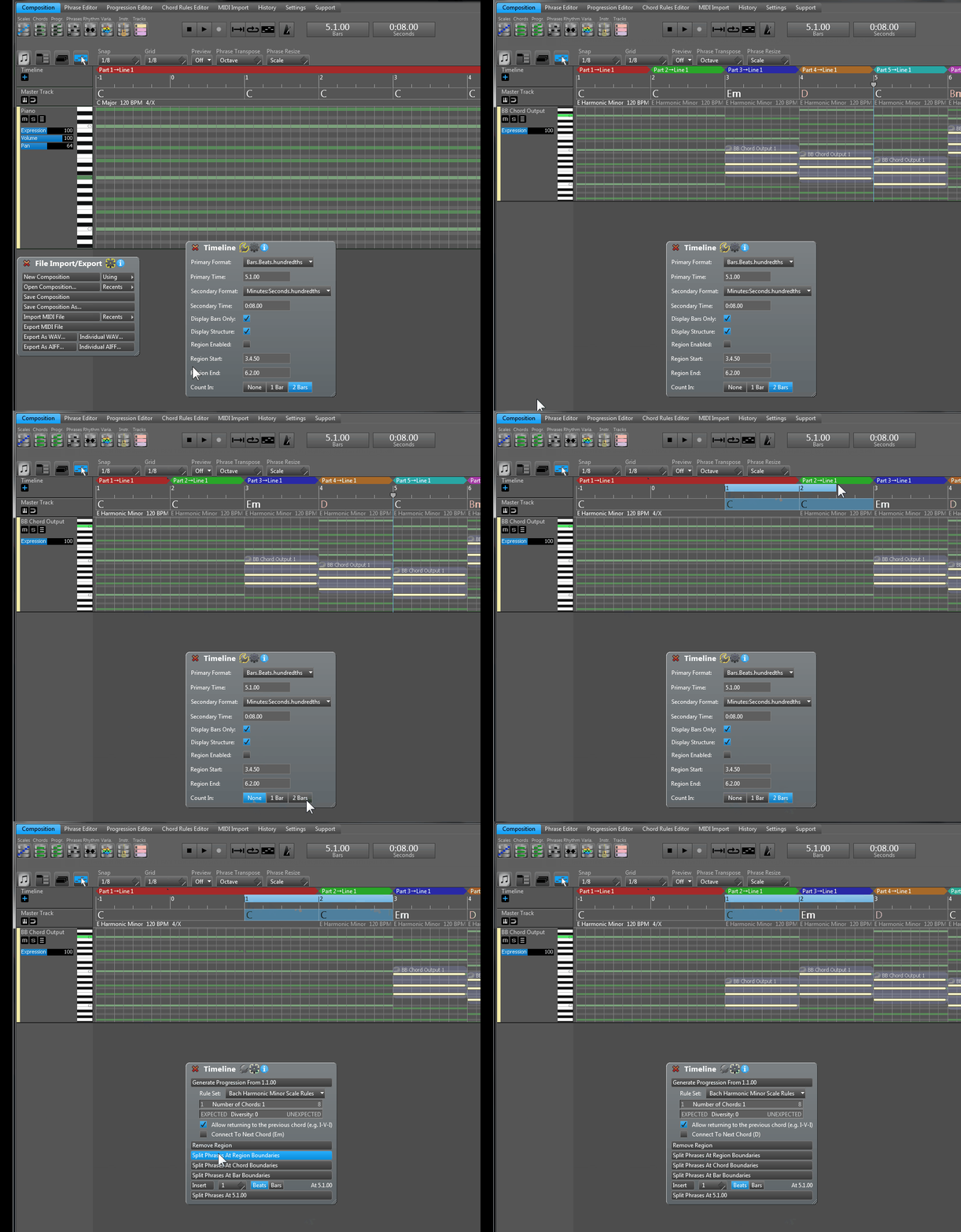
"Count In" added (found in Timeline Inspector). Setting 1 bar or 2 bars count is possible.
New phrase generator: "Random Melody Generator" (experimental, may not be in the release version)
New setting: Auto-Zoom During Phrase Dragging (disabled by default)
New setting: Highlight Middle C Note (enabled by default)
Duplicate Phrases To Unmuted Tracks (shortcut 'D') in Phrase Inspector
Moving the selected region on the timeline during loop playback works as expected
Good point. It would be easier to write a complete installer than asking for the VST plug-in folder location in the installer that I am using...
This update was an exception, but most of the time you don't have to touch the VST plug-in, because it never changes. The .DLL file is the same for the demo and paid, full and light editions and it does not change in 99% of the time.
That's good to know, thanks. Would be handy if installer could detect new vst and only ask when it's new, but that might be too difficult to achieve and not worth the effort.
I test the random generator and give good results. It have a harmony Note Propability setting. I think when have short notes 1/16 1/8 it sound even good when out of harmony. but for longer notes 1/4 not. Or maybe you can add more sliders for harmony note propability that allow set a value for 1/16 1/8 too.
I also see it usefull when the fill option the arp have is in random generator too in.
BTW: remember the play position display in phrase generator too
Thanks, crossovercable, I'll fix this problem shortly, for the next update.
I am happy that you found the new (very simple) melody generator useful, magicmusic. In fact I also found it very usable. Sometimes it gives better results than the original very complex "Melody Generator".
>BTW: remember the play position display in phrase generator too
I can't promise that, but we'll see. At the moment I am working on adding a timeline and live playback position for the phrase editor.
Today I checked the wiki pages and I found most of them are empty. When I check the source, they are there, but the pages are not displayed for some reason. Do you see the same?
The URL is http://www.musicdevelopments.com/wiki/
When I click on "Edit this page", the page is there, and the preview works, but still nothing is displayed after saving the page again.