


Hi Attila
In the structure dialog it is possible to get for a line with right mouse button a scale option with enable disable checkbox for scale. but everytime i disable it, the scale setting is reset to C Major. when i enable it, then show c Major so it is not possible easy to hear a sequence without scale or scale i like. should i do video ?
v3 Beta Feedback And Discussion (Bugs, Features, Suggestions)
-
- KVRian
- 1405 posts since 11 Nov, 2013
win 11 64 25H2 ryzen 8600G (6*4.3 GHZ) 48 GB Ram
-
 musicdevelopments musicdevelopments https://www.kvraudio.com/forum/memberlist.php?mode=viewprofile&u=223336
 - KVRAF
- Topic Starter
- 6014 posts since 9 Jan, 2010
Hi magicmusic,
I know what you mean. I will try to fix it in the following days.
But this behaviour is intentional. The scale resets itself to the current scale.
Thanks,
Attila
I know what you mean. I will try to fix it in the following days.
But this behaviour is intentional. The scale resets itself to the current scale.
Thanks,
Attila
-
musicdevelopments musicdevelopments https://www.kvraudio.com/forum/memberlist.php?mode=viewprofile&u=223336
- KVRAF
- Topic Starter
- 6014 posts since 9 Jan, 2010
New beta version, v3.2b5 is available.
Improvements:
Improvements:
- UI layout fixes
- Phrase name is displayed using the selected font size
- 2 new UI themes in the style of Windows 10 and Mac OS X
-
- KVRian
- 1405 posts since 11 Nov, 2013
Hi Attila ok, if it work not fast to fix, there is current more important than that.´when there is a value store for scale on or off and scale name, scale on off switch the scale name need not change. but if there is only scale name, then name get lost because changemusicdevelopments wrote:Hi magicmusic,
I know what you mean. I will try to fix it in the following days.
But this behaviour is intentional. The scale resets itself to the current scale.
Thanks,
Attila
win 11 64 25H2 ryzen 8600G (6*4.3 GHZ) 48 GB Ram
-
- KVRian
- 1405 posts since 11 Nov, 2013
I do not know how it is easy possible to change the phrase name that see in composition window. all names are Bass Generator on a song, but i use 3 diffrent bass patterns. to find them easy its usefull to rename to bass generator1, bass generator2, bass generator3.when i change the name in "rename to" there is no change. I know i can store to library and when i replace old, i get new name. but thats much work. for the tracks is in object properties tab a name field.
Is it not usefull to have this in phrases show object properties too ?. other daw allow rename too of objects
Is it not usefull to have this in phrases show object properties too ?. other daw allow rename too of objects
win 11 64 25H2 ryzen 8600G (6*4.3 GHZ) 48 GB Ram
-
- KVRer
- 7 posts since 31 Dec, 2016
Hi Attila,
don't know, if this is an error or something i don't understand.
New Composition
Fill track 1 with a 4 bar melody generator
Right click on generator and select "Harmonize Melody ..."
Click "Auto-Harmonize" with "Add 'Harmony Track'" on
Now there is the new harmony track with 4 chord generators.
Double click the first Chord generator and you will see, that there are 6 chord notes in the phrase.
But the two upper ones are only a quarter of a bar while the 4 lower notes are one bar long.
Is this an error or something by design?
By the way - sometimes there is still a crash when clicking "Auto-Harmonize".
Olaf
don't know, if this is an error or something i don't understand.
New Composition
Fill track 1 with a 4 bar melody generator
Right click on generator and select "Harmonize Melody ..."
Click "Auto-Harmonize" with "Add 'Harmony Track'" on
Now there is the new harmony track with 4 chord generators.
Double click the first Chord generator and you will see, that there are 6 chord notes in the phrase.
But the two upper ones are only a quarter of a bar while the 4 lower notes are one bar long.
Is this an error or something by design?
By the way - sometimes there is still a crash when clicking "Auto-Harmonize".
Olaf
-
- KVRian
- 1405 posts since 11 Nov, 2013
Hi Attila
I notice that now in melody generator is repetition slider. but it do if set to 50 mostly no repetition. repetition is very usefull, try out how nice variation you can get by repetition some note nums. maybe it is possible to have a repetition phrase variation, for example to choose Note at 1:3:48 same height as Note 1:3:00 if there is no note at 1:3:48 place it do nothing.here is small example video that some by hand modify repetitions
I notice that now in melody generator is repetition slider. but it do if set to 50 mostly no repetition. repetition is very usefull, try out how nice variation you can get by repetition some note nums. maybe it is possible to have a repetition phrase variation, for example to choose Note at 1:3:48 same height as Note 1:3:00 if there is no note at 1:3:48 place it do nothing.here is small example video that some by hand modify repetitions
win 11 64 25H2 ryzen 8600G (6*4.3 GHZ) 48 GB Ram
-
- KVRian
- 1405 posts since 11 Nov, 2013
when close chord palette(switch before to chromatic) and reopen it with right mouse button, the window is draw too small(many rows are miss). you need do it several time. 1 time work, 1 time not, very strange. the random generator and probalistic rythm have layout errors and btw the Note repetition probability work perfect in random generator
win 11 64 25H2 ryzen 8600G (6*4.3 GHZ) 48 GB Ram
-
crossovercable crossovercable https://www.kvraudio.com/forum/memberlist.php?mode=viewprofile&u=329708
- KVRian
- 576 posts since 26 May, 2014
Just a thought, whenever, to be the same as other Audio/DAW apps, you could have Mute/Solo on the Master (maybe Master Audio FX Button later) the Master Solo Button will be On if any tracks soloed, when clicked it will un-solo all the soloed tracks, the Mute just mutes all.
Thanks again Attila for this FANTASTIC software, LISTENING & DOING that not many companies do ! you will have to have the other 2 weeks well deserved holiday soon.

Thanks again Attila for this FANTASTIC software, LISTENING & DOING that not many companies do ! you will have to have the other 2 weeks well deserved holiday soon.
-
- KVRian
- 1405 posts since 11 Nov, 2013
this is a good idea, and there is room for more buttons on master track. so my idea is, to add 4 mute snapshot buttons. when for example button S1 is press, all solo/mute of track that is choose when the button is press, is use. now if you select button S2 then it is switch to that solo/mute state of tracks. and if you want mute some tracks can switch to S1 again. this allow you lots, you can do for example song versions that use diffrent melodie pad or drum tracks and switch between them. and if there can give the solo state buttons name this is then simular to song versions
win 11 64 25H2 ryzen 8600G (6*4.3 GHZ) 48 GB Ram
-
musicdevelopments musicdevelopments https://www.kvraudio.com/forum/memberlist.php?mode=viewprofile&u=223336
- KVRAF
- Topic Starter
- 6014 posts since 9 Jan, 2010
Very good ideas, crossovercable and magicmusic! 
At the moment the most important is to finish drum maps and editing percussion.
Thanks,
Attila
At the moment the most important is to finish drum maps and editing percussion.
Thanks,
Attila
-
- KVRian
- 1405 posts since 11 Nov, 2013
Hi Attila
what do you think about make a poll thread in which you add the features you plan to add and there can vote for a feature. And the highest votet features can add with higher priority. some features are maybe not much work, and you can add some time guess as less 1 week, or more as 1 week.
My important wish is play position in phrase window and loop play same possible as in phrase editor and a controller play variation. without drum pattern edit i can live because i have strike, or jamstix 3 as drummer. but have loop play in phrase window and play position you can try out lots faster diffrent sequences with regenerate
what do you think about make a poll thread in which you add the features you plan to add and there can vote for a feature. And the highest votet features can add with higher priority. some features are maybe not much work, and you can add some time guess as less 1 week, or more as 1 week.
My important wish is play position in phrase window and loop play same possible as in phrase editor and a controller play variation. without drum pattern edit i can live because i have strike, or jamstix 3 as drummer. but have loop play in phrase window and play position you can try out lots faster diffrent sequences with regenerate
win 11 64 25H2 ryzen 8600G (6*4.3 GHZ) 48 GB Ram
-
musicdevelopments musicdevelopments https://www.kvraudio.com/forum/memberlist.php?mode=viewprofile&u=223336
- KVRAF
- Topic Starter
- 6014 posts since 9 Jan, 2010
Hi magicmusic,
good idea, the poll is created now. Please note that important areas can be voted for, rather than small features, of which obviously cannot be all listed.
good idea, the poll is created now. Please note that important areas can be voted for, rather than small features, of which obviously cannot be all listed.
-
crossovercable crossovercable https://www.kvraudio.com/forum/memberlist.php?mode=viewprofile&u=329708
- KVRian
- 576 posts since 26 May, 2014
In the Poll "User interface simplification"
Band in a Box user interface was a nightmare for a lot of users and new comers, so now after many, many, many years of users complaining, it has a Legacy/Simple GUI switch, something you could maybe do with RC in the future.
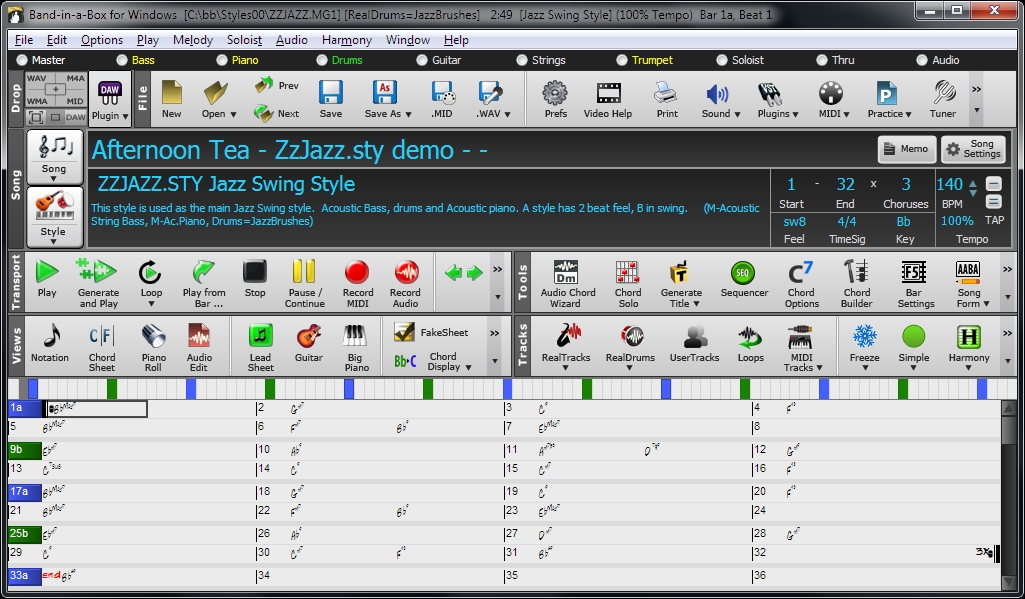
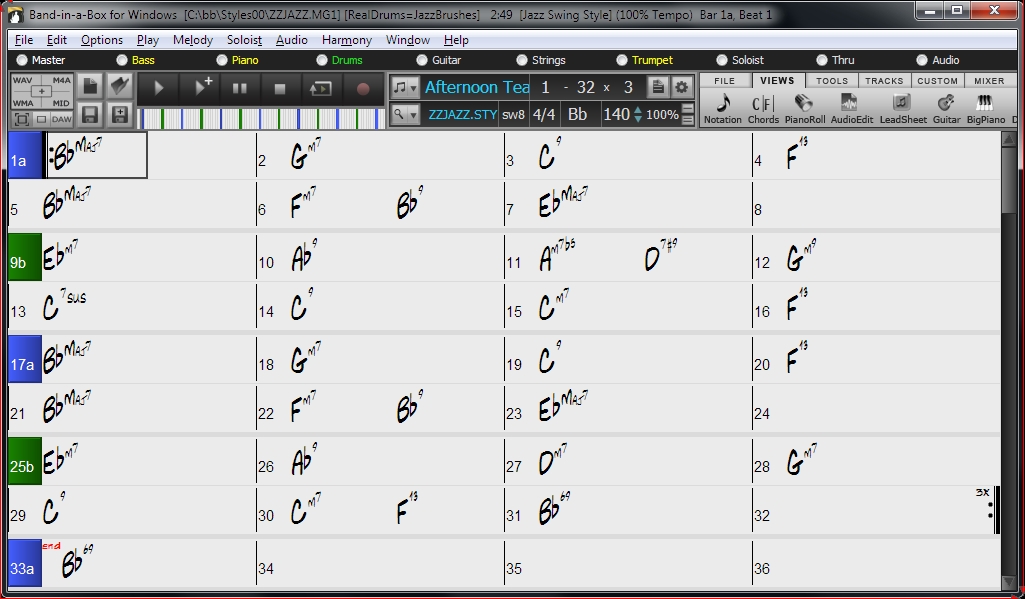
Band in a Box user interface was a nightmare for a lot of users and new comers, so now after many, many, many years of users complaining, it has a Legacy/Simple GUI switch, something you could maybe do with RC in the future.
-
musicdevelopments musicdevelopments https://www.kvraudio.com/forum/memberlist.php?mode=viewprofile&u=223336
- KVRAF
- Topic Starter
- 6014 posts since 9 Jan, 2010
Interesting. I keep thinking how the UI could be simplified, and in the end my conclusion is that it can't be 
Some less used functionality will be hidden. Sometimes I get complaints from new users that the UI is too complex. It would be easy to make a simple UI when notes would be simple notes, but in RapidComposer there are many layers, and because of the non-destructive logic this requires more data to work with. And even the structure of a composition is a hierarchical tree with parts inheriting properties from the composition, and lines inheriting from parts. So that is not simple either.
Some less used functionality will be hidden. Sometimes I get complaints from new users that the UI is too complex. It would be easy to make a simple UI when notes would be simple notes, but in RapidComposer there are many layers, and because of the non-destructive logic this requires more data to work with. And even the structure of a composition is a hierarchical tree with parts inheriting properties from the composition, and lines inheriting from parts. So that is not simple either.