

Forgot to mention that I am on Elements now, both 8 and 9. Maybe it's only available in the higher edition.fmr wrote:I didn't try this yet in Cubase Pro 9, but it was working in earlier versions.shidostrife wrote:I remember that was the case with Cubase 5 and HalionOne. Now that I'm on 9, it doesn't seem to do that anymore, is there a setting somewhere that I missed? They're just imported as midi tracks with no instruments assigned now.fmr wrote:In Cubase, you can do this. If you import a GM MIDI file, it loads HALion Sonic, and maps all the tracks to GM instruments of its library. It's all automatic.jimbo1qaz wrote:So nobody's aware of a DAW with native or plugin support for MIDI instrument mapping? Even if there's just 1 instrument per track?
Metaplugin looks nice, but it costs money.
Importing MIDI into DAW, mapping GM instruments to VSTis?
-

- KVRian
- 716 posts since 22 Nov, 2016 from Tokyo, Japan
-
- KVRian
- 716 posts since 22 Nov, 2016 from Tokyo, Japan
Alright, so I tried it again and they were imported as MIDI tracks + Halion Sonic as instrument rack. I believe the last time I tried was when I was in LE 8 that do not have instrument rack.
Weird, because Cubase 5 imported them as instrument tracks. But I guess it's more efficient now that the imported MIDI tracks only used one instance of Halion Sonic.
So to TS, if you want automatic mappings of GM instruments, Cubase will do it.
Weird, because Cubase 5 imported them as instrument tracks. But I guess it's more efficient now that the imported MIDI tracks only used one instance of Halion Sonic.
So to TS, if you want automatic mappings of GM instruments, Cubase will do it.
-

- KVRAF
- 2696 posts since 3 Aug, 2003 from Narnia
Working with standard midi files is a breeze in any DAW with this...
https://www.roland.com/global/products/sound_canvas_va/
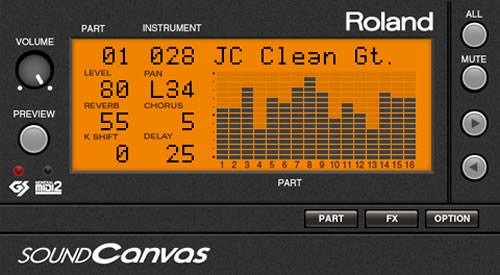
Start off with this, then replace sounds with other VSTs if needed.
https://www.roland.com/global/products/sound_canvas_va/
Start off with this, then replace sounds with other VSTs if needed.
-
- KVRian
- 1356 posts since 21 Sep, 2013 from California
I think it depends on the midi and how you bring it in. Drag and drop may not bring in the instrument info. And the midi has to have info to assign instruments. But it worked in 8 Pro. I haven't yet tried it in 9fmr wrote:I didn't try this yet in Cubase Pro 9, but it was working in earlier versions.shidostrife wrote:I remember that was the case with Cubase 5 and HalionOne. Now that I'm on 9, it doesn't seem to do that anymore, is there a setting somewhere that I missed? They're just imported as midi tracks with no instruments assigned now.fmr wrote:In Cubase, you can do this. If you import a GM MIDI file, it loads HALion Sonic, and maps all the tracks to GM instruments of its library. It's all automatic.jimbo1qaz wrote:So nobody's aware of a DAW with native or plugin support for MIDI instrument mapping? Even if there's just 1 instrument per track?
Metaplugin looks nice, but it costs money.
-

- KVRAF
- 11162 posts since 16 Mar, 2003 from Porto - Portugal
OK, just out of curiosity, I tried it today in Cubase Pro 9, and it worked like a charm. Of course, NOT drag and drop (don't know if that also works, but I never do that, since I have several HD's connected, and it would be a mess to acess data through drag and drop, anyway) but through the Import function (MENU File - Import - MIDI file). HALion Sonic SE opened as a Rack (which kind of makes sense, since one single instance will accomodate ALL the 16 tracks) and after waiting for HALion Sonic SE to load the correct sounds, everything was setup and ready to go. I just had to hit Play, and that was it.dzilizzi wrote:I think it depends on the midi and how you bring it in. Drag and drop may not bring in the instrument info. And the midi has to have info to assign instruments. But it worked in 8 Pro. I haven't yet tried it in 9fmr wrote:I didn't try this yet in Cubase Pro 9, but it was working in earlier versions.shidostrife wrote:I remember that was the case with Cubase 5 and HalionOne. Now that I'm on 9, it doesn't seem to do that anymore, is there a setting somewhere that I missed? They're just imported as midi tracks with no instruments assigned now.fmr wrote:In Cubase, you can do this. If you import a GM MIDI file, it loads HALion Sonic, and maps all the tracks to GM instruments of its library. It's all automatic.jimbo1qaz wrote:So nobody's aware of a DAW with native or plugin support for MIDI instrument mapping? Even if there's just 1 instrument per track?
Metaplugin looks nice, but it costs money.
Of course, all tracks need to have Program Change information in the beginning, but ANY properly configured GM/GS/XG sequence has that.
Fernando (FMR)