


Logic 10.3.2 is out!
-

- KVRian
- 743 posts since 29 Nov, 2015
Good point on the oversampling, and I forgot to mention, I really hope they fix Ultrabeat, that UI is really holding me back. Maybe they see the drummachine designer as the solution but I sure hope not, I don't like how it adds a bunch of channels and effects in my mixer left and right, and it's still Utrabeat in the bottom anyways, meaning I still need to mess with it. Just trying to lower the volume on one channel is fiddly, I have to click 2-3 times before I grab the volume slider....
-

- Banned
- 1376 posts since 23 Jun, 2007 from france
Logic automation need a serious rework to catch up with Reaper AI and S1 automation tools.

-
- KVRAF
- 3186 posts since 18 Mar, 2008
This definitely, because in Logic it erases/breaks everything, it doesn't snap and stop, there's workaround, but it should work like this by default.pdxindy wrote:What needs improving/changing?dupont wrote:Logic automation need a serious rework to catch up with Reaper AI and S1 automation tools.
You do not have the required permissions to view the files attached to this post.
This entire forum is wading through predictions, opinions, barely formed thoughts, drama, and whining. If you don't enjoy that, why are you here?  ShawnG
ShawnG-

- KVRAF
- 25849 posts since 20 Jan, 2008 from a star near where you are
Wow, there are 31 listed updates to Alchemy 
Is it still Camel Ben that does that?
Is it still Camel Ben that does that?
-
- KVRian
- 806 posts since 1 Sep, 2008 from US
Turn automation snapping on in Logic doesn't do what you expect?Zexila wrote:This definitely, because in Logic it erases/breaks everything, it doesn't snap and stop, there's workaround, but it should work like this by default.pdxindy wrote:What needs improving/changing?dupont wrote:Logic automation need a serious rework to catch up with Reaper AI and S1 automation tools.
-

- KVRAF
- 37539 posts since 14 Sep, 2002 from In teh net
Amongst othersNumanoid wrote:Wow, there are 31 listed updates to Alchemy
Is it still Camel Ben that does that?
-
- KVRAF
- 3186 posts since 18 Mar, 2008
It doesn't stop like how is shown in the Bitwig gif I left, if you have Logic by your side, try it, make same thing and see what happens.softska wrote:Turn automation snapping on in Logic doesn't do what you expect?Zexila wrote:This definitely, because in Logic it erases/breaks everything, it doesn't snap and stop, there's workaround, but it should work like this by default.pdxindy wrote:What needs improving/changing?dupont wrote:Logic automation need a serious rework to catch up with Reaper AI and S1 automation tools.

This entire forum is wading through predictions, opinions, barely formed thoughts, drama, and whining. If you don't enjoy that, why are you here? ShawnG
ShawnG-
 EdgarRothermich EdgarRothermich https://www.kvraudio.com/forum/memberlist.php?mode=viewprofile&u=198722
 - KVRist
- 214 posts since 19 Jan, 2009 from West Hollywood
I just uploaded my new FREE book for the new Logic update.
"Logic Pro X - What's New in 10.3.2" is a free 90 pages pdf file now available at
http://LogicProGEM.com
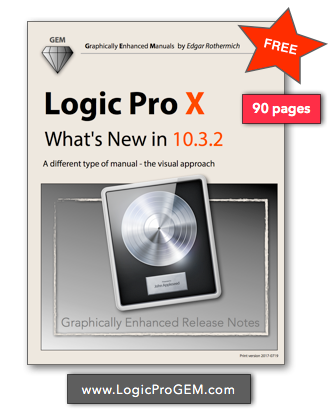
These Graphically Enhanced Release Notes provide the most comprehensive and detailed coverage of all the new features and changes with in-depth explanations, lots of unique diagrams and graphics, additional information, and instructions not found anywhere else.
Have fun exploring,
"Logic Pro X - What's New in 10.3.2" is a free 90 pages pdf file now available at
http://LogicProGEM.com
These Graphically Enhanced Release Notes provide the most comprehensive and detailed coverage of all the new features and changes with in-depth explanations, lots of unique diagrams and graphics, additional information, and instructions not found anywhere else.
Have fun exploring,
Edgar Rothermich
(iMac5K, 32GB)
YouTube Videos https://YouTube.com/c/MusicTechExplained/
Books for Logic Pro X, Pro Tools, GarageBand and FCPx http://DingDingMusic.com/
My Instagram for Logic Pro X, Pro Tools https://www.instagram.com/edgarrothermich/
(iMac5K, 32GB)
YouTube Videos https://YouTube.com/c/MusicTechExplained/
Books for Logic Pro X, Pro Tools, GarageBand and FCPx http://DingDingMusic.com/
My Instagram for Logic Pro X, Pro Tools https://www.instagram.com/edgarrothermich/
-
- KVRAF
- 5201 posts since 16 Nov, 2014
Say what you want but Logic is just the best value out there, even more than Komplete maybe since i get huge updates for free since months...even years (yes yes, beside free ware maybe which doesn´t offer such good stuff....mostly).
Wonder what they will offer with Logic 10.4 or even 11 (which might be than a new app to buy).
Wonder what they will offer with Logic 10.4 or even 11 (which might be than a new app to buy).
-
- KVRAF
- 5201 posts since 16 Nov, 2014
That´s nice from you. Thank you!EdgarRothermich wrote:I just uploaded my new FREE book for the new Logic update.
"Logic Pro X - What's New in 10.3.2" is a free 90 pages pdf file now available at
http://LogicProGEM.com
These Graphically Enhanced Release Notes provide the most comprehensive and detailed coverage of all the new features and changes with in-depth explanations, lots of unique diagrams and graphics, additional information, and instructions not found anywhere else.
Have fun exploring,
-
- Banned
- 1376 posts since 23 Jun, 2007 from france
Have a look at how studio one handles automation with the shape & transform tool or Reaper with the AI clips allows to draw complex waveform automation within a few clics and sliders move.pdxindy wrote:What needs improving/changing?dupont wrote:Logic automation need a serious rework to catch up with Reaper AI and S1 automation tools.
It will takes hours to draw such a complex automation pattern with Logic or even not possible.
-
- KVRAF
- 5201 posts since 16 Nov, 2014
Mhhh...that needed a lot of clicks to add a simple LFO style automation. I just can do that way faster and more accurate in logic with Midi FX controlling automation and just write them.dupont wrote:Have a look at how studio one handles automation with the shape & transform tool or Reaper with the AI clips allows to draw complex waveform automation within a few clics and sliders move.pdxindy wrote:What needs improving/changing?dupont wrote:Logic automation need a serious rework to catch up with Reaper AI and S1 automation tools.
It will takes hours to draw such a complex automation pattern with Logic or even not possible.
-
- Banned
- 1376 posts since 23 Jun, 2007 from france
Which midi FX ?Cinebient wrote:Mhhh...that needed a lot of clicks to add a simple LFO style automation. I just can do that way faster and more accurate in logic with Midi FX controlling automation and just write them.dupont wrote:Have a look at how studio one handles automation with the shape & transform tool or Reaper with the AI clips allows to draw complex waveform automation within a few clics and sliders move.pdxindy wrote:What needs improving/changing?dupont wrote:Logic automation need a serious rework to catch up with Reaper AI and S1 automation tools.
It will takes hours to draw such a complex automation pattern with Logic or even not possible.
-
- KVRAF
- 3186 posts since 18 Mar, 2008
Here, this is what happens in Logic, workaround is to click on dot with command and move the dot, that makes another dot that can snap properly, just how it's bellow.Zexila wrote:It doesn't stop like how is shown in the Bitwig gif I left, if you have Logic by your side, try it, make same thing and see what happens.softska wrote:Turn automation snapping on in Logic doesn't do what you expect?Zexila wrote:This definitely, because in Logic it erases/breaks everything, it doesn't snap and stop, there's workaround, but it should work like this by default.pdxindy wrote:What needs improving/changing?dupont wrote:Logic automation need a serious rework to catch up with Reaper AI and S1 automation tools.
You do not have the required permissions to view the files attached to this post.
This entire forum is wading through predictions, opinions, barely formed thoughts, drama, and whining. If you don't enjoy that, why are you here? ShawnG
ShawnG