

http://www.hornetplugins.com/plugins/hornet-angle/
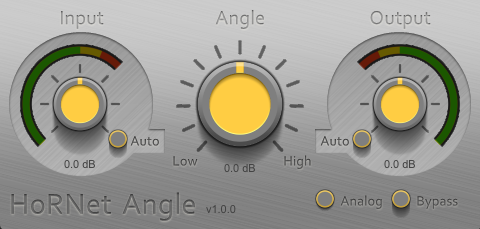



I hope this is not stupid assumption, but what if your material has more of either channel in top or low end? Then it would be correct, no? But if it's all mid, no sides, then it's wrong.GaryG wrote:Am I doing something wrong or does the right channel get louder than the left as you turn the output up for anyone else? (using Reaper)
Love the GUI.


Hmmm, gotta say, if a problem persists after a plugin has been removed, I don't know how you can blame the plugin?! Does it happen if you disable all other plugins aswell?ananto wrote:Here in Reaper the right channel gets muted and even after deleting the plug the channel stays muted.
Agreed, both vst2 & vst3 versions. Emailed Saverio (Hornet) yesterday but no reply so far.VariKusBrainZ wrote:Crashes Studio One
Win 10 64bit
64bit plugin
No the plugin is 0 latency you can use it real-time without delays.sinkmusic wrote:Thank you for the plugin, Saverio.
Does it add any latency (i haven't found any info on both the product page and the PDF manual) ?

The analog button adds some distortion/light saturatio at high input levels,,which, i think, can be useful. Other then that, it is just a nice little gift from HornetSubbase wrote:In what scenarios is it better or most suitable to use a Tilt eq Instead of another eq?

Submit: News, Plugins, Hosts & Apps | Advertise @ KVR | Developer Account | About KVR / Contact Us | Privacy Statement
© KVR Audio, Inc. 2000-2026