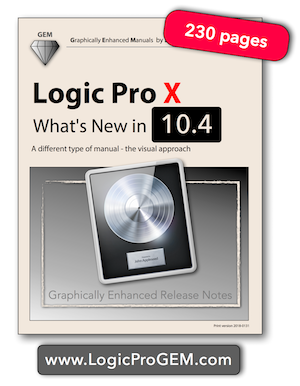
First in-depth book for Logic Pro X 10.4 (with 230 pages)

Audio Plugin Hosts and other audio software applications discussion
RELATED
PRODUCTS

Post

If you need some help figuring out all the changes (that you don't even know that they exist) in the new Logic Pro X update 10.4 or want to know how all the great new feature (Smart Tempo, Articulations, etc.) work, here is some help, my new book "Logic Pro X - What's New in 10.4", released today.

Image

These "Graphically Enhanced Release Notes" provide on 230 pages the most comprehensive and detailed coverage of all the new features and changes with in-depth explanations, lots of unique diagrams and graphics, additional information, and instructions not found anywhere else.
The book is available as pdf file and printed book on Amazon (iBooks available later this month).All the the links on my website http://LogicPRoGEM.com

Finally, you will understand how Smart Tempo and Articulation Switching works and how to use them. Two new groundbreaking features that are not available on any other DAW.

Enjoy
Edgar Rothermich
(iMac5K, 32GB)
YouTube Videos https://YouTube.com/c/MusicTechExplained/
Books for Logic Pro X, Pro Tools, GarageBand and FCPx http://DingDingMusic.com/
My Instagram for Logic Pro X, Pro Tools https://www.instagram.com/edgarrothermich/

Post

I'm guessing the advantage of the PDF version is cross-platform compatibility. Is there any benefit to choosing the iBooks version?

Post

Thank‘s for this!

Post

EdgarRothermich wrote: Finally, you will understand how Smart Tempo and Articulation Switching works and how to use them. Two new groundbreaking features that are not available on any other DAW.

Enjoy
Not entirely true, Smart Tempo is very similar to how Tempo Master Clips work in Ableton Live.

Tempo Master Clip let's the user do exactly what is described in Logic 10.4 release notes ("lets you automatically combine content together, regardless of their original tempo.", "Record audio without using a click or drag in an audio file and have the performance define your project tempo.", "Add any audio file and have it automatically conform to the project tempo").

It is one of the functions of Live's famous "Warping", present on Live since at least 2006.

Post

pottering wrote:Smart Tempo is very similar to how Tempo Master Clips work in Ableton Live.

Tempo Master Clip let's the user do exactly what is described in Logic 10.4 release notes ("lets you automatically combine content together, regardless of their original tempo.", "Record audio without using a click or drag in an audio file and have the performance define your project tempo.", "Add any audio file and have it automatically conform to the project tempo").

It is one of the functions of Live's famous "Warping", present on Live since at least 2006.
Can I ask you? Did you make this statement= after you understood thenew Smart Tempo and played around it for while?

Do you see, that is exactly the problem right now. You cannot describe (understand, comprehend, appreciate) the functionality of Logic's Smart Tempo based on a one-sentence release note. I try to explain that feature on 39 pages in my book and that covers just the basic functionality. Be careful what you see on YouTube videos at the moment about Smart Tempo. Most of them have no clue and just wildly clicking around. Also, keep in mind that this is version 1 of this new feature.

A statement like "Smart Tempo is very similar to how Tempo Master Clips work in Ableton" is as much true as a statement like "Riding a car is very similar to riding a horse carriage."

Having a full-featured Project Tempo like Logic, Cubase, etc with all the functionality doesn't come close to the whole fiddling around with Tempo Master Clips in Ableton. In all fairness, Live doesn't need that because it caters more to DJs-style porjects and not to film composers that need complete control over the Tempo.

Comparing Warp Markers to the new Beat Markers in the new File Tempo Editor is also a big misconception. Logic analyses the true tempo of an audio file, beyond of simple Warp Markers that just look for transients. Logic is using algorithms that can even detect tempo information in an audio file that has no transients, i.e. a legato phrase performed by a singer. It creates a complete tempo grid not just placing a fe Warp Makers here and there.

You can freely adapt Tempo in both directions at any time Project-to-Region or Region-to-Project. It even automatically updates when editing Beat Markers in the File Tempo Editor for a specific Region.

You can do Beat Mapping with one simple Click, boom, there is your Project Tempo and now just drag any other file in and it will match. And remember, they are based on "Smart Tempo" analysis not just "Dumb Tempo" looking for Transients.

The one example you see in many demonstrations of the Smart Tempo in ADAPT Mode is that you just record one track in a new Project (drums, guitar, bass) and once you stop, boom, there is your Project Tempo extracted from what you just played, and you are ready to drag other unrelated audio in (Smart Tempo analyzed) and automatically adapt to that tempo grid. You can quantize new recording, your score will line up. No fiddling around.

BTW, any Tempo-analyzed audio file will save the Beat Markers that represent its detected tempo grid to the audio file as metadata. It is like the Tempo DNA. Drag it into any other Project and you don't even have to analyze it again.

Once producers get a hold of these new possibilities and super ease-of-use (once they "adapt" their mindset from horse carriage to motor car), then they will see that this is a game changer. And remember, this is just the version 1...

Read up on Smart Tempo, learn it, understand it, (then) play with it and be prepared to be blown away.
Edgar Rothermich
(iMac5K, 32GB)
YouTube Videos https://YouTube.com/c/MusicTechExplained/
Books for Logic Pro X, Pro Tools, GarageBand and FCPx http://DingDingMusic.com/
My Instagram for Logic Pro X, Pro Tools https://www.instagram.com/edgarrothermich/

Post

EdgarRothermich wrote:
pottering wrote:Smart Tempo is very similar to how Tempo Master Clips work in Ableton Live.

Tempo Master Clip let's the user do exactly what is described in Logic 10.4 release notes ("lets you automatically combine content together, regardless of their original tempo.", "Record audio without using a click or drag in an audio file and have the performance define your project tempo.", "Add any audio file and have it automatically conform to the project tempo").

It is one of the functions of Live's famous "Warping", present on Live since at least 2006.
Can I ask you? Did you make this statement= after you understood thenew Smart Tempo and played around it for while?

Do you see, that is exactly the problem right now. You cannot describe (understand, comprehend, appreciate) the functionality of Logic's Smart Tempo based on a one-sentence release note. I try to explain that feature on 39 pages in my book and that covers just the basic functionality. Be careful what you see on YouTube videos at the moment about Smart Tempo. Most of them have no clue and just wildly clicking around. Also, keep in mind that this is version 1 of this new feature.

A statement like "Smart Tempo is very similar to how Tempo Master Clips work in Ableton" is as much true as a statement like "Riding a car is very similar to riding a horse carriage."

Having a full-featured Project Tempo like Logic, Cubase, etc with all the functionality doesn't come close to the whole fiddling around with Tempo Master Clips in Ableton. In all fairness, Live doesn't need that because it caters more to DJs-style porjects and not to film composers that need complete control over the Tempo.

Comparing Warp Markers to the new Beat Markers in the new File Tempo Editor is also a big misconception. Logic analyses the true tempo of an audio file, beyond of simple Warp Markers that just look for transients. Logic is using algorithms that can even detect tempo information in an audio file that has no transients, i.e. a legato phrase performed by a singer. It creates a complete tempo grid not just placing a fe Warp Makers here and there.

You can freely adapt Tempo in both directions at any time Project-to-Region or Region-to-Project. It even automatically updates when editing Beat Markers in the File Tempo Editor for a specific Region.

You can do Beat Mapping with one simple Click, boom, there is your Project Tempo and now just drag any other file in and it will match. And remember, they are based on "Smart Tempo" analysis not just "Dumb Tempo" looking for Transients.

The one example you see in many demonstrations of the Smart Tempo in ADAPT Mode is that you just record one track in a new Project (drums, guitar, bass) and once you stop, boom, there is your Project Tempo extracted from what you just played, and you are ready to drag other unrelated audio in (Smart Tempo analyzed) and automatically adapt to that tempo grid. You can quantize new recording, your score will line up. No fiddling around.

BTW, any Tempo-analyzed audio file will save the Beat Markers that represent its detected tempo grid to the audio file as metadata. It is like the Tempo DNA. Drag it into any other Project and you don't even have to analyze it again.

Once producers get a hold of these new possibilities and super ease-of-use (once they "adapt" their mindset from horse carriage to motor car), then they will see that this is a game changer. And remember, this is just the version 1...

Read up on Smart Tempo, learn it, understand it, (then) play with it and be prepared to be blown away.
OK.

Seems there is no online manual for 10.4 yet, but I will read up on Smart Tempo once that becomes available.

Your longer description of Smart Tempo still sounds pretty similar to Tempo Master Clips though, including "detects tempo", "drag any other file in and it will match", etc.

Post

pottering wrote:
Seems there is no online manual for 10.4 yet, but I will read up on Smart Tempo once that becomes available.
I don't know what you mean with "online manual". There is the official Logic User Guide, but at the moment, a lot of features/functionality is left out.
My book is the the only source that shows you the details and explains how that stuff works.
http://LogicProGEM.com

pottering wrote: Your longer description of Smart Tempo still sounds pretty similar to Tempo Master Clips though, including "detects tempo", "drag any other file in and it will match", etc.
Again, "sounds pretty similar" is different from "the same", not even close. To stick with my analogy, you can go from A to B by horse carriage, or you can use a car, which is pretty similar. :?
Edgar Rothermich
(iMac5K, 32GB)
YouTube Videos https://YouTube.com/c/MusicTechExplained/
Books for Logic Pro X, Pro Tools, GarageBand and FCPx http://DingDingMusic.com/
My Instagram for Logic Pro X, Pro Tools https://www.instagram.com/edgarrothermich/

Post

It sounds like they both try to achieve similar things but the Logic version has more functionality and a more advanced algorithm.
Orion Platinum, Muzys 2

Post

I tried using it last night, it didn't do what I wanted or expected it to do.

Basically, what I am doing is this:

I am re-mixing an old 4 tk cassette version of a song of mine. Recording went:

stereo drums (RX-11), tracks 1&2;
classical guitar track 3:
Harpsichord track 4.

Bounced down to a 2nd 4 tk, where vocals, and electric guitar were added to the two empty tracks (I added bass on the mixdown to the 2nd 4 tk).

Now, I tried to align the vocals and guitar in LP9 with flex, with some results, but it was tiresome. Trying it with the new tempo algorithm was completely useless. It should be simple, right? No.
Also, there is apparently a bug in the new tempo detector.

“The Generals sat, and the lines on the map, moved from side to side.”
― Pink Floyd

Post

This is a perfect example what's wrong with so many so-called "instructional" YouTube videos. Here is a guy, he gets the new Logic, and instead of educating himself about this update, the first thing he is doing start his camera to show how he is blindly clicking around without the slightest idea what he is doing. On top of that, the genius discovers a "bug", makes a followup video with the confirmation that this is a "bug", using the word "broken" and all that, while in the meantime, instead of editing and uploading his videos to count his hits, he should have used the time to learn the new Smart Tempo feature.

Through the entire two videos he didn't open the new "Flex & Follow" parameter in the Region Inspector, let alone the File Tempo Editor.

The sad thing is that thousands of Logic users watched this video about a guy who doesn't know a thing about Smart Tempo and take that as information about Smart Tempo. How insane is that?

Here is an example:
If you are ignorant and don't know anything about Quantize and you read that this command can quantize your MIDI Events, then click on that command and scream bloody hell, there is a bug because nothing gets quantized. Would you tell this dude, how about selecting a quantize value first before using the Quantize command.

Even though the "Adapt Region to Project Tempo" is supposed to automatically enable Flex on the Track and choose "Flex & Follow", you still have to know about the details about that Region Parameter, because it has three options beside the of position, so even if it selection one option , it might not be the best option. Back to my example, even if the Quantize command would automatically select a 1/16 quantize value, you still might prefer an 1/8 value and need to change it accordingly.

Just saying.
Edgar Rothermich
(iMac5K, 32GB)
YouTube Videos https://YouTube.com/c/MusicTechExplained/
Books for Logic Pro X, Pro Tools, GarageBand and FCPx http://DingDingMusic.com/
My Instagram for Logic Pro X, Pro Tools https://www.instagram.com/edgarrothermich/

Post

Ok, but if he is on a first-name basis with someone at Apple (who knows?) he probably knows his stuff. I watched his video on setting up the new studio horns, and it was pretty well done. I don't think this is just a 'random dude' throwing videos out there.

And, as I said, I couldn't get it to do what I think it is advertised to do. Sorry I can't buy your pdf, but we have no Paypal acc't, and don't do online banking.

Tschüß.
“The Generals sat, and the lines on the map, moved from side to side.”
― Pink Floyd

Post

@EdgarRothermich

While i'm not using Logic i must say you doing an awesome job with your "Graphically Enhanced Manuals" wish you would have done that for Studio One too! :)
Whoever wants music instead of noise, joy instead of pleasure, soul instead of gold, creative work instead of business, passion instead of foolery, finds no home in this trivial world of ours.

Post

Bombadil wrote:. Sorry I can't buy your pdf, but we have no Paypal acc't, and don't do online banking.
Tschüß.
You don't need online banking or PayPal to order the book from my website. When you click on the PayPal button, you should see a link that says "buy as guest". This lets you order with your credit card. PayPal is just handling the transaction.
The book is also available as hard copy on Amazon (right now at No #1 of new releases in the Digital Audio Production category).
Edgar Rothermich
(iMac5K, 32GB)
YouTube Videos https://YouTube.com/c/MusicTechExplained/
Books for Logic Pro X, Pro Tools, GarageBand and FCPx http://DingDingMusic.com/
My Instagram for Logic Pro X, Pro Tools https://www.instagram.com/edgarrothermich/

Post

€42 for hard copy?!!! :o

Went with the $9 PDF. Something to read while I am in the hospital for an operation tomorrow. Meh. :cry:
“The Generals sat, and the lines on the map, moved from side to side.”
― Pink Floyd

Post

Bombadil wrote:€42 for hard copy?!!! :o

Went with the $9 PDF. Something to read while I am in the hospital for an operation tomorrow. Meh. :cry:
Unlike the price for the pdf file that I set, the books on Amazon (distributed by CreateSpace) are different, because they set a very high base price (that I have no control over) based on the format and size. Because my books are full color and 11x8.5 that drives the price up. Did you ever wonder why the Dummy books are printed in black and white?

Good luck with your operation (that sucks). Hope you get out of the hospital as soon as possible and back to Logic.
Edgar Rothermich
(iMac5K, 32GB)
YouTube Videos https://YouTube.com/c/MusicTechExplained/
Books for Logic Pro X, Pro Tools, GarageBand and FCPx http://DingDingMusic.com/
My Instagram for Logic Pro X, Pro Tools https://www.instagram.com/edgarrothermich/

Post Reply

Return to “Hosts & Applications (Sequencers, DAWs, Audio Editors, etc.)”