


You got it, with new vector icons:BluGenes wrote:Can we have the ability to clear the data on the midi import page (tab)? e.g., state at which it is at first time it is ever accessed...


You got it, with new vector icons:BluGenes wrote:Can we have the ability to clear the data on the midi import page (tab)? e.g., state at which it is at first time it is ever accessed...
Hi crossovercable,crossovercable wrote:A strum pattern generator could create guitar strum patterns with a chosen mute keyswitch that is set to absolute and locked

dbender wrote:Attila –
You said "Ctrl-click in the Recents list will remove a file."
It does not. Tried right-clicking, control clicking (yeah I know, same thing but thought I'd try to be thorough), option-clicking and command-clicking - on a song name in the list, and on the word Recents itself in the File Import/Export menu palette.
Nothing clears the entries in the Recents song list!!
Someone please help : )
Thanks!
[Max OS X 10.12.6]
musicdevelopments wrote:Hi David,
this does not seem to work on macOS, I just realized!
I'll make it possible to do option-click and will add a button to clear all entries.
I am sorry for the inconveniences! I will do my best to upload a new update very soon.
Thanks,
Attila
dbender wrote:Attila –
You said "Ctrl-click in the Recents list will remove a file."
It does not. Tried right-clicking, control clicking (yeah I know, same thing but thought I'd try to be thorough), option-clicking and command-clicking - on a song name in the list, and on the word Recents itself in the File Import/Export menu palette.
Nothing clears the entries in the Recents song list!!
Someone please help : )
Thanks!
[Max OS X 10.12.6]
If it's starts play past the start of the note it won't play that note but then it will sill play the next note, the notes following the deleted notes were overlapping the next note also but weren't deleted. So not sure what RC is doing there, as yellukhan pointed out zooming right in shows the note a millisecond long. That's why I thought there maybe a setting in RC doing this ????BluGenes wrote:and because RC only plays on note's start position it would sound as if they were deleted, because they are not being played. I posted this issue several messages up...crossovercable wrote:I found the notes are overlapping the next when I move them up in Reaper, yet zooming the main track view they are not displaying only in piano roll.
Sounds like a good solution, looking forward to trying it. Need to clean up my Recents list to get rid of vestigial entries for moved files.musicdevelopments wrote:I was wrong, Ctrl-click never worked in the Recents menus, only in the Templates menu.
I added a small remove icon ('X') for each item so you can remove them easily (in the next beta version).
Thanks,
Attila
You are perfectly right, only transposition ignores these notes.crossovercable wrote:When you add Phrases Variations: and have "locked" Absolutes notes, it applies the variation to them also instead of ignoring them and leaving them "Locked". So if you are using them for keyswitches it throws things out.
magicmusic wrote:Hi Attila
The Piano Chord pattern generator have a mode menu which let choose mostly 3 notes patterns and repeat them. I think it is much better when there is another popup Mode 2 . maybe it can easy add. this have default entry. "Same as mode 1" and the 3 notes entries in the current mode. so it is possible to create more complex patterns. for example mode 1 is set to 351 mode 2 is set to 135 .because can choose 2 diffrent patterns this is also simular to call and response technique, but also allow much more. maybe have a mode 3 popup and a mode 4 popup can easy add too for larger patterns
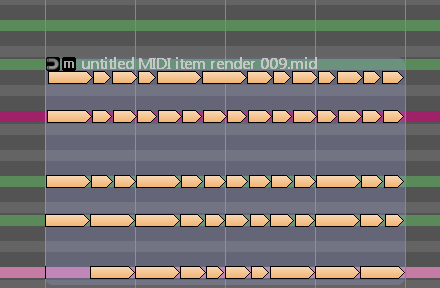
crossovercable wrote:I tried the note overlap settings but on import or drag it cuts out the overlapping so the strum is chops.
untitled MIDI item render 009.mid
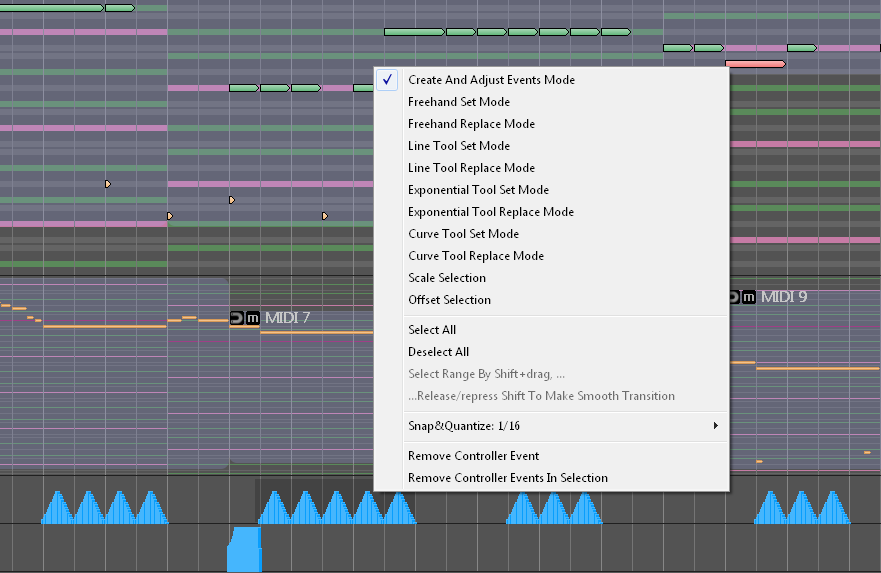 (tried Reaper and Studio one).
 Submit: News, Plugins, Hosts & Apps | Advertise @ KVR | Developer Account | About KVR / Contact Us | Privacy Statement
© KVR Audio, Inc. 2000-2026