


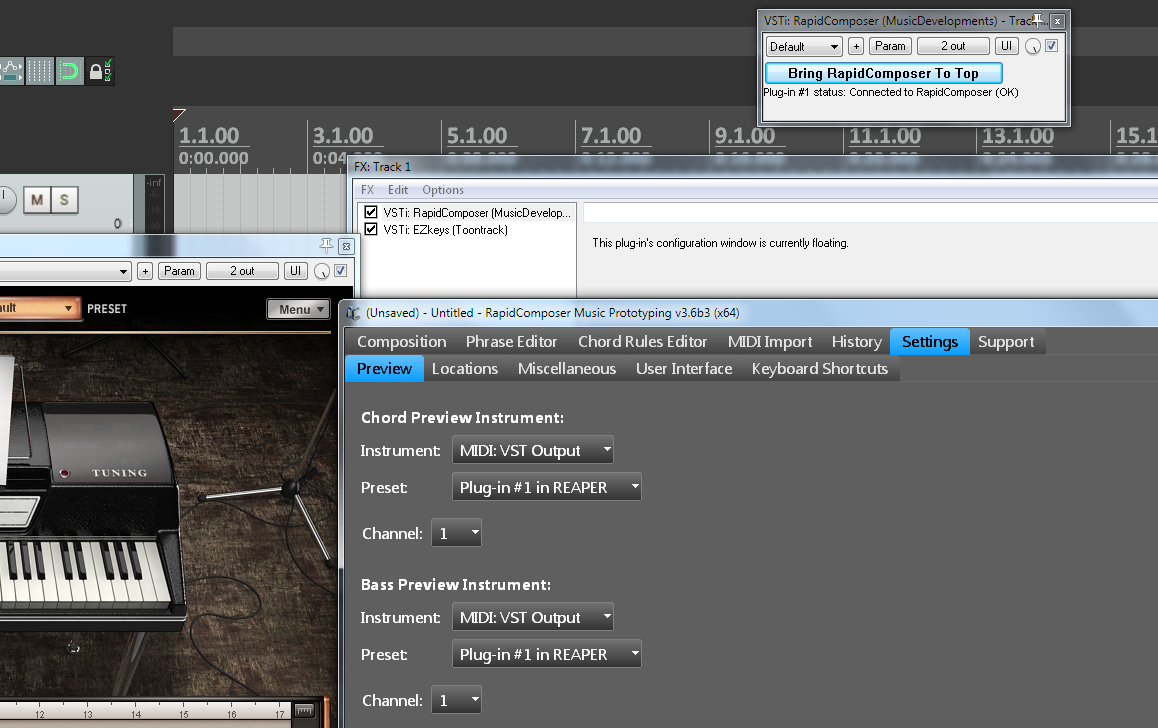
It gives the preview in Reaper how I have it set below:



This indeed does not workyellukhan wrote:i have a question about editing Rhythms (from Rhythm Browser) in Phrase Editor
seems after edit done "Apply Changes To Phrase In Library" doesn't work (v3.6b3 x64 - Windows7x64)
 How did I miss this?
Related: I would love to see note names and/or scale degrees on the notes. I am bad at reading piano roll...BluGenes wrote:On the subject of note editing.. I think having a visual reference of were you are in a scale would be very helpful. I am not talking about the note naming, but a couple of quick guides... So, how about adding a circle of fifths in the note editing browser and maybe a staff style note step count or a piano style display with the notes shaded in the scale, etc.....??
You can display information depending on the note kind: scale degrees (for scale notes), chord notes, or note names (for absolute notes) inside the notes, by clicking on the small hamburger icon in the track and enabling "Show Note Parameters":padillac wrote:Related: I would love to see note names and/or scale degrees on the notes. I am bad at reading piano roll...

Submit: News, Plugins, Hosts & Apps | Advertise @ KVR | Developer Account | About KVR / Contact Us | Privacy Statement
© KVR Audio, Inc. 2000-2026