


Sitala drum sampler going into alpha, looking for feedback!

-

- Banned
- 7624 posts since 13 Nov, 2015 from Norway
-
- KVRAF
- 2140 posts since 16 Jan, 2013 from USA
You guys still working on this? I’ve been searching for quite a while for something simple and effective like this, but with velocity layers. I emailed you about it at one point. Hope you didn’t abandon the project.
-
- Banned
- 7624 posts since 13 Nov, 2015 from Norway
It is abandoned.
EnergyXT3 - LMMS - FL Studio | Roland SH201 - Waldorf Rocket | SoundCloud - Bandcamp
-

- KVRist
- Topic Starter
- 35 posts since 18 Apr, 2018 from Berlin
Hello, the project is absolutely not abandoned! We are preparing a new release. Unfortunately velocity layers aren't part of the upcoming release but will be eventually supported.
-
- Banned
- 7624 posts since 13 Nov, 2015 from Norway
Oh great. What about multi outs?
EnergyXT3 - LMMS - FL Studio | Roland SH201 - Waldorf Rocket | SoundCloud - Bandcamp
-
- KVRist
- 55 posts since 30 Aug, 2008
Current version have option for 1 output per pad.
-
- Banned
- 7624 posts since 13 Nov, 2015 from Norway
Oh cool
EnergyXT3 - LMMS - FL Studio | Roland SH201 - Waldorf Rocket | SoundCloud - Bandcamp
-
- KVRAF
- 2140 posts since 16 Jan, 2013 from USA
Despite my bitter, bitter disappointment about layers...  Kidding. Glad you haven’t given up the ghost. Love the design.
 Kidding. Glad you haven’t given up the ghost. Love the design.
-
michal.ochedowski michal.ochedowski https://www.kvraudio.com/forum/memberlist.php?mode=viewprofile&u=432708
- KVRist
- 107 posts since 31 Dec, 2018
After a long break I returned to my DAW today. At first I wanted to try VST sampler from other company. It took me maybe three minutes to realize that it was way too advanced for my needs. So I opened up Sitala and instantly felt at ease. I love this sampler.
By the way, can someone verify if it's possible to automatically choose a pad in Sitala via external midi controller ? I mean when I press a drum pad on my hardware. Is it possible to have corresponding sample and it's controls displayed ? I thought that it worked that way before. Now I need to click with a mouse on a bottom row.
By the way, can someone verify if it's possible to automatically choose a pad in Sitala via external midi controller ? I mean when I press a drum pad on my hardware. Is it possible to have corresponding sample and it's controls displayed ? I thought that it worked that way before. Now I need to click with a mouse on a bottom row.
-

- KVRist
- 59 posts since 1 Apr, 2018 from Berlin, Germany
You can select the pad with MIDI, but doing so isn't super intuitive. There's a second region below the pad that can be mapped to MIDI which actually selects the pad (rather than triggering the sample):By the way, can someone verify if it's possible to automatically choose a pad in Sitala via external midi controller?

That wasn't so much a planned feature as something we added when we were doing a demo for a mini-conference and needed such for our little Sitala groove-box mashup. (Basically a ChucK script that turns a Kenton Killamix into a groove-box.)
-
michal.ochedowski michal.ochedowski https://www.kvraudio.com/forum/memberlist.php?mode=viewprofile&u=432708
- KVRist
- 107 posts since 31 Dec, 2018
scotchi, thank you for the info. However when I enter "Edit MIDI Map" mode, I can't map any of my pads, buttons, keys to the bottom row. I also noticed that mapping from the screenshot above is only available in standalone mode. Too bad, cause I definitely was hoping for a solution that was DAW compatible. Perhaps in the future it will be possible as an option to auto-select sample under currently pressed pad.
-
- KVRist
- Topic Starter
- 35 posts since 18 Apr, 2018 from Berlin
This is right, view selection mappings and parameter mappings are only available in standalone. We do have auto-select sample option on our todo list so eventually that feature will make it in 
-
michal.ochedowski michal.ochedowski https://www.kvraudio.com/forum/memberlist.php?mode=viewprofile&u=432708
- KVRist
- 107 posts since 31 Dec, 2018
Thumbs up !luzifer wrote: Mon Jul 15, 2019 12:57 pm This is right, view selection mappings and parameter mappings are only available in standalone. We do have auto-select sample option on our todo list so eventually that feature will make it in
-
- KVRist
- 59 posts since 1 Apr, 2018 from Berlin, Germany
Howdy folks --
We finally got another Sitala beta out the door (hopefully our last one before doing a 1.0 release) and once again are looking for feedback.
One of the things we'd like to see over time is more folks shipping kits in Sitala's format, so with this release we tried to focus on a feature set to make workflows for creating and maintaining kits as simple as possible. Some of the highlights are: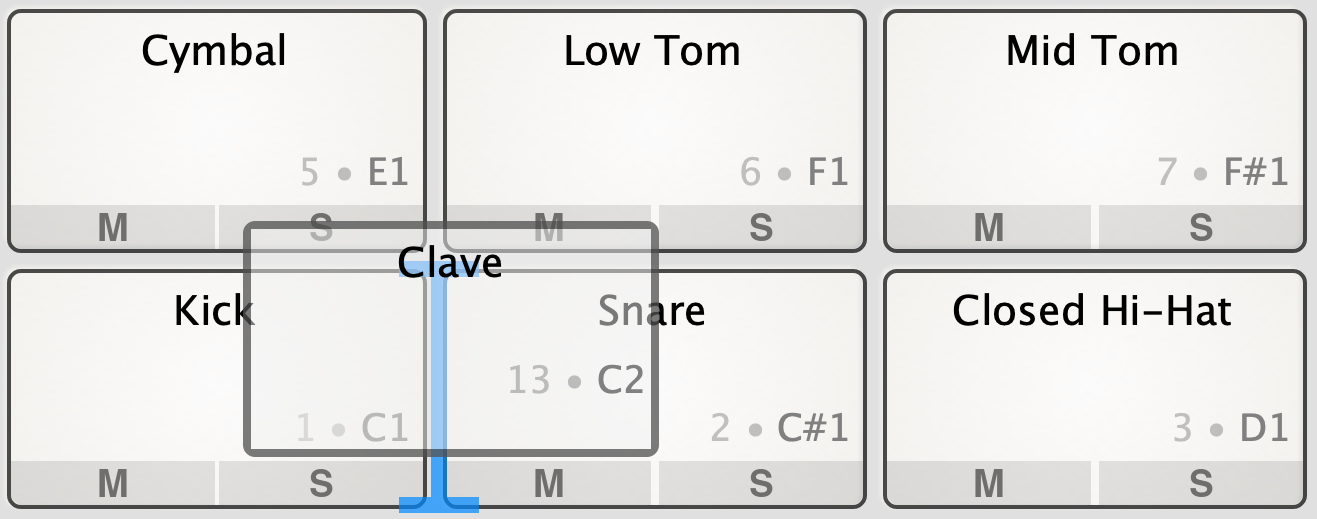
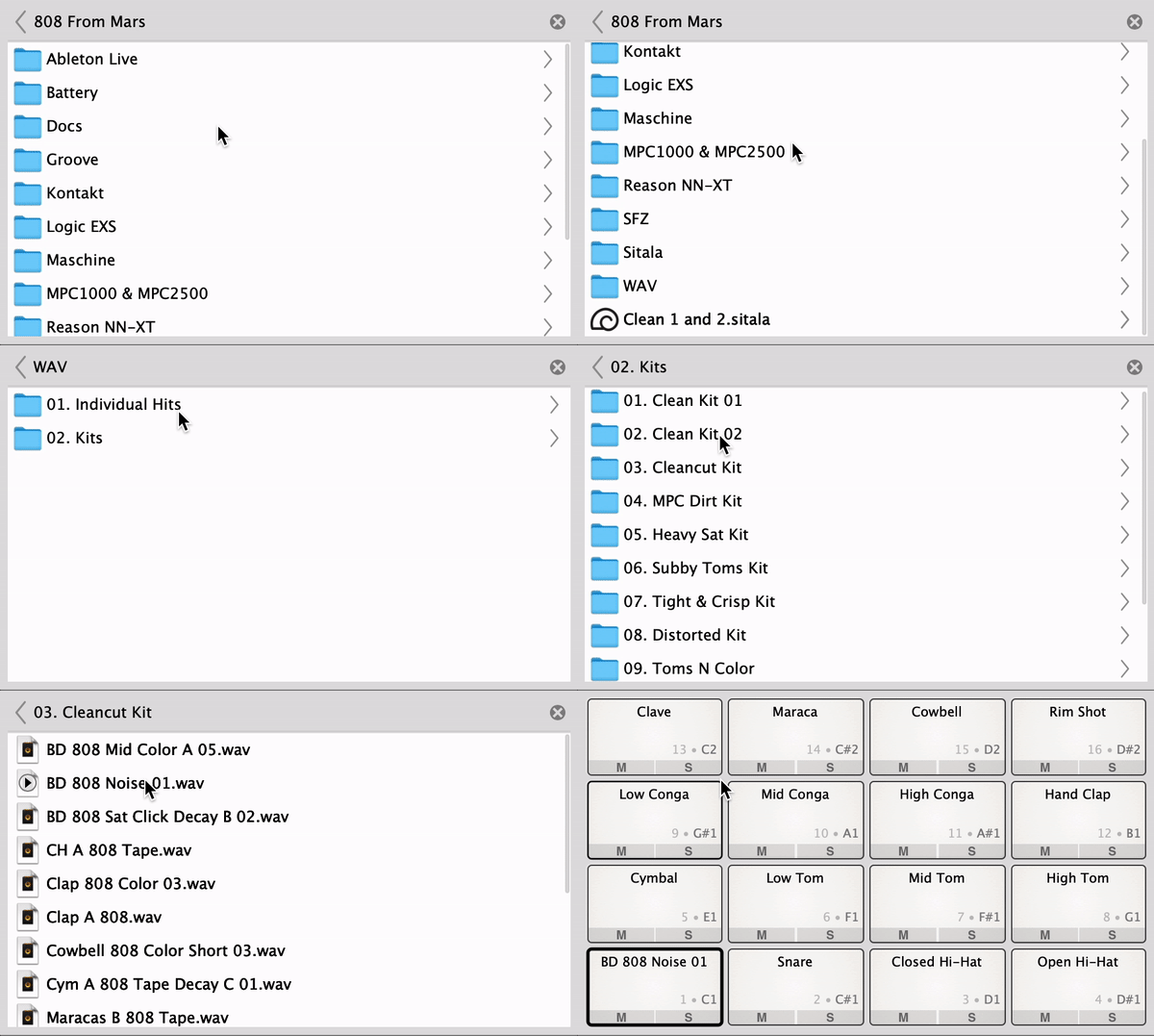
So we're particularly interested in feedback from those of you that sell or distribute sample packs. A few questions:
We finally got another Sitala beta out the door (hopefully our last one before doing a 1.0 release) and once again are looking for feedback.
One of the things we'd like to see over time is more folks shipping kits in Sitala's format, so with this release we tried to focus on a feature set to make workflows for creating and maintaining kits as simple as possible. Some of the highlights are:
- Drag and drop kit management (dragging pads around to rearrange, etc.)
- Built-in file browser
- More advanced sound previews (paging left and right within a directory or set of directories)
So we're particularly interested in feedback from those of you that sell or distribute sample packs. A few questions:
- How much work do you put into trying to use specifics of a given sampler, vs. maintaining consistency across samplers?
- Would a built-in converter for other samplers (even if it just pulls in the sample names) be of significant help?
- Any specific work flow improvements that would make things easier for you?