


In MSF you are able to build from the ground up with so many editable features. You can add an LFO or a knob or a button anywhere
In MXXX it's do limited. So few plugins withing have an edit screen it's kind of discouraging....maybe I'm missing something? I don't know
Just hope to one day see a blank slate option to make creations in MXXX!
Will there every be a blank Slate like MSF for MXXX?
-
- KVRist
- 456 posts since 16 Feb, 2017
-

- KVRian
- 1059 posts since 28 Jun, 2006 from Germany
What exactly do you mean? MXXX devices do have well designed GUIs.Underoath77 wrote: Sun Mar 29, 2020 3:46 pm In MSF you are able to build from the ground up with so many editable features. You can add an LFO or a knob or a button anywhere
In MXXX it's do limited. So few plugins withing have an edit screen it's kind of discouraging....maybe I'm missing something? I don't know
Just hope to one day see a blank slate option to make creations in MXXX!

System: Win 10 64 bit / i9 9900K (8x 3.6 GHz) / 16 GB DDR4-3200 RAM / 1TB M.2 SSD + 2x 500 GB SSD / RME Babyface / Reaper
Tagirijus.de
Tagirijus.de
-

- KVRian
- 1094 posts since 23 Sep, 2006
Yeah, I don't understand this either. Click the edit button, everything is there to create
-
- KVRist
- Topic Starter
- 456 posts since 16 Feb, 2017
Let me try to explain a bit better. With MXXX1 or Within the TurboSeries there are devices with names that were made with a blank slate and all the knobs and sliders and buttons have custom names.i wanna be able to make custom devices. Like make a Manley Vari My and name the controls and call it that.
vectorwarrior wrote: Sun Mar 29, 2020 6:35 pm Yeah, I don't understand this either. Click the edit button, everything is there to create
-
- KVRian
- 1059 posts since 28 Jun, 2006 from Germany
Well, yes, for this you have to go on to the edit screen!?
System: Win 10 64 bit / i9 9900K (8x 3.6 GHz) / 16 GB DDR4-3200 RAM / 1TB M.2 SSD + 2x 500 GB SSD / RME Babyface / Reaper
Tagirijus.de
Tagirijus.de
-
- KVRist
- Topic Starter
- 456 posts since 16 Feb, 2017
I mean that screen with MXXX1 with all the catagories like Distortion, mixing, all those named ones..
Tagirijus wrote: Sun Mar 29, 2020 7:29 pm Well, yes, for this you have to go on to the edit screen!?
-
- KVRAF
- 10376 posts since 2 Sep, 2003 from Surrey, UK
That IS the EASY screen where you see the Devices and can select any of them:
 >>> https://i.imgur.com/MD6mBSm.png
And here are the EDIT screens:
 >>> https://i.imgur.com/sEIfhYk.png
That's about as blank slate as you can get.
>>> https://i.imgur.com/MD6mBSm.pngAnd here are the EDIT screens:
>>> https://i.imgur.com/sEIfhYk.pngThat's about as blank slate as you can get.
-
- KVRist
- Topic Starter
- 456 posts since 16 Feb, 2017
How can I make devices with MXXX1?
DarkStar wrote: Sun Mar 29, 2020 9:55 pm That IS the EASY screen where you see the Devices and can select any of them:
And here are the EDIT screens:
That's about as blank slate as you can get.
-
- KVRAF
- 10376 posts since 2 Sep, 2003 from Surrey, UK
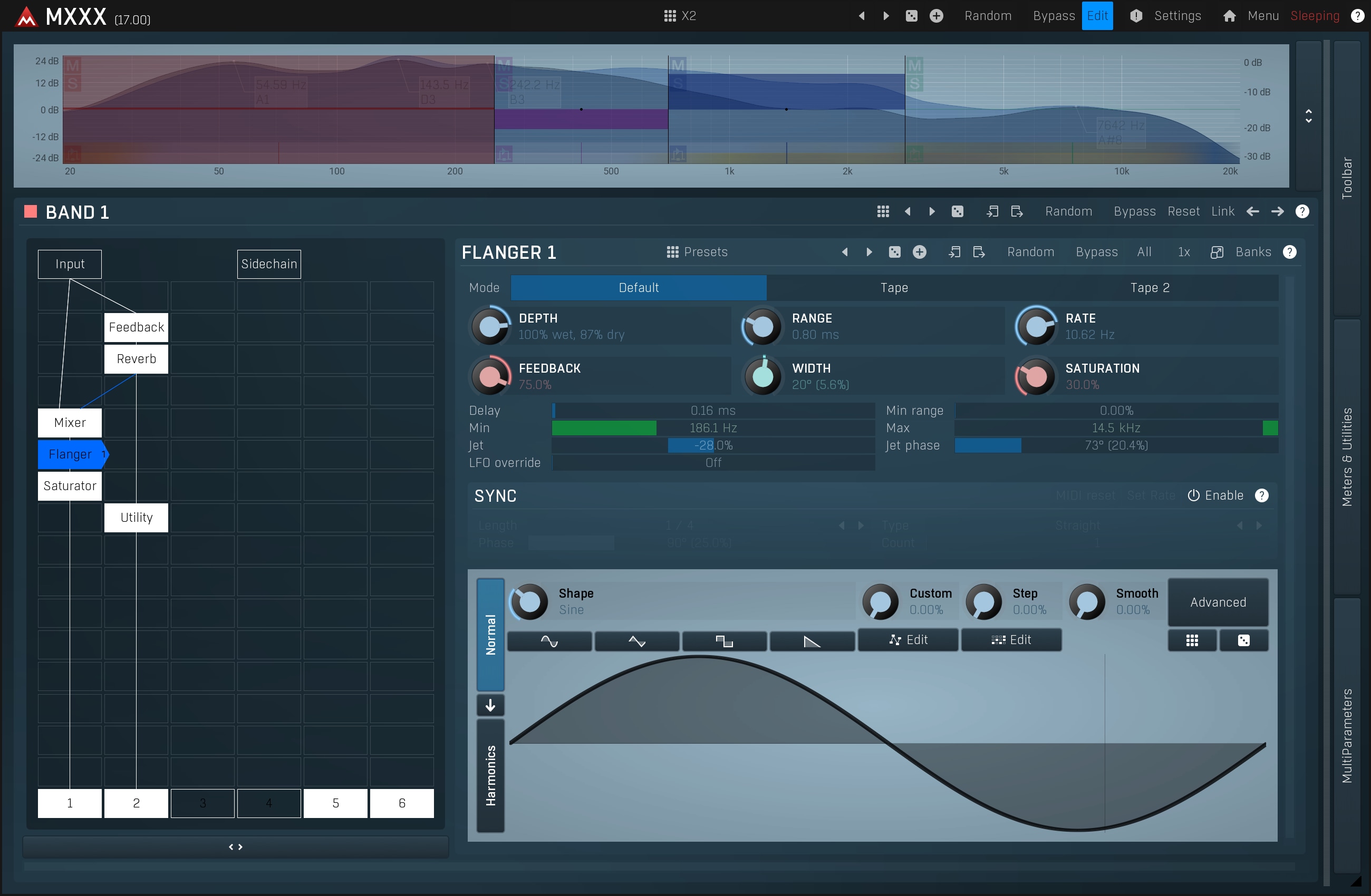
Hmm, it looks as though the Designer Menu has disappeared recently (v14.01 has it).
-
- KVRist
- Topic Starter
- 456 posts since 16 Feb, 2017
[can anyone use the designer menu?quote=DarkStar post_id=7710088 time=1585522304 user_id=8767]
Hmm, it looks as though the Designer Menu has disappeared recently (v14.01 has it).
[/quote]
Hmm, it looks as though the Designer Menu has disappeared recently (v14.01 has it).
[/quote]
-
- KVRist
- Topic Starter
- 456 posts since 16 Feb, 2017
Can anyone use the designer menu?
DarkStar wrote: Sun Mar 29, 2020 10:51 pm Hmm, it looks as though the Designer Menu has disappeared recently (v14.01 has it).
-
- KVRist
- Topic Starter
- 456 posts since 16 Feb, 2017
Any ideas Steve if the designer menu will come back?
-
- KVRian
- 1059 posts since 28 Jun, 2006 from Germany
Underoath77:
1. Can you make a screen-cap on what's going on on your site? Can't you do this, seen in the following gif? See:
2. Also check what version you are using.
3. Could you maybe just edit your posts, instead of making a new one? Otherwise this threads gets harder to read and it just looks bad.
1. Can you make a screen-cap on what's going on on your site? Can't you do this, seen in the following gif? See:
2. Also check what version you are using.
3. Could you maybe just edit your posts, instead of making a new one? Otherwise this threads gets harder to read and it just looks bad.
You do not have the required permissions to view the files attached to this post.
System: Win 10 64 bit / i9 9900K (8x 3.6 GHz) / 16 GB DDR4-3200 RAM / 1TB M.2 SSD + 2x 500 GB SSD / RME Babyface / Reaper
Tagirijus.de
Tagirijus.de
-
- KVRist
- Topic Starter
- 456 posts since 16 Feb, 2017
I've followed the Gif got the designer menu open. What do I need to do next?
Tagirijus wrote: Mon Mar 30, 2020 6:21 am Underoath77:
1. Can you make a screen-cap on what's going on on your site? Can't you do this, seen in the following gif? See:
2020-03-30_08-19-26.gif
2. Also check what version you are using.
3. Could you maybe just edit your posts, instead of making a new one? Otherwise this threads gets harder to read and it just looks bad.