

Hello everyone,
Anyone knows who could I use corresponded Peak Controller Sidechain ( Originally it is from FL studio) in cubase? I do not want to use compressor side chain to change the dynamic of the sound but rather want to modulate any general knob or fader in cubase
Thanks
modulation of volume via another signal ( peak controller sidechain ) in Cubase
-
- KVRist
- 114 posts since 8 Oct, 2019 from Lannion, France
Kind of a project-wide modulation matrix ? Would be awesome. Unless i didn't understand well, is this similar to this request ? :
https://www.steinberg.net/forums/viewtopic.php?t=109871
https://www.steinberg.net/forums/viewtopic.php?t=109871
-
- KVRian
- 805 posts since 17 May, 2011 from Philadelphia
I use Cableguys Midishaper in Cubase for something similar to this. (edit: this works on a Mac, not sure about windows)5980 wrote: Mon Jul 20, 2020 11:52 am Hello everyone,
Anyone knows who could I use corresponded Peak Controller Sidechain ( Originally it is from FL studio) in cubase? I do not want to use compressor side chain to change the dynamic of the sound but rather want to modulate any general knob or fader in cubase
Thanks
I route Midishaper out to an IAC Driver port and use that port as the input for the Quick Controls. Now anything that I want to modulate I just assign a Quick Control to - this can be VST parameters or track faders, panning, etc.
For envelope modulation I assign a Midi track to the Midishaper insert to tigger an envelope with any of the Quick Controls. I also like to combine the wave and envelope modulations.
It took me some trial and error to get it going. Here are the steps that worked for me:
1) create new IAC Driver port in Mac Audio Midi Setup (I call mine midishaper) The default settings work fine
2) In Cubase got to Studio Setup>Remote Devices>Track Quick Controls and select IAC Driver midishaper as Midi input. Note that the addresses of Quick Controls 1-8 are 16-23
3) Create an empty audio track in Cubase and insert Midishaper. The only purpose of this audio track is to contain midishaper, so you don't need any input or output busses on it
4) assign the Midishaper CCs to any of the Quick control CCs between 16 and 23. It can do up to 6 of them in one instance. Personally I use 2 instances of Midishaper, one for QCs 1-4 (16-19) and the other for QCs 5-8 (20-23)
5) In Midishaper's Midi Setup change "Out To Host" to "IAC Driver midishaper"
Now whatever track you have selected in Cubase will have it's Quick Controls following the modulation from Midishaper!
Assign these Quick Controls to just about any parameter you want.
If you want to use envelope modulation create a midi track and change the Midi Output routing to "Midishaper - Midi-In." Any midi note input on the track will trigger the envelope.
I have it as part of my standard template so it's ready to go whenever I open a new project.
-
- KVRist
- Topic Starter
- 44 posts since 6 Jul, 2020
Thanks. It is an interesting approach but I have PC!evo2slo wrote: Mon Jul 20, 2020 2:45 pmI use Cableguys Midishaper in Cubase for something similar to this. (edit: this works on a Mac, not sure about windows)5980 wrote: Mon Jul 20, 2020 11:52 am Hello everyone,
Anyone knows who could I use corresponded Peak Controller Sidechain ( Originally it is from FL studio) in cubase? I do not want to use compressor side chain to change the dynamic of the sound but rather want to modulate any general knob or fader in cubase
Thanks
I route Midishaper out to an IAC Driver port and use that port as the input for the Quick Controls. Now anything that I want to modulate I just assign a Quick Control to - this can be VST parameters or track faders, panning, etc.
For envelope modulation I assign a Midi track to the Midishaper insert to tigger an envelope with any of the Quick Controls. I also like to combine the wave and envelope modulations.
It took me some trial and error to get it going. Here are the steps that worked for me:
1) create new IAC Driver port in Mac Audio Midi Setup (I call mine midishaper) The default settings work fine
2) In Cubase got to Studio Setup>Remote Devices>Track Quick Controls and select IAC Driver midishaper as Midi input. Note that the addresses of Quick Controls 1-8 are 16-23
3) Create an empty audio track in Cubase and insert Midishaper. The only purpose of this audio track is to contain midishaper, so you don't need any input or output busses on it
4) assign the Midishaper CCs to any of the Quick control CCs between 16 and 23. It can do up to 6 of them in one instance. Personally I use 2 instances of Midishaper, one for QCs 1-4 (16-19) and the other for QCs 5-8 (20-23)
5) In Midishaper's Midi Setup change "Out To Host" to "IAC Driver midishaper"
Now whatever track you have selected in Cubase will have it's Quick Controls following the modulation from Midishaper!
Assign these Quick Controls to just about any parameter you want.
If you want to use envelope modulation create a midi track and change the Midi Output routing to "Midishaper - Midi-In." Any midi note input on the track will trigger the envelope.
I have it as part of my standard template so it's ready to go whenever I open a new project.
-

- Banned
- 11467 posts since 4 Jan, 2017 from Warsaw, Poland
Have a look at this free plugin:5980 wrote: Mon Jul 20, 2020 11:52 amAnyone knows who could I use corresponded Peak Controller Sidechain ( Originally it is from FL studio) in cubase? I do not want to use compressor side chain to change the dynamic of the sound but rather want to modulate any general knob or fader in cubase.
https://www.meldaproduction.com/MCCGenerator
It generates LFO shapes, envelopes or follow a sidechain input (I think) and will output corresponding MIDI CC values. All you need to do is learn other devices to follow those CCs. I'm sure there's way to do that in Cubase (like you'd map a fader or knob to hardware controller).
-
- KVRist
- Topic Starter
- 44 posts since 6 Jul, 2020
This is great thanks. Still it is not audio signal translation to cc ( arbitrary shapes) but still it is a big plus to use it! many thanks!antic604 wrote: Mon Jul 20, 2020 6:58 pmHave a look at this free plugin:5980 wrote: Mon Jul 20, 2020 11:52 amAnyone knows who could I use corresponded Peak Controller Sidechain ( Originally it is from FL studio) in cubase? I do not want to use compressor side chain to change the dynamic of the sound but rather want to modulate any general knob or fader in cubase.
https://www.meldaproduction.com/MCCGenerator
It generates LFO shapes, envelopes or follow a sidechain input (I think) and will output corresponding MIDI CC values. All you need to do is learn other devices to follow those CCs. I'm sure there's way to do that in Cubase (like you'd map a fader or knob to hardware controller).
-
- Banned
- 11467 posts since 4 Jan, 2017 from Warsaw, Poland
I'm sorry, but all the things shown in video are paid. Sorry again. I didn't know5980 wrote: Mon Jul 20, 2020 7:12 pmThis is great thanks. Still it is not audio signal translation to cc ( arbitrary shapes) but still it is a big plus to use it! many thanks!antic604 wrote: Mon Jul 20, 2020 6:58 pmHave a look at this free plugin:5980 wrote: Mon Jul 20, 2020 11:52 amAnyone knows who could I use corresponded Peak Controller Sidechain ( Originally it is from FL studio) in cubase? I do not want to use compressor side chain to change the dynamic of the sound but rather want to modulate any general knob or fader in cubase.
https://www.meldaproduction.com/MCCGenerator
It generates LFO shapes, envelopes or follow a sidechain input (I think) and will output corresponding MIDI CC values. All you need to do is learn other devices to follow those CCs. I'm sure there's way to do that in Cubase (like you'd map a fader or knob to hardware controller).

-
- KVRist
- Topic Starter
- 44 posts since 6 Jul, 2020
It actually supports also audio shapes
Anyhow looks very interesting !
But I am not sure if I need it yet- Mostly I am interested to know if such possible to do!
Thanks
Anyhow looks very interesting !
But I am not sure if I need it yet- Mostly I am interested to know if such possible to do!
Thanks
-
- KVRAF
- 5272 posts since 2 Jul, 2005
It has a fully featured envelope follower in the “mod” section along with odd things like pitch tracking and step sequencers. It’s a handy tool. I am a big fan of the Melda stuff though. Many people don’t like their designs.
Don't F**K with Mr. Zero.
-
- Banned
- 11467 posts since 4 Jan, 2017 from Warsaw, Poland
Just get Bitwig and be done with it5980 wrote: Mon Jul 20, 2020 7:28 pm It actually supports also audio shapes
Anyhow looks very interesting !
But I am not sure if I need it yet- Mostly I am interested to know if such possible to do!
Thanks

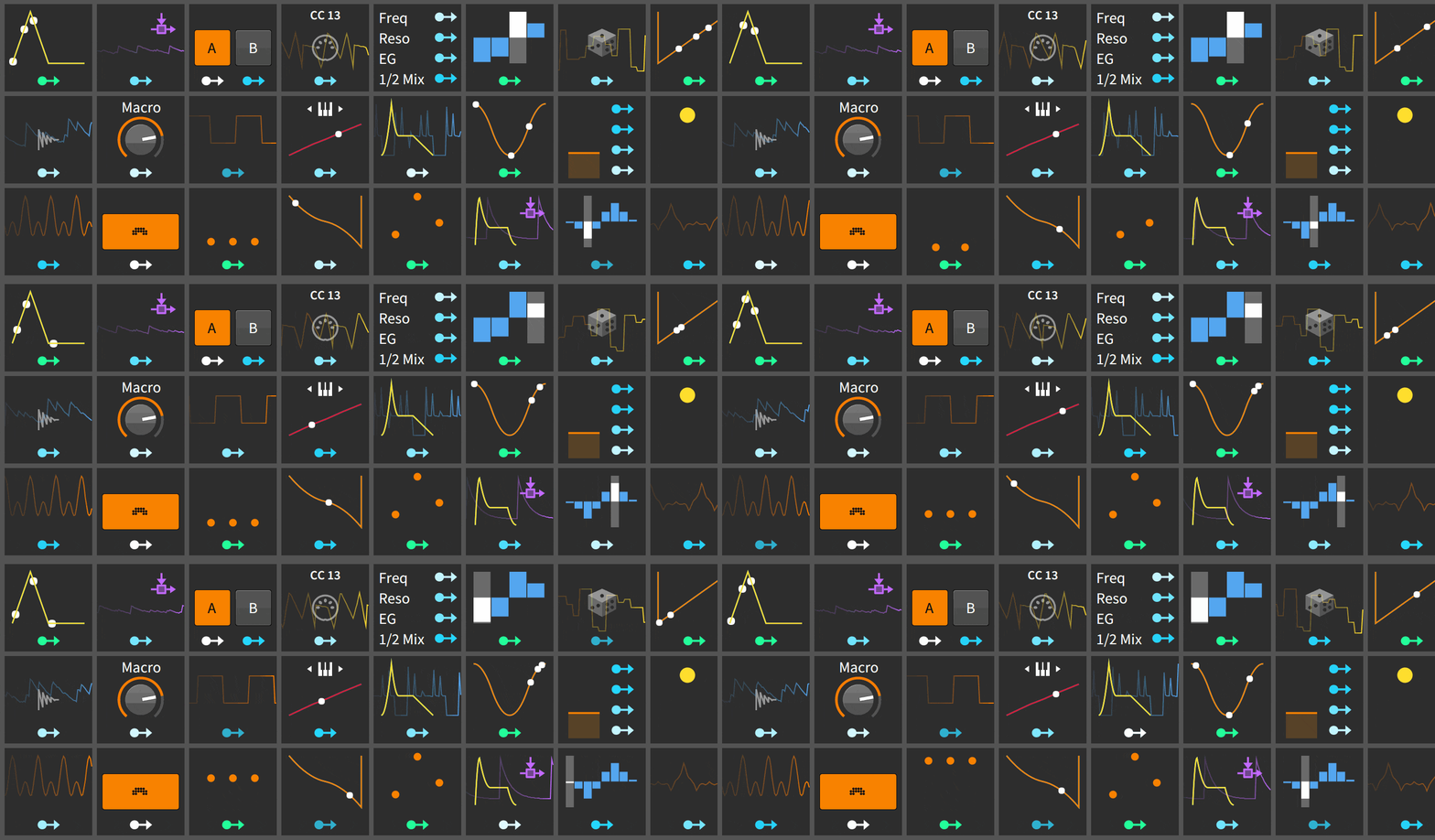
https://www.bitwig.com/en/bitwig-studio ... dio-3.html
https://www.bitwig.com/en/bitwig-studio ... ators.html
-
- KVRist
- Topic Starter
- 44 posts since 6 Jul, 2020
Thanks but it is too expensive. Also I did not like MCCGenerator. It is not really free. When you install it you basically need to pay over 50 EUR that it start to work. It should be some free plug in to do this. This is really simple without making fancy features or GUIantic604 wrote: Mon Jul 20, 2020 7:46 pmJust get Bitwig and be done with it5980 wrote: Mon Jul 20, 2020 7:28 pm It actually supports also audio shapes
Anyhow looks very interesting !
But I am not sure if I need it yet- Mostly I am interested to know if such possible to do!
Thanks
https://www.bitwig.com/en/bitwig-studio ... dio-3.html
https://www.bitwig.com/en/bitwig-studio ... ators.html
-
- KVRAF
- 5144 posts since 3 Oct, 2013

"Where we're workarounding, we don't NEED features." - powermat
-
- KVRAF
- 5272 posts since 2 Jul, 2005
The Melda free bundle is definitely worth the “upgrade” price to add all the more esoteric features. It depends on whether or not you need all of the included fx (some of which are pretty rare for a cheap bundle). What plugins do you own already? You may have something that can control what you want already if you have Komplete or something.
Don't F**K with Mr. Zero.
-
- KVRist
- 222 posts since 9 Jun, 2019 from Brisbane Australia
Melda mccg is nice, but as mentioned not actually free if you want it to work properly.
Midishaper demo is a good option if you can live with one modulator at a time.
Cubase actually has built in midi LFO which does the same job as both of those, but with less control.
Any parameter that has 'right click, learn midi cc' will be simple to modulate with any of the above devices. For everything else, you will need to learn how to route your modulator through something like LoopMidi into Cubase's genetic remote. Not fun but doable.
If you're serious about modulation, Bitwig, Reason, Live+ Max are all vastly superior.
Midishaper demo is a good option if you can live with one modulator at a time.
Cubase actually has built in midi LFO which does the same job as both of those, but with less control.
Any parameter that has 'right click, learn midi cc' will be simple to modulate with any of the above devices. For everything else, you will need to learn how to route your modulator through something like LoopMidi into Cubase's genetic remote. Not fun but doable.
If you're serious about modulation, Bitwig, Reason, Live+ Max are all vastly superior.
-
- Banned
- 11467 posts since 4 Jan, 2017 from Warsaw, Poland
It does not seem to output MIDI CC, though.