

Presonus new Atom SQ controller - Loopop's review
-
- KVRian
- 1090 posts since 24 Jul, 2018
Been waiting, I'm holding out buying an Atom to see if the SQ is worth extra $100 although just from specs it seems to be clearly worth it, so I'm really just procrastinating spending money.
-

- Banned
- Topic Starter
- 11467 posts since 4 Jan, 2017 from Warsaw, Poland
I think they've been design to coexist or maybe even complement each other:SoundPorn wrote: Mon Jul 20, 2020 5:33 pm Been waiting, I'm holding out buying an Atom to see if the SQ is worth extra $100 although just from specs it seems to be clearly worth it, so I'm really just procrastinating spending money.
- Atom - seems to have been made for Impact primarily, which means MPC-like workflow of triggering sounds and loops
- Atom SQ - covers the other end: playing melodies, chords, sequencing stuff, controlling instruments & effects
There's obviously overlap, too. So if you're choosing between the two, I'd get SQ.
-
- KVRian
- 1090 posts since 24 Jul, 2018
Okay after watching the review, its very well done as usual by Loopop, but i'm really disapointed the first hands on review was from a non Studio One user. That don't make sense to me.
The first video is basically the official unveil and that honor should have went to a YouTuber who uses Studio One and specifically uses it in a way that this control targets.
Kreative Sound or Craftmaster Productions should have gotten the first video honor. Or even Mr. Different whose original Atom review was well done, is the highest viewed review of it, and again his audience is the more aligned with the controllers target.
The first video is basically the official unveil and that honor should have went to a YouTuber who uses Studio One and specifically uses it in a way that this control targets.
Kreative Sound or Craftmaster Productions should have gotten the first video honor. Or even Mr. Different whose original Atom review was well done, is the highest viewed review of it, and again his audience is the more aligned with the controllers target.
-
- Banned
- Topic Starter
- 11467 posts since 4 Jan, 2017 from Warsaw, Poland
What's even weirder is that it came out before Presonus officially announced it. Something fishy is going on with it, honsetly. When S1 v5 just came out its description has been linking to Atom SQ product page, but you wouldn't be able to find this page from anywhere else. A week later they've added the link to general Presonus' products page, but still no official announcement. It was even shown in one of Gregor's latest videos, but you wouldn't know if you weren't paying close attention.SoundPorn wrote: Tue Jul 21, 2020 7:36 amOkay after watching the review, its very well done as usual by Loopop, but i'm really disapointed the first hands on review was from a non Studio One user. That don't make sense to me.
Weird

-
- KVRian
- 557 posts since 11 Dec, 2017
They don’t give videos “first honors.” They ship demo units to a bunch of people and those people shoot a video. Those other creators probably did receive units, but Loopop made his vídeo first.SoundPorn wrote: Tue Jul 21, 2020 7:36 am Okay after watching the review, its very well done as usual by Loopop, but i'm really disapointed the first hands on review was from a non Studio One user. That don't make sense to me.
The first video is basically the official unveil and that honor should have went to a YouTuber who uses Studio One and specifically uses it in a way that this control targets.
Kreative Sound or Craftmaster Productions should have gotten the first video honor. Or even Mr. Different whose original Atom review was well done, is the highest viewed review of it, and again his audience is the more aligned with the controllers target.
-
- KVRian
- 557 posts since 11 Dec, 2017
It differs depending on the DAW. It looks like one of the uses in S1 is that the top row selects one of 16 instruments and the bottom row shows the 16 steps for that instrument. Notice how the top row still has 16 buttons.tooneba wrote: Tue Jul 21, 2020 8:13 am It has only 2 rows. So this controller's pads are designed basically for focusing the keyboard aspect rather than step sequencing. Right?
That’s a bit more nimble than how the basic Atom handles it with a kind of paged approach.
-
- KVRAF
- 1524 posts since 6 Nov, 2012
Thanks. That basically means the graphical feedback on physical controller for the overview of the state of SS is available only for one step sequencer channel at once. Just looking at computer screen seems better and mandatory approach here.oneway wrote: Tue Jul 21, 2020 2:18 pmIt differs depending on the DAW. It looks like one of the uses in S1 is that the top row selects one of 16 instruments and the bottom row shows the 16 steps for that instrument. Notice how the top row still has 16 buttons.tooneba wrote: Tue Jul 21, 2020 8:13 am It has only 2 rows. So this controller's pads are designed basically for focusing the keyboard aspect rather than step sequencing. Right?
That’s a bit more nimble than how the basic Atom handles it with a kind of paged approach.
-
- KVRian
- 557 posts since 11 Dec, 2017
It’s hard to say because Loopop isn’t really a Studio One user but so far it looks like that.tooneba wrote: Tue Jul 21, 2020 2:40 pmThanks. That basically means the graphical feedback on physical controller for the overview of the state of SS is available only for one step sequencer channel at once. Just looking at computer screen seems better and mandatory approach here.oneway wrote: Tue Jul 21, 2020 2:18 pmIt differs depending on the DAW. It looks like one of the uses in S1 is that the top row selects one of 16 instruments and the bottom row shows the 16 steps for that instrument. Notice how the top row still has 16 buttons.tooneba wrote: Tue Jul 21, 2020 8:13 am It has only 2 rows. So this controller's pads are designed basically for focusing the keyboard aspect rather than step sequencing. Right?
That’s a bit more nimble than how the basic Atom handles it with a kind of paged approach.
I grew up using a monitor, keyboard, and a mouse. I’ve been using them my whole life. Whenever a developers’ only reason for a controller is to “get you away from the keyboard and the mouse” I’m always like... why? Some of the functions they show in these videos are like 4x slower when they do them.
That’s how it is on the normal Atom- I use maybe 5 out of ~40 of the hardware shortcuts because most of them are less convenient. CMD+F on the keyboard or Instrument > Shift + Edit > Pad 15 On the Atom.
-
- KVRAF
- 1524 posts since 6 Nov, 2012
Speaking of the faster method I agree. Using GUI on computer display is the best all-around method. Some people put ss beside the dj deck. So it feels little odd to me that they didn't try to pursue more convenient "display free" ss aspect.oneway wrote: Tue Jul 21, 2020 2:46 pmIt’s hard to say because Loopop isn’t really a Studio One user but so far it looks like that.tooneba wrote: Tue Jul 21, 2020 2:40 pmThanks. That basically means the graphical feedback on physical controller for the overview of the state of SS is available only for one step sequencer channel at once. Just looking at computer screen seems better and mandatory approach here.oneway wrote: Tue Jul 21, 2020 2:18 pmIt differs depending on the DAW. It looks like one of the uses in S1 is that the top row selects one of 16 instruments and the bottom row shows the 16 steps for that instrument. Notice how the top row still has 16 buttons.tooneba wrote: Tue Jul 21, 2020 8:13 am It has only 2 rows. So this controller's pads are designed basically for focusing the keyboard aspect rather than step sequencing. Right?
That’s a bit more nimble than how the basic Atom handles it with a kind of paged approach.
I grew up using a monitor, keyboard, and a mouse. I’ve been using them my whole life. Whenever a developers’ only reason for a controller is to “get you away from the keyboard and the mouse” I’m always like... why? Some of the functions they show in these videos are like 4x slower when they do them.
That’s how it is on the normal Atom- I use maybe 5 out of ~40 of the hardware shortcuts because most of them are less convenient. CMD+F on the keyboard or Instrument > Shift + Edit > Pad 15 On the Atom.
-
- KVRian
- 557 posts since 11 Dec, 2017
I don’t know how it works in Live (Loopop seemed to cover that well) but in Studio One the way they do it does speed it up. Still, though, there isn’t much of a benefit to having the step sequencer outfitted for “live” usage next to your DJ decks. The song page of S1 (which includes the SS) doesn’t work that way, it’s still for writing and producing music rather than performing it. There are so many little functions still on the monitor in S1’s SS that it would be futile to try and make it “display free” considering their users are absolutely using the display anyway.tooneba wrote: Tue Jul 21, 2020 3:08 pmSpeaking of the faster method I agree. Using GUI on computer display is the best all-around method. Some people put ss beside the dj deck. So it feels little odd to me that they didn't try to pursue more convenient "display free" ss aspect.
-
- KVRian
- 1090 posts since 24 Jul, 2018
Every creator they shipped it too would have had to sign an NDA as well meaning they would only be legally allowed to talk about it or release they're video until Presonus said. Like Kreative Sound has had his for awhile and talked about having it in the S1v5 official release but wasn't allowed to go into any detail on it
oneway wrote: Tue Jul 21, 2020 2:16 pmThey don’t give videos “first honors.” They ship demo units to a bunch of people and those people shoot a video. Those other creators probably did receive units, but Loopop made his vídeo first.SoundPorn wrote: Tue Jul 21, 2020 7:36 am Okay after watching the review, its very well done as usual by Loopop, but i'm really disapointed the first hands on review was from a non Studio One user. That don't make sense to me.
The first video is basically the official unveil and that honor should have went to a YouTuber who uses Studio One and specifically uses it in a way that this control targets.
Kreative Sound or Craftmaster Productions should have gotten the first video honor. Or even Mr. Different whose original Atom review was well done, is the highest viewed review of it, and again his audience is the more aligned with the controllers target.
-
- KVRer
- 8 posts since 18 Nov, 2011
This looks cool but I wish it had gate and cv outs.
-
- Banned
- Topic Starter
- 11467 posts since 4 Jan, 2017 from Warsaw, Poland
Well then:
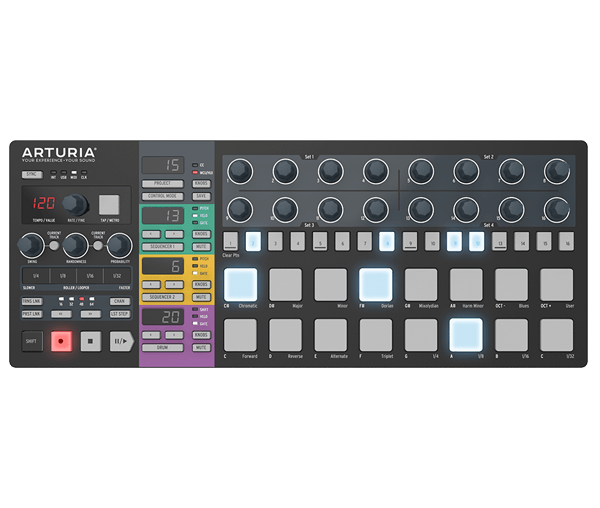
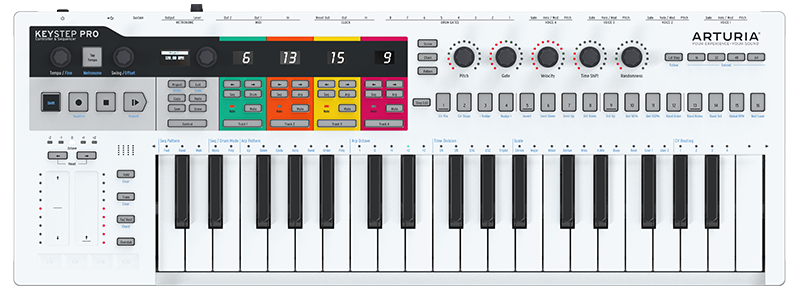
-
- KVRian
- 1090 posts since 24 Jul, 2018
This controller is almost everything I was looking for in a controller I love it's design. I'm waiting for Kreative Sounds next video about it because he told me he would go other it's potential use for mixing, because one thing it has the ability to do is to easily control compressors, eq's, reverbs, and ect with it's screen and rotaries.