

Yeah but I'm in a rock-band with a real drummer. Also when I record BFD packs, I use transient detection then to make the libraries that our customers use. I don't expect everyone to have the same workflows as me, but transient detection and slicing at transients is pretty essential for all of my projects.
The Studio One transient detection isn't really up to the job. I tend to use Reaper for that.
Also editing multi-track drums in Logic is a huge waste of time. Terrible workflow.
Why did you leave Studio One?
-
- KVRAF
- 7315 posts since 7 Mar, 2003
My Youtube Channel - Wires Dream Disasters
-

- Banned
- 11467 posts since 4 Jan, 2017 from Warsaw, Poland
I know those titles mean nothing, but it's still something 
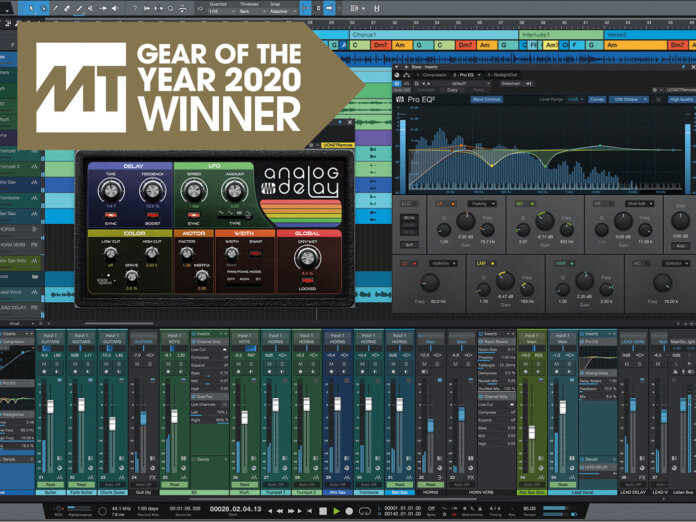
https://www.musictech.net/features/awar ... -daw-2020/
https://www.musictech.net/features/awar ... -daw-2020/
-
Cancel Culture Club Cancel Culture Club https://www.kvraudio.com/forum/memberlist.php?mode=viewprofile&u=486062
- KVRist
- 146 posts since 28 Dec, 2020
Amberience wrote: Wed Dec 30, 2020 10:06 pm Yeah but I'm in a rock-band with a real drummer. Also when I record BFD packs, I use transient detection then to make the libraries that our customers use. I don't expect everyone to have the same workflows as me, but transient detection and slicing at transients is pretty essential for all of my projects.
The Studio One transient detection isn't really up to the job. I tend to use Reaper for that.
Also editing multi-track drums in Logic is a huge waste of time. Terrible workflow.
How about trying to quantize your audio before slicing it?
-
- KVRAF
- 5066 posts since 27 Jul, 2004
Perhaps I am very nitpicky but I wonder as I always read about how ugly i.e. Reaper is that nobody seems to be bothered by how ugly folder clips look in S1 respectively that the preview of contained clips gets thinner and thinner until it disappears
Not to speak that many 3rd party plugins get autonumbered for each single instance... doesn´t that bother you at all??
Not to speak that many 3rd party plugins get autonumbered for each single instance... doesn´t that bother you at all??
You do not have the required permissions to view the files attached to this post.
-
- Banned
- 11467 posts since 4 Jan, 2017 from Warsaw, Poland
Yeah, not a fan of this too.Trancit wrote: Thu Dec 31, 2020 5:54 pm Perhaps I am very nitpicky but I wonder as I always read about how ugly i.e. Reaper is that nobody seems to be bothered by how ugly folder clips look in S1 respectively that the preview of contained clips gets thinner and thinner until it disappears
Folder.jpg
Also I don't like how S1 draws notes in events, because it tries to show 4 or 5 octaves, so if you have 2 bass line events with small differences between them, you can hardly see it in the overview - both basically look like a straight line. Live or Cubase do that a lot better.
Another thing is colour palette for tracks - it's very muted, dusted and "sad". Again, in comparison I really like how vibrant the colours of Live or Cubase are. Bitwig is somewhere in between.
But the most annoying - in otherwise fantastic DAW! - thing has to be the Track Inspector. It has 3 segments (track / channel / event) but since it doesn't scroll vertically you'll almost never see any of them in their entirety - you need to drag the 2 dividers around all the time to access the options obscured by other segments. It should either scroll like it does in Bitwig, or automatically fold the segments that not being used presently like in Cubase.
I'm not sure what you mean?Trancit wrote: Thu Dec 31, 2020 5:54 pmNot to speak that many 3rd party plugins get autonumbered for each single instance... doesn´t that bother you at all??
They need to get unique numbers because of the overarching philosophy, where instruments are logically separate from instrument tracks, i.e. they're all listed in Console and when you bring up the plugin window they all live together in kind of a rack, that you can tab through. You can have instrument without a track, you can have track without an instrument.
-
- KVRian
- 557 posts since 11 Dec, 2017
I'm not sure if you're referring to what Gregor did or the automatic process of setting a detection threshold and just hitting quantize on a piece of audio.Cancel Culture Club wrote: Thu Dec 31, 2020 3:15 pmAmberience wrote: Wed Dec 30, 2020 10:06 pm Yeah but I'm in a rock-band with a real drummer. Also when I record BFD packs, I use transient detection then to make the libraries that our customers use. I don't expect everyone to have the same workflows as me, but transient detection and slicing at transients is pretty essential for all of my projects.
The Studio One transient detection isn't really up to the job. I tend to use Reaper for that.
Also editing multi-track drums in Logic is a huge waste of time. Terrible workflow.
How about trying to quantize your audio before slicing it?
If you mean just hitting quantize with auto-detect, there is a problem with that method which was what I mentioned in a few posts here. When there are transient bands (the light blue areas it will draw before some bend markers) it quantizes the end of the band to the beat. When you slice it, it's quantized to the beginning of the band. Most other material in the DAW will be sequenced so that the grid is quantized to the beginning of the respective area on other instruments.
This creates the effect of some notes sounding early relative to the song. Creates a lot of situations where manual adjustments are needed.
I've gotten pretty fast with working around it but it's really nowhere near as simple as hitting quantize on a piece of audio. The only reason it works so well in Gregor's video is because he manually placed all the bend markers beforehand.
-
- KVRian
- 557 posts since 11 Dec, 2017
I think it's pretty nitpicky. Folder tracks in S1 never bothered me at all and I've used many of the DAWs on the market before settling on Studio One.Trancit wrote: Thu Dec 31, 2020 5:54 pm Perhaps I am very nitpicky but I wonder as I always read about how ugly i.e. Reaper is that nobody seems to be bothered by how ugly folder clips look in S1 respectively that the preview of contained clips gets thinner and thinner until it disappears
Folder.jpg
Not to speak that many 3rd party plugins get autonumbered for each single instance... doesn´t that bother you at all??
There's a giant folder icon in the track controls and in your peripheral you can see that the tracks below/above it are indented. That's how you know it's a folder track at small settings.

-
- KVRAF
- 5066 posts since 27 Jul, 2004
Yes, that´s a good one too...antic604 wrote: Thu Dec 31, 2020 7:11 pm But the most annoying - in otherwise fantastic DAW! - thing has to be the Track Inspector. It has 3 segments (track / channel / event) but since it doesn't scroll vertically you'll almost never see any of them in their entirety - you need to drag the 2 dividers around all the time to access the options obscured by other segments. It should either scroll like it does in Bitwig, or automatically fold the segments that not being used presently like in Cubase.
On a 4K system it´s of course always completely visible but I don´t want to make the move because of still too many stuff not working properly in terms of scaling...
On a 1080p it´s really annoying...
It wouldn´t bother me that much if they would have the clip gain parameter in the rightclick menu too instead of just rely on the gain envelope... silly decision to put everything inside but not the gain...
I speak about autonumbering when putting the same plugin on DIFFERENT tracks...I'm not sure what you mean?Trancit wrote: Thu Dec 31, 2020 5:54 pmNot to speak that many 3rd party plugins get autonumbered for each single instance... doesn´t that bother you at all??
They need to get unique numbers because of the overarching philosophy, where instruments are logically separate from instrument tracks, i.e. they're all listed in Console and when you bring up the plugin window they all live together in kind of a rack, that you can tab through. You can have instrument without a track, you can have track without an instrument.
If they need all unique numbers why do some need them and some not...:
- all Fabfilter plugs get autonumbered but not DMG ones...
- all Melda plugs get autonumbered but not Toneboosters´
- all Cableguys plugs and many others get autonumbered but not their own natives
- all Kilohearts plugs get autonumbered but not Izotope´s
- why didn´t I see this autonumbering in any other DAW??
If there would be a technical reason why should this affect some but not the other???
-
- KVRAF
- 5066 posts since 27 Jul, 2004
If the preview of contained clips would be that unimportant and the icon of the track would be enough why then bother with implementing it anyway...?oneway wrote: Fri Jan 01, 2021 5:37 am There's a giant folder icon in the track controls and in your peripheral you can see that the tracks below/above it are indented. That's how you know it's a folder track at small settings.
Why do others seem to have invested a bit more time and energy to make it look right even at smaller track heights??
To my knowledge S1 is the only DAW with folderclips and such a silly system... Cubase...looks perfect as does Cakewalk, Bitwig, Logic...
Sorry, but with such obvious visual things there can be only one principle: Do it right or leave it!
Why bothering with visual alligning meters and faders in the mixer...hey, as long as they are placed inside of the track boundaries one will note immediately that they belong to the same track... what does it matter if they are a few pixels off...

-

- KVRian
- 932 posts since 26 Nov, 2010
S1's attempt on Folders were bad enough for me to ditch it, Avid did need a long time to implement this but they've done it and they've done it perfectly (at least from a mixing perspective).oneway wrote: Fri Jan 01, 2021 5:37 am Folder tracks in S1 never bothered me at all and I've used many of the DAWs on the market before settling on Studio One.
Routing folder tracks are just amazing, the fact that folders are represented in both project and mixer view is amazing.
S1's import from session is a joke in comparison, too.
However, for content creation this thing is just perfect and hardly has a match. But it's not what I do anymore, so bye bye S1.
-
- KVRAF
- 7097 posts since 22 Jan, 2005 from Sweden
3 things that bothered me enough to leave
- no caption on a track in arrange view so you always easily spot which track is selected
It's just single line border - and if using track and clip colors hard to tell if selected or not
Is it hilight of red or something else on a track does not make you spot that easily as if there were a top border(caption) on track - like Sonar/Cakewalk has as an example.Some hilight that is consistent disregarding colors you chose.
- inspector is just shades of gray, and eye has to look to find what you look for
- recording midi always translate to automation - which has side effects doing real time tweak of midi cc
first node of midi cc is translated to also be initial value of that clip, and sent at beginning clip - not where nodes is. All other daws send what is recorded where it was recorded, but offer option to convert to automation.
A few things on top of my head....
- no caption on a track in arrange view so you always easily spot which track is selected
It's just single line border - and if using track and clip colors hard to tell if selected or not
Is it hilight of red or something else on a track does not make you spot that easily as if there were a top border(caption) on track - like Sonar/Cakewalk has as an example.Some hilight that is consistent disregarding colors you chose.
- inspector is just shades of gray, and eye has to look to find what you look for
- recording midi always translate to automation - which has side effects doing real time tweak of midi cc
first node of midi cc is translated to also be initial value of that clip, and sent at beginning clip - not where nodes is. All other daws send what is recorded where it was recorded, but offer option to convert to automation.
A few things on top of my head....
-
- KVRian
- 797 posts since 2 Nov, 2014
Agree on all points. Especially Colors and depth.lfm wrote: Fri Jan 01, 2021 10:21 am 3 things that bothered me enough to leave
- no caption on a track in arrange view so you always easily spot which track is selected
It's just single line border - and if using track and clip colors hard to tell if selected or not
Is it hilight of red or something else on a track does not make you spot that easily as if there were a top border(caption) on track - like Sonar/Cakewalk has as an example.Some hilight that is consistent disregarding colors you chose.
- inspector is just shades of gray, and eye has to look to find what you look for
- recording midi always translate to automation - which has side effects doing real time tweak of midi cc
first node of midi cc is translated to also be initial value of that clip, and sent at beginning clip - not where nodes is. All other daws send what is recorded where it was recorded, but offer option to convert to automation.
A few things on top of my head....
-
- KVRian
- 797 posts since 2 Nov, 2014
Studio One also has routing(bus) folders where represented in both project and mixer. What is the difference with Protools?Proteinshake wrote: Fri Jan 01, 2021 10:03 amS1's attempt on Folders were bad enough for me to ditch it, Avid did need a long time to implement this but they've done it and they've done it perfectly (at least from a mixing perspective).oneway wrote: Fri Jan 01, 2021 5:37 am Folder tracks in S1 never bothered me at all and I've used many of the DAWs on the market before settling on Studio One.
Routing folder tracks are just amazing, the fact that folders are represented in both project and mixer view is amazing.
S1's import from session is a joke in comparison, too.
However, for content creation this thing is just perfect and hardly has a match. But it's not what I do anymore, so bye bye S1.
-
- KVRian
- 932 posts since 26 Nov, 2010
The next closest thing would be Logic Pro, which I unfortunately don't like much. But I haven't found ANY way of doing this in S1.andypryce wrote: Fri Jan 01, 2021 10:54 am Studio One also has routing(bus) folders where represented in both project and mixer. What is the difference with Protools?
It's getting even better when you're putting folders inside folders which are in a folders. As the structure gets deepeer, the visual representation in the mixer does, too. See what I mean?