How do you calculate the running time in Live 10/11?

Audio Plugin Hosts and other audio software applications discussion
Post Reply New Topic
RELATED
PRODUCTS

Post

Hi there,

If there is a way to show the running time in Live 10/11, please let me know. Otherwise, I would like someone to teach me how to calculate the total running time in mm:ss:

BPM = 104 4/4 100 bars long. Any formula to do the math? :dog:

Thanks!
Cowby

Post

60/104 x 4 x 100 = 230,77 secondes = 3 minutes and 51 secondes

60 secondes per minute

104 beats per minute

So, 60 / 104 = time for each beat (seconde per beat)

time for each beat x 4 beats per mesure x 100 (number of mesure)
Last edited by Jolaff on Sun Jan 10, 2021 1:11 pm, edited 1 time in total.

Post

You have a mm:ss ruler at the bottom in Live

Beats to min, sec:
Number of beats in a bar * number of bars * (60 / BPM) = seconds

Post

cowby wrote: Sun Jan 10, 2021 12:54 pmIf there is a way to show the running time in Live 10/11, please let me know.
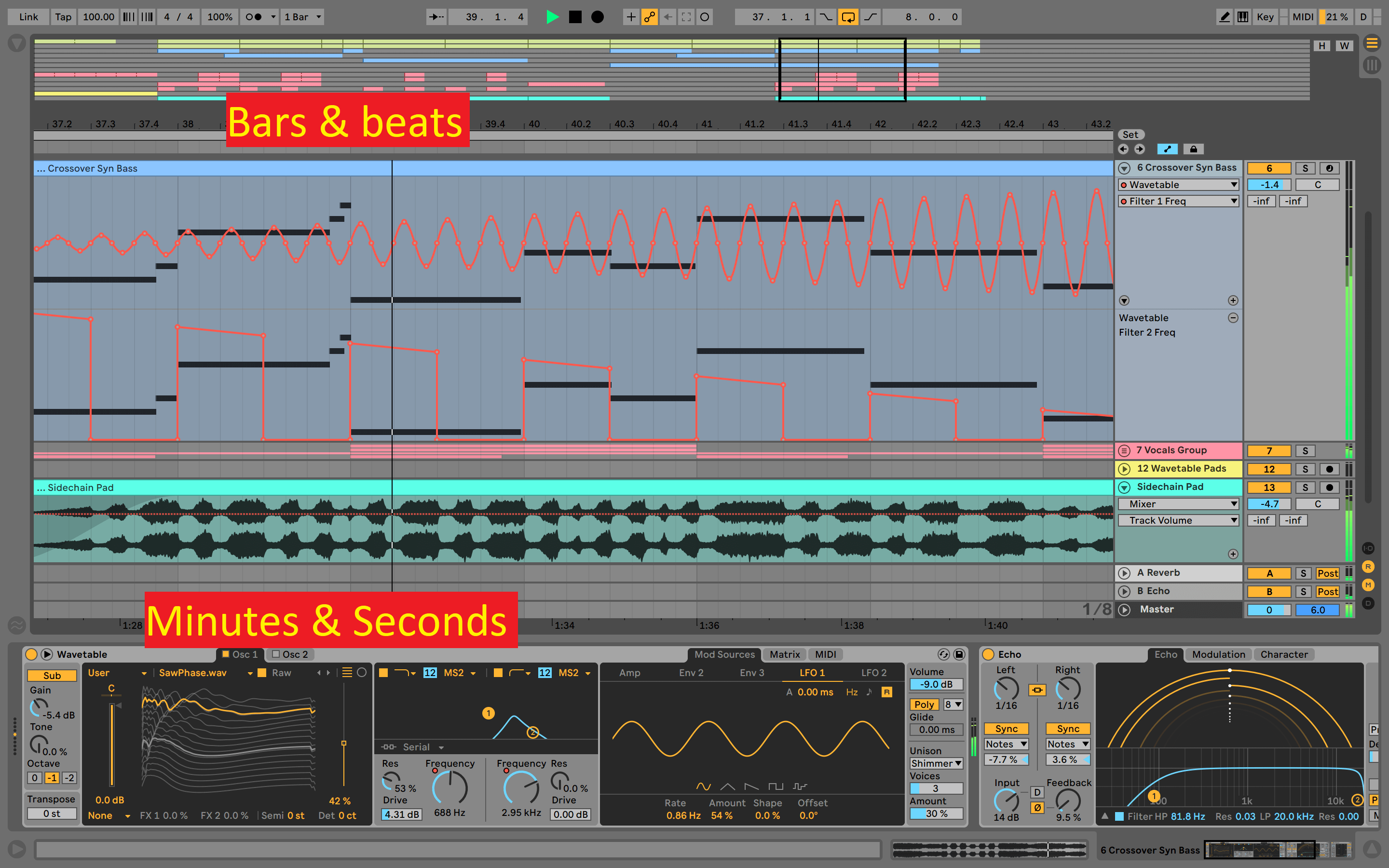
Live displays both by default:

Image
Music tech enthusiast
DAW, VST & hardware hoarder
My "music": https://soundcloud.com/antic604

Post

May be I just overlooked regarding the mm:ss display. Will take a look this weekend.

Post

Sometimes I wish Session mode displayed "time elapsed since Play was pressed".

Post

Winstontaneous wrote: Sun Jan 17, 2021 9:01 am Sometimes I wish Session mode displayed "time elapsed since Play was pressed".
Disable loop in Arrangement and set coursor at the beginning. Then everytime you play something in Session it will move along in Arrangement, so just quickly tab there to see how much time had elapsed.

Other than that, there's some M4L timers available (quick Google, probably many more):
https://www.maxforlive.com/library/devi ... ying-timer
https://sonicbloom.net/en/work-timer-fr ... stopwatch/
Music tech enthusiast
DAW, VST & hardware hoarder
My "music": https://soundcloud.com/antic604

Post Reply

Return to “Hosts & Applications (Sequencers, DAWs, Audio Editors, etc.)”