

This is certainly a very basic question, but I didn't find the answer in the user guide or on the web.
Very strange...
Thanks in advance.
Move Tracks Up or Down in Reason 10 Sequencer
-
- KVRist
- 51 posts since 2 Jan, 2021
-

- Banned
- 11467 posts since 4 Jan, 2017 from Warsaw, Poland
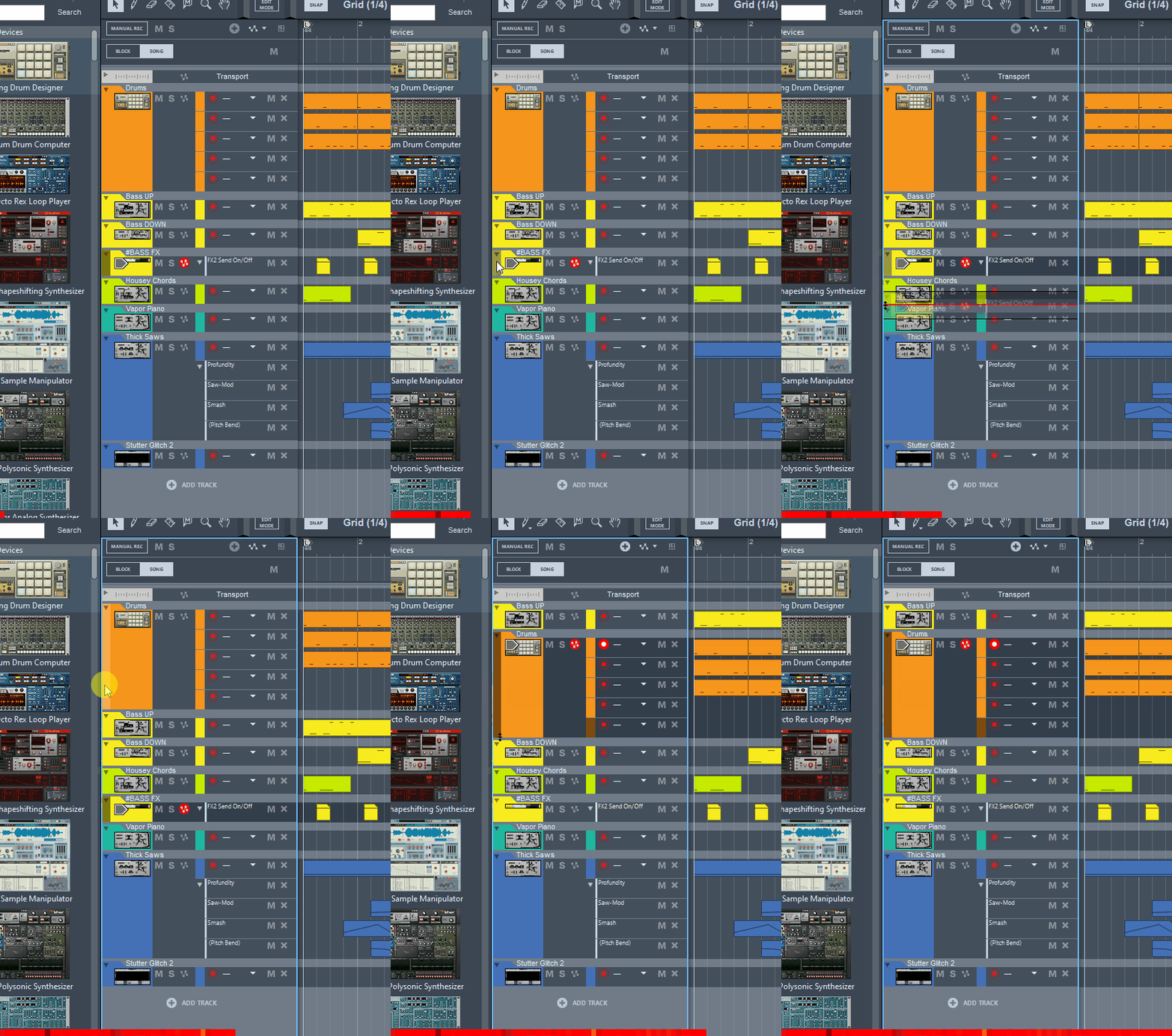
Just drag & drop. Unless I completely misunderstand what you need...Domenico KVR wrote: Mon Jan 18, 2021 8:17 pm This is certainly a very basic question, but I didn't find the answer in the user guide or on the web.
Very strange...
-
- KVRist
- Topic Starter
- 51 posts since 2 Jan, 2021
Left-click and hold the left side of the track and drag up or down.
Thanks to both of you. I was clicking and dragging the wrong part of the track.Just drag & drop. Unless I completely misunderstand what you need...
That's exactly what I needed!
Cheers.