

This is a solid reason. Having been around for the PPC to Intel transition, some projects were pretty messed up by me not getting to saving the state of the DAW in the PPC version to something that translated to the Intel version. This will inevitably be true for some people with this transition as well.
Bitwig Studio 4 announced (+beta available)!
-
 machinesworking machinesworking https://www.kvraudio.com/forum/memberlist.php?mode=viewprofile&u=8505
 - KVRAF
- 8025 posts since 15 Aug, 2003 from seattle
-

- KVRAF
- 25018 posts since 12 Jul, 2003 from West Caprazumia
Nonetheless I would not call this a feature in the first place, since it's not something you could ever make any use of or are in any way affected by if you do not own a computer that uses on such a CPU - how significant it may ever appear to some.
-

- KVRAF
- 26963 posts since 3 Feb, 2005 from in the wilds
Fine, don't call it a feature, whatever, but it is a significant capability of the software and various companies (not just music related) have made a deal of announcing M1 support.jens wrote: Fri May 28, 2021 10:00 pmNonetheless I would not call this a feature in the first place, since it's not something you could ever make any use of or are in any way affected by if you do not own a computer that uses on such a CPU - how significant it may ever appear to some.
-

- KVRAF
- 24415 posts since 7 Jan, 2009 from Croatia
Reaper has ARM support in beta.
-
- KVRAF
- 9145 posts since 7 Oct, 2005
And works great! But can't see all the plugs I installed! I have now 3 DAWs working with M1 native

Just one question, are those native DAWs see only the native M1 plugins? Some of the plugins I installed, I'm not so sure if I installed the native M1 or Rosetta's ones! Some sites are not very clear about the downloads.
Using: Cubase Pro 15, Reason 13, Tascam US-4x4HR, MODX6, DM12D, LaunchKey 49, Yamaha guitar(Pacifica 612v) and bass (BB234) and some virtual instruments and synths.
-
- KVRian
- 1404 posts since 17 Oct, 2018
Logic definitely does it, S1 does it too. I believe Cubase does it. ProTools definitely does it. I don't use Reaper so I have no clue what that does. Live doesn't do it but as many people like to point out Live is doing its own thing most of the time, but even it has the ability to select multiple tracks and affect sends for selected tracks.machinesworking wrote: Fri May 28, 2021 7:39 pmLooking at DAWs I own personally DP, Logic, Reaper, Live and Bitwig, none of them do what you want. Unless I'm misunderstanding, I'm on Live 10, but you can't drag effects to multiple channels in Live either. None of the other DAWs here automatically place the VST on multiple tracks if multiple tracks are selected. Which DAW do you use that you're looking at this and wishing Bitwig did it this way?apoclypse wrote: Fri May 28, 2021 2:15 pmRight but that doesn't address things like being able to drag and drop effects across multiple channels which you can't really do in Bitwig now, or affect sends across multiple channels which you can't do in Bitwig now. With the way things work now it would be very difficult and complex to do these things from the inspector.machinesworking wrote: Fri May 28, 2021 5:22 am
So like I mentioned, with the way selections are now in Bitwig what you selected can be globally changed and by carefully grabbing the volume or solo, mute, etc. you can still adjust things in the selection whilst retaining the global selection. It's almost like VCA faders.
Here is Logic:

and here is Studio One:

Ableton Live multiple sends:

Now Bitwig:

Studio One // Bitwig // Logic Pro // Ableton // Reason // FLStudio // MPC // Force // Maschine
-
machinesworking machinesworking https://www.kvraudio.com/forum/memberlist.php?mode=viewprofile&u=8505
- KVRAF
- 8025 posts since 15 Aug, 2003 from seattle
Interesting about Logic, in earlier versions you have to set up group tracks to do that with faders. It's weird being a noob in it again, because things other people get stuck in I remember from years ago, but things like this are improvements I never saw. In DP it's holding the t key sets a temporary group. I totally see the benefit of being able to apply the same plug in to multiple tracks, but I still think it's better to be able to select tracks for multiple fader adjustment from the Info panel because of the ability to make individual fader adjustments without deselecting those tracks. So I'm half there with you, I think it would be cool if Bitwig had these sort of template building features in terms of dumping in EQs etc.but if they did make it that faders all moved in unison when you had them all selected I would 100% want a key shortcut to override it temporarily for a fader that's selected already. Basically I hate the way Live does it.apoclypse wrote: Sat May 29, 2021 1:15 am Logic definitely does it, S1 does it too. I believe Cubase does it. ProTools definitely does it. I don't use Reaper so I have no clue what that does. Live doesn't do it but as many people like to point out Live is doing its own thing most of the time, but even it has the ability to select multiple tracks and affect sends for selected tracks.
-
- KVRAF
- 3496 posts since 30 Dec, 2014
Bitwig at version 4 and still with no thumbnail images for VST instruments and effects... I mean really ? It's half way through 2021...
KVR S1-Thread | The Intrancersonic-Design Source > Program Resource | Studio One Resource | Music Gallery | 2D / 3D Sci-fi Art | GUI Projects | Animations | Photography | Film Docs | 80's Cartoons | Games | Music Hardware |
-
- KVRAF
- 26963 posts since 3 Feb, 2005 from in the wilds
I hope that is a joke...THE INTRANCER wrote: Sat May 29, 2021 3:29 am Bitwig at version 4 and still with no thumbnail images for VST instruments and effects... I mean really ? It's half way through 2021...
-

- Banned
- Topic Starter
- 11467 posts since 4 Jan, 2017 from Warsaw, Poland
THE INTRANCER wrote: Sat May 29, 2021 3:29 am Bitwig at version 4 and still with no thumbnail images for VST instruments and effects... I mean really ? It's half way through 2021...


-
- KVRAF
- 5200 posts since 17 Aug, 2004
THE INTRANCER wrote: Sat May 29, 2021 3:29 am Bitwig at version 4 and still with no thumbnail images for VST instruments and effects... I mean really ? It's half way through 2021...

-
- KVRAF
- 12094 posts since 2 Dec, 2004 from North Wales
I doubt it...pdxindy wrote: Sat May 29, 2021 4:02 amI hope that is a joke...THE INTRANCER wrote: Sat May 29, 2021 3:29 am Bitwig at version 4 and still with no thumbnail images for VST instruments and effects... I mean really ? It's half way through 2021...
To be honest I remember thinking it was pretty cool when I first used Studio One, now I have it turned off! Only DAW it is useful in is Reason so you can see what VST is in the rack (Reason always had pictures of the instruments
 )
) X32 and 24C mixers, S88MK3, Live + PUSH 3, Osmose, RedShift 6, Pro3, S4, Tempera, Syntakt, Digitone, OP1-F, OPXY, TR-1000, Eurorack, TD27 Drums, Guitars, Basses, Amps and of course lots of pedals!
-
- Banned
- Topic Starter
- 11467 posts since 4 Jan, 2017 from Warsaw, Poland
I'm sure it wasnt.SLiC wrote: Sat May 29, 2021 7:48 amI doubt it...pdxindy wrote: Sat May 29, 2021 4:02 amI hope that is a joke...THE INTRANCER wrote: Sat May 29, 2021 3:29 am Bitwig at version 4 and still with no thumbnail images for VST instruments and effects... I mean really ? It's half way through 2021...
From the same mind - behold a redesign of Reason's mixer:
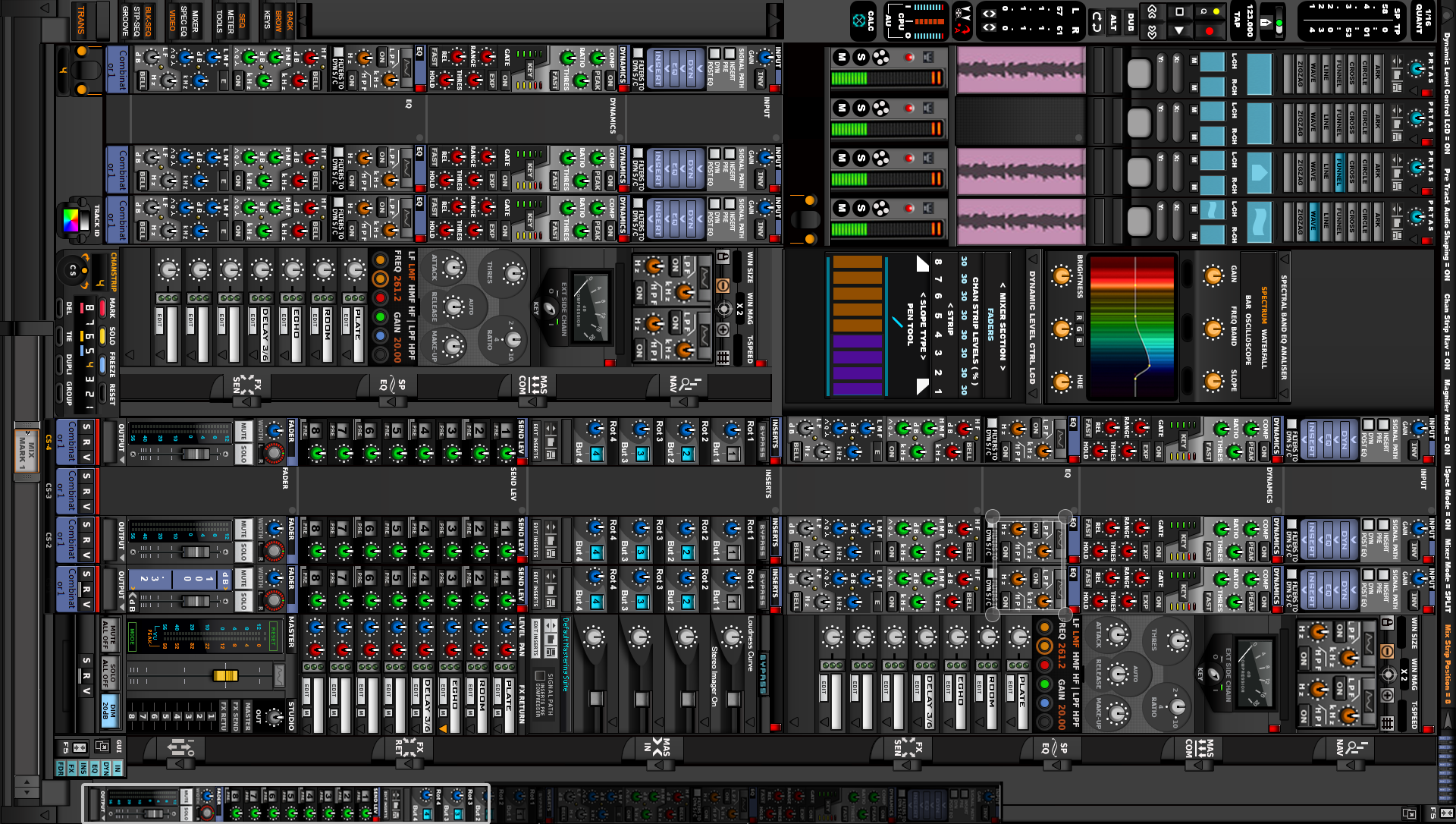
-
- KVRAF
- 35674 posts since 11 Apr, 2010 from Germany
It's working surprisingly well for quicker and easier identification and selection of instruments or fx.pdxindy wrote: Sat May 29, 2021 4:02 amI hope that is a joke...THE INTRANCER wrote: Sat May 29, 2021 3:29 am Bitwig at version 4 and still with no thumbnail images for VST instruments and effects... I mean really ? It's half way through 2021...
I definitely think every DAW should have it. Most have now.
-
- KVRAF
- 9145 posts since 7 Oct, 2005
I know what are you talking about. This is old fashioned now! Instead, you can use coloursTHE INTRANCER wrote: Sat May 29, 2021 3:29 am Bitwig at version 4 and still with no thumbnail images for VST instruments and effects... I mean really ? It's half way through 2021...

I use: Red for Drums, Yellow for Bass, Blue for FM/Additive/Wavetable ..etc synths, Green for analog synths and Grey/White for Piano or other traditional sounds. I find it easier with colours than images.
Using: Cubase Pro 15, Reason 13, Tascam US-4x4HR, MODX6, DM12D, LaunchKey 49, Yamaha guitar(Pacifica 612v) and bass (BB234) and some virtual instruments and synths.