


Any way to have 2 VST plugin's showing at the same time?
-
- KVRist
- 393 posts since 16 Aug, 2004
In any VST host, is it possible to have the interfaces of 2 fx plugins [say one reverb and one delay] showing at the same time so I can easily trigger between any of the two?
-

- KVRAF
- 3060 posts since 6 Jul, 2013
Sure. Haven't you seen scores of YouTube videos with people having multiple plugins open on screen..?
Not sure what you mean by "trigger between" though...
Not sure what you mean by "trigger between" though...
-
 thecontrolcentre thecontrolcentre https://www.kvraudio.com/forum/memberlist.php?mode=viewprofile&u=76240
 - KVRAF
- 37262 posts since 27 Jul, 2005 from Scottish Borders
-
- KVRist
- Topic Starter
- 393 posts since 16 Aug, 2004
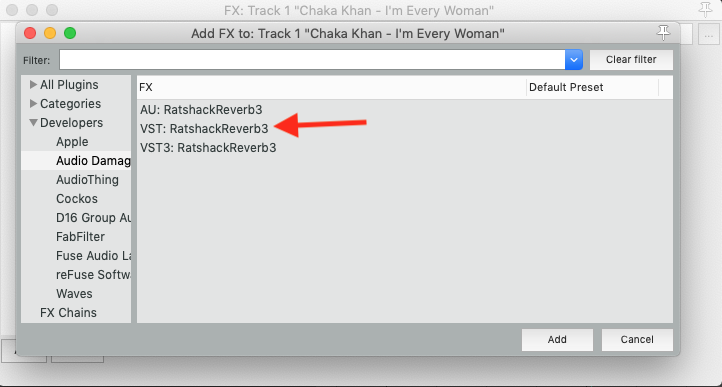
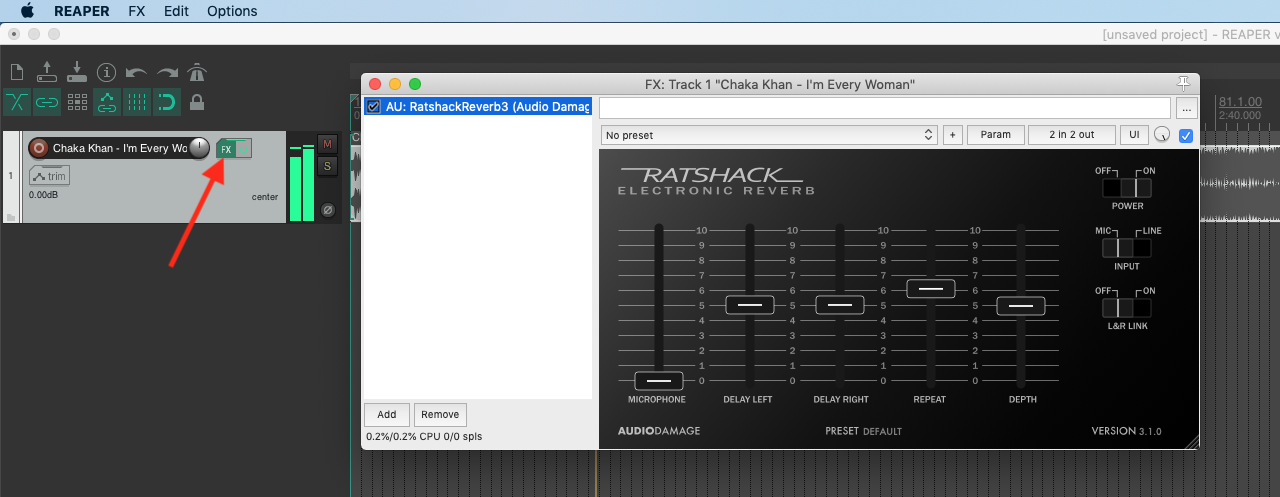
Maybe I'm not understanding. Please see attached screenshot. When I hit that green fx button, I can choose which fx, so I select an fx and out opens but if I hit that fx button a second time it only closes the open fx window?
-
- KVRist
- 126 posts since 31 Jan, 2018
Yeah, the green button will just switch the FX window on/off, so don't touch it  Try double clicking on the name of effect.
This is on Windows, but here's what happens:
before
after you double click
Try double clicking on the name of effect.This is on Windows, but here's what happens:
before
after you double click
You do not have the required permissions to view the files attached to this post.
-
- KVRist
- Topic Starter
- 393 posts since 16 Aug, 2004
Maybe you are not understanding me [sorry] but one step closer.
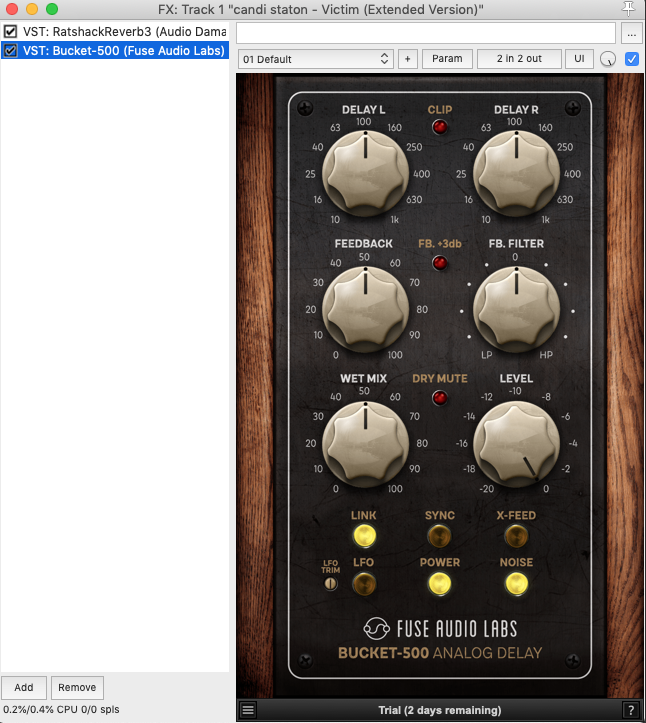
So I can switch between the 2 fx showing [thanks] BUT what I am seeking is to have BOTH fx interfaces showing at the same time on my screen.
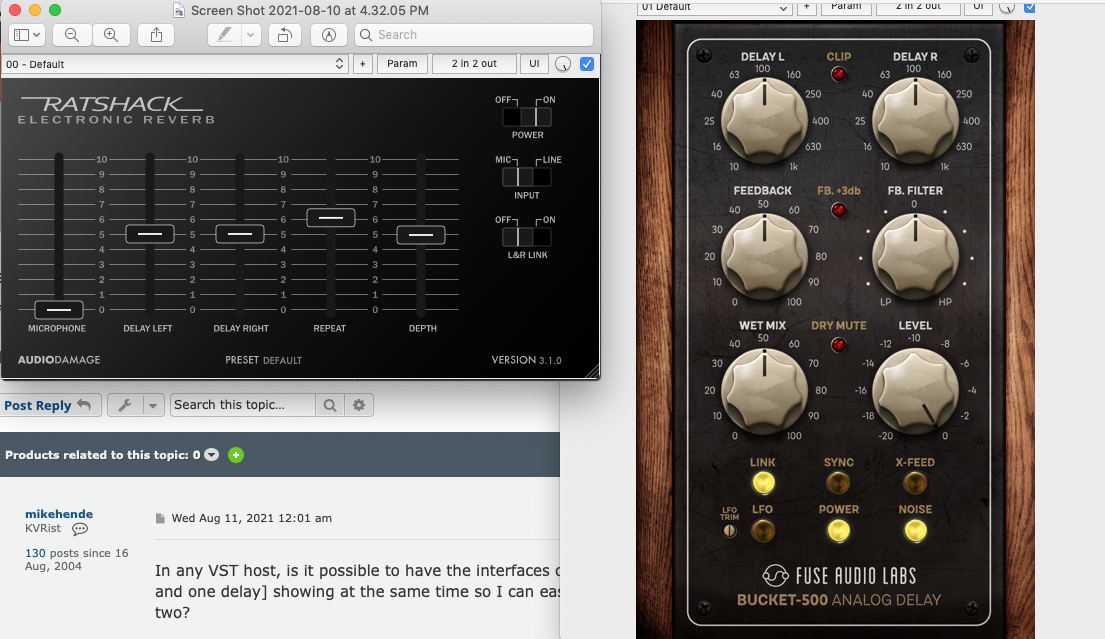
In your screenshot you have only one fx interface or window showing too.
So I can switch between the 2 fx showing [thanks] BUT what I am seeking is to have BOTH fx interfaces showing at the same time on my screen.
In your screenshot you have only one fx interface or window showing too.

-
- KVRian
- 837 posts since 1 Sep, 2007
Right click (does mac have a right click yet?  ) on the green FX button on the channel and you should get the FX on the track listed at top, the one you select there will open in a own window, do the same with the other FX you want to have open.
) on the green FX button on the channel and you should get the FX on the track listed at top, the one you select there will open in a own window, do the same with the other FX you want to have open.-

- KVRAF
- 3822 posts since 20 Apr, 2005
Maybe you should include Reaper in the topic title?mikehende wrote: Tue Aug 10, 2021 7:08 pm I want to test like in Reaper but when I press it's fx button I am seeing the option to choose only one.
-

- KVRAF
- 2267 posts since 25 Jun, 2008 from Montreal, Canada
You're a member here since 2004 and you didn't know this?!? Just... wow.