

Yep, but in my post I described that as an ugly way to use software. Works tho.EvilDragon wrote: Wed Sep 08, 2021 1:42 pmThere's an action to toggle zoom track height so that you can quickly increase its height then return back with a single keystroke.Abiah wrote: Wed Sep 08, 2021 1:22 pm Yep but you have the manually drag-stretch out each track window just to see the fx in the track pane.
The most Easy-on-the-eyes Reaper theme
-
- KVRist
- 48 posts since 4 Dec, 2008
-
- KVRian
- 804 posts since 18 Apr, 2011

-

- KVRAF
- 24415 posts since 7 Jan, 2009 from Croatia
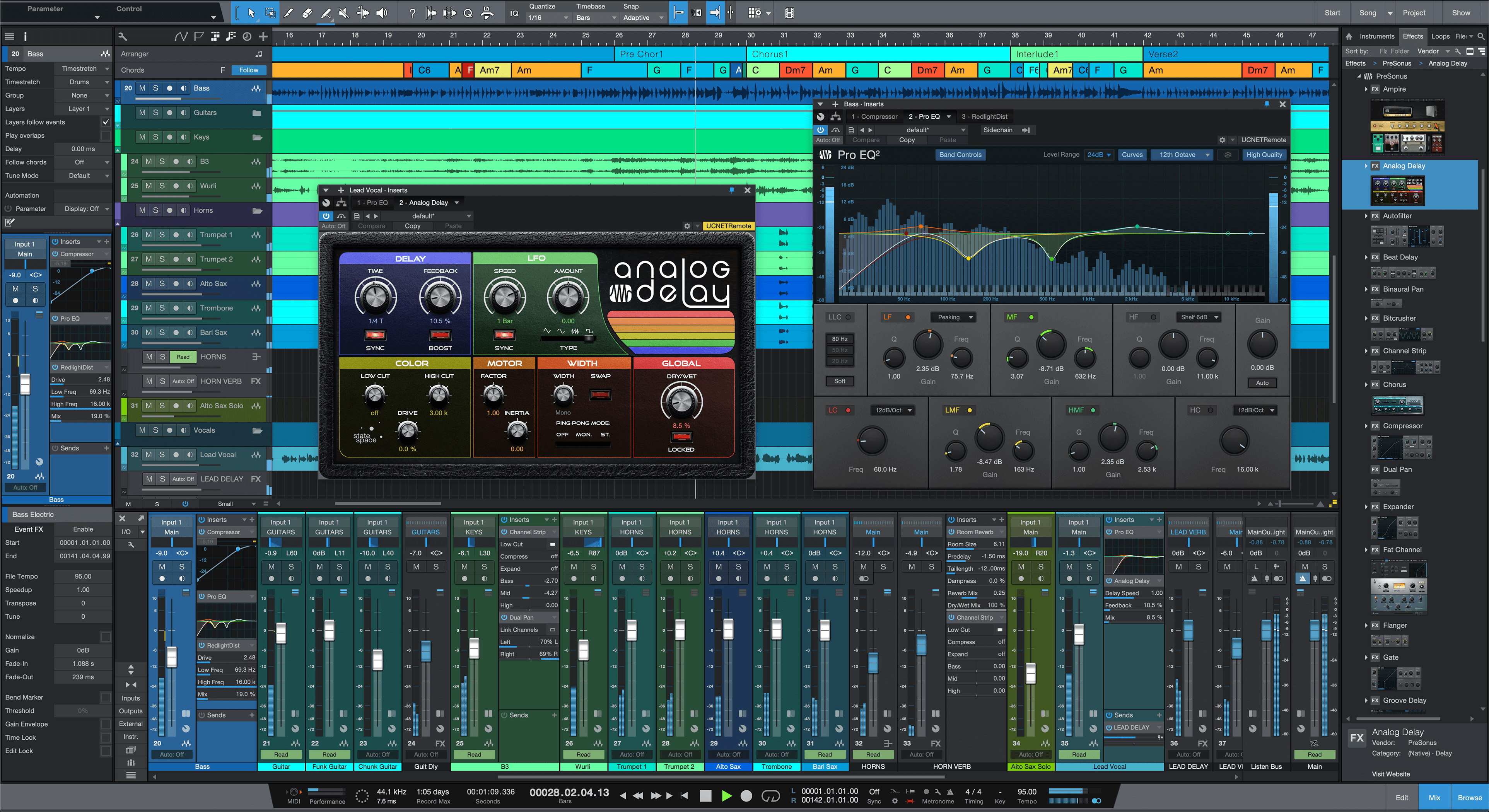
Also, some themes have fixed mixer sizes, so that FX slots and send slots are always visible and you don't need to drag the tracks up etc to show those areas. Depending on your screen real estate (preferably dual monitor, with mixer on separate monitor), that would also work for dealing with FX. But this is really what I most often do:

-
- KVRAF
- 1524 posts since 29 Oct, 2015 from Jupiter 8
I don't know, i think Reaper's workflow can be really efficient. And i'm using stock Reaper (just with customized key commands and mouse behavior), so none of the really powerful scripts available, etc.I can’t help but wonder if reaper users wear their tribulations as a badge if honor.
Some stuff can be incredibly well hidden deep inside menus and sub menus though, so you have to dig deep in the beginning to find your shortcuts
If i was able to find out how to transpose MIDI clips up and down per semitone with something like ctrl +/- and quick bouncing of the current selection to a new audio clip that appears on a new track like i could do in Acid or Sonar i don't think that i't really need much else at all to be PERFECTLY happy with it
(Oh, and btw. where do you do Sysex Dumps?) i'm keeping my old copy of Sonar 8.5 just for that, because i'm unable to find it in Reaper
All these features might actually be there already, i'm just not smart enough
The GAS is always greener on the other side!
-
- KVRist
- 259 posts since 11 Dec, 2018
Hmm.. It's a tribulation to have a side bar with all generators and effects on the active track, but it's not a tribulation to have to open inspector screens or mixer during arrangement, which takes away arrangement space?
It's a tribulation that the software lets you do things your way, but you need to right click or left drag or press a key shortcut or left click on a custom button (whatever your preferred method is)? None of those are good enough?
Lastly, I agree that Reaper can be plain looking, but the reason for using plain windows is that it will save your RAM for the audio processing, which to me matters more than the color of a UI element. Many other DAWs start crackling under load because of bloat and inefficient coding.
Anything can be a "tribulation".
It's a tribulation that the software lets you do things your way, but you need to right click or left drag or press a key shortcut or left click on a custom button (whatever your preferred method is)? None of those are good enough?
Lastly, I agree that Reaper can be plain looking, but the reason for using plain windows is that it will save your RAM for the audio processing, which to me matters more than the color of a UI element. Many other DAWs start crackling under load because of bloat and inefficient coding.
Anything can be a "tribulation".
-

- KVRAF
- 8111 posts since 13 Jan, 2003 from Darkest Kent, UK
You can ctrl&alt&drag an item to render a new file wherever you drop it. Not sure just from a selection.FapFilter wrote: Wed Sep 08, 2021 1:57 pm quick bouncing of the current selection to a new audio clip that appears on a new track like i could do in Acid or Sonar i don't think that i't really need much else at all to be PERFECTLY happy with it
(Oh, and btw. where do you do Sysex Dumps?) i'm keeping my old copy of Sonar 8.5 just for that, because i'm unable to find it in Reaper
I think sysex is available from the midi editor, look at the event list, should be editable from there I seem to remember.
-
- KVRist
- 48 posts since 4 Dec, 2008
but you do know what I mean. The poster above you describes themselves as not smart enough bc they haven’t discovered how to do things that are usually easily discoverable . The workarounds that others have mentioned would typically be discovered by users after maybe hundreds of hours. It’s the dark souls of daws, the git gud culture.
It doesn’t have a reputation for being plain. It has a reputation for being brutally, unyieldingly complicated to use, and painful on the eyes.
Reaper could make itself easier to use and less ugly, but cockos relies on the user base to pour thousands of hours into this while it focuses on functionality and performance.
I do love & appreciate so much about it fwiw
It doesn’t have a reputation for being plain. It has a reputation for being brutally, unyieldingly complicated to use, and painful on the eyes.
Reaper could make itself easier to use and less ugly, but cockos relies on the user base to pour thousands of hours into this while it focuses on functionality and performance.
I do love & appreciate so much about it fwiw
-
- KVRAF
- 1524 posts since 29 Oct, 2015 from Jupiter 8
doesn't seem to work for me, although the new clip says render.You can ctrl&alt&drag an item to render a new file wherever you drop it. Not sure just from a selection.
But generally it still seems to be a straight copy: a MIDI clip stays a MIDI clip and audio files are also still identical copies without any FX applied.
The SySex option i found only accepts manual entry, no file loading.I think sysex is available from the midi editor, look at the event list, should be editable from there I seem to remember.
There is a bank transfer function, which accepts files, but not not .syx
Edit: SySex might work now, after i opened the said SySex file in a text editor and copy/pasted it into the SySex text field in Reaper.
Haven't actually tried if this works as i know that the way in Sonar works flawlessly.
The GAS is always greener on the other side!
-
- KVRAF
- 8111 posts since 13 Jan, 2003 from Darkest Kent, UK
-
- KVRAF
- 1524 posts since 29 Oct, 2015 from Jupiter 8
I also don't use SySex alot. Nowadays only to update my Elektron boxes from time to time, so it's not really that crucial to me (and Sonar still works)
But the bouncing stuff was always very handy for me, if only to quickly put something into a sampler, already perfectly pre-cut in length.
But the bouncing stuff was always very handy for me, if only to quickly put something into a sampler, already perfectly pre-cut in length.
The GAS is always greener on the other side!
-
- KVRist
- 259 posts since 11 Dec, 2018
It's interesting you say that. I personally find it much easier to use than FL Studio and Ableton, both of which confuse me, and both of those are very popular DAWs. Reason is also very confusing to me.Abiah wrote: Wed Sep 08, 2021 2:51 pm It has a reputation for being brutally, unyieldingly complicated to use, and painful on the eyes.
On the other hand, Studio One is relatively easy to use, and I have "stolen" some of its shortcuts (e.g. "d" for smart duplication of events). But it's not as configurable (e.g. mouse modifiers), and I personally prefer having the FX sidebar visible so that I can see what effects are on the track and manage them easily. In Studio One I either have to use the inspector, which eats into my arrangement screen estate or invoke a key shortcut to open the effects in another window (I think it's called "Show Console Channel" or something like that).
I guess the point I'm driving at is that some people including myself actually find Reaper logical and easy to use. Its linearity + single track type that abstracts away audio/midi etc, immediacy of effects in the fx sidebar, and then custom buttons/key bindings to a wide variety of available actions for intermediate/advanced users, it just makes sense to me (personally).
-
- KVRAF
- 1524 posts since 29 Oct, 2015 from Jupiter 8
Oh, i think Reaper can be pretty complicated, or let's call it “special“  , but once you know it, it is really good and very fast to work with. Of course there will always be something that is still “superior“ in some ways, but this goes for all other DAWs aswell.
And regarding it's “drab“ look: except for the “big white box“ and some of it's native plugins (like the EQ) which indeed can be an eyesore, i generally think it looks pretty nice and not really worse than Cubase or Logic. In fact, quite a few of the others have questionable color selections as far as i'm concerned.
But in the end, everyone should use what they like.
, but once you know it, it is really good and very fast to work with. Of course there will always be something that is still “superior“ in some ways, but this goes for all other DAWs aswell.And regarding it's “drab“ look: except for the “big white box“ and some of it's native plugins (like the EQ) which indeed can be an eyesore, i generally think it looks pretty nice and not really worse than Cubase or Logic. In fact, quite a few of the others have questionable color selections as far as i'm concerned.
But in the end, everyone should use what they like.
Last edited by FapFilter on Wed Sep 08, 2021 3:39 pm, edited 1 time in total.
The GAS is always greener on the other side!
-
- KVRAF
- 35674 posts since 11 Apr, 2010 from Germany
Same here. I never quite understood why Reason is considered an easy DAW. It can be very confusing, if you're used to a more linear workflow. Never figured out Ableton either, but, never really used it more than a few minutes.mdstudio wrote: Wed Sep 08, 2021 3:27 pm It's interesting you say that. I personally find it much easier to use than FL Studio and Ableton, both of which confuse me, and both of those are very popular DAWs. Reason is also very confusing to me.

You CAN learn and work with Reaper. It's a bit of a pain for me though. And dressing it doesn't really solve the fundamental problems I have with its approach.